
Deployment architecture
Bookend runs inside your network as a set of Docker containers. There is no cloud tenant and no SaaS component, and loan documents never leave the institution. This page is written for the bank’s infrastructure, information security and AI governance reviewers.
At a glance
Section titled “At a glance” YOUR BANK'S NETWORK (Docker Compose on a VMware or Hyper-V Linux guest) ┌──────────────────────────────────────────────────────────────────────────┐ │ │ │ bank LAN ── 443 (your TLS terminator) ──► app-ui nginx │ │ │ the only exposed port │ │ │ /api and /mcp │ │ ▼ │ │ api REST · MCP · rules · │ │ │ Quartz jobs │ │ ┌──────────────────────────┼──────────────────┐ │ │ ▼ ▼ ▼ │ │ inference database volumes │ │ classify · extract · PostgreSQL or documents │ │ OCR · CPU only SQL Server (SHA-256) │ │ exports │ │ watch │ │ │ └──────────────────────────────────┬───────────────────────────────────────┘ │ outbound only, each visible in Settings ▼ jXchange (your core) · SMTP (your relay) · metering heartbeat optional, off by default: your OIDC provider · a template modelContainers
Section titled “Containers”| Container | What it does |
|---|---|
app-ui |
nginx (unprivileged image) serving the React workstation. It proxies /api and /mcp to api. This is the only port published to the bank LAN. |
api |
The .NET application: the REST API, the MCP server, the rules engine and background jobs (pipeline stages, the watch folder scan, the nightly evidence verification, retention, and the daily heartbeat). Runs as a non-root user. |
inference |
Document splitting, classification, extraction, OCR (Tesseract) and field location over a small internal HTTP contract. CPU only. It runs from its image and fetches nothing from outside at runtime. Not reachable from the bank LAN. |
migrator |
Applies the numbered, forward-only database scripts once, then exits. api waits for it to finish. |
db |
Optional. A bundled postgres:16-alpine container, or point Bookend at your own PostgreSQL 16+ or SQL Server 2019+ instance. |
All containers share one internal Docker network. Inside it, traffic is plain HTTP on an isolated bridge; TLS terminates at your load balancer or at an nginx override that carries your certificate. The api trusts X-Forwarded-* headers only from the proxy networks you configure. See Install and the Compose reference.
Where data lives
Section titled “Where data lives”| Store | Contents |
|---|---|
| Database | Loans, document metadata, extracted values, findings, approvals, boarding and wire records, the evidence chain, settings (secrets encrypted with your master key), job state, the audit log. |
documents volume |
Every uploaded file, stored by its SHA-256 hash (content-addressed), plus rendered pages. The evidence chain refers to these hashes. |
exports volume |
Boarding files and wire requests produced for your core and your wire room. |
watch volume |
The watched folder for unattended intake. |
Bookend is deployed with Docker Compose on a Linux x86-64 guest (Docker Engine 24+ with Compose v2), typically on your existing VMware or Hyper-V estate. Windows Server with Docker Desktop is supported for evaluation. Kubernetes is optional; the Compose file is the reference deployment. See Sizing and prerequisites.
Database
Section titled “Database”PostgreSQL is the default; SQL Server is supported with the same logical schema.
- Two database principals. An owner account runs the migrator (DDL and grants). A least-privilege application account does everything else. The application account can insert evidence events and audit rows but cannot update or delete them.
- Forward-only migrations. Schema changes are hand-written, numbered scripts, applied once by the migrator and checksummed. The migrator refuses to run if an applied script has changed (drift).
- Preflight. The
apirefuses to start if the schema version does not match what the release requires, so an upgrade can never run against a half-migrated database. - High availability is your database platform’s, reached through one connection string. See Resilience and availability.
Releases and change control
Section titled “Releases and change control”- Releases are bundles: images, checksums, release notes, database migrations and the validation pack. The checksum file is signed so you can verify the bundle before loading it.
- You pull releases on your own change-control schedule and apply them in your maintenance window. Bookend never updates itself, and nothing pulls images at runtime.
- Support covers the current and previous minor release.
See Upgrade.
Outbound connections
Section titled “Outbound connections”Nothing outside your network needs to connect in. The table lists every outbound connection Bookend can make. Each one is configured in Settings and visible there.
| Connection | Goes to | Carries | How to turn it off |
|---|---|---|---|
| jXchange | Your Jack Henry core | The boarding record your checker approved, and inquiries on it | Select the file export adapter (core.provider = file.export). Boarding files are written to the exports volume instead. |
| SMTP | Your own mail relay | Sign-in links, invitations and escalation emails | The relay is yours and inside your network. The onboarding wizard sends a test message before activation. After that, email sign-in links can be turned off (auth.login_otp_enabled), and escalations are still recorded on the loan if mail cannot be sent. |
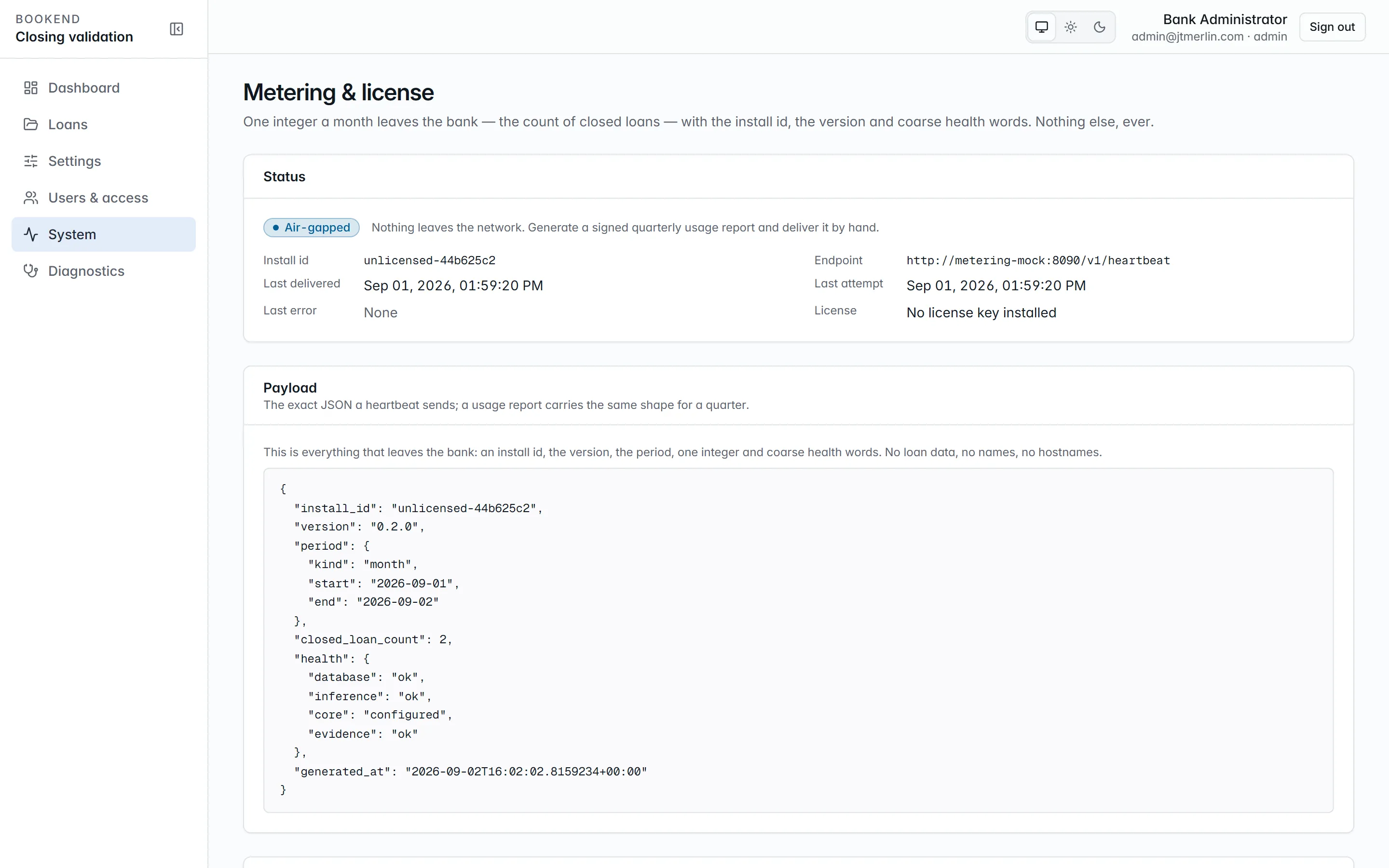
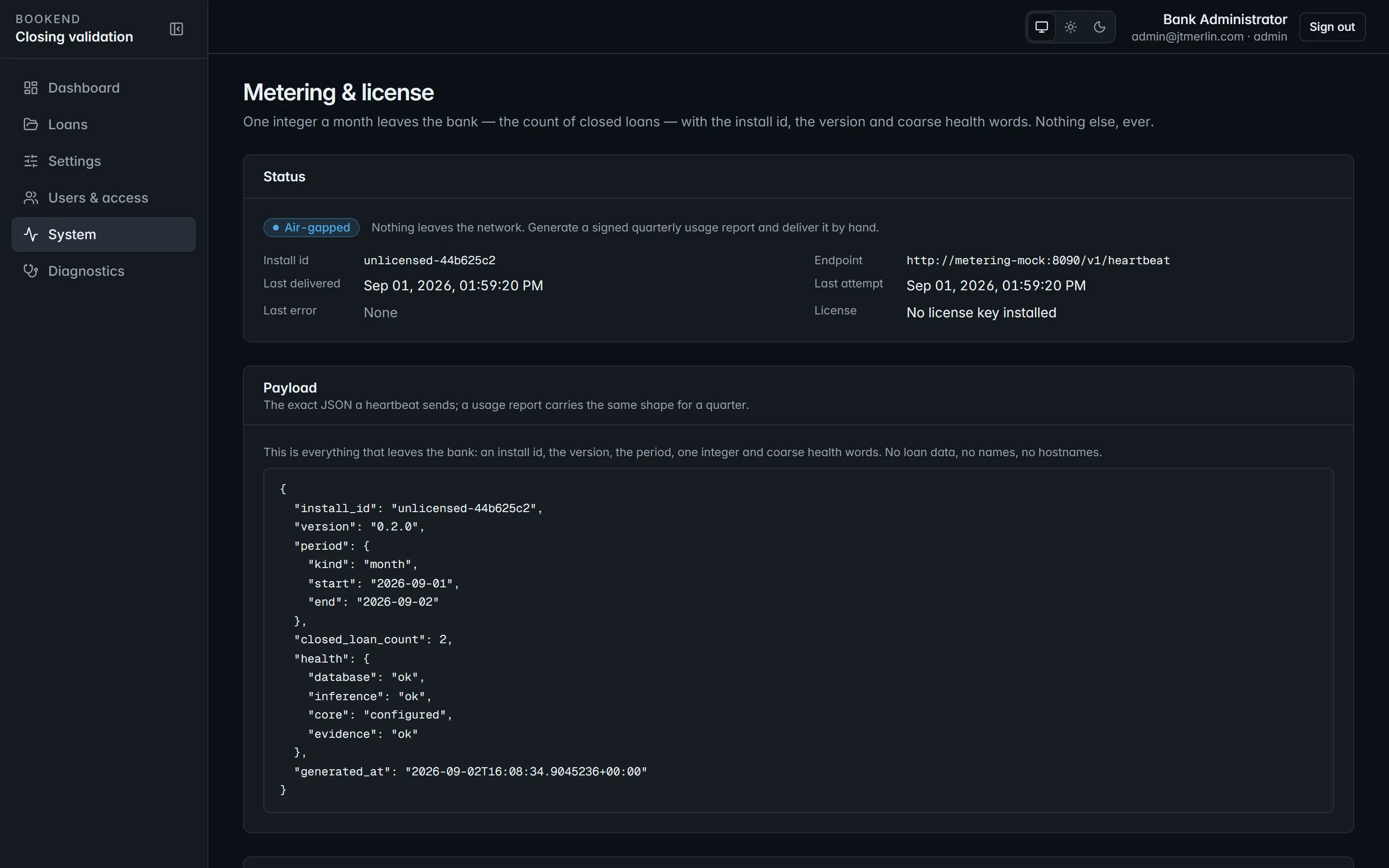
| Metering heartbeat | Bookend’s metering receiver | Install id, version, period, closed-loan count, document page count, coarse health and the license key. No loan data. | Turn off metering.heartbeat_enabled, or set air-gapped mode. |
| Identity provider (optional) | Your OpenID Connect provider, such as Entra ID or Okta | Sign-in code exchange and the provider’s published keys. No loan data. | Off unless auth.oidc_enabled is set. |
| Template suggestion (optional) | An OpenAI-compatible model endpoint you choose | The text of the sample document an administrator uploads when asking for a suggested template | Off unless an administrator sets ai.endpoint. Point it at a model inside your network, or leave it blank. It is never used when processing loans. |
Air-gapped mode
Section titled “Air-gapped mode”Air-gapped installs are supported. With metering.air_gapped set, heartbeats stop and an administrator generates a signed quarterly usage report instead, delivered by whatever channel the bank permits. Releases arrive on approved media and are verified and loaded locally. Everything else works the same, including boarding through jXchange inside your network. See Air-gapped operations.
If Jack Henry hosts your core
Section titled “If Jack Henry hosts your core”The containers still run in your network. They reach the core over jXchange as they would a core in your own data center, and loan documents stay in your network. See For Jack Henry banks.
Reference sizing
Section titled “Reference sizing”| Profile | vCPU | RAM | Storage | Notes |
|---|---|---|---|---|
| Pilot / evaluation | 4 | 16 GB | 100 GB SSD | One reviewer at a time, demo volumes |
| Reference | 16 | 64 GB | 500 GB SSD | About 500 loans and 150,000 pages a year, 10 concurrent reviewers |
No GPU is needed. Inference runs on CPU, and community bank volumes are well within it. Full prerequisites, including browsers and network rules, are on Sizing and prerequisites.
Related
Section titled “Related”- Security and compliance for the vendor-risk questionnaire
- Data handling for the data inventory
- Architecture for the internal layering of the application