Review workstation
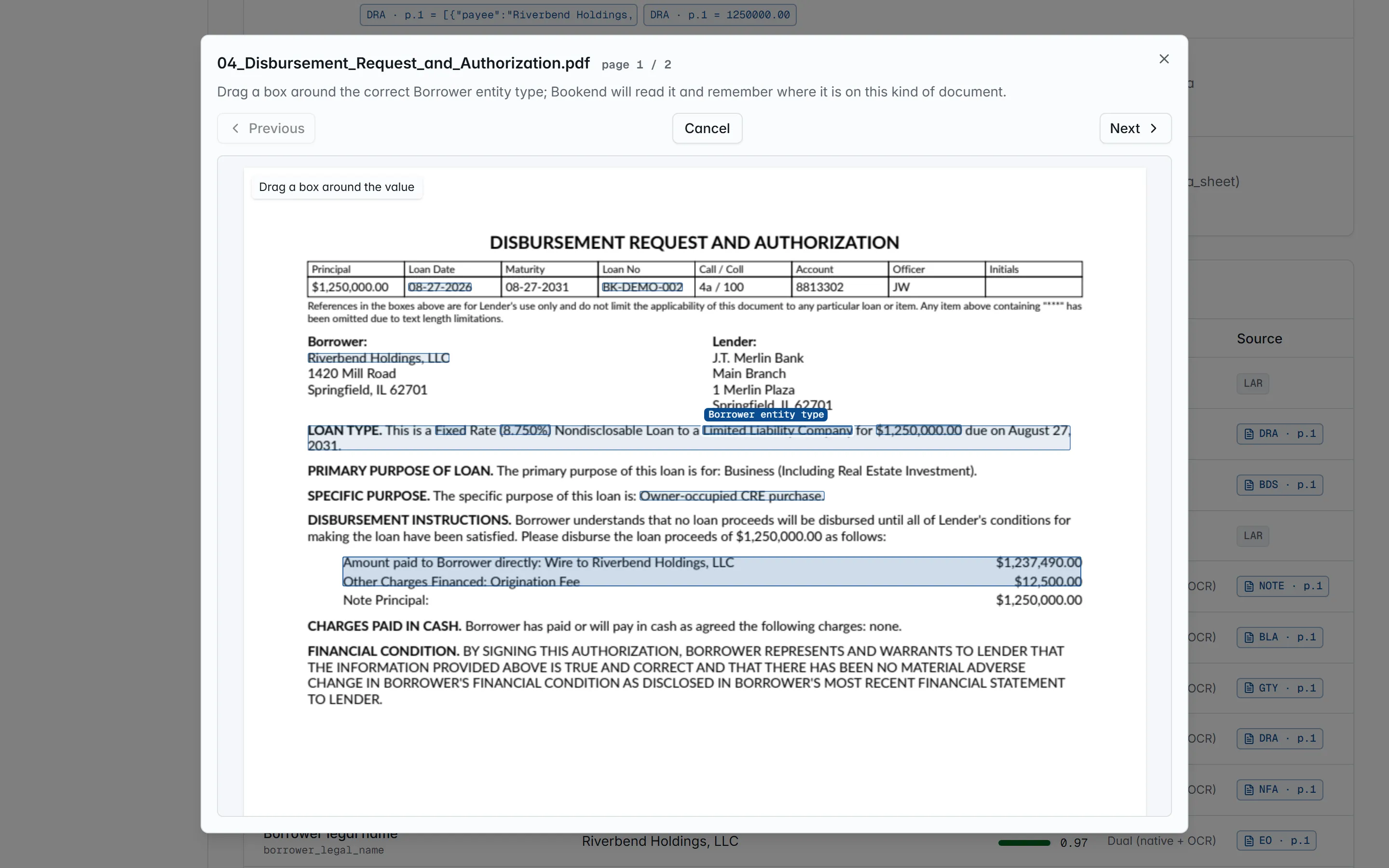
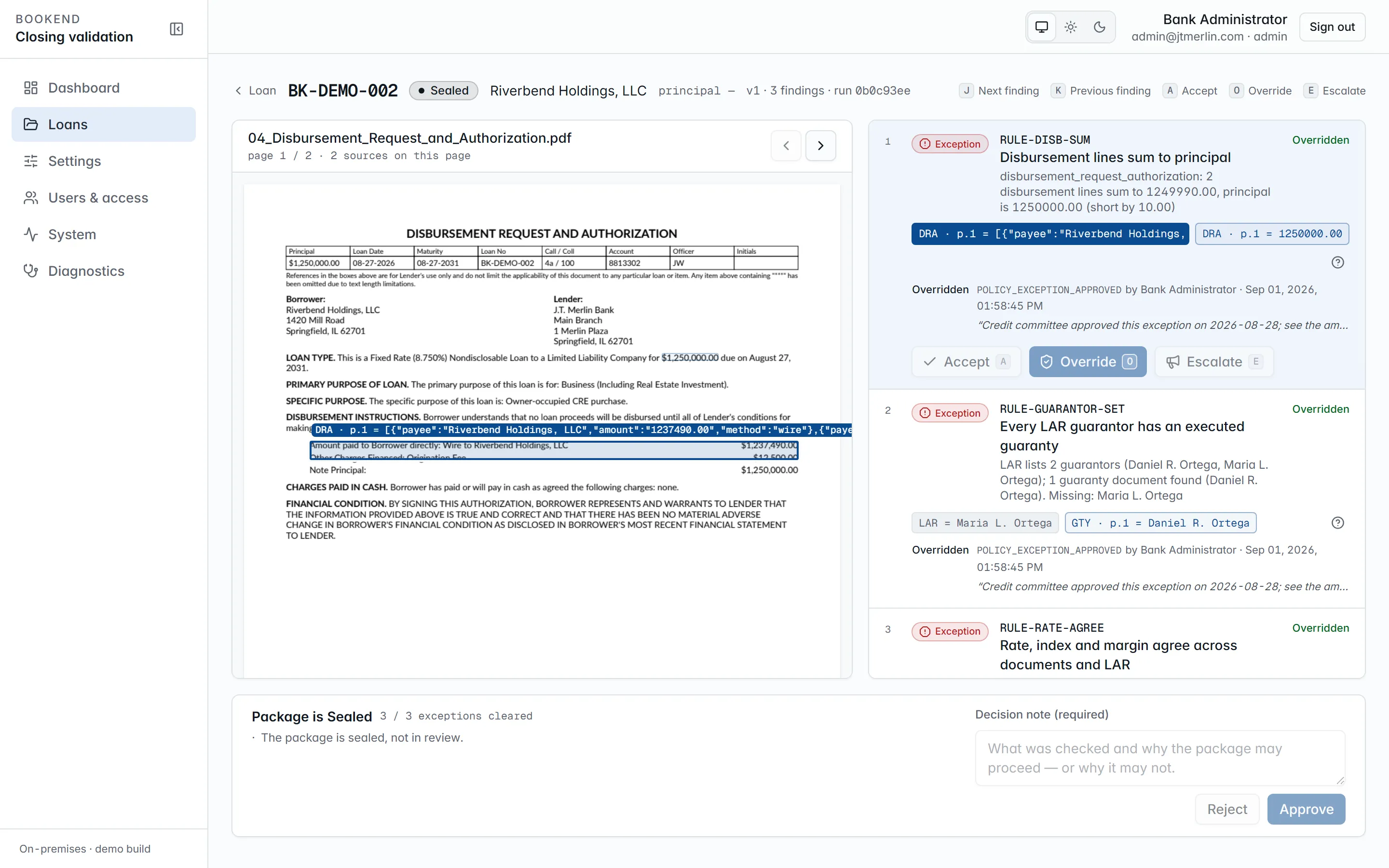
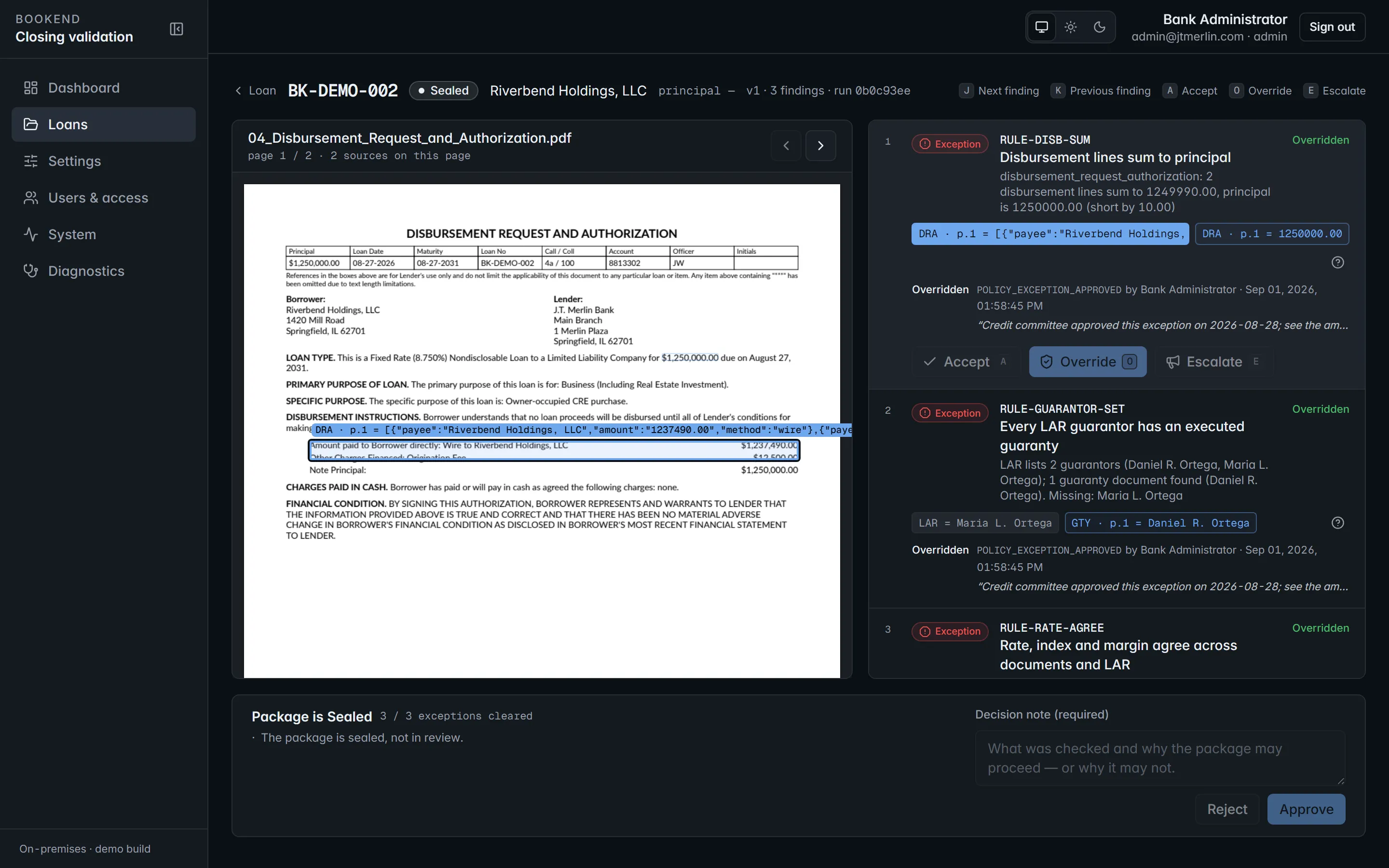
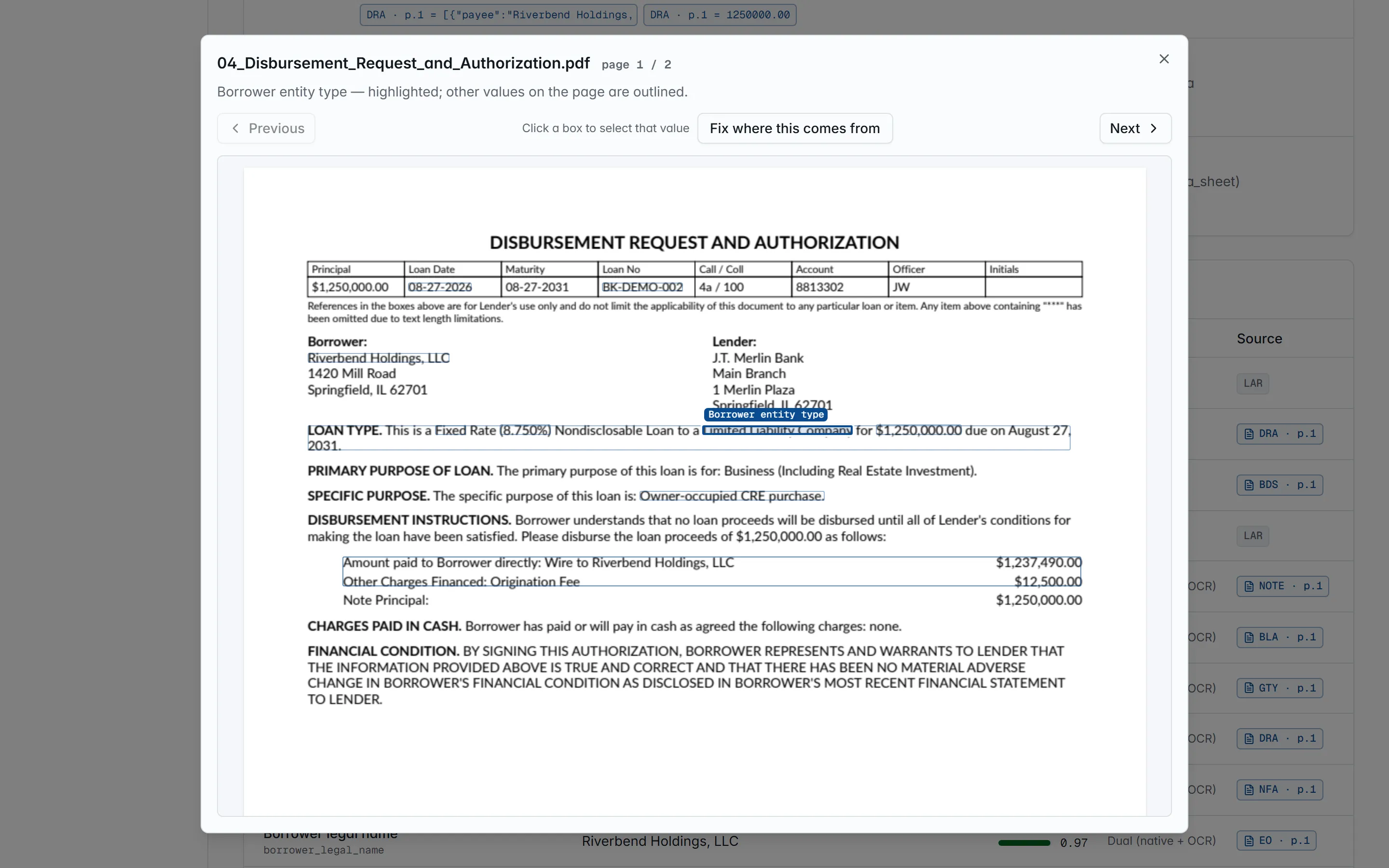
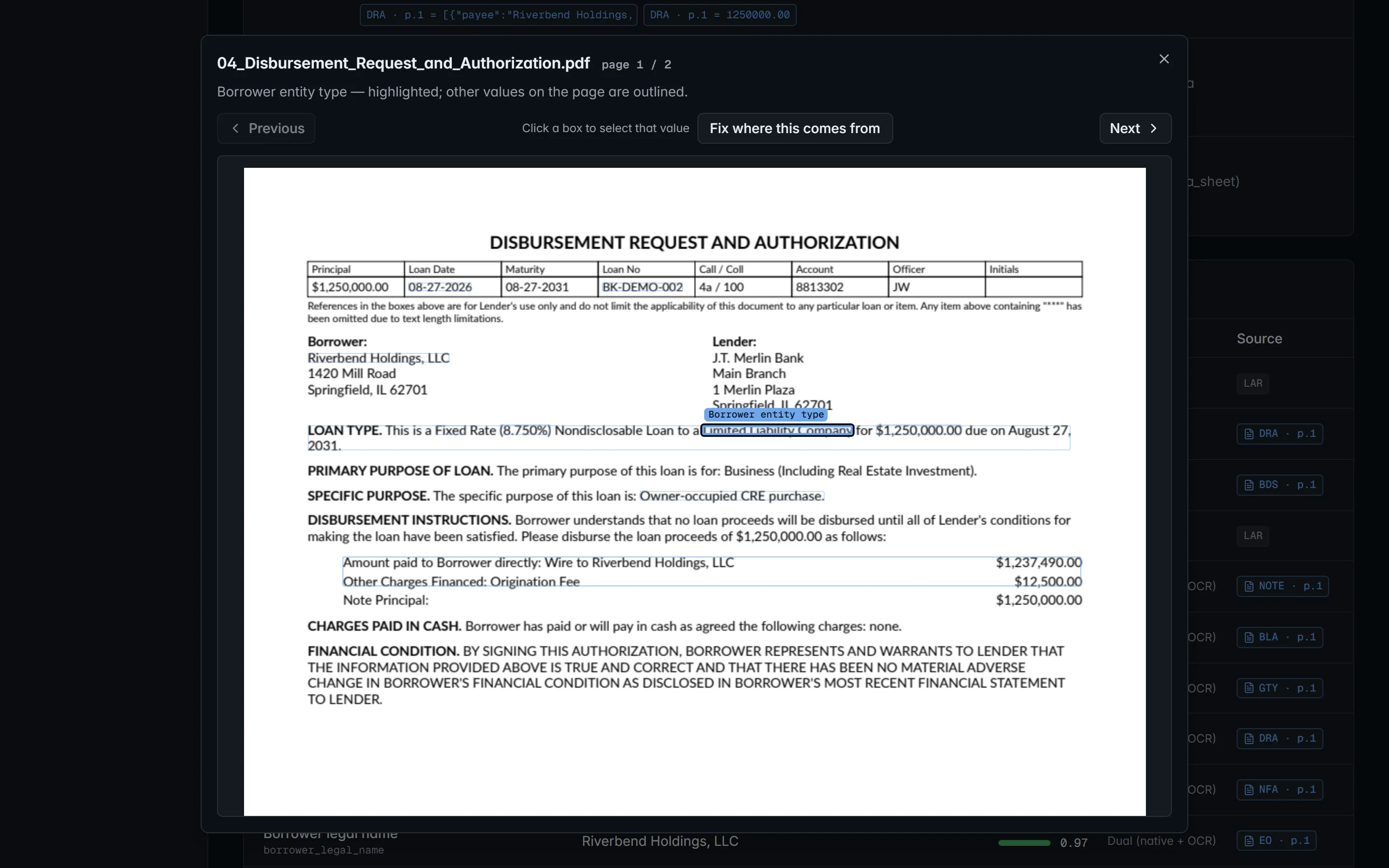
Open a loan and press Open workstation (/loans/{ref}/review). The source pane on the left shows the selected finding’s source page with the cited value highlighted; the finding panel on the right lists the latest reconciliation run’s findings, exceptions first, then warnings, then informational findings.
Findings
Section titled “Findings”Each finding carries the rule id, its severity (exception blocks approval; warning and info do not), a message with the compared values, and source chips (document, page and the value read) for every value it cites. Click a chip and the source pane jumps to that page. The help button next to the chips opens the rule’s documentation (the same pages as the rule reference).
Actions
Section titled “Actions”Findings can be acted on only while the loan is in review, and only on the latest run.
| Action | Key | Who | Effect |
|---|---|---|---|
| Accept | A |
specialist, manager, admin | Acknowledges the finding (status accepted), recorded with who and when. An accepted exception still blocks approval. |
| Override | O |
manager, admin | Resolves the finding (status overridden). Requires a reason code from review.reason_codes and a written justification of at least review.justification_min_length characters (default 10). |
| Escalate | E |
specialist, manager, admin | Records the escalation (the status does not change) and emails every active manager and administrator a link to the workstation. |
J / K move to the next and previous finding. Every action is appended to the finding’s history (which cannot be edited) and to the evidence chain.
The default reason codes are DOC_CORRECTED_OFFLINE, LAR_AMENDED, SCRIVENER_ERROR, POLICY_EXCEPTION_APPROVED, EXTRACTION_ERROR and OTHER; an administrator can change the list.
Approval
Section titled “Approval”The approval bar lists the blockers: exception findings not yet overridden, and exception findings no person has acted on yet. Once it is clear, enter a Decision note (required) and press Approve; Bookend records review.approved with the note and the full finding checklist (each finding’s status, last action, who and when). Reject also needs the note and ends the package as rejected. Approving and rejecting need the specialist, manager or administrator role and a signed-in person (not an API key).
To fix the package instead, upload corrected documents or a replacement LAR while the loan is in review, or press Reprocess. Bookend re-runs the pipeline (or, for a new LAR, just reconciliation) and records a new reconciliation run with its own findings; earlier runs are never edited. GET /v1/loans/{ref}/reconciliation lists every run with its ruleset version, the thresholds in force and its summary counts.
Fixing where a value comes from
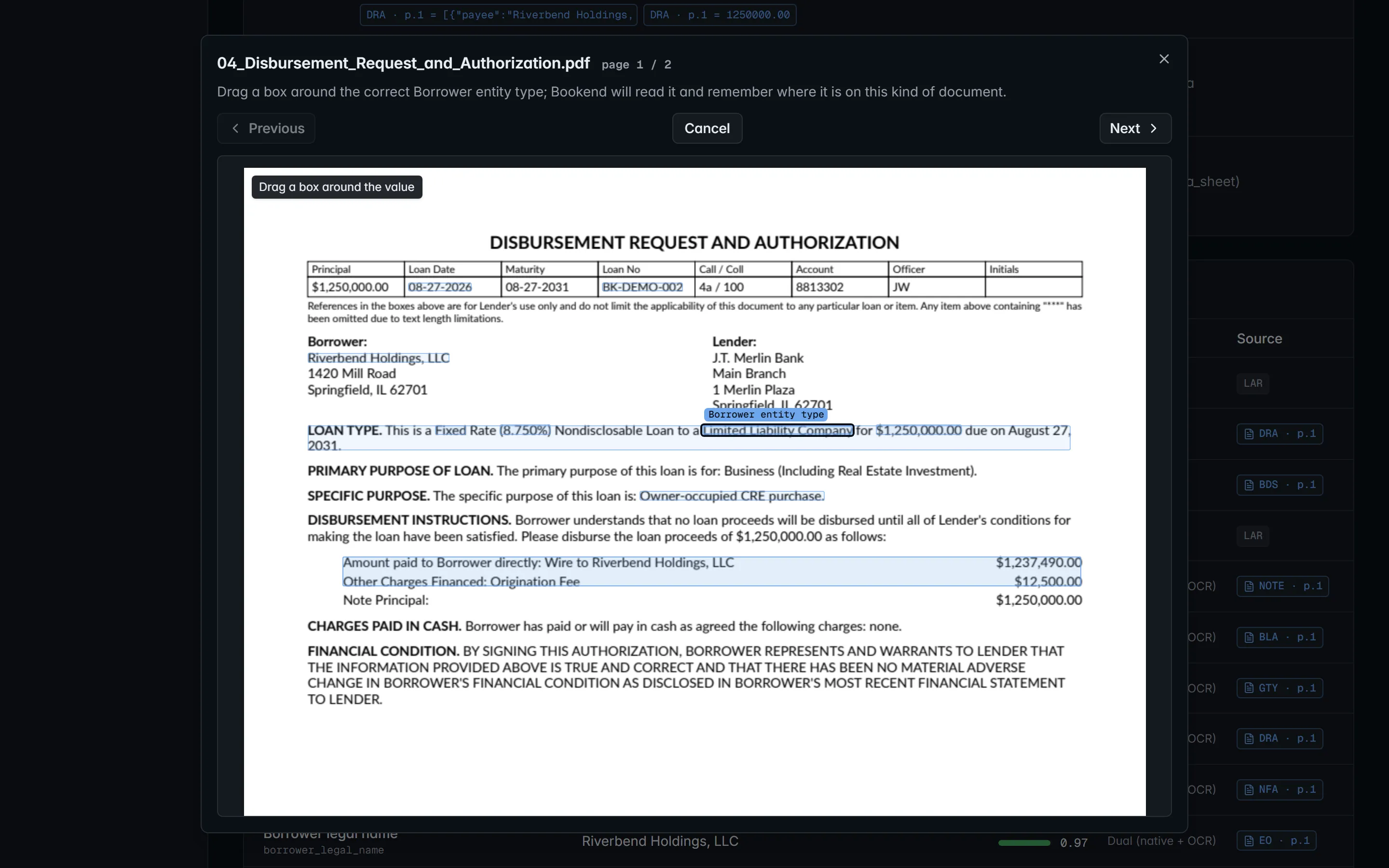
Section titled “Fixing where a value comes from”Every value’s provenance chip on the loan page opens its source page. When Bookend read the wrong spot on one of your forms, an administrator can press Fix where this comes from, drag a box around the correct value, and Bookend reads it back (the value and the printed label it will follow) and saves it as that field’s rule for that document type. This works on package documents, not on the LAR. The loan is unchanged until Reprocess this loan now; the rule applies to every later loan. See Teaching documents.