
LAR profiles
The LAR (loan approval record: credit memo, approval sheet, LOS export) is the document every other term is reconciled against. Banks produce it in their own format, so Bookend maps it through a profile: a versioned mapping from the source document onto the canonical field catalog. JSON, CSV, XML and DOCX sources are parsed by a profile; a PDF approval record is uploaded with the package instead, and the extraction pipeline reads it like any other document.
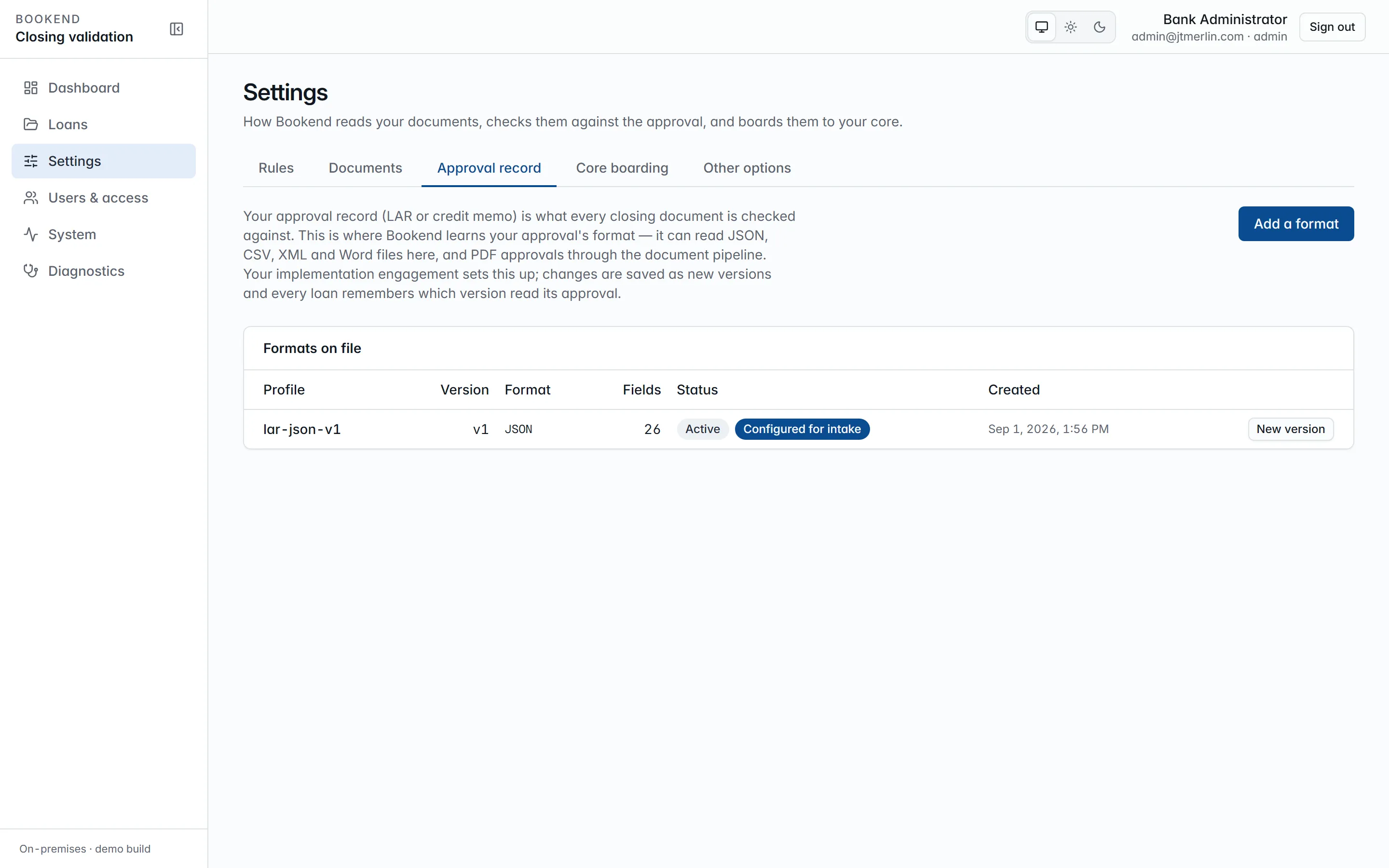
Administrators manage profiles under Settings → Approval record.
The canonical format
Section titled “The canonical format”The seeded profile lar-json-v1 maps Bookend’s canonical lar.json one-to-one: borrower and guarantors, principal, rate (type, rate, index, margin), interest method, loan and maturity dates, term, payment schedule, late charge, collateral, fees, disbursements with beneficiary details, officer, branch, call code and purpose. Money, rates and percents are decimal strings; rates are five-place fractions. Loan number, borrower legal name, principal, rate, loan date and maturity date are required.
Locators per format
Section titled “Locators per format”| Format | Locator | Notes |
|---|---|---|
| json | $.terms.principal.amount, $.guarantors[*].legalName |
[n] indexes, [*] collects |
| csv | $.Principal, $.Guarantor[*] |
columns by header name (case-insensitive); a plain column reads the first data row, [*] walks every data row (blanks skipped), [n] picks one; delimiter (comma, semicolon or tab) sniffed from the header; RFC 4180 quoting |
| xml | $.loan.guarantors.guarantor[*].name, $.terms.principal@currency |
element local names, namespaces ignored; trailing @attr reads an attribute |
| docx | $.Principal, $.Guarantor[*] |
finds a table cell labeled “Principal” and yields the cell beside it, or a “Principal: …” paragraph; the preview sample is the file’s bytes as base64 |
Creating a version
Section titled “Creating a version”- Settings → Approval record → Add a format for a new profile, or New version on a profile under Formats on file (API:
POST /v1/lar-profiles). - Choose the file format, edit the field mapping (JSON) and Save version. Versions are never edited in place: saving creates the next version and supersedes the previous one. With Use this version for intake ticked (the default), intake uses it from then on.
- Paste a sample approval record and Preview to see the canonical values the saved version reads from it (
POST /v1/lar-profiles/{id}/preview).
The wizard’s step 8 uses the same preview to confirm the mapping before activation, and its choice is the profile intake uses (setup.lar_profile_id). Earlier versions stay for the evidence trail: every LAR document records the profile version that parsed it.
Where the LAR enters
Section titled “Where the LAR enters”Upload it with the package (lar.json in the same batch, the separate Upload LAR button, or POST /v1/loans/{ref}/lar), drop it into the watch folder alongside the PDFs, or send it through the API or MCP submit_package. The file must be in the format of the profile in use (a .csv LAR needs a CSV profile), and a field the profile marks required must be found, or the upload is refused with the reason. Its values appear in the loan’s Fields with the source LAR, and the rules treat them as the approval side of every comparison. Replacing the LAR on a loan in review re-runs reconciliation.