This is the full developer documentation for Bookend Platform
# Bookend Platform documentation
> Bookend proves that the executed closing package matches the credit approval, then stages boarding and funding for your own maker-checker approval. It runs inside your network, with an evidence packet for every loan.
Bookend sits after document generation and before boarding. It reads the executed commercial loan package, reconciles every variable term against the approval with deterministic rules, verifies signatures, initials and notary blocks, and stages the core boarding record and the wire request for a second person to approve. It is built for Jack Henry banks first, and it never transmits a wire.
The product
[Why Bookend](/product/why-bookend) covers the problem and the ten most common boarding errors. [How it works](/product/how-it-works) walks the five steps with a product tour. Also see [Capabilities and benefits](/product/capabilities), [For Jack Henry banks](/product/jack-henry) and the [pricing model](/product/pricing).
Getting started
The [overview](/getting-started/overview), the [implementation engagement](/getting-started/implementation), sizing, the compose stack and the onboarding wizard.
Guides
End-to-end reading: the [Installation Guide](/guides/installation), the [Administration Guide](/guides/administration) and the [Developer Guide](/guides/developer).
Administration
Settings, users and roles, LAR profiles, core field maps, teaching documents, metering, air-gapped operations, upgrades, backup and restore, incidents.
Reconciliation rules
One page per rule: what it checks, how it decides, and the tolerances you control. The same pages the product serves at `GET /v1/rules/{id}/doc`.
Integrations
The REST API (OpenAPI, versioned per release), the MCP server for assistants and automation, and the core adapters for jXchange and file export.
Security
[Deployment architecture](/security/deployment-architecture), [security and compliance](/security/vendor-risk) for the vendor-risk questionnaire, data handling, and the SR 11-7 validation pack shipped with every release.
## For agents
[Section titled “For agents”](#for-agents)
These docs are published as [`/llms.txt`](/llms.txt) and [`/llms-full.txt`](/llms-full.txt) so an assistant can read them directly. They contain no customer names or loan data.
[Security and compliance](/security/vendor-risk)Subprocessors, maker-checker, identity, evidence, model risk and exactly what leaves the bank.
[Release notes](/reference/release-notes)What changed in each signed release.
# File export
> Boarding files for cores without write access, and the file-drop wire path.
`core.provider = file.export` (the default provider) writes the boarding record to `core.file_export_path` (the `exports` volume, `/data/exports`) instead of posting it to a core. The folder can be a volume or a mounted share that the bank’s core import job reads.
## Boarding files
[Section titled “Boarding files”](#boarding-files)
On commit, Bookend writes three files with the same content in three shapes:
* `boarding_{ref}_v{n}.json`: `provider`, `loanRef`, `packageVersion`, `borrower`, `idempotencyKey`, and `fields[]`, each with its core code, canonical field, value and source (document name, document type, page).
* `boarding_{ref}_v{n}.xml`: a `` element with `` and one `` per value.
* `boarding_{ref}_v{n}.csv`: one header row and one data row, CRLF line endings, every value quoted. The first columns are `loan_ref` and `package_version`; the rest follow the field map’s order (expanded lists inline).
Fields with no value are left out of all three files. Characters in the loan reference other than letters, digits, `-`, `_` and `.` become `_` in the file name.
The names are deterministic per loan and package version, so a retried commit overwrites the same files rather than creating a second boarding. The commit’s “core reference” is the file set’s base name, and the boarding status check reports whether all three files are present.
Staging only proves the folder is still writable. The connection test (`POST /v1/settings/test/core`, setup wizard step 6) does the same check, writing and deleting a probe file as the api’s `app` user.
The seeded `file.export` v1 [core field map](/administration/core-field-maps) uses the canonical field names verbatim; adjust it to the columns your import expects.
## Wire files
[Section titled “Wire files”](#wire-files)
Approved wires are exported by a signed-in admin, manager or specialist with `GET /v1/loans/{ref}/wire/export`:
* `format=pdf` (default): the instruction sheet for the wire desk, `wire_{ref}.pdf`.
* `format=filedrop`: a structured JSON file, `wire_{ref}.json`, with the amount, currency, the wire fields read from the disbursement request, per-field provenance, who staged and approved it, and when.
Either way the file is returned as a download and also written under `{core.file_export_path}/wires` when that path is set (file drop requires it). The export is recorded in the evidence chain with the file’s hash. Bookend never transmits a wire to a payment network.
Switching to jXchange later is a settings change; the two-phase approval and the evidence trail are identical.
# Jack Henry jXchange
> The jackhenry.jxchange core adapter boards approved loans into a Jack Henry core through jXchange. It is isolated in its own assembly behind Bookend's core-adap
The `jackhenry.jxchange` core adapter boards approved loans into a Jack Henry core through jXchange. It is isolated in its own assembly behind Bookend’s core-adapter contract, so a bank changes endpoints, credentials and field codes through settings and core field maps, never through code.
## Status
[Section titled “Status”](#status)
* **Built and tested:** the adapter, its REST binding, the two-phase boarding flow, inquiry-based duplicate protection and versioned field maps. Every release exercises it end to end against a jXchange mock that ships as a demo sidecar.
* **Not yet certified:** Jack Henry Vendor Integration Program (VIP) enablement is in progress. Until it completes, the adapter has not been run against a live Jack Henry core, the seeded field codes are illustrative, and an install that needs to board today uses [file export](/adapters/file-export), the default provider. Switching to jXchange later is a settings change; the approvals and the evidence trail are identical.
## Bindings
[Section titled “Bindings”](#bindings)
| Binding | Status | Calls |
| ------- | ------------------------------------- | ----------------------------------------------------------------------------------------------------------------------- |
| REST | active | `POST {endpoint}/jxchange/v1/ping`, `POST {endpoint}/jxchange/v1/loans`, `GET {endpoint}/jxchange/v1/loans/{reference}` |
| SOAP | envelope builder only, not selectable | `AcctAdd`-style envelope (`InstRtId`, `ExtRef`, one `Fld` per mapped code) |
The REST calls send HTTP Basic credentials when a username is set. The body of a boarding post is:
```json
{
"institutionId": "",
"externalRef": "BK-DEMO-001",
"packageVersion": 1,
"idempotencyKey": "",
"fields": { "LN-ACCT": "BK-DEMO-001", "LN-PRIN": "1250000.00", "…": "…" }
}
```
A successful response carries `coreReference` and `status`; a response without `coreReference` is treated as a failure.
The demo stack’s `jxchange-mock` service implements this contract: it validates the payload shape, waits one to two seconds and answers with a core-style reference (`SL--`); it returns `409` on a duplicate `externalRef` and `422` with a field list on shape errors.
## Settings
[Section titled “Settings”](#settings)
| Key | Purpose |
| --------------------------------------------------- | ----------------------------------------------------------------------------------------------------- |
| `core.provider` | `jackhenry.jxchange` selects this adapter (one provider per deployment; the default is `file.export`) |
| `core.jxchange.endpoint` | REST base URL (`http://jxchange-mock:8090` in the demo) |
| `core.jxchange.username` / `core.jxchange.password` | Basic credentials (the password is a secret setting, encrypted at rest) |
| `core.jxchange.institution_id` | Institution routing id, sent as `institutionId` (`InstRtId` in the SOAP envelope) |
## Field map
[Section titled “Field map”](#field-map)
The seeded `jackhenry.jxchange` v1 map uses **illustrative** codes, not real Jack Henry identifiers: `LN-ACCT`, `LN-PRIN`, `LN-RATE`, `LN-RATE-TYPE`, `LN-INDEX`, `LN-MARGIN`, `LN-ORIG-DT`, `LN-MAT-DT`, `LN-TERM-MO`, `LN-PMT-AMT`, `LN-PMT-FREQ`, `LN-PMT-CNT`, `LN-INT-METH`, `LN-LATE-PCT`, `LN-LATE-GRACE`, `LN-BORR-NAME`, `LN-BORR-TYPE`, `LN-GUAR-{n}` (expanded per guarantor), `LN-COLL-DESC`, `LN-COLL-CODE` (`bool_to_code:SEC,UNS`), `LN-OFFICER`, `LN-BRANCH`, `LN-CALL-CODE`, `LN-PURPOSE`. A bank’s implementation replaces the map with `POST /v1/core-field-maps` (a new version; the previous one is deactivated) and previews it against a real loan with `POST /v1/core-field-maps/{id}/preview?loan=REF`. See [Core field maps](/administration/core-field-maps).
Transforms: `text`, `upper`, `money` (two decimals), `rate5` (five-place fraction), `date_iso`, `date_yyyymmdd`, `int`, `bool`, `json`, `list` (joined with `; `), `expand_list` (`{n}` in the code), `bool_to_code:A,B`.
## Two-phase boarding
[Section titled “Two-phase boarding”](#two-phase-boarding)
1. **Stage** (`POST /v1/loans/{ref}/boarding/stage`, a signed-in admin, manager or specialist, loan in `approved`). The map is applied to the loan’s extracted values, validated (`LN-ACCT`, `LN-PRIN`, `LN-RATE`, `LN-ORIG-DT`, `LN-MAT-DT` and `LN-BORR-NAME` are required, as are an endpoint and an institution id), the endpoint is pinged so an unreachable core is caught before approval, and the full preview with per-field provenance is recorded. Send an `Idempotency-Key` header to make a retried stage replay the original record instead of staging twice.
2. **Approve** (`POST …/boarding/approve`): a signed-in admin or boarding checker who is not the person who staged the record.
3. **Commit** (`POST …/boarding/commit`): posts the loan. Success records the `coreReference` and moves the loan to `boarded`. A provider error is stored verbatim on the boarding record and the same call retries it. A `409` (the core already holds the reference) is resolved by an inquiry on the reference and recorded as already boarded, never as a second post.
`GET /v1/loans/{ref}/boarding/status` returns the boarding record plus a live inquiry against the core once a core reference exists.
## Connection test
[Section titled “Connection test”](#connection-test)
`POST /v1/settings/test/core` (setup wizard step 6, and the test button in Settings) pings the endpoint and reports the response verbatim.
# Air-gapped operations
> Running Bookend with no outbound network path.
Bookend needs no outbound connection to work. Air-gapped mode changes three things.
## 1. Metering
[Section titled “1. Metering”](#1-metering)
`metering.air_gapped = true` (wizard step 9, System → Metering & license, or Settings → Other options) stops the heartbeat. Each quarter an administrator generates the signed usage report from System → Metering & license and delivers it by whatever channel the bank permits ([Metering and licensing](/administration/metering-and-licensing)). The report is signed with the install’s own key, so it can be verified without any connection back to the install.
## 2. Releases
[Section titled “2. Releases”](#2-releases)
Releases are always pulled by the bank, never pushed. For an air-gapped host, transfer the release bundle (the images in one tar archive, `SHA256SUMS`, the release notes, the validation pack and `VERIFY.md`) on approved media. Check the checksums (`sha256sum -c SHA256SUMS`) and, when the bundle carries a signature file, verify it as `VERIFY.md` describes; then `docker load` the images and follow [Upgrade](/administration/upgrade).
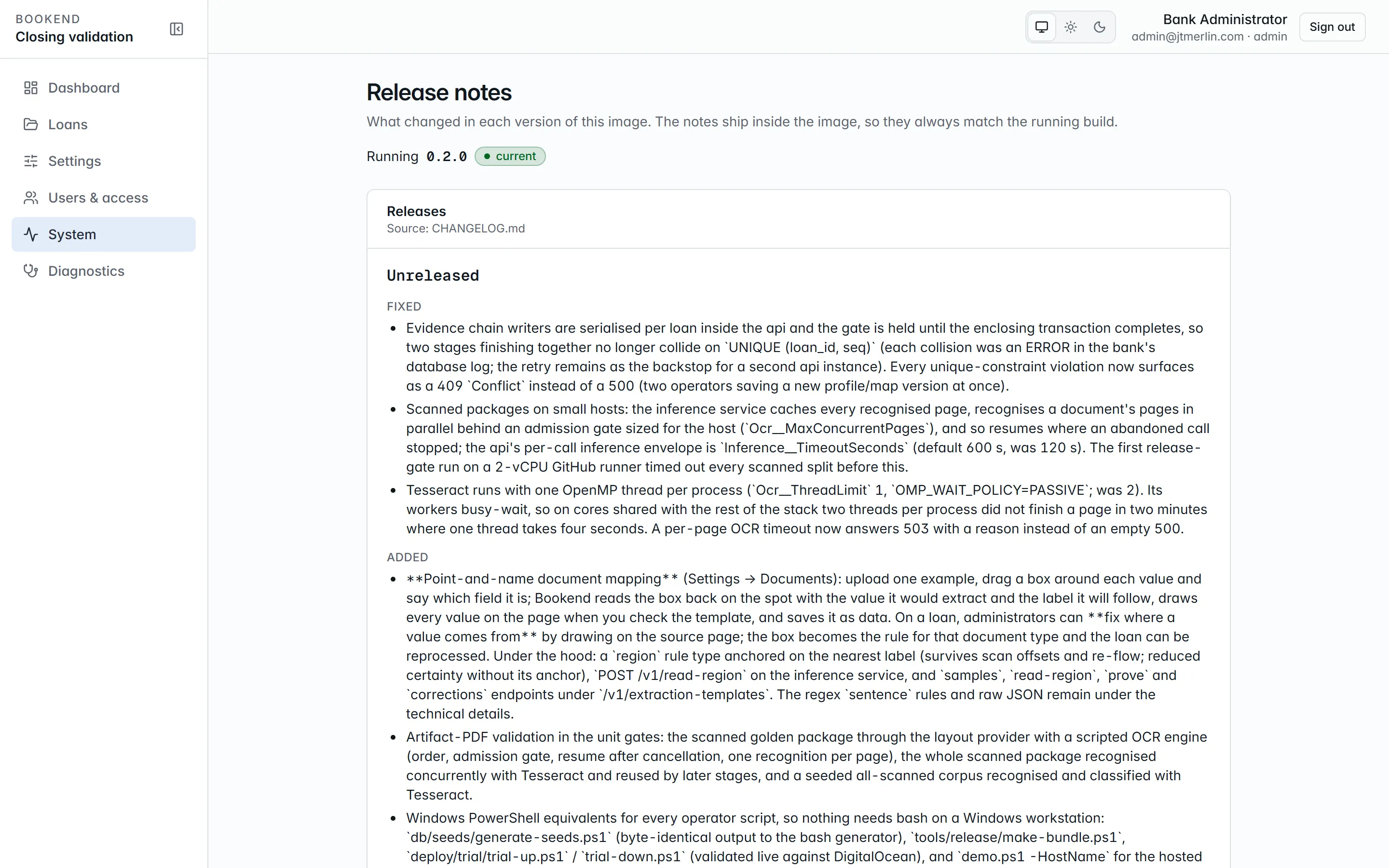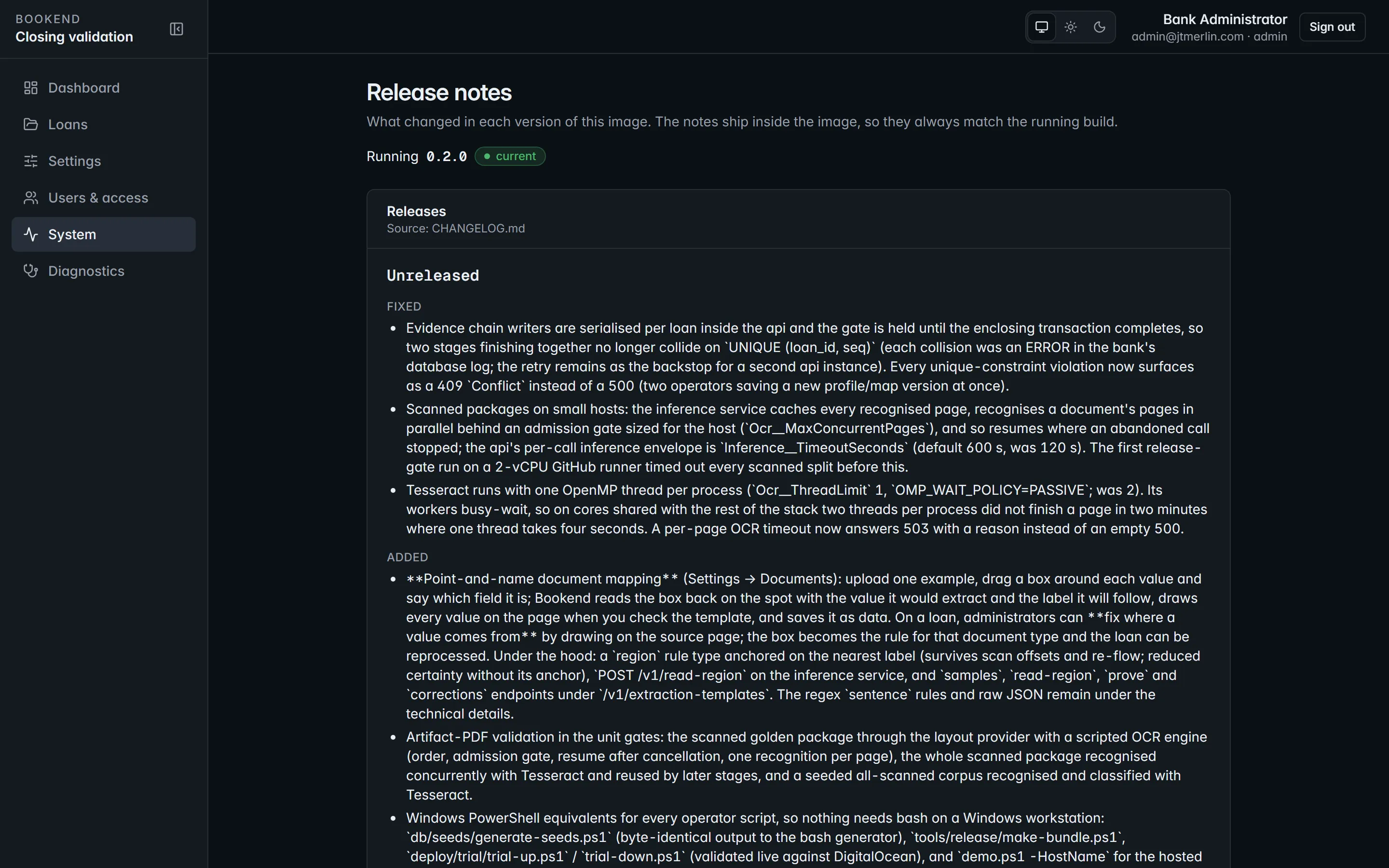
System → Release notes. The running version and the notes shipped inside the image, so they always match the running build.
## 3. Mail and core
[Section titled “3. Mail and core”](#3-mail-and-core)
The SMTP relay and the core endpoint are inside the bank’s network by definition; nothing changes. If there is no relay at all, disable email-link sign-in (`auth.login_otp_enabled = false`), keep password sign-in, and add users with a password rather than an emailed invite. Escalations are still recorded on the loan before any mail is attempted.
## What still works exactly the same
[Section titled “What still works exactly the same”](#what-still-works-exactly-the-same)
Everything else: intake, extraction, reconciliation, execution checks, review, boarding through jXchange (inside the network) or file export, wires, evidence packets, diagnostics, audit, the API and the MCP server. The evidence chain is verifiable offline by design. The optional AI model for drafting document templates is off unless you configure one, and a local model inside the network works.
# Backup and restore
> Everything Bookend knows lives in three places. Back up all three together; a restore is only consistent when they come from the same point in time.
Everything Bookend knows lives in three places. Back up all three together; a restore is only consistent when they come from the same point in time.
| What | Where | Why |
| ------------------ | ----------------------------------------------------------------------------------------------------------------------------------- | ------------------------------------------------------------------------------------------------------------------------------------------ |
| Database | `dbdata` volume (bundled Postgres) or the bank’s instance | loans, extracted values, findings, approvals, the evidence chain, settings (secrets encrypted), scheduler state, audit log, refresh tokens |
| Documents | `documents` volume (`/data/documents`, content-addressed by SHA-256) and `exports` (`/data/exports`: boarding files, wire requests) | the PDFs every evidence link hashes; a chain verifies only if the bytes are present |
| Master key and env | `deploy/.env` (`BOOKEND_MASTER_KEY`, database passwords) and your compose override files | without the master key the encrypted settings, including the RS256 signing key, cannot be read |
The commands below are for the bundled Postgres and the production override from the Installation Guide. Volume names carry the Compose project prefix (`bookend_documents`, `bookend_exports`). Replace `bookend` in `-U bookend -d bookend` if you changed `POSTGRES_USER` or `POSTGRES_DB`.
## Backup (nightly, and before every upgrade)
[Section titled “Backup (nightly, and before every upgrade)”](#backup-nightly-and-before-every-upgrade)
```bash
DC="docker compose -f deploy/compose.yml -f deploy/compose.production.yml"
STAMP=$(date -u +%Y%m%dT%H%M%SZ)
mkdir -p backup
# 1. Database: custom-format dump as the owner. Roles are not in a pg_dump; the application role is recreated
# by hand only when restoring onto a new database server (see Restore).
$DC exec -T db pg_dump -U bookend -d bookend -Fc > backup/bookend-$STAMP.dump
# 2. Document and export volumes: tar from a throwaway container.
docker run --rm -v bookend_documents:/data/documents:ro -v bookend_exports:/data/exports:ro -v "$PWD/backup":/backup alpine \
tar czf /backup/volumes-$STAMP.tgz /data/documents /data/exports
# 3. Environment: copy deploy/.env and the override files into the bank's secret store (never into the same share as the dump).
```
With an external database, use the bank’s native backup for step 1 (Postgres `pg_dump` or point-in-time recovery, SQL Server full and log backups) and keep steps 2 and 3. Keep at least the retention the bank’s records policy requires (`documents.retention_days`, default 2,555 days, about seven years).
Verify a backup by restoring it into a scratch stack at least quarterly. The drill procedure, the measured timings and the availability posture are in `resilience.md`.
## Restore
[Section titled “Restore”](#restore)
```bash
DC="docker compose -f deploy/compose.yml -f deploy/compose.production.yml"
$DC down # keeps volumes
$DC up -d db --wait
$DC exec -T db psql -U bookend -d postgres -c "DROP DATABASE bookend;" -c "CREATE DATABASE bookend OWNER bookend;"
# Only on a new database server or an empty dbdata volume, where the application role does not exist yet:
# $DC exec -T db psql -U bookend -d postgres -c "CREATE ROLE bookend_app LOGIN PASSWORD '';"
$DC exec -T db pg_restore -U bookend -d bookend --no-owner < backup/bookend-.dump
docker run --rm -v bookend_documents:/data/documents -v bookend_exports:/data/exports -v "$PWD/backup":/backup alpine \
sh -c "rm -rf /data/documents/* /data/exports/* && tar xzf /backup/volumes-.tgz -C /"
docker run --rm -v bookend_documents:/data/documents -v bookend_exports:/data/exports alpine chown -R 1654:1654 /data # the api's `app` uid
$DC up -d --wait # migrator checks the ledger and applies any newer scripts; api starts after it
```
Restore with the same release version the backup was taken on, or a newer one: the migrator applies scripts a backup predates, but refuses (exit 4) a ledger that holds scripts its own release does not ship.
Then prove the restore:
1. `GET /readyz` healthy, `GET /v1/diagnostics` shows the expected schema version and license.
2. `GET /v1/loans/{ref}/evidence/verify` on a sealed loan returns `intact: true` with the full chain length: the bytes and the chain came back together. The nightly evidence sweep repeats this for every loan and records the result, shown in Diagnostics.
3. Sign in with an existing user. This proves the restored master key decrypts the signing key. Sessions started after the backup point are not in the restored database, so those users sign in again, which is expected.
## What is not needed
[Section titled “What is not needed”](#what-is-not-needed)
Scheduler tables are in the dump; in-flight pipeline stages resume with their retry schedule. The `watch` volume is transient (packages move to `processed/` or `rejected/` after ingest) and the `modelcache` volume is rebuilt by the inference container.
# Core field maps
> Versioned mappings from canonical fields to core boarding fields, previewable against a real loan.
A **core field map** turns the canonical values of a loan into the record the core adapter posts. Maps are versioned per provider (`jackhenry.jxchange` or `file.export`); the active version for the active provider is what staging uses, and every boarding record stores the full preview it was built from and the map version, so a commit sends exactly what was approved.
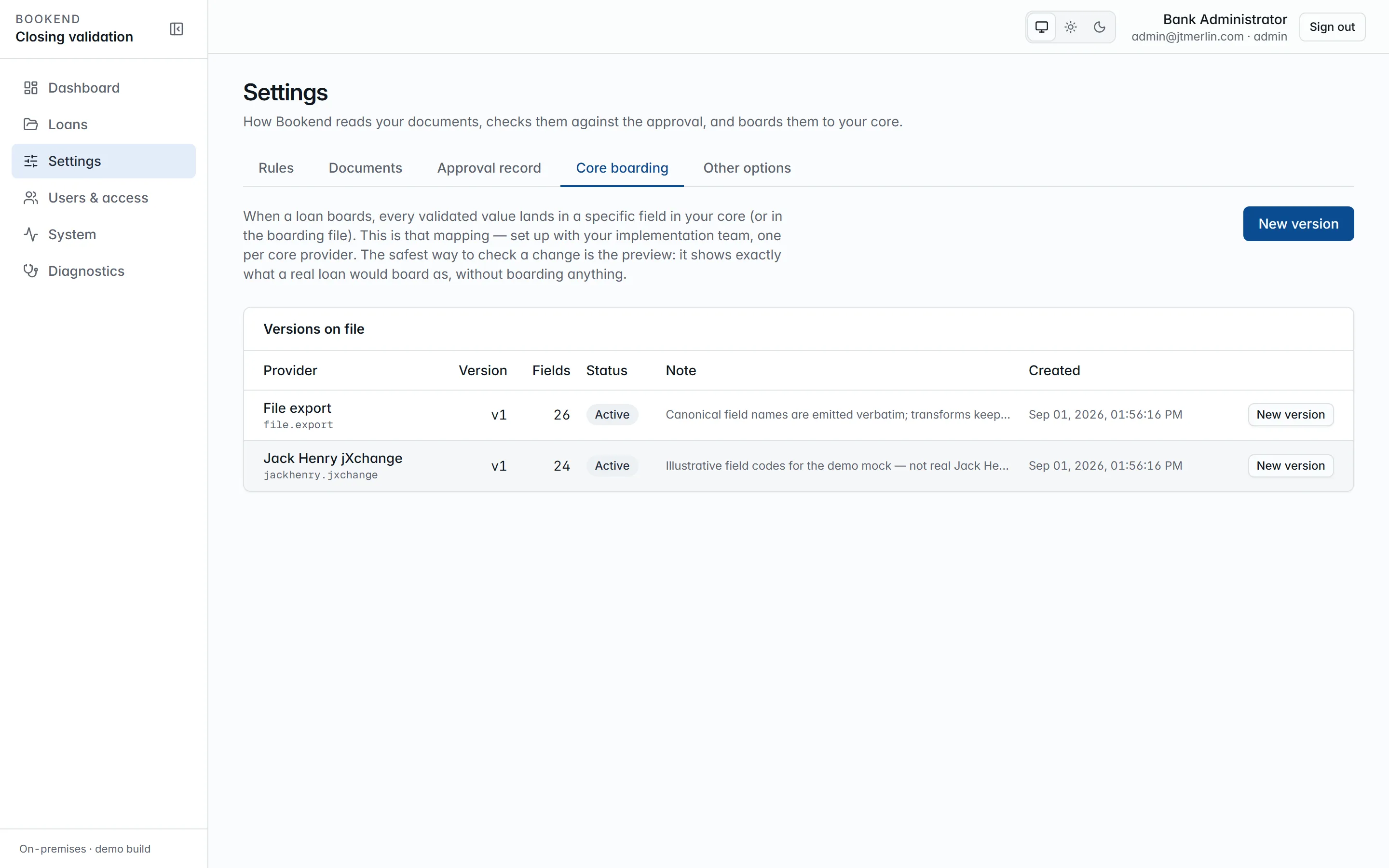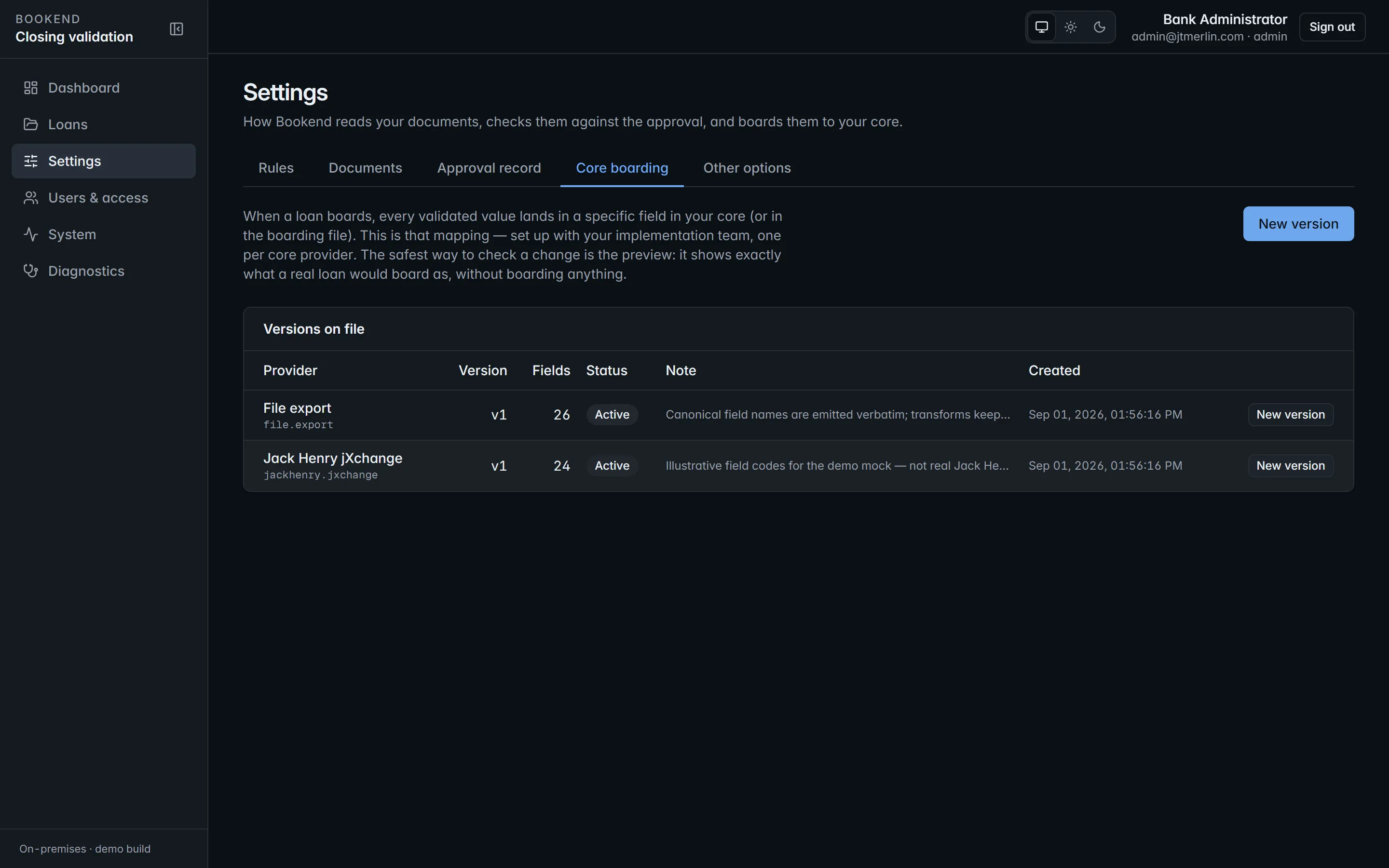
Core field maps. One map per core, each entry naming the canonical field, the core field and the transform.
## Entries
[Section titled “Entries”](#entries)
Each entry maps one canonical field to one core field with a transform:
| Transform | Result |
| --------------------------- | --------------------------------------------------------------------------------- |
| `text`, `upper` | the value as text, optionally upper-cased |
| `money` | two-decimal string |
| `rate5` | five-place fraction |
| `date_iso`, `date_yyyymmdd` | `2026-08-27` / `20260827` |
| `int`, `bool`, `json` | typed scalars / the raw JSON |
| `list` | multi-valued fields joined with `;` |
| `expand_list` | one core field per value, `{n}` in the code replaced by the index (`LN-GUAR-{n}`) |
| `bool_to_code:A,B` | `A` when true, `B` when false |
Entries can be marked required; staging refuses when a required field has no source.
## Seeded maps
[Section titled “Seeded maps”](#seeded-maps)
* `file.export` v1 uses the canonical field names verbatim.
* `jackhenry.jxchange` v1 uses **illustrative** codes (`LN-ACCT`, `LN-PRIN`, `LN-RATE`, …), not real Jack Henry identifiers. A bank’s implementation replaces it with a new version. See [Jack Henry jXchange](/adapters/jackhenry).
## Editing
[Section titled “Editing”](#editing)
Administrators manage maps under **Settings → Core boarding**, which lists every version per provider under **Versions on file**, the active one badged. **New version** opens the editor with the JSON pre-filled from the version you started from; **Save version** stores it as the next version (`POST /v1/core-field-maps`), which becomes the active map for that provider at once, and the previous version is kept for records staged with it. Maps are validated on save: every entry needs a canonical field and a core field, the transform must be a known one, and no core field may be mapped twice.
To check a map, enter a real loan reference under **Preview against loan** and **Preview** (`POST /v1/core-field-maps/{id}/preview?loan=REF`): it shows exactly what that loan would board as, with any required field that has no value, without boarding anything. Preview works on a saved version whose provider is the active core adapter, so preview the current version before you edit it, and the new one straight after saving.

Settings → Core boarding. The active adapter and field map; the connection test runs from here.
Provenance survives the map: every field in the preview and in the staged record links back to the document, page and position of the value it came from.
# Incidents
> First commands for any incident (with the production override from the Installation Guide; add -f deploy/compose.external-db.yml for an external database):
First commands for any incident (with the production override from the Installation Guide; add `-f deploy/compose.external-db.yml` for an external database):
```bash
DC="docker compose -f deploy/compose.yml -f deploy/compose.production.yml"
$DC ps -a # which service is unhealthy or exited
$DC logs --since 30m api # structured logs; event ids below
curl -s https:///api/readyz # database and schema readiness
```
`GET /v1/diagnostics` (administrators, also System → Diagnostics) is the support bundle: version, runtime, database and schema, license, metering, inference probe, core provider, last evidence sweep, health entries and every scheduled job with its next fire time. It contains no loan data and can be sent to support as is.
| Symptom | Meaning | Do |
| ---------------------------------------------------------------------------------------------------------------------- | -------------------------------------------------------------------------------------------------------------------------------------------------------------------------- | ---------------------------------------------------------------------------------------------------------------------------------------------------------------------------------------------------------------------------------------------------------------------------------------------------------------- |
| `EVIDENCE CHAIN BROKEN for loan ...` (event 5120), or System → Diagnostics shows broken loans under the evidence sweep | A stored evidence payload no longer hashes to its link: the row was changed outside the application (the application principal cannot update or delete `evidence_events`). | Treat as a security event. Do not export or seal the loan. Preserve the database (back up now), compare with the last good backup, and involve the bank’s security team; `GET /v1/loans/{ref}/evidence/verify` names the first broken sequence number. |
| Pipeline stuck in `processing`; `GET /v1/loans/{ref}/pipeline` shows a stage retrying (`StageWillRetry`, event 5101) | The inference container is down or slow; stages back off exponentially up to `pipeline.max_attempts`. | `$DC ps inference`, `$DC logs inference`, `$DC restart inference`. Stages resume automatically; once fixed, use **Reprocess** on the loan if attempts were exhausted. On a small host, scanned packages can need a longer `Inference__TimeoutSeconds` or `Ocr__TimeoutSeconds` (Installation Guide, OCR tuning). |
| `api` never becomes healthy after an upgrade; `/readyz` reports `schema` unhealthy | The `schema_versions` ledger lacks a script this api build requires. | Check `$DC logs migrator`: exit 4 is drift (an applied script changed or is missing: restore the matching release’s scripts, never edit an applied one); exit 2 is a missing bootstrap variable. Re-run `$DC up -d migrator` once fixed (idempotent). Never edit `schema_versions` by hand. |
| Users cannot sign in; `login_failed` rows in `GET /v1/audit?source=auth` | Policy (allowed domains, minimum length), an expired refresh token, or a rotated signing key. | Settings → auth policy; a changed `auth.signing_key` (`restart_required`) needs an api restart and signs everyone out. |
| Sign-in links not arriving | SMTP relay refused or misconfigured. | Send a test from the SMTP settings (`POST /v1/settings/test/smtp`); check the relay’s logs. |
| Boarding record stays `committing` | The api stopped mid-commit. | The record is resumable: open Boarding and **Commit** again; the adapter resolves an already-boarded loan by inquiry and never posts twice. |
| Core connection test fails | Endpoint, credentials or institution id wrong, or the file-export path not writable by the `app` user. | Settings → core boarding; `$DC exec api ls -ld /data/exports`. |
| `WatchFolderStuck` (event 5114): a package folder stays in the watch folder | The package was handled, but its folder is owned by another user, so the api cannot move it to `processed/` or `rejected/`. It is skipped until the api restarts. | `$DC exec -u root api chown -R app:app /data/watch`, then confirm the loan is in the queue and move or delete the leftover folder before restarting the api, so it is not picked up again. Make the process that drops packages write as a user the api can move. |
| Banner “No metering heartbeat delivered in the last 7 days” | The heartbeat endpoint is unreachable (event 5131) or heartbeats are off. | System → Metering & license: **Send heartbeat now** and read the last error; air-gapped installs generate the signed quarterly usage report instead. |
| Banner “License expired” and intake is read-only | The license key has passed its expiry. | Everything already in the system keeps working (review, boarding, evidence); install the renewed key: reopen the wizard (Settings → Other options) and enter it at step 9, then activate again. |
| `429` responses | Per-principal rate limit (`RateLimiting__PerPrincipalPerMinute`, default 300) or the login attempts limit (`RateLimiting__LoginAttemptsPerMinute`, default 10). | Expected under abuse; raise a limit in the api environment only with security sign-off. |
Escalate with: the diagnostics JSON, `$DC logs --since 1h` for the affected service, the loan reference(s), and the `GET /v1/audit` rows around the time of the incident. Loan documents never need to leave the bank for support.
# LAR profiles
> Mapping the bank's credit approval record onto the canonical field catalog.
The **LAR** (loan approval record: credit memo, approval sheet, LOS export) is the document every other term is reconciled against. Banks produce it in their own format, so Bookend maps it through a **profile**: a versioned mapping from the source document onto the canonical field catalog. JSON, CSV, XML and DOCX sources are parsed by a profile; a PDF approval record is uploaded with the package instead, and the extraction pipeline reads it like any other document.
Administrators manage profiles under **Settings → Approval record**.
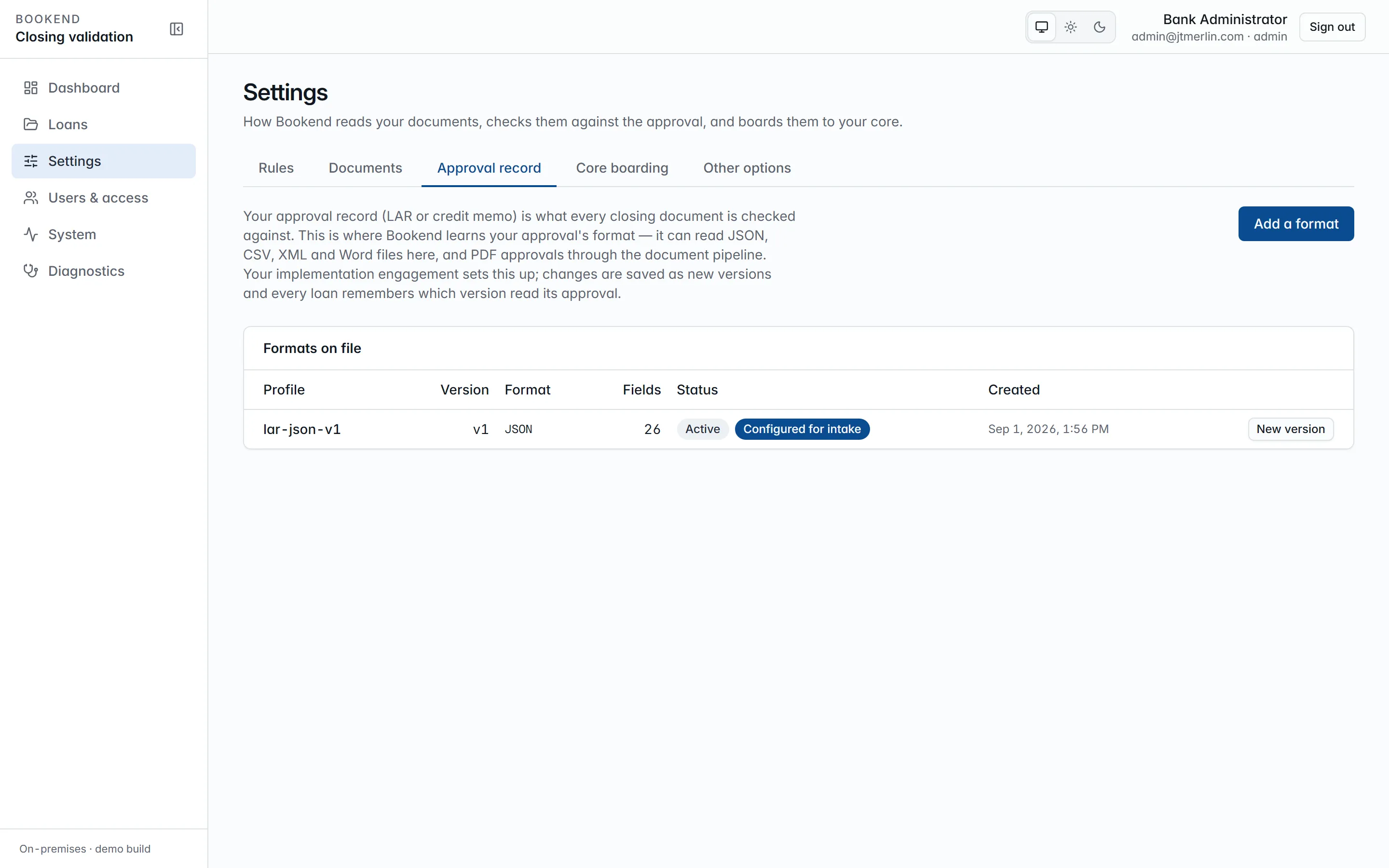
LAR profiles. Each version maps your approval record onto the field catalog; the preview shows what it reads.
## The canonical format
[Section titled “The canonical format”](#the-canonical-format)
The seeded profile `lar-json-v1` maps Bookend’s canonical `lar.json` one-to-one: borrower and guarantors, principal, rate (type, rate, index, margin), interest method, loan and maturity dates, term, payment schedule, late charge, collateral, fees, disbursements with beneficiary details, officer, branch, call code and purpose. Money, rates and percents are decimal strings; rates are five-place fractions. Loan number, borrower legal name, principal, rate, loan date and maturity date are required.
## Locators per format
[Section titled “Locators per format”](#locators-per-format)
| Format | Locator | Notes |
| ------ | ------------------------------------------------------------------- | ------------------------------------------------------------------------------------------------------------------------------------------------------------------------------------------------------------------------------- |
| json | `$.terms.principal.amount`, `$.guarantors[*].legalName` | `[n]` indexes, `[*]` collects |
| csv | `$.Principal`, `$.Guarantor[*]` | columns by header name (case-insensitive); a plain column reads the first data row, `[*]` walks every data row (blanks skipped), `[n]` picks one; delimiter (comma, semicolon or tab) sniffed from the header; RFC 4180 quoting |
| xml | `$.loan.guarantors.guarantor[*].name`, `$.terms.principal@currency` | element local names, namespaces ignored; trailing `@attr` reads an attribute |
| docx | `$.Principal`, `$.Guarantor[*]` | finds a table cell labeled “Principal” and yields the cell beside it, or a “Principal: …” paragraph; the preview sample is the file’s bytes as base64 |
## Creating a version
[Section titled “Creating a version”](#creating-a-version)
1. **Settings → Approval record** → **Add a format** for a new profile, or **New version** on a profile under **Formats on file** (API: `POST /v1/lar-profiles`).
2. Choose the file format, edit the field mapping (JSON) and **Save version**. Versions are never edited in place: saving creates the next version and supersedes the previous one. With **Use this version for intake** ticked (the default), intake uses it from then on.
3. Paste a sample approval record and **Preview** to see the canonical values the saved version reads from it (`POST /v1/lar-profiles/{id}/preview`).
The wizard’s step 8 uses the same preview to confirm the mapping before activation, and its choice is the profile intake uses (`setup.lar_profile_id`). Earlier versions stay for the evidence trail: every LAR document records the profile version that parsed it.
## Where the LAR enters
[Section titled “Where the LAR enters”](#where-the-lar-enters)
Upload it with the package (`lar.json` in the same batch, the separate **Upload LAR** button, or `POST /v1/loans/{ref}/lar`), drop it into the watch folder alongside the PDFs, or send it through the API or MCP `submit_package`. The file must be in the format of the profile in use (a `.csv` LAR needs a CSV profile), and a field the profile marks required must be found, or the upload is refused with the reason. Its values appear in the loan’s Fields with the source `LAR`, and the rules treat them as the approval side of every comparison. Replacing the LAR on a loan in review re-runs reconciliation.

Settings → Approval record. The active profile and how the approval record arrives with each package.
# Metering and licensing
> The license key, the daily heartbeat, the signed quarterly usage report and what happens at expiry.
Bookend’s license is metered by closed loans, so the platform needs a count. It takes it from its own sealed-loan events, adds the number of document pages it received, and reports both in the smallest possible message to the Bookend metering endpoint configured in settings. The endpoint also validates the license key the message carries.
Administrators and managers see all of this on **System → Metering & license**; only administrators can send, generate or change anything there.
## The heartbeat
[Section titled “The heartbeat”](#the-heartbeat)
Once a day (03:15 UTC, plus once right after activation and once shortly after the api starts on an activated install), Bookend posts to `metering.endpoint`:
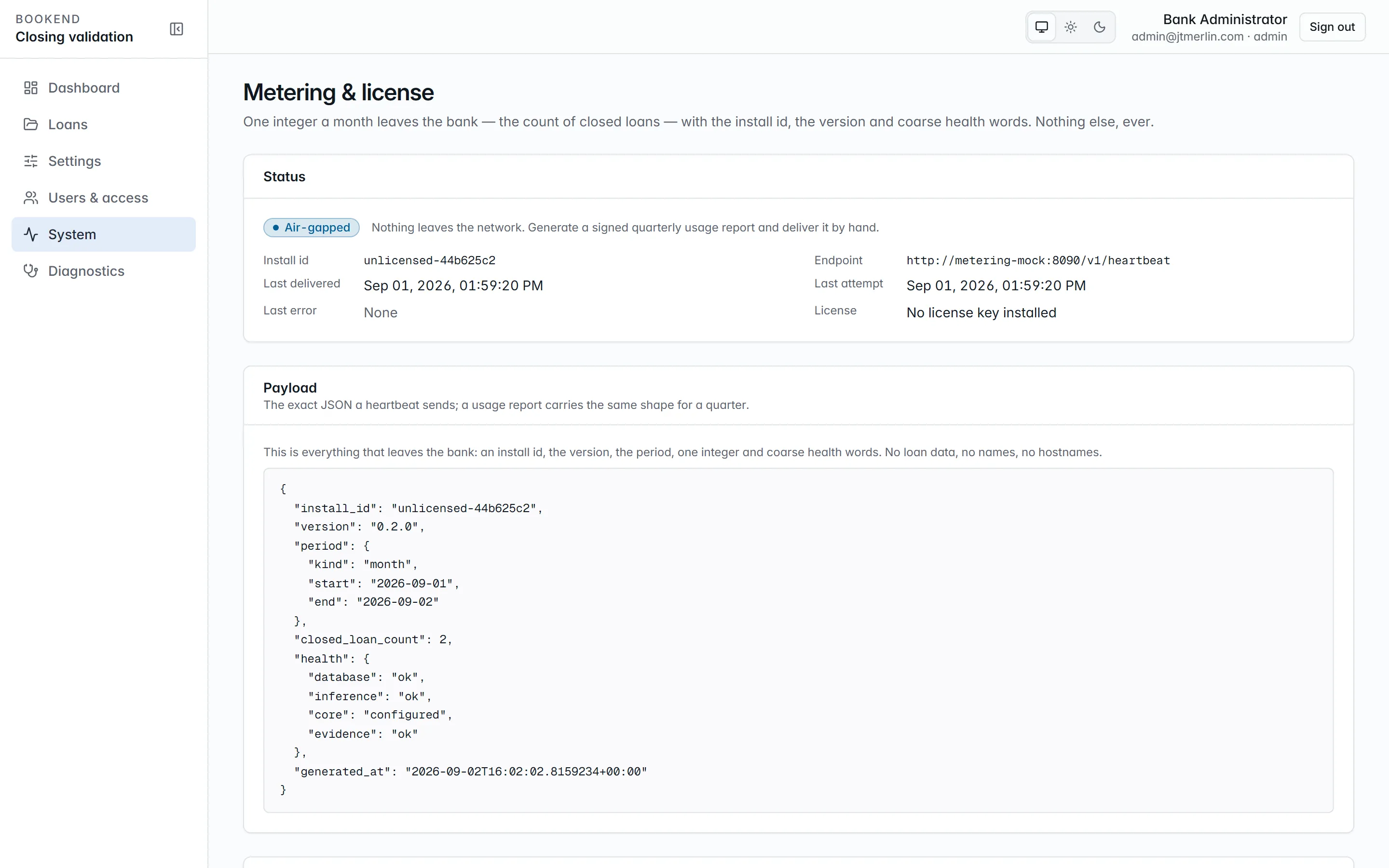
System → Metering. The whole payload that leaves the building, shown before it is sent.
```json
{
"install_id": "…",
"version": "0.2.0",
"period": { "kind": "month", "start": "2026-08-01", "end": "2026-08-29" },
"closed_loan_count": 2,
"document_page_count": 27,
"health": { "database": "ok", "inference": "ok", "core": "configured", "evidence": "ok" },
"license_key": "eyJhbGciOiJSUzI1NiIs…",
"generated_at": "2026-08-29T18:20:35Z"
}
```
That is the whole message:
* `period`: the calendar month to date (UTC).
* `closed_loan_count`: distinct loans sealed in the period.
* `document_page_count`: pages of every document received in the period.
* `health`: coarse status words only. `inference` and `evidence` are `ok`, `degraded` or `unknown`; `core` is `configured` or `none`.
* `license_key`: the installed license, so the receiver can validate it (`null` when none is installed).
It carries no loan data, no hostnames and no user information. System → **Metering & license** shows the exact payload before it is sent, and the delivery history (`GET /v1/metering/reports`) shows every attempt, delivered or not, with the receiver’s answer, including whether it confirmed the license. A failed delivery is not retried in a loop; the next scheduled run tries again. A **missed heartbeat** (none delivered for 7 days while heartbeats are on) shows as a banner for administrators and managers.
**Send heartbeat now** (`POST /v1/metering/heartbeat`, administrators) sends one immediately, also when heartbeats are disabled or the install is air-gapped, for troubleshooting.
### Settings
[Section titled “Settings”](#settings)
| Setting | Meaning |
| ---------------------------- | ---------------------------------------------------------------------------------------------------------------------------------------------------------------------- |
| `metering.heartbeat_enabled` | send the daily heartbeat (default on) |
| `metering.air_gapped` | no outbound calls at all; overrides `heartbeat_enabled` |
| `metering.endpoint` | where the heartbeat goes: `https://metering.usebookend.com/v1/heartbeat` unless Bookend gives you another address. Allow it in your egress rules for the api container |
| `metering.api_key` | secret; the metering API key, if Bookend issued one to you |
The heartbeat endpoint and air-gapped choice are set in wizard step 9 (Licensing) and can be changed later on System → Metering & license or under Settings → Other options.
## Air-gapped installs
[Section titled “Air-gapped installs”](#air-gapped-installs)
Set `metering.air_gapped` (wizard step 9 or the metering settings). Heartbeats stop. Instead, an administrator picks a quarter on System → Metering & license and uses **Generate signed usage report** (`POST /v1/metering/usage-report?quarter=2026Q3`). The report is the same payload for that calendar quarter, signed RS256 with the install’s own signing key and kept in the history, where it can be downloaded as JSON (`payload`, `canonicalJson`, `signature`, `signatureKeyId`, `algorithm`) for manual delivery. The signature verifies against the public key the install publishes at `/v1/.well-known/jwks.json`. See [Air-gapped operations](/administration/air-gapped).
## License
[Section titled “License”](#license)
The license key is a JWT signed by Bookend carrying the institution, tier, air-gapped flag, install id and expiry. It is entered in wizard step 9, which checks it before saving, and verified offline against Bookend’s release public key, which ships in the release bundle (see the [Installation Guide](/guides/installation)). `GET /v1/license` reports its state; System → Diagnostics and System → Metering & license show it.
**At expiry, intake goes read-only**: creating a loan and uploading documents are refused with a clear message, and a banner appears for everyone. Every package already in the system keeps working: review, boarding, wires, evidence, exports.
To renew, install the new key under Settings → Other options → `license` → `key`. Intake reopens within 30 seconds, with no restart. Settings does not check the key when it is saved, so confirm the new expiry on System → Metering & license afterward. The read-only `license.institution`, `license.tier` and `license.expires_at` rows are refreshed only when a key is entered through the wizard’s Licensing step (`PUT /v1/setup/licensing`).
An install without a license key runs fully, with no expiry restriction, and reports `unlicensed-…` as its install id.
# Resilience and availability
> What fails, what happens, and how long recovery takes. This is the statement a bank's technology committee asks for; every claim in it is either enforced by the
What fails, what happens, and how long recovery takes. This is the statement a bank’s technology committee asks for; every claim in it is either enforced by the architecture or proven by the restore drill below.
## Design point
[Section titled “Design point”](#design-point)
Bookend runs as a **single compose stack on one host**: one api node, one scheduler, one database. That is a deliberate fit for community-bank closing volumes (tens of loans a day, not thousands): the working set is small, every durable thing is in the database or the document volume, and the recovery unit is “restore the backup”, not “fail over a cluster”. The bank buys availability with its virtualization and database platforms, which it already operates; Bookend’s job is to be **restart-safe and restore-safe** so those platforms are sufficient.
## What each component tolerates
[Section titled “What each component tolerates”](#what-each-component-tolerates)
| Component | State it holds | On crash or restart |
| --------------------------------------- | ----------------------------------------------------------------------------------------------------------------------------------------- | ------------------------------------------------------------------------------------------------------------------------------------------------------------------------------------------------------------------------------------- |
| `api` | none: JWTs are stateless, refresh tokens and settings are rows, uploads are written to the store before the pipeline is scheduled | restart it; in-flight requests fail and the SPA retries; nobody is signed out (tokens live in the browser’s memory and re-issue on refresh) |
| Pipeline and jobs (Quartz.NET in `api`) | every stage attempt is a durable row in the `qrtz_*` tables (ADO.NET job store) | the next start resumes exactly where it stopped; a missed nightly run (evidence sweep 02:00 UTC, heartbeat 03:15 UTC, retention 04:00 UTC) fires once at startup; jobs are marked non-concurrent, so a double start is harmless |
| `inference` | nothing durable: recognized page layouts are cached in memory per content hash and rebuilt after a restart | restart it; stages that could not reach it back off (`retry_base_seconds × 2^(attempt − 1)`, capped at 10 minutes, up to `pipeline.max_attempts`) and resume when it returns; Diagnostics shows the inference probe failing meanwhile |
| `db` | everything relational: loans, values, findings, evidence chain, settings (secrets encrypted under the master key), scheduler state, audit | the bundled Postgres restarts with the stack (`restart: unless-stopped`); production installs can point `DB__CONNECTION` at the bank’s HA instance instead (see below) |
| Document volume | the PDF bytes every evidence link hashes; content-addressed by SHA-256, written before the database row that references them | files are immutable once written (deduplicated by hash), so a crash mid-upload leaves at worst an unreferenced file; the volume rides the host’s storage and is in every backup |
| `app-ui` (nginx) | none | restart it |
| Watch folder | transient: packages move to `processed/` or `rejected/` after ingest | rescanned every poll; a package half-copied at crash time is picked up when its files go quiet (`documents.watch_stable_seconds`) |
| SMTP relay | none Bookend depends on | sign-in links fail visibly and are requested again; nothing else queues mail |
Two failure modes are worth naming because they are *designed to be boring*:
* **Kill the api mid-pipeline** and the run resumes from its last recorded stage after restart. Every upgrade exercises this (`down`, then `up` with volumes kept).
* **Kill the api mid-boarding** and two-phase boarding holds: the core adapter records the inquiry and import pair, and duplicate resolution by inquiry means a re-run neither double-boards nor loses the loan.
## Database HA is the bank’s platform
[Section titled “Database HA is the bank’s platform”](#database-ha-is-the-banks-platform)
The bundled Postgres container suits evaluation and small installs. A production install can set `DB__CONNECTION` to the bank’s managed instance: Postgres with streaming replication or Patroni, or SQL Server with an Availability Group (both dialects ship in `db/`). Bookend needs one application connection string and holds no state outside that database and the document volume, so the bank’s existing database HA, snapshots and DR replication apply without any Bookend-specific configuration. The same goes for the host: the compose stack is a stock VM workload, so VMware or Hyper-V restart policies and replication cover host loss.
## RPO and RTO
[Section titled “RPO and RTO”](#rpo-and-rto)
| Objective | Value | Why |
| --------- | --------------------------------------------------------------------------------------------------------------------------------------------------------------------------------------------------------------------------------------------------- | ------------------------------------------------------------------------------------------------------------------------------------- |
| RPO | the backup interval: nightly per `backup-restore.md`, so at most 24 hours; banks running the database on their own instance inherit its point-in-time recovery and can bring RPO to minutes | `pg_dump` plus a volume tar is the floor, not the ceiling |
| RTO | **minutes, not hours**: the measured drill below restored and re-verified a small stack in under a minute; budget about 15 minutes at production scale (the dump restore dominates) plus the bank’s VM provisioning time if the host itself is lost | restore is a handful of commands from the runbook; no reconfiguration, because settings, keys and job state are all inside the backup |
A restore is only *complete* when the evidence chain verifies. That check is step 2 of the restore runbook, and the nightly evidence sweep repeats it from then on. A restored stack that cannot prove its chains is an incident, not a recovery.
## Restore drill
[Section titled “Restore drill”](#restore-drill)
Rehearse a restore quarterly: restore the latest backup into a **scratch stack** (a throwaway database container and empty volumes; the live stack is untouched) and prove it. Last drill:
| | |
| ------- | ------------------------------------------------------------------------------------------------------------------------------------------------------------------------------------------------------------------------------------ |
| Date | 2026-08-31 |
| Dataset | test stack after a full end-to-end test run: 2 sealed loans, 128- and 134-event chains, 6.7 MB document volume |
| Backup | `pg_dump -Fc` plus volume tar: 4 s |
| Restore | role plus `pg_restore` into a fresh Postgres: 6 s; volume untar, `chown` and api start: 18 s; **about 30 s total** |
| Proof | `/readyz` healthy · administrator sign-in (the restored master key decrypts the signing key) · `evidence/verify` returns `intact: true` on both sealed loans at full chain length · the evidence PDF renders from the restored bytes |
Drill procedure (scratch stack):
```bash
# fresh db container and fresh volumes; ports and names never collide with the live stack
docker compose -f drill-compose.yml up -d drill-db --wait
docker compose -f drill-compose.yml exec -T drill-db psql -U bookend -d postgres \
-c "CREATE ROLE bookend_app LOGIN PASSWORD '';" # the application principal from the grants script
docker compose -f drill-compose.yml exec -T drill-db pg_restore -U bookend -d bookend --no-owner < backup/bookend-.dump
docker run --rm -v drill_documents:/data/documents -v drill_exports:/data/exports -v "$PWD/backup":/backup alpine \
sh -c "tar xzf /backup/volumes-.tgz -C / && chown -R 1654:1654 /data"
docker compose -f drill-compose.yml up -d drill-api --wait # api image, DB__CONNECTION pointing at drill-db
# prove: /readyz, sign in, GET /v1/loans/[/evidence/verify returns intact:true, export the PDF; then `down -v`
```
`drill-compose.yml` is a file you write for the drill, with two services: `postgres:16-alpine` (`POSTGRES_DB` and `POSTGRES_USER` set to `bookend`) and the installed `bookend/api` image with `DB__CONNECTION` pointed at the drill database, the backed-up `BOOKEND_MASTER_KEY` and `BOOKEND_SKIP_SCRIPTS`, and its own empty `drill_documents` and `drill_exports` volumes (declare them with those exact `name:` values so the commands above find them). Record the date and timings here after each drill.
## What Bookend does not claim
[Section titled “What Bookend does not claim”](#what-bookend-does-not-claim)
No automatic failover of the api or scheduler, no multi-node clustering, no zero-RPO replication of its own. If a bank’s volumes or availability requirements outgrow the single-node design, the honest path is scale-up (the stack is small) and the bank’s platform HA underneath, not a distributed-systems story bolted onto a closing-room tool.
# Settings
> Every runtime setting lives in the database, by namespace; secrets are encrypted with the master key.
Four bootstrap values live outside the database (`DB__PROVIDER`, `DB__CONNECTION`, `DB__MIGRATOR_CONNECTION`, `BOOKEND_MASTER_KEY`), alongside a few optional container environment variables described in the [Installation Guide](/guides/installation) (for example `Licensing__PublicKeyPath`). Everything else is a row in `settings`, edited through the setup wizard, the **Settings** screen, or `PUT /v1/settings/{namespace}` (administrators only). Secret values are AES-GCM encrypted with the master key and never returned by the API; saving a blank secret keeps the stored value. Changes apply within 30 seconds; the few settings flagged *restart required* take effect after the api restarts.
## Where to find them
[Section titled “Where to find them”](#where-to-find-them)
**Settings** in the left navigation has five tabs:
| Tab | Who | What |
| ------------------- | -------------- | ------------------------------------------------------------------------------------------------------------------------------------------- |
| **Rules** | everyone | Every check Bookend runs. Administrators switch rules off or on and add bank rules in one sentence. |
| **Documents** | administrators | The template studio: [teaching documents](/administration/teaching-documents) Bookend does not recognize. |
| **Approval record** | administrators | [LAR profiles](/administration/lar-profiles): how Bookend reads your approval record. |
| **Core boarding** | administrators | [Core field maps](/administration/core-field-maps): where each value lands in your core. |
| **Other options** | administrators | Every remaining setting by namespace (“Show options for”), test buttons for `smtp`, `core` and `inference`, and *Reopen the setup wizard…*. |
Reopening the setup wizard keeps settings and data but returns the install to setup: until an administrator activates it again (step 10), every user is sent to the wizard and scheduled heartbeats pause.
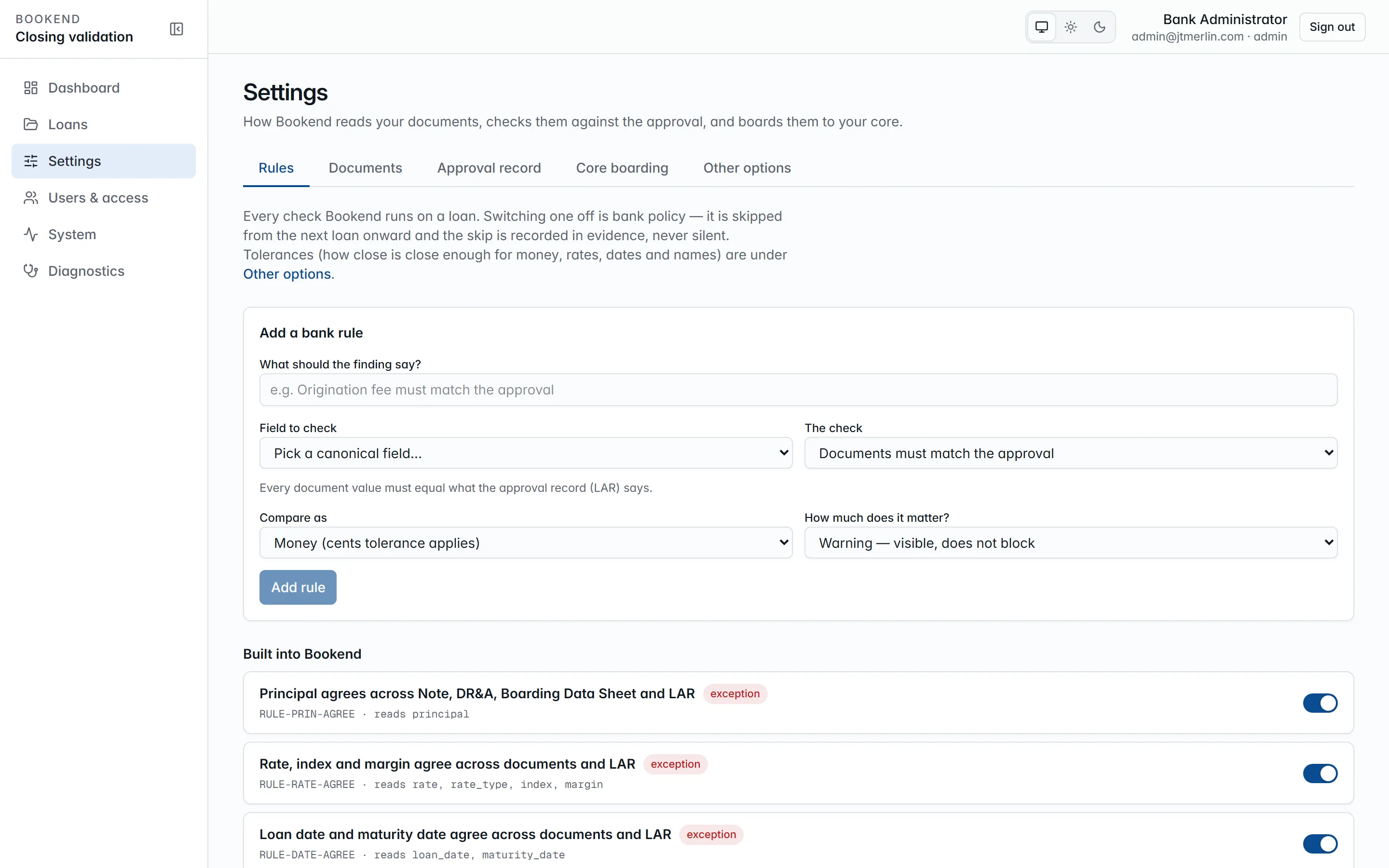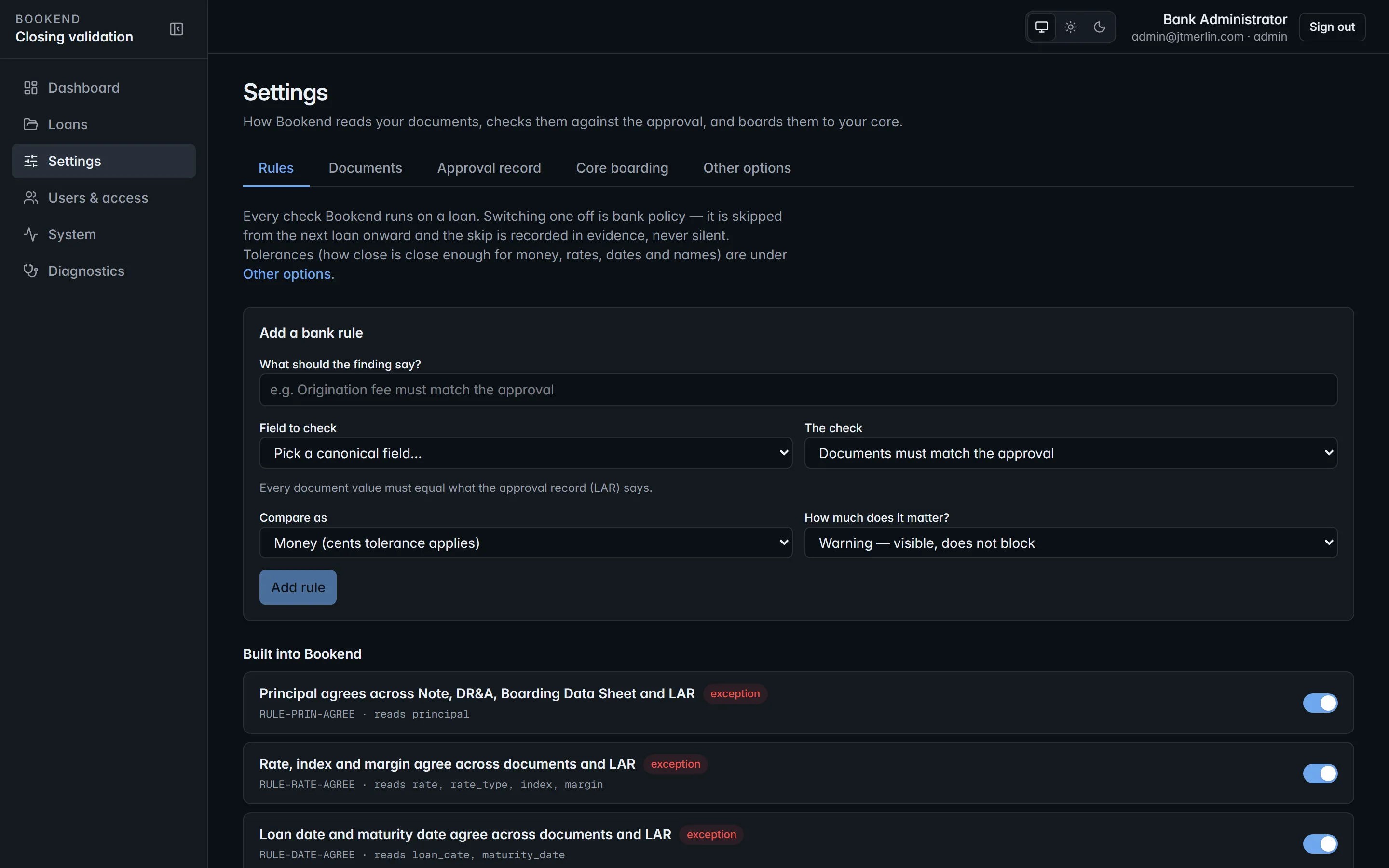
Settings → Rules. Built-in rules can be switched off as bank policy (recorded in evidence); bank rules are added without code.
## Namespaces
[Section titled “Namespaces”](#namespaces)
Defaults are in parentheses. Unknown keys, read-only keys and values of the wrong type are refused with field errors.
| Namespace | Keys | Notes |
| ------------ | --------------------------------------------------------------------------------------------------------------------------------------------------------------------------------------------------------------------------------------------------------------------------------------------------------------------------------------------------------------------------------------------------------------------------------------------------------------------- | -------------------------------------------------------------------------------------------------------------------------------------------------------------------------- |
| `app` | `public_url` | the URL users type; sign-in links and emails are built from it |
| `auth` | `access_token_minutes` (15, max 60), `refresh_token_hours` (8, max 720), `otp_ttl_minutes` (15), `password_min_length` (12, 8 to 128), `login_password_enabled` (true), `login_otp_enabled` (true), `login_totp_enabled` (false), `oidc_enabled`, `oidc_authority`, `oidc_client_id`, `oidc_client_secret` (secret), `oidc_provider_name`, `allowed_email_domains` (JSON array, empty = any), `otp_link_path` (`/auth/otp`), `signing_key` (secret), `signing_key_id` | sign-in policy, MFA and single sign-on; see [Users and roles](/administration/users-and-roles). The RS256 signing key and its id are generated on first boot and read-only |
| `smtp` | `host`, `port` (587), `tls_mode` (`none` / `starttls` / `ssl`; `starttls`), `username`, `password` (secret), `from_address`, `from_name` (`Bookend`) | read on every send, no restart; the test button sends a real message to you and records the result |
| `documents` | `max_package_mb` (200), `retention_days` (2555), `last_retention` (read-only), `watch_folder` (`/data/watch`, restart required), `watch_interval_seconds` (60), `watch_stable_seconds` (5), `page_render_dpi` (110), `taxonomy` (JSON, read-only) | the nightly retention sweep purges the stored bytes of loans sealed longer ago than `retention_days`; rows, hashes and evidence stay |
| `fields` | `catalog` (JSON, read-only) | the canonical field catalog the rules and maps refer to |
| `extraction` | `templates` (JSON) | the bank’s own document templates, taught in Settings → Documents; see [Teaching documents](/administration/teaching-documents) |
| `ai` | `endpoint`, `model`, `api_key` (secret) | optional OpenAI-compatible endpoint that can draft a template from a sample; never used at runtime |
| `execution` | `templates` (JSON) | signature, initials, date and notary zones per document type |
| `inference` | `url` (`http://inference:9090`) | the inference container; the test button calls its health check |
| `pipeline` | `max_attempts` (8), `retry_base_seconds` (5) | exponential backoff for stage retries, capped at 10 minutes |
| `rules` | `ruleset_version` (`v1.0`, read-only), `money_tolerance_cents` (0), `rate_tolerance` (`0.00001`), `date_tolerance_days` (0), `name_normalization` (`lenient` / `strict`; `lenient`), `disabled` (JSON), `custom` (JSON), `catalog` (JSON, read-only) | `disabled` and `custom` are managed on the Rules tab; see [Reconciliation rules](/rules/rule-prin-agree) |
| `review` | `reason_codes` (JSON array), `justification_min_length` (10) | override policy |
| `core` | `provider` (`file.export` / `jackhenry.jxchange`; `file.export`), `file_export_path` (`/data/exports`), `jxchange.endpoint`, `jxchange.username`, `jxchange.password` (secret), `jxchange.institution_id` | the test button probes the active adapter |
| `boarding` | `allow_wire_before_boarded` (false) | wires normally wait for a boarded loan |
| `metering` | `heartbeat_enabled` (true), `air_gapped` (false), `endpoint`, `api_key` (secret, optional) | see [Metering and licensing](/administration/metering-and-licensing) |
| `license` | `key` (secret); `institution`, `tier`, `expires_at` (read-only) | the license JWT and the values read from it |
| `evidence` | `last_verification` (JSON, read-only) | written by the nightly evidence sweep |
| `setup` | `state`, `completed_steps`, `smtp_tested`, `core_tested`, `lar_profile_id`, `activated_at` (all read-only) | wizard bookkeeping; `lar_profile_id` is the approval-record profile used for intake |
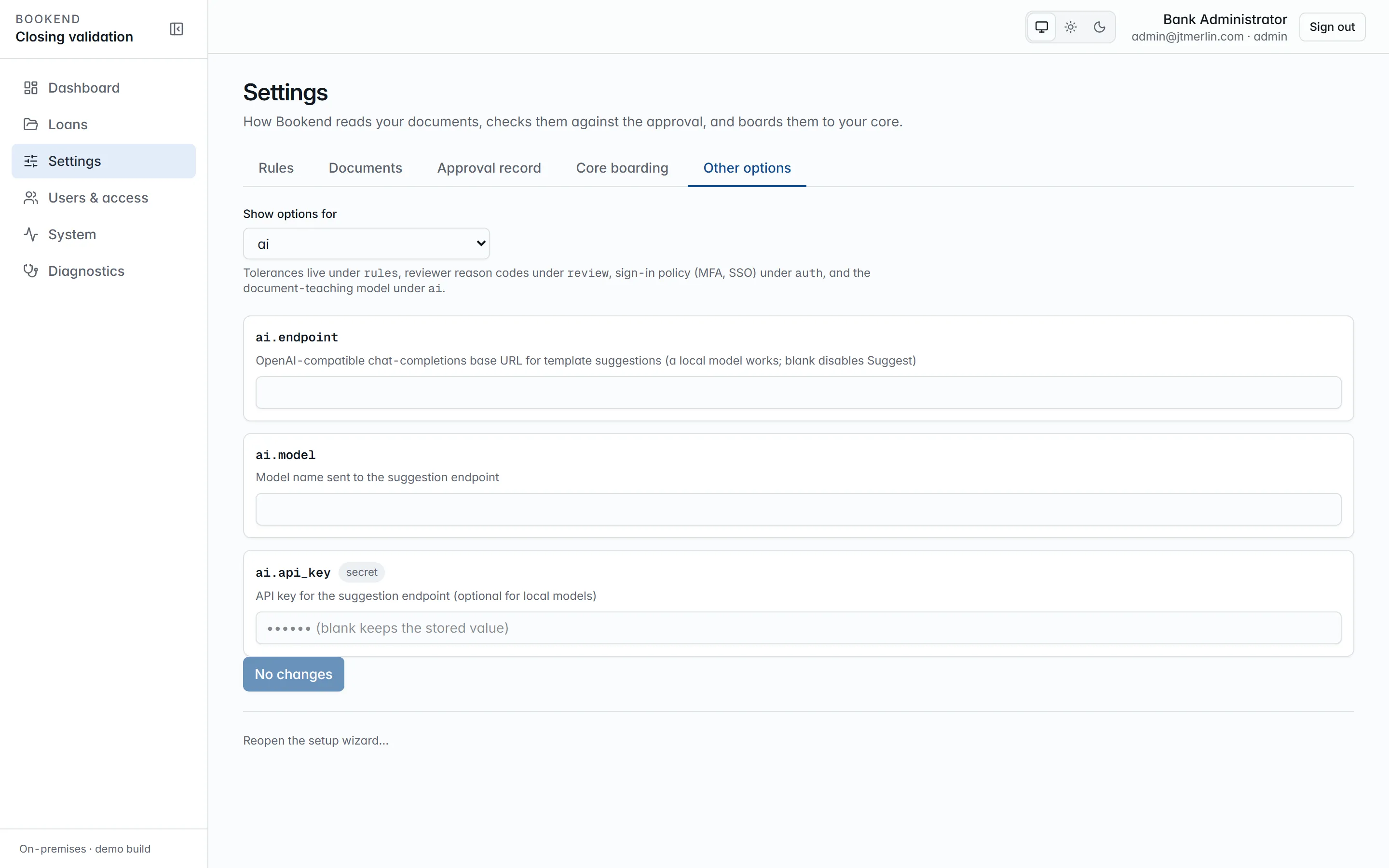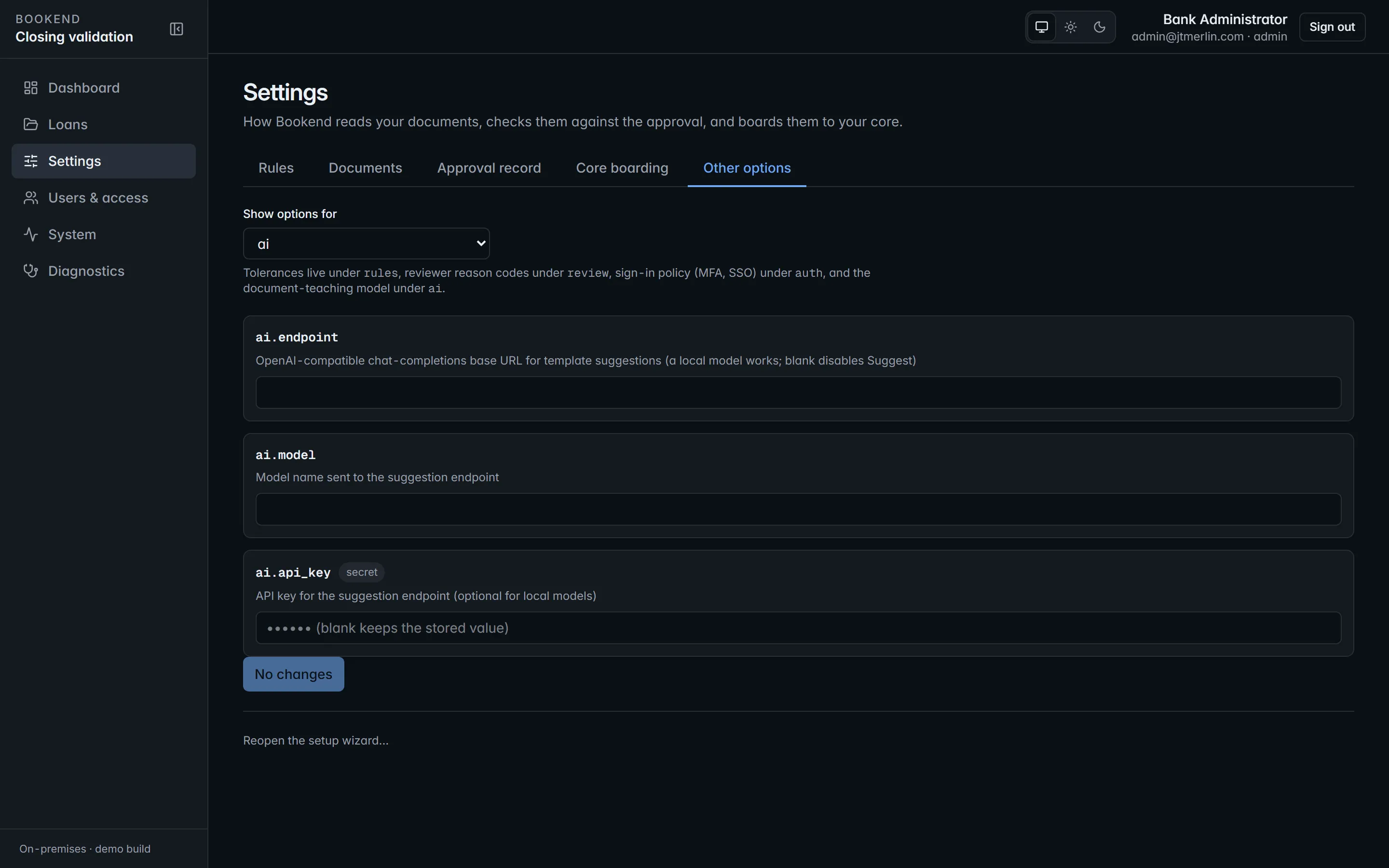
Settings → Other options. Every remaining key by namespace, with its current value and what it does.
## Reference catalogs
[Section titled “Reference catalogs”](#reference-catalogs)
The document taxonomy, field catalog and rule catalog are JSON settings rather than code ([ADR 0003](/reference/adr/0003-reference-catalogs-live-in-settings)). They ship with each release and are read-only through the API, and every reconciliation run records the ruleset version and thresholds it used. What a bank changes without a release: rule switches and bank rules (Rules tab), taught document templates (Documents tab), execution templates, tolerances, reason codes, retention and the integration settings.
## Audit
[Section titled “Audit”](#audit)
Every settings write is a row in the data audit (`GET /v1/audit?source=data&table=settings`) with the actor and the before and after values. Secret values appear there only in encrypted form.
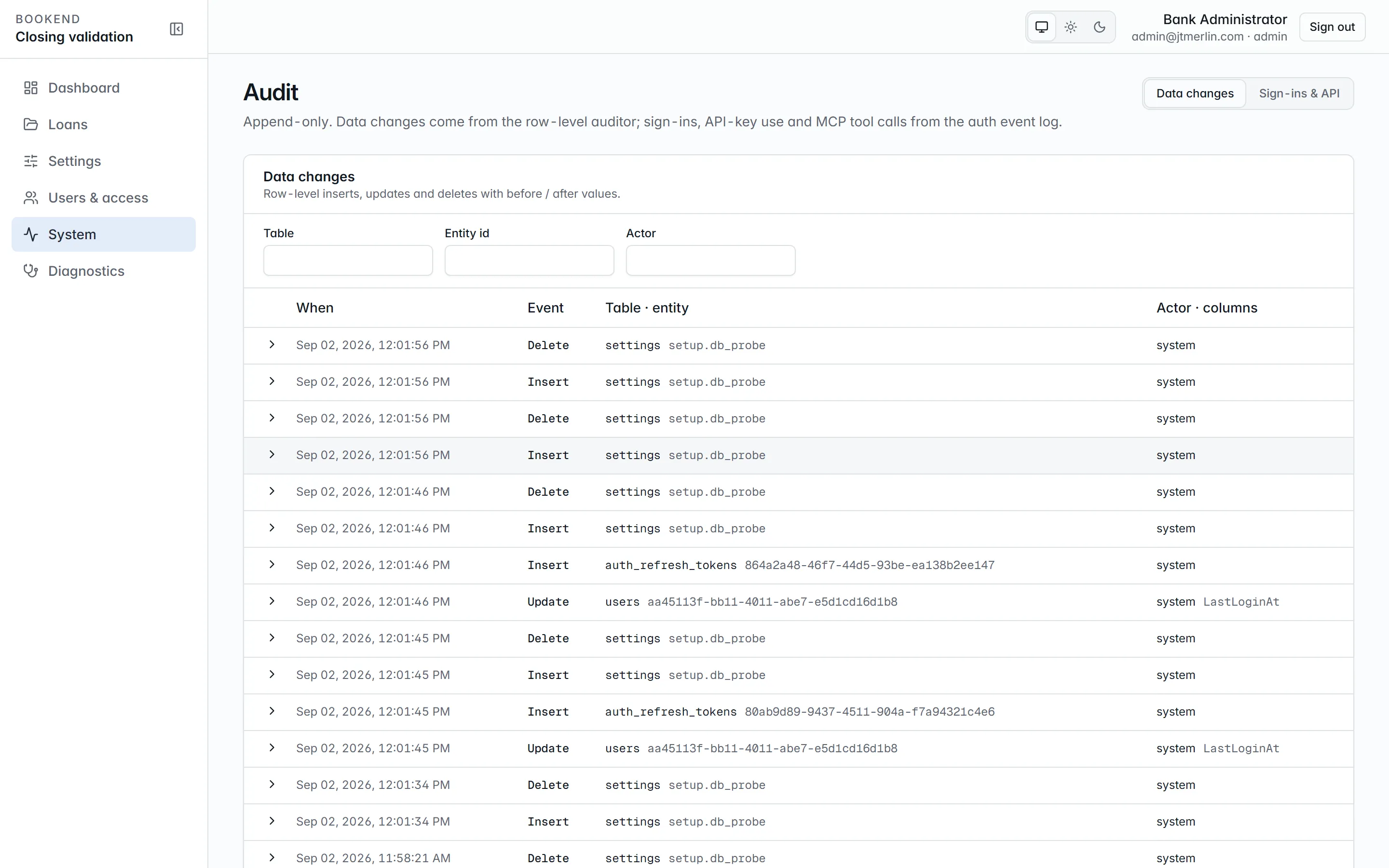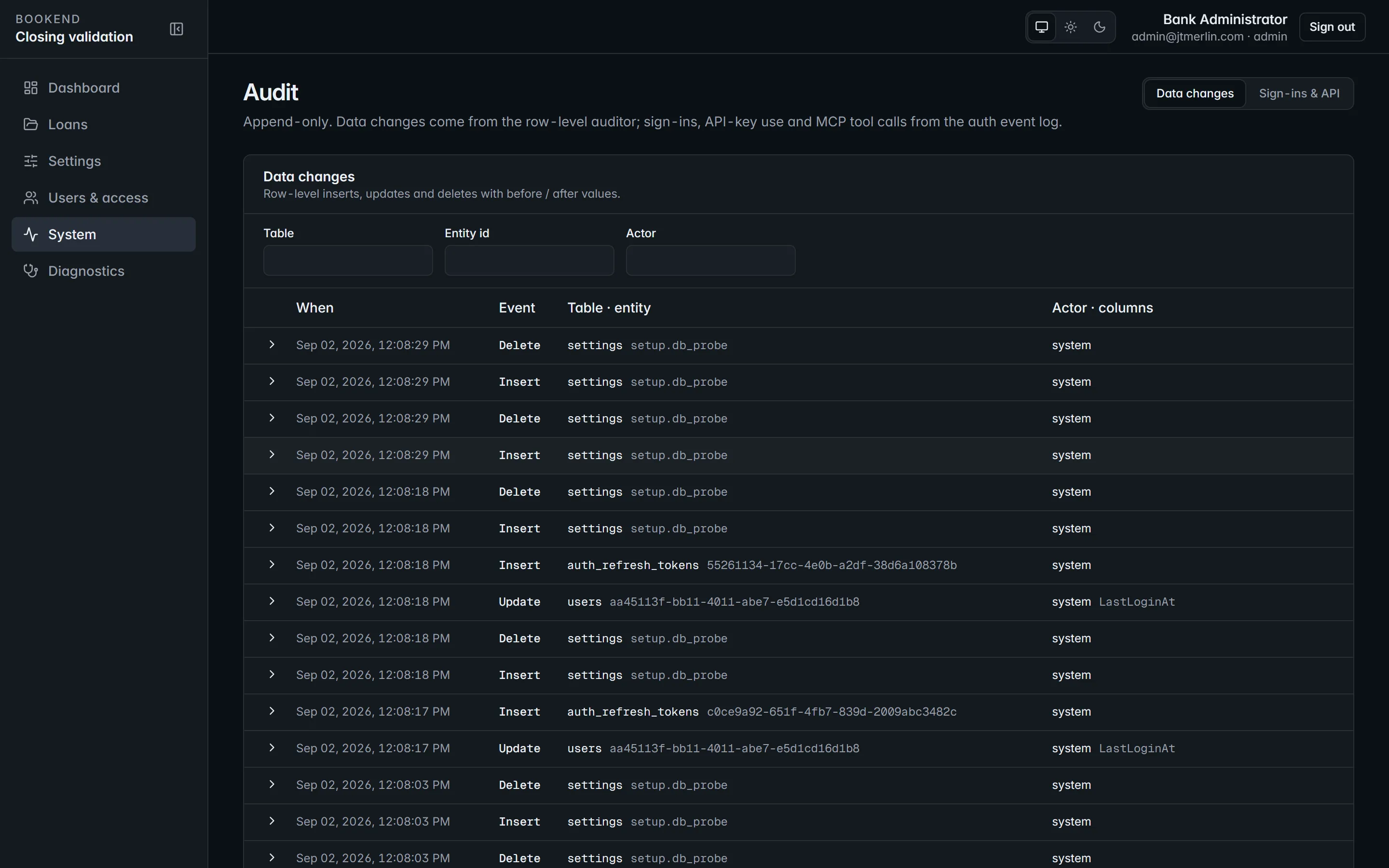
System → Audit. Every settings change with actor, time and before/after values.
# Teaching documents
> Map a form Bookend does not know by pointing at its values on one example, and fix where a value comes from on a real loan.
Bookend reads the closing documents its built-in templates cover out of the box. When your bank uses a form it does not recognize (a counsel-drafted note, a different boarding sheet, a credit memo), you teach it as **data**, without writing rules: upload one example, drag a box around each value, say what it is. Nothing changes until you save, and runtime extraction stays deterministic.
Administrators only, under **Settings → Documents**.
## Teach a new document in three steps
[Section titled “Teach a new document in three steps”](#teach-a-new-document-in-three-steps)
### 1 · Show Bookend one example
[Section titled “1 · Show Bookend one example”](#1--show-bookend-one-example)
Upload one PDF of the form (a scanned copy works: the pages are recognized first). The page renders in the studio; use Previous / Next for multi-page forms.
### 2 · Name what you drew
[Section titled “2 · Name what you drew”](#2--name-what-you-drew)
Drag a box around a value. A **What is this?** dialog opens with what Bookend read inside the box and asks which field it is, in plain language (“Principal amount”, “Maturity date”, …). The moment you choose, Bookend reads the box back:
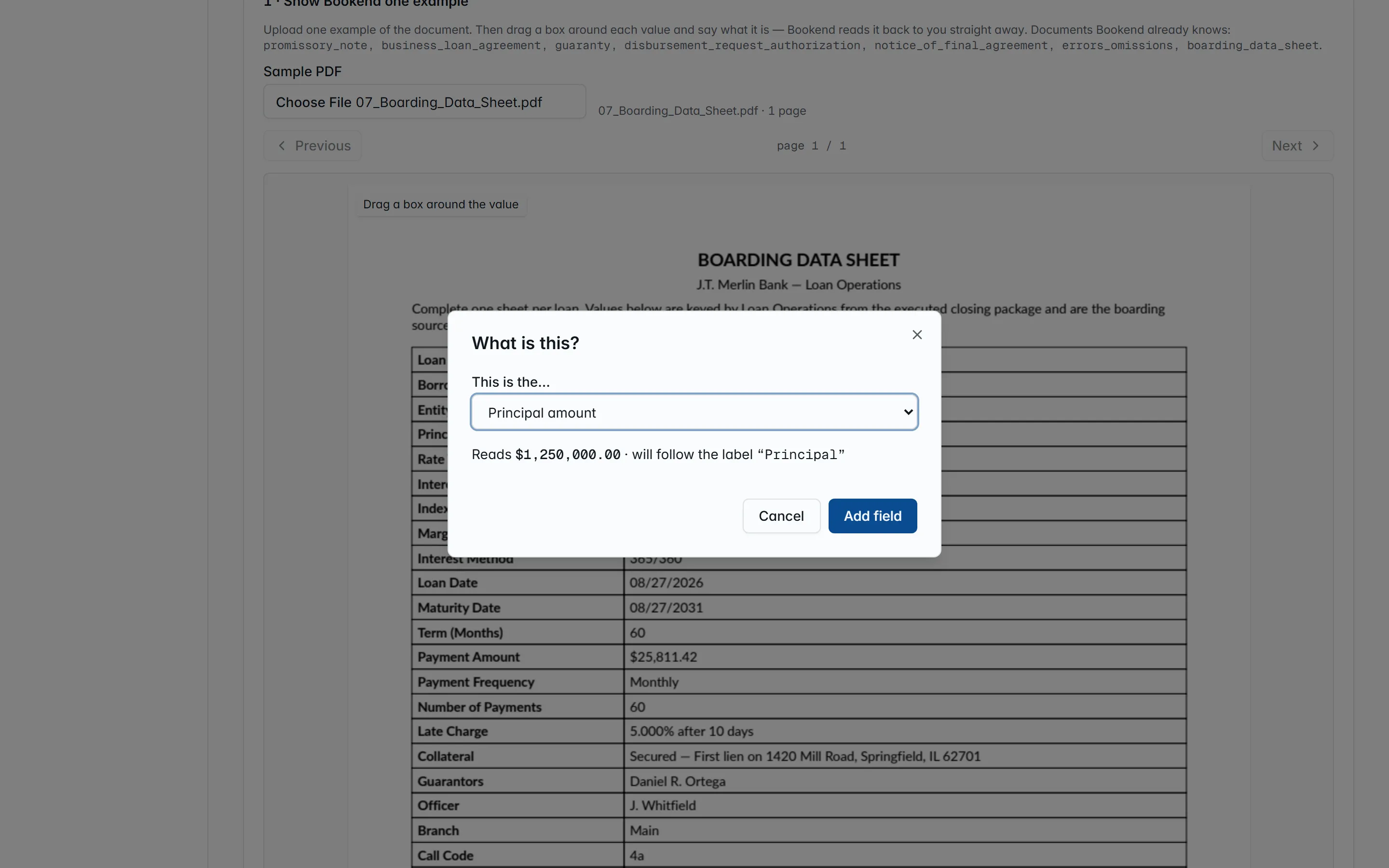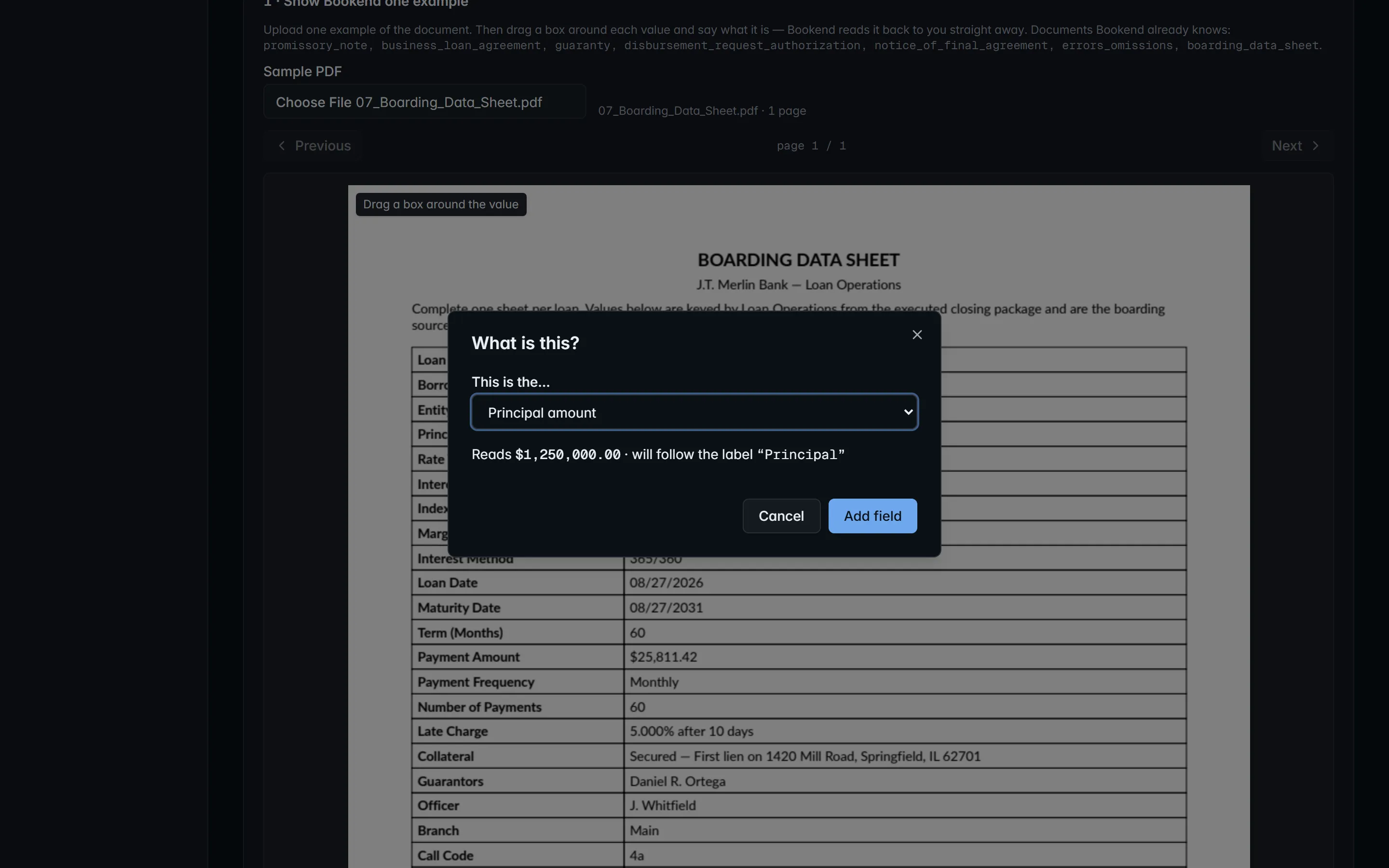
Name what you drew. Bookend shows what it read, and once a field is chosen, the value it will extract and the printed label it will follow.
> Reads **$1,250,000.00** · will follow the label **“Principal”**
The value is what the pipeline will extract; the label is the *anchor*: the printed text beside the box that Bookend looks for when a scan is offset or the form re-flows, so the box moves with it. If nothing readable is inside the box, or the text does not read as that kind of field, the dialog says so and you draw again. **Add field** puts it in the list; a field mapped twice keeps the newer box.
Draw the form’s title the same way and pick **Document title**: that is how Bookend recognizes the form on the next loan. Then choose the **document type** from the taxonomy.
### 3 · Check, then save
[Section titled “3 · Check, then save”](#3--check-then-save)
**Check it on this example** runs the whole template on the sample and draws every value on the page in green: what the pipeline will read, where it read it. **Save** makes the template part of what Bookend reads from the next loan on, replacing any template already taught for that document type; existing loans are untouched. Both need a document type and at least one field. The page lists what is already taught and how many fields each template has.
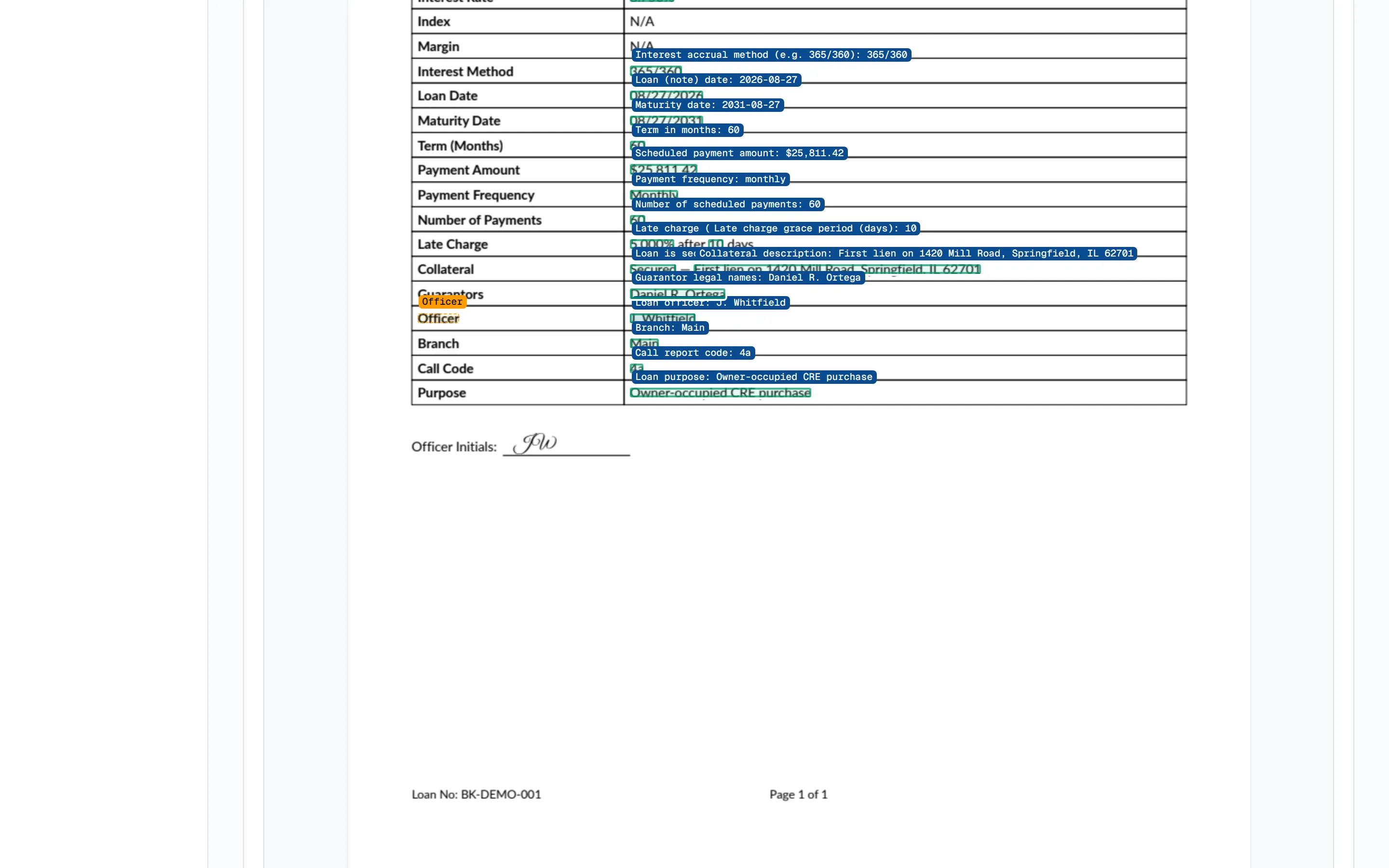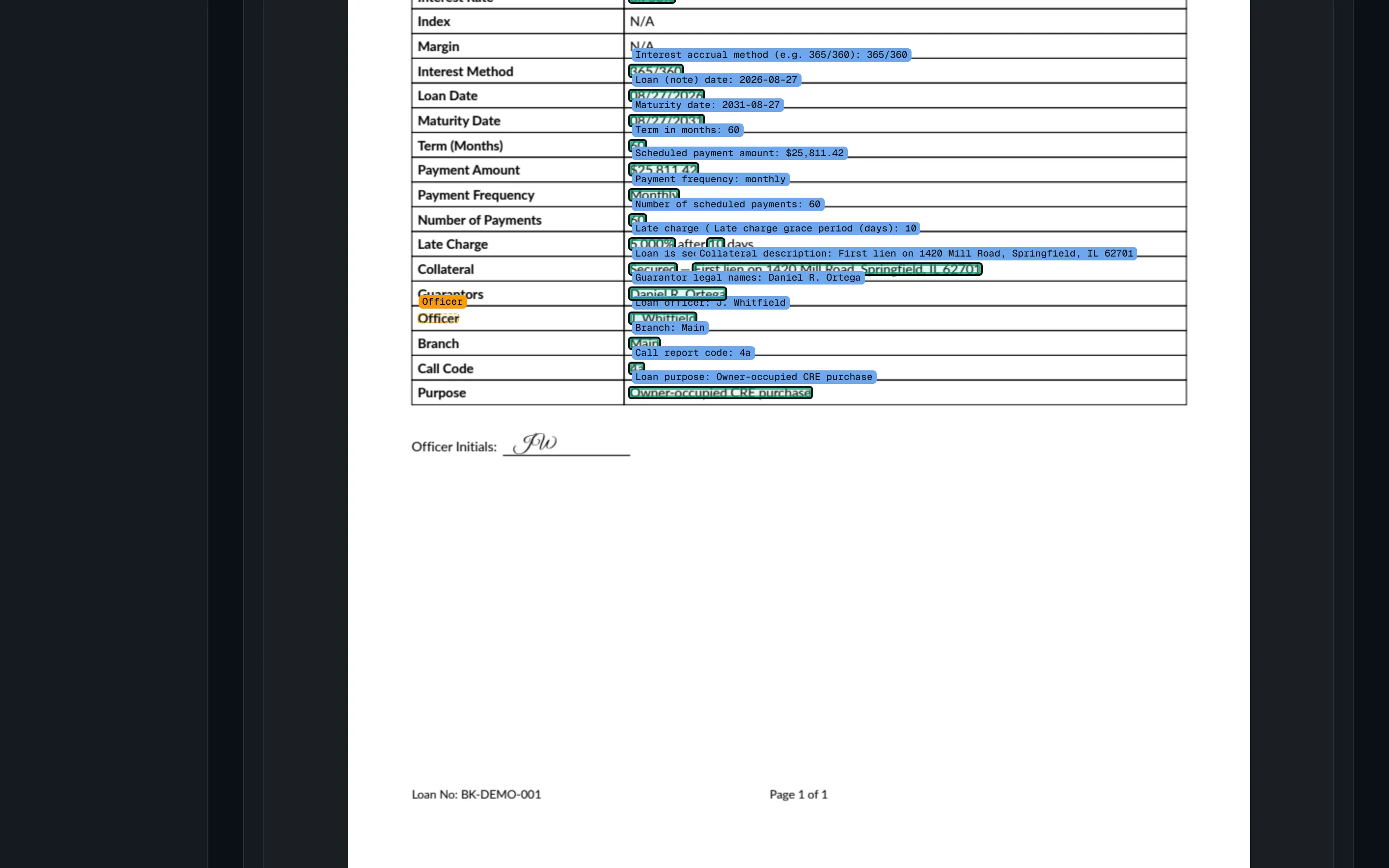
Check it on this example. Every value the whole template reads, drawn where it was read, before anything is saved.
## Fix where a value comes from
[Section titled “Fix where a value comes from”](#fix-where-a-value-comes-from)
On a loan, every value’s provenance chip opens the source page. Administrators see **Fix where this comes from**: drag a box around the correct value and Bookend reads it back the same way (value and anchor) and saves it as that field’s rule for that document type, replacing any earlier rule for the field. The loan itself is unchanged until you press **Reprocess this loan now** (otherwise it applies from the next loan on). A fix needs a classified document with pages: it is not available on the approval record or on a document the pipeline has not classified yet.
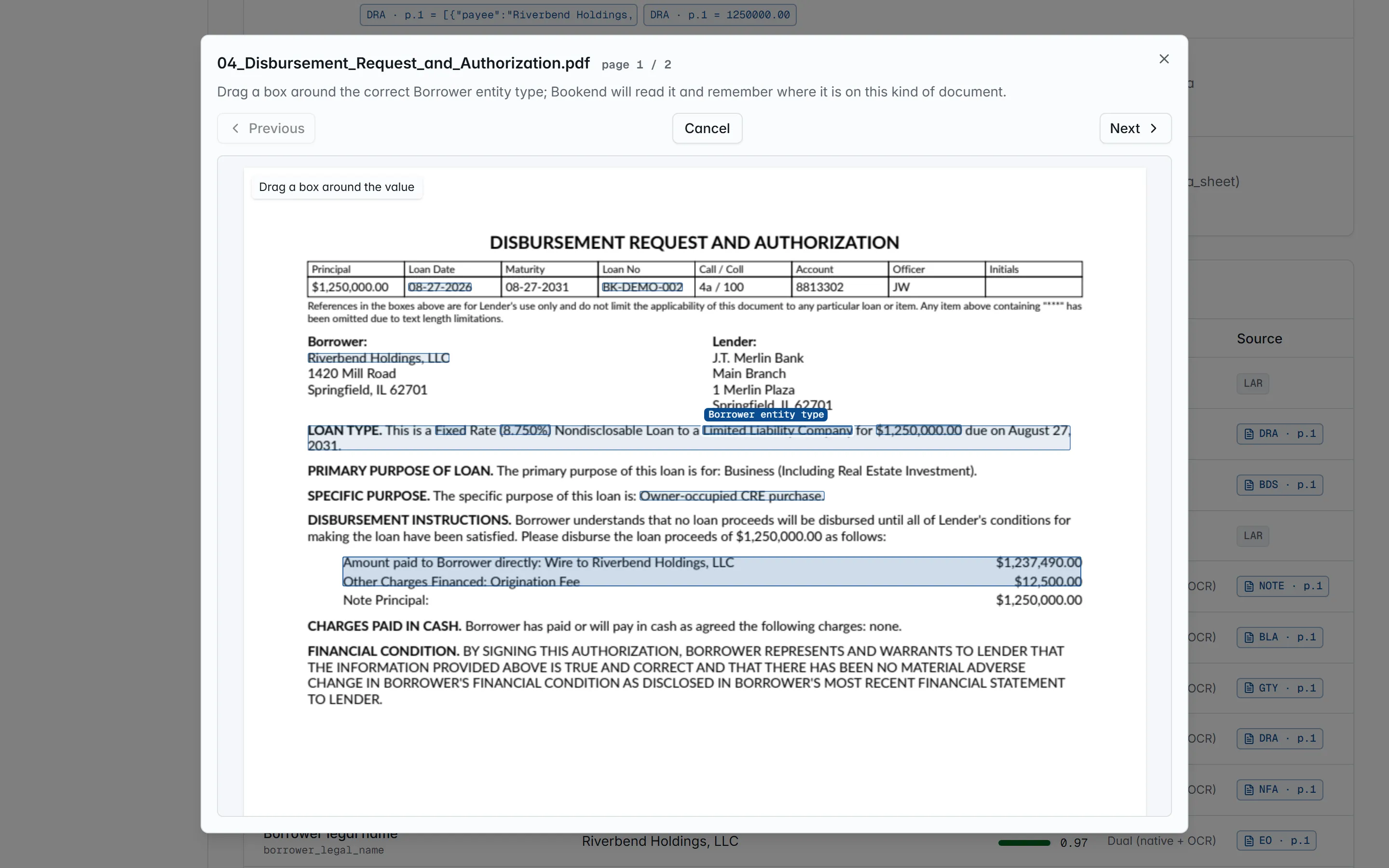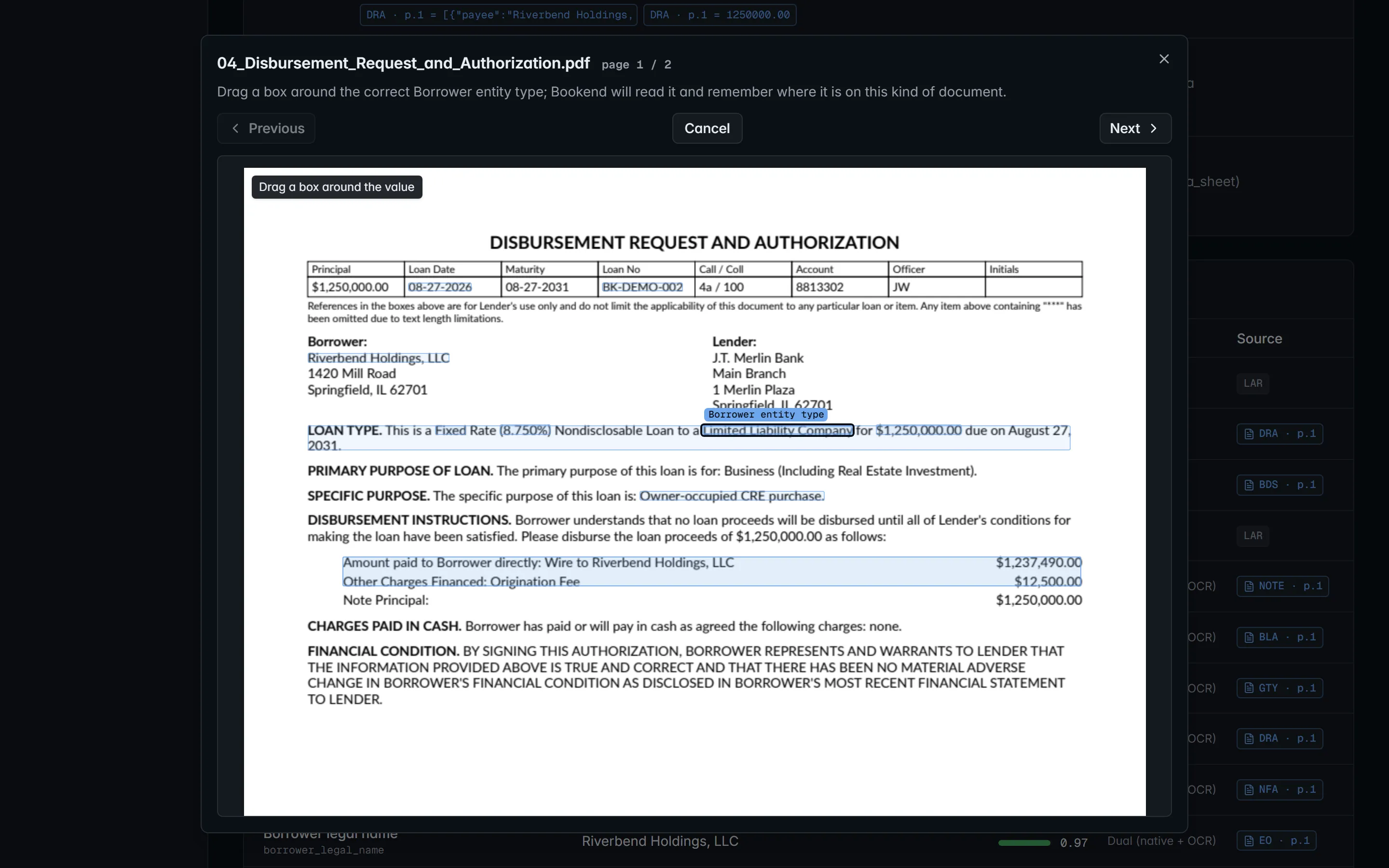
On a loan, Fix where this comes from turns the page viewer into the same drawing surface.
## What it does under the hood
[Section titled “What it does under the hood”](#what-it-does-under-the-hood)
Each taught field is a `region` rule in the `extraction.templates` setting: the page, the box as page fractions and the anchor label. At extraction time the engine finds the label, moves the box with it and reads the words inside. A region without its label is read where it was drawn at reduced confidence, so a re-labeled form routes the value to a person rather than guessing. Because templates are a setting, every change appears in the settings audit.
**Show the technical details…** exposes the raw template JSON, including the older rule shapes and regex `sentence` rules, for the rare layout that needs them; it is validated when saved. Separately, if an administrator configures an AI model (`ai.endpoint` / `ai.model` / `ai.api_key`, any OpenAI-compatible endpoint, including a local model inside your network), `POST /v1/extraction-templates/suggest` drafts a whole template from a sample and checks it on that sample. A draft is only a proposal: nothing is stored until someone saves it, and the model is never called during extraction.
## Related
[Section titled “Related”](#related)
* [Intake](/loans/intake): where taught templates run in the pipeline
* [Review workstation](/loans/review): provenance and fixing sources
* [Validation pack](/security/validation-pack): templates are configuration, not training
* [ADR 0007](/reference/adr/0007-point-and-name-mapping-with-anchored-regions): why the rule stored is a label-anchored region
# Upgrade
> Bookend never updates itself. A release is a bundle the bank verifies and applies inside a maintenance window. Schema changes are forward-only DDL scripts appli
Bookend never updates itself. A release is a bundle the bank verifies and applies inside a maintenance window. Schema changes are forward-only DDL scripts applied by the migrator; the release notes list every script a release adds.
The commands below use the production override from the Installation Guide; add `-f deploy/compose.external-db.yml` if the install uses an external database.
## Before the window
[Section titled “Before the window”](#before-the-window)
1. Read the release notes (`CHANGELOG.md` in the new bundle; after the upgrade, also System → Release notes or `GET /v1/releases`). Note any `restart_required` settings and the DDL scripts the release adds.
2. Verify the new bundle’s checksums and signature per its `VERIFY.md`, then load its images: `docker load -i bookend--images.tar`. Loading does not touch the running stack, and the previous images stay available for a rollback.
3. Compare the new bundle’s `deploy/compose.yml` and `deploy/.env.example` with the installed ones. Copy the new `compose.yml` into place; keep your `deploy/.env` and override files, adding any new variable the release notes call for.
4. Take a backup (`backup-restore.md`): database dump, `documents` and `exports` volumes, `deploy/.env`.
5. Confirm the current state is clean: `GET /v1/diagnostics` shows every health entry `healthy`, the last evidence sweep has no broken chains, no pipeline runs are in flight (`GET /v1/loans?state=processing` is empty) and no boarding record is `committing`.
## During the window
[Section titled “During the window”](#during-the-window)
```bash
# set BOOKEND_VERSION= in deploy/.env
docker compose -f deploy/compose.yml -f deploy/compose.production.yml up -d --wait
docker compose -f deploy/compose.yml -f deploy/compose.production.yml logs migrator # lists the scripts it applied; exits 0
```
`api` starts only after the migrator has completed successfully, and its readiness check (`/readyz`, `schema`) stays unhealthy until the ledger holds every script the new build requires, so an upgrade cannot run against a half-migrated database. The scheduler picks up persisted jobs (pipeline stages, nightly evidence sweep, daily heartbeat) where they were.
## Smoke test
[Section titled “Smoke test”](#smoke-test)
* `GET /readyz` healthy; `GET /v1/diagnostics` shows the new `version` and the expected `database.schemaVersion`.
* Golden-package test: upload `BK-DEMO-001` from the new validation pack as a new loan; it must reach `review` with no findings, and `GET /v1/loans/BK-DEMO-001/evidence/verify` must report `intact: true`. Reject the test loan afterward.
* Open one existing loan: values, provenance chips, findings and the evidence chain render; its `evidence/verify` is intact.
* Send a metering heartbeat (System → Metering & license → **Send heartbeat now**) unless air-gapped.
## Rollback
[Section titled “Rollback”](#rollback)
1. **The release added no DDL scripts** (the release notes say so, and `logs migrator` reported 0 applied): set `BOOKEND_VERSION` back to the previous version in `deploy/.env` and run `up -d --wait` again.
2. **The release applied new scripts**: the previous version’s migrator refuses to run against a ledger that holds scripts it does not know (exit 4), so the previous images cannot simply be restarted. Set `BOOKEND_VERSION` back and restore the pre-upgrade backup (`backup-restore.md`); the restored ledger matches the previous version.
3. Record the rollback in the change log and send the `GET /v1/diagnostics` output and `logs migrator` to Bookend support.
# Users and roles
> Roles, what each may do, sign-in methods, MFA, single sign-on, API keys and segregation of duties.
## Roles
[Section titled “Roles”](#roles)
| Role | May |
| ------------------ | --------------------------------------------------------------------------------------------------------------------------------------------------------------------------------------------------------------------------------------------------------------------- |
| `admin` | everything: users, API keys, settings, rule switches and bank rules, LAR profiles, core field maps, [teaching documents](/administration/teaching-documents) and fixing where a value comes from, diagnostics, metering actions; also holds every other role’s rights |
| `manager` | everything a specialist may, plus override findings, mark funded, seal, read metering and the audit log; escalations are emailed to managers and administrators |
| `specialist` | create and assign loans, upload, reprocess, review (accept / escalate), approve and reject packages, stage boarding, stage and export wires |
| `boarding_checker` | approve a staged boarding or wire that someone else staged, commit an approved boarding; read loans and evidence |
| `auditor_readonly` | read every loan, finding, evidence packet and rule page; verify evidence chains; nothing else |
| `api_service` | the role behind API-key tokens; rights come from the key’s **scopes** (`status:read`, `intake:write`, `evidence:read`) |
Roles are assigned per user (`POST /v1/users/{id}/roles` replaces the set); a user may hold several, for example specialist and manager. A role change takes effect within one access-token lifetime, because it revokes the user’s refresh tokens.
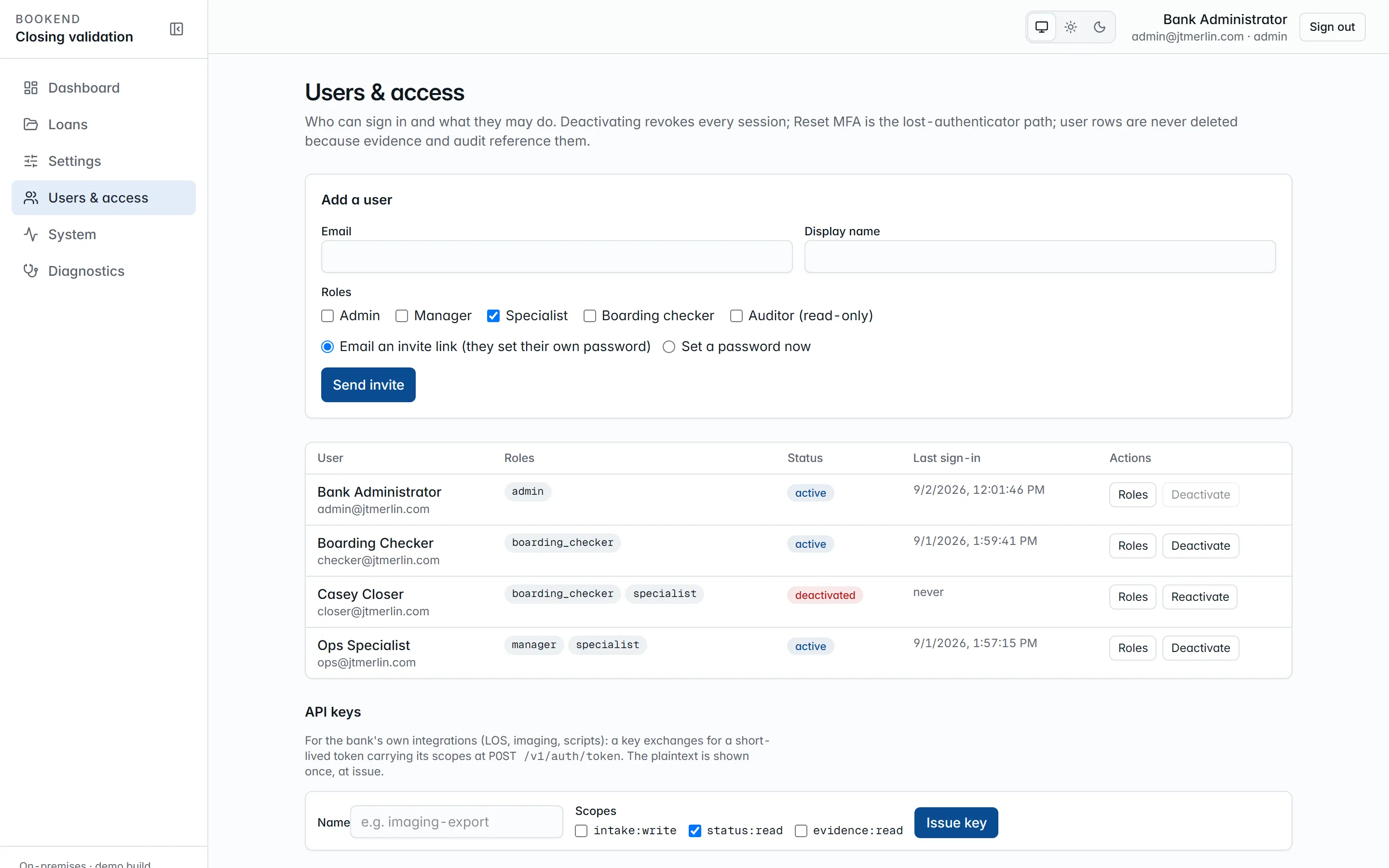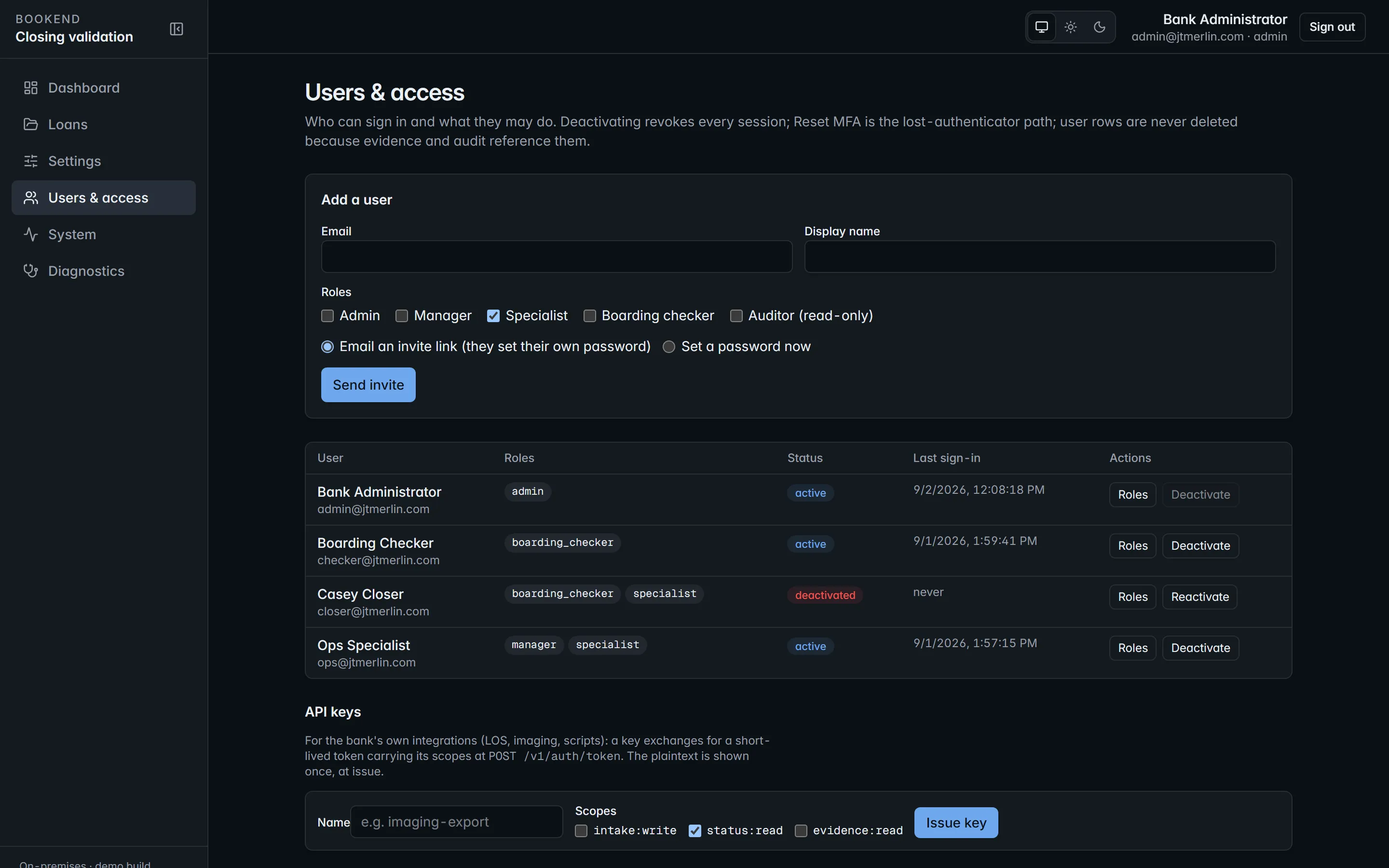
Users & access. Invite by email, assign the least roles that work, disable without deleting.
## Managing people
[Section titled “Managing people”](#managing-people)
**Users & access** (administrators) lists every user with roles, status and last sign-in. *Add a user* either emails an invite link (valid 72 hours, single-use) so the person sets their own password, or creates the user with a password. *Deactivate* switches an account off and revokes every session; user rows are never deleted, because evidence and audit reference them. You cannot deactivate yourself or remove your own admin role. *Reset MFA* is the lost-authenticator path (below).
## Segregation of duties
[Section titled “Segregation of duties”](#segregation-of-duties)
Enforced by the platform, not by procedure:
* The person who **stages** a boarding cannot **approve** it, even an administrator.
* The person who **stages** a wire cannot **approve** it.
* Overriding a finding takes a manager or administrator, a reason code from `review.reason_codes` and a justification of at least `review.justification_min_length` characters.
* Reviewing, approving, boarding, wires, funding and sealing need a signed-in person; API keys are refused.
* Sealed loans are read-only for everyone.
## Sign-in
[Section titled “Sign-in”](#sign-in)
* **Password**: Argon2id hashed; minimum length from `auth.password_min_length`. Users change their own with `POST /v1/auth/password`.
* **Email link**: a single-use link sent through your relay, valid for `auth.otp_ttl_minutes`.
* Either method can be switched off (`auth.login_password_enabled`, `auth.login_otp_enabled`).
* Access tokens are short-lived RS256 JWTs; refresh tokens rotate and are revocable, and reusing a rotated refresh token revokes all of that user’s sessions. Both live in the browser’s memory only: no cookies, no local storage.
* `auth.allowed_email_domains` restricts which addresses can be invited or created.
* Sign-in endpoints allow 10 attempts per minute per client address; everything else allows 300 requests per minute per user or key.
### Multi-factor authentication
[Section titled “Multi-factor authentication”](#multi-factor-authentication)
With `auth.login_totp_enabled` on, anyone who has confirmed an authenticator app must enter its current six-digit code at every password sign-in. Each person enrolls on their account page (click your name, then **Set up authenticator**): add the setup key to an authenticator app or password manager and confirm with a first code. A user without an authenticator still signs in normally, so turning the policy on never locks anyone out. Codes are single-use, with one 30-second step of clock tolerance. If someone loses their device, an administrator uses **Reset MFA** in Users & access (`DELETE /v1/users/{id}/totp`), which also signs them out everywhere; they sign in again and re-enroll. Every enrollment, confirmation, removal and failed code is in the auth trail.
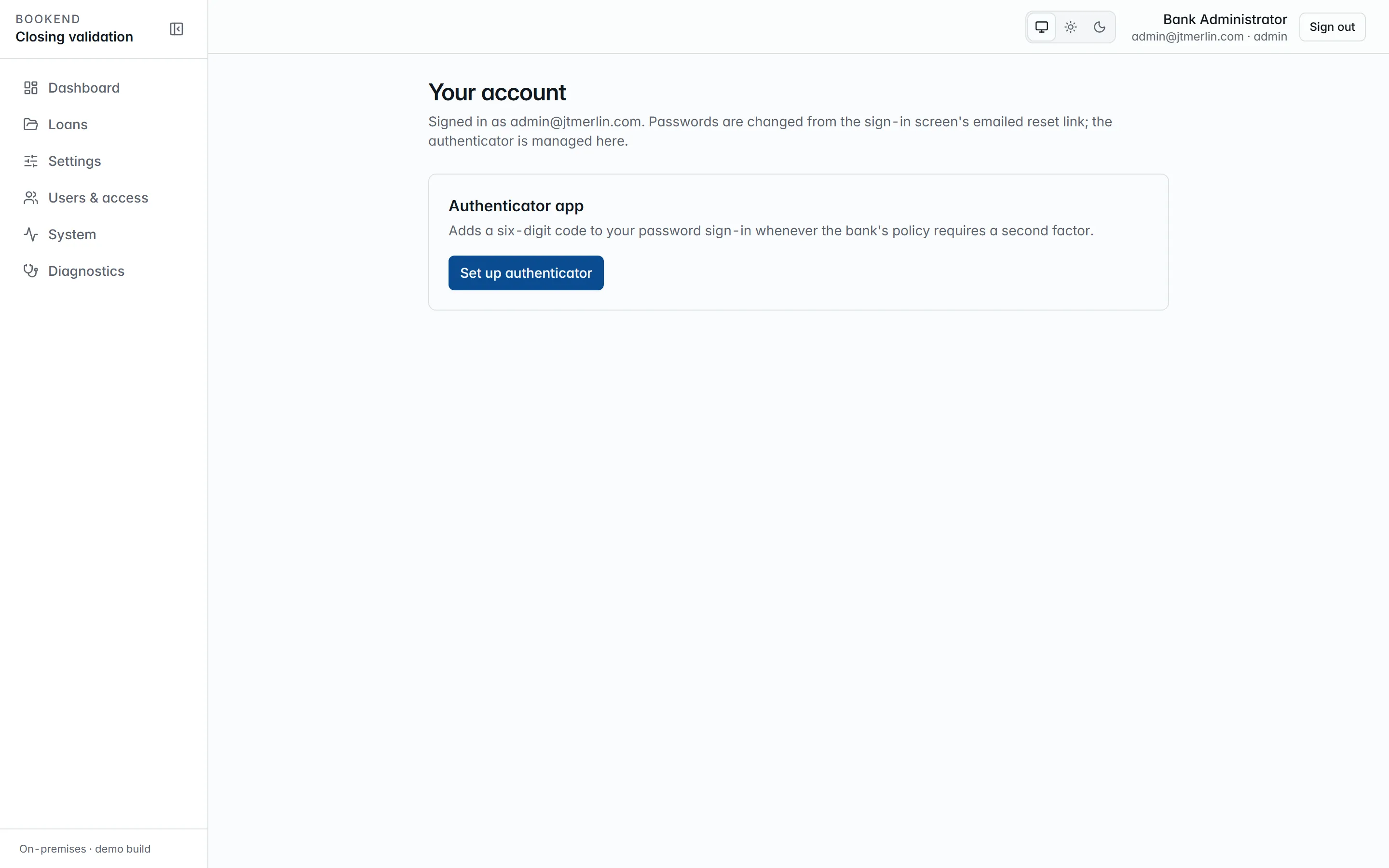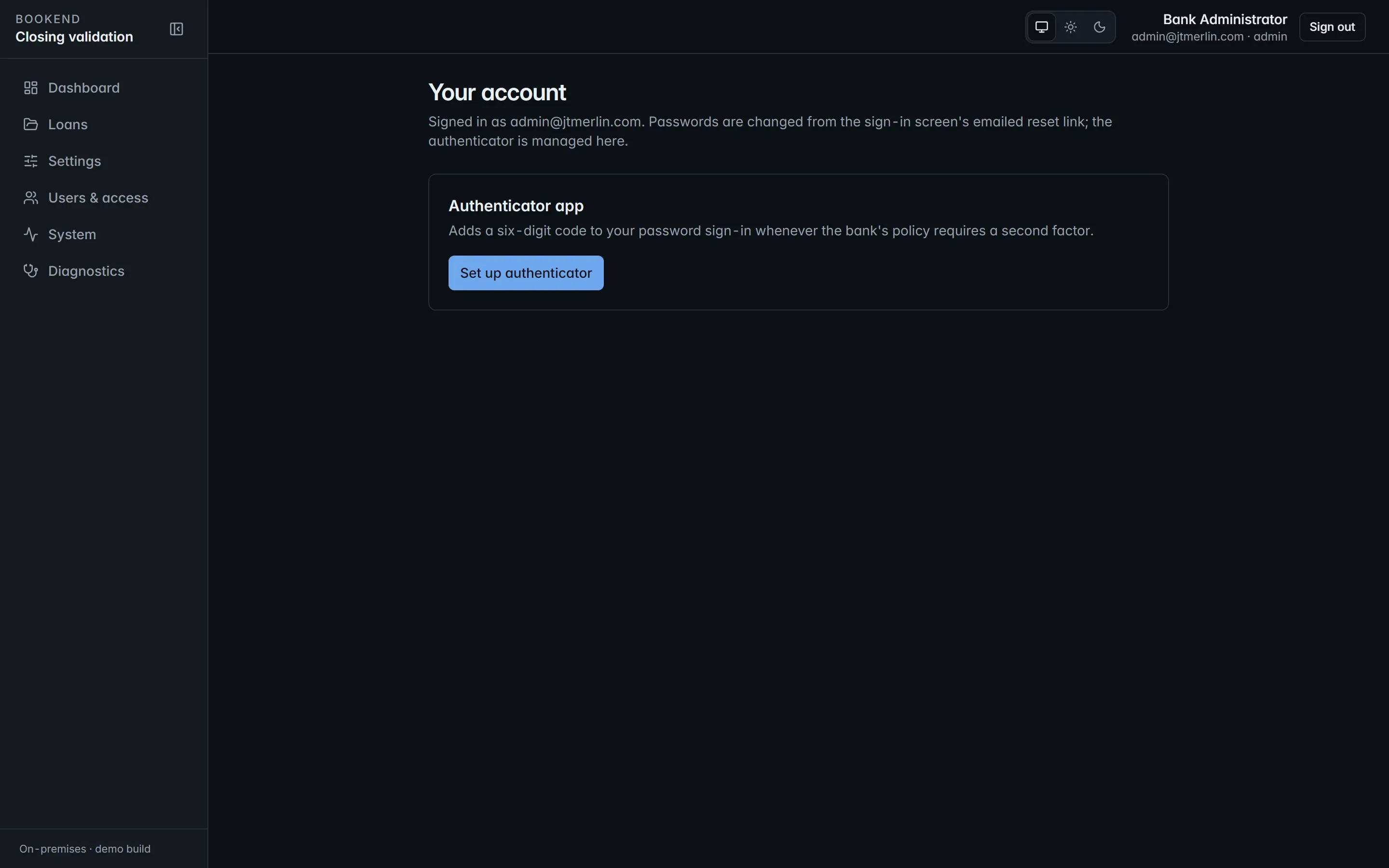
The account page, where each person enrolls their authenticator.
### Single sign-on (OIDC)
[Section titled “Single sign-on (OIDC)”](#single-sign-on-oidc)
Register Bookend with your identity provider (Entra ID, Okta, ADFS or any OpenID Connect provider) as a confidential web client with the redirect URI `https:///oidc/callback`. Then set `auth.oidc_authority` (the issuer URL), `auth.oidc_client_id`, `auth.oidc_client_secret` and `auth.oidc_provider_name`, and turn on `auth.oidc_enabled`. The sign-in page gains a **Continue with** button named after the provider.
The identity provider authenticates; Bookend authorizes. The email the provider returns must belong to an existing, active Bookend user (accounts are never created automatically), roles stay Bookend’s own, and the session is the same short-lived token pair as every other method. Deactivating a user in Bookend ends their access whatever their status at the provider.
## API keys
[Section titled “API keys”](#api-keys)
Administrators issue keys in **Users & access → API keys** (or `POST /v1/api-keys`) with one or more scopes; the key (`bk__`) is shown once and stored hashed. A key is exchanged for an access token at `POST /v1/auth/token` and used like a user token against REST and `/mcp`, limited to its scopes. Keys can never act on findings, approvals, boarding or wires. Revoke with `DELETE /v1/api-keys/{id}`. Every issue, exchange and revocation is an `auth_events` row.
## Audit trail
[Section titled “Audit trail”](#audit-trail)
`GET /v1/audit?source=auth` (System → Audit → “Sign-ins & API”) lists sign-ins, failed attempts, email-link requests, token refreshes and revocations, API-key use and every MCP call with the tool, the caller and the outcome.
# Compose reference
> The services, volumes, environment and override files for deploy/compose.yml.
The release bundle ships `deploy/compose.yml` and `deploy/.env.example`. As shipped, `compose.yml` is the evaluation stack: it includes three evaluation fixtures and publishes the database and api ports next to the UI. A production install layers an override file on top that publishes `app-ui` only (see [Overrides](#overrides)).
## Services
[Section titled “Services”](#services)
| Service | Image | Depends on | Health check | Restart |
| -------------------------------- | ------------------------ | --------------------------------------------------------------------------------------------------------------- | ------------------------------------------ | -------------- |
| `db` | `postgres:16-alpine` | none | `pg_isready` | unless-stopped |
| `migrator` | `bookend/migrator` | `db` healthy | none; exits 0 when every script is applied | no |
| `api` | `bookend/api` | `migrator` completed successfully; `inference` healthy (and, as shipped, the three evaluation fixtures healthy) | `GET /readyz` (database and schema) | unless-stopped |
| `inference` | `bookend/inference` | none | `GET /healthz` | unless-stopped |
| `app-ui` | `bookend/app-ui` | `api` healthy | `GET /nginx-health` | unless-stopped |
| `jxchange-mock`, `metering-mock` | `bookend/jxchange-mock` | none | `GET /healthz` | unless-stopped |
| `mailhog` | `mailhog/mailhog:v1.0.1` | none | MailHog API | unless-stopped |
`jxchange-mock` (a stand-in core), `metering-mock` (an in-stack heartbeat receiver) and `mailhog` (an SMTP server with a web mailbox) exist for evaluation. A production install keeps them from starting with the override below. Image tags come from `BOOKEND_VERSION`.
## Environment (`deploy/.env`)
[Section titled “Environment (deploy/.env)”](#environment-deployenv)
| Variable | Meaning |
| ------------------------------------------------------------------------------------------------------------ | ------------------------------------------------------------------------------------------------------------------------------------------------------------------ |
| `DB__PROVIDER` | `postgres` (default) or `sqlserver` |
| `POSTGRES_DB`, `POSTGRES_USER`, `POSTGRES_PASSWORD` | bundled database name and owner principal (the migrator runs as it); the password is required |
| `DB_APP_USER`, `DB_APP_PASSWORD` | least-privilege application principal, created by the migrator with exactly this password; the password is required |
| `DB__CONNECTION`, `DB__MIGRATOR_CONNECTION` | connection strings for an external database. With the bundled database `compose.yml` builds both itself (host `db`); an external database needs the override below |
| `BOOKEND_MASTER_KEY` | base64 of 32 random bytes; encrypts secrets in `settings`. Keep it in your vault; never use the example value |
| `BOOKEND_VERSION` | image tag: the release version you loaded (defaults to `dev`) |
| `BOOKEND_SKIP_SCRIPTS` | `908_seed_demo_users.sql` on a production install, so the two evaluation user accounts are never created |
| `BOOKEND_UI_PORT` (8081), `BOOKEND_API_PORT` (8080), `BOOKEND_DB_PORT` (5432), `BOOKEND_MAILHOG_PORT` (8025) | host ports; only the UI port is published in production |
| `BOOKEND_LOGIN_ATTEMPTS_PER_MINUTE` | per-address login limit as `compose.yml` sets it (60 for automated test runs); the production override sets 10 |
| `Proxy__TrustedNetworks` | comma-separated networks whose `X-Forwarded-For` / `X-Forwarded-Proto` the api honors (default: the private ranges and loopback) |
A value a compose file sets under a service’s `environment:` wins over the same name in `.env`, which is why connection strings and the login limit are changed in override files rather than in `.env`.
Everything else (SMTP, core adapter, tolerances, reason codes, retention, metering) lives in the `settings` table and is configured through the wizard or Settings.
## Volumes
[Section titled “Volumes”](#volumes)
`dbdata` (bundled Postgres), `documents` (content-addressed files, rendered pages), `exports` (boarding files, wire requests), `watch` (watch-folder intake), `modelcache` (inference scratch). Compose prefixes them with the project name: `bookend_documents`, and so on.
## Overrides
[Section titled “Overrides”](#overrides)
The [Installation Guide](/guides/installation) gives both files in full.
* `compose.production.yml`: withdraws the `db` and `api` host ports (`ports: !reset []`), moves `jxchange-mock`, `metering-mock` and `mailhog` into an `evaluation` profile and drops them from the api’s start conditions (`depends_on: !override`), sets `RateLimiting__LoginAttemptsPerMinute` to 10, and mounts the license public key for `Licensing__PublicKeyPath`. Requires Compose v2.24.4 or later.
* `compose.external-db.yml`: moves `db` into a profile so it does not start, removes the migrator’s dependency on it, and passes `DB__CONNECTION` / `DB__MIGRATOR_CONNECTION` from `.env` to the migrator and api. For SQL Server also set `DB__PROVIDER=sqlserver`.
Air-gapped operation needs no override: it is a setting (`metering.air_gapped`), see [Air-gapped operations](/administration/air-gapped).
## Commands
[Section titled “Commands”](#commands)
```bash
DC="docker compose -f deploy/compose.yml -f deploy/compose.production.yml"
$DC up -d --wait # start everything, wait for healthy
$DC ps -a # state per service (the migrator shows Exited (0))
$DC logs --since 30m api # structured logs
$DC cp validation-pack/golden-packages/BK-DEMO-001 api:/data/watch/ # watch-folder intake from the bundle root,
$DC exec -u root api chown -R app:app /data/watch # then hand the copy to the api's user
$DC down # stop; volumes are kept (never add -v on a live install)
```
# Implementation engagement
> Bookend is delivered with a professional-services engagement, not downloaded and configured alone. Every bank runs the same signed release, and the engagement f
Bookend is delivered with a professional-services engagement, not downloaded and configured alone. Every bank runs the same signed release, and the engagement fits it to your documents, approval record, core, credit policy and controls, proves it on your own historical closings, and hands it over with what your auditors expect.
The path has four parts: a free Closing Workflow Review, a paid pilot, a four-week implementation, and hypercare followed by ongoing support.
## 1. Closing Workflow Review
[Section titled “1. Closing Workflow Review”](#1-closing-workflow-review)
Free, 45 minutes, with your head of loan operations and a closing specialist.
Together we map the path from approval to documents to execution to boarding to funding, count the touches and hours at each step, and pull three recent boarding exceptions. You keep a one-page **Closing Error and Capacity Map** whether or not you go further. The follow-up lists what the implementation would need from you, so an engagement can start moving on day one.
## 2. Pilot on your next 20 closings
[Section titled “2. Pilot on your next 20 closings”](#2-pilot-on-your-next-20-closings)
Paid. Bookend runs on your next 20 closings, using your packages and your approval records, redacted if you prefer. The pilot uses boarding files only and never writes to your core. Findings are reviewed with your specialists each week, and the pilot report, covering accuracy and exceptions on your real packages, is the basis for the implementation decision.
## 3. The four-week implementation
[Section titled “3. The four-week implementation”](#3-the-four-week-implementation)
Five stages, each with a written exit condition.
| Stage | When | Who from the bank | What happens | Done when |
| ----------------------------- | ------ | -------------------------------------------------------------------------------- | ------------------------------------------------------------------------------------------------------------------------------------------------------------------------------------------------------------------------------------------------------------------------------------------------------------------------------------------------ | ------------------------------------------------------------------------------------------------ |
| **1. Discovery** | Week 1 | Loan operations, IT and infrastructure, information security, core administrator | Document sources (documentation system variants and counsel forms), the approval record (LAR) format, boarding practice and core fields, the wire process, roles and segregation of duties, network, VM, database, TLS and mail decisions. The vendor-risk questionnaire is answered. | A signed configuration workbook and the environment request. |
| **2. Install and enablement** | Week 1 | IT and infrastructure, information security, Jack Henry liaison | The host is provisioned to the install runbook, the release is verified and started, TLS is set up at your edge, the onboarding wizard is completed with your mail relay and database, and roles are created. jXchange enablement is requested through the Jack Henry Vendor Integration Program (VIP), with boarding files as the interim path. | Readiness checks green, mail and core connection tests passed, security sign-off on the install. |
| **3. Configure and map** | Week 2 | Loan operations subject-matter expert, core administrator | A LAR profile for your approval format. A core field map version that maps each extracted term to your core’s field and format. Execution templates for your document set, and your own forms taught by pointing at values on one example. Rule tolerances, reason codes, justification policy and document retention set to your credit policy. | Every canonical field maps, and a preview boards a real loan cleanly. |
| **4. Parallel run** | Week 3 | Closing specialists, loan operations manager | 20 to 30 historical closings processed alongside your existing process. Accuracy by field type, findings compared against known outcomes, and rule tuning. Where your documents differ from the shipped templates, a specialist corrects the source on the page and Bookend learns the form. | An accuracy report you accept, and specialists working the workstation on their own. |
| **5. Train and go live** | Week 4 | All roles, internal audit and compliance | Role-based training. Go-live with human approval on every loan, which never changes. The evidence packet walked through with internal audit and compliance, the validation pack filed in your model-risk inventory, and nightly backup and upgrade cadence in place. | First production loans sealed, audit accepts the packet, and support handover is complete. |
### Ready at kickoff
[Section titled “Ready at kickoff”](#ready-at-kickoff)
Four weeks assumes three things are in place on day one:
* the host, database and TLS provisioned to the install runbook;
* 20 to 30 recent closings with their approval records gathered for the parallel run;
* a date on the vendor-risk committee calendar.
Install follows a runbook, mapping and templates are data, and the parallel run processes the closings in an afternoon. Most of the week is your specialists reviewing findings.
### jXchange enablement runs in parallel
[Section titled “jXchange enablement runs in parallel”](#jxchange-enablement-runs-in-parallel)
Enablement through VIP starts in stage 2 and can take longer than the engagement. Go-live does not wait for it: you go live on boarding files, and switching to jXchange when enablement completes is a settings change. The field map, the two-phase approval and the evidence packet are the same on both paths.
## 4. Hypercare and support
[Section titled “4. Hypercare and support”](#4-hypercare-and-support)
**Hypercare.** For four weeks after go-live, we review findings and overrides with your loan operations manager each week, adjust thresholds, and apply the first release together.
**Support.** After hypercare you choose one of two levels:
| Level | What it includes |
| ------------ | ---------------------------------------------------------------------------------------------------- |
| **Standard** | Business hours, ticketed, with release notes and a validation pack for every release. |
| **Premium** | A named engineer, 4-hour response, help deploying releases, and an annual examiner-readiness review. |
Updates are part of the license. Releases are signed bundles you pull on your own change-control schedule, and staying within one minor release of current is a condition of support.
## 5. What professional services does not do
[Section titled “5. What professional services does not do”](#5-what-professional-services-does-not-do)
Professional services never changes the software for one bank. Everything in the engagement is configuration, mapping, tuning and proof inside the shipped release. Field maps, LAR profiles, execution templates, taught document templates, tolerances and reason codes are versioned data in your own database, previewed before they go live and carried forward through every release.
If your documents or your core need something the release cannot express, it becomes a product change for every bank, not a fork you would then be stuck on. That is what keeps upgrades routine and the validation pack meaningful.
## 6. Cores
[Section titled “6. Cores”](#6-cores)
Bookend starts with Jack Henry banks: SilverLake, CIF 20/20 and Core Director, boarding through jXchange once VIP enablement completes, with boarding files as the interim path. Boarding files are also the permanent path for any core that takes a file, so a bank on another core can use Bookend today. The adapter contract is core-agnostic, and additional core adapters are in development as products rather than one-off projects.
# Install
> Bookend runs entirely inside the bank's network as Docker containers. Nothing is cloud-hosted; the only outbound calls the platform makes are the ones visible i
Bookend runs entirely inside the bank’s network as Docker containers. Nothing is cloud-hosted; the only outbound calls the platform makes are the ones visible in Settings (core adapter endpoint, SMTP relay, metering heartbeat, and, only if configured, single sign-on and a template-suggestion model), and the heartbeat can be turned off. The Installation Guide (`docs/guides/installation.md`) explains every step below in full.
## 1. Sizing and prerequisites
[Section titled “1. Sizing and prerequisites”](#1-sizing-and-prerequisites)
| Item | Reference |
| -------- | ------------------------------------------------------------------------------------------------------------------------------------------------------------------------------------- |
| Host | Linux x86-64 (or Windows Server with Docker Desktop / WSL 2 for evaluation); 16 vCPU / 64 GB RAM / 500 GB SSD for the reference sizing, 4 vCPU / 16 GB / 100 GB is enough for a pilot |
| Docker | Engine 24+ with Compose v2.24.4 or later |
| Database | the bundled `postgres:16-alpine` service, or an existing Postgres 16+ / SQL Server 2019+ instance (`DB__PROVIDER=sqlserver` for SQL Server) |
| Network | one internal Docker network; only `app-ui` is published (port 8081 by default, 443 behind the bank’s TLS terminator) |
| Mail | an SMTP relay reachable from the host |
## 2. Prepare the environment
[Section titled “2. Prepare the environment”](#2-prepare-the-environment)
1. Check `bookend-.tar.gz` against its `.sha256`, unpack it, and verify the bundle per its `VERIFY.md` (`sha256sum -c SHA256SUMS`, then the minisign signature on `SHA256SUMS`). Load the images: `docker load -i bookend--images.tar`.
2. `cp deploy/.env.example deploy/.env`, restrict it to the service account, and set:
* `POSTGRES_PASSWORD` (owner/migrator principal) and `DB_APP_PASSWORD` (least-privilege `bookend_app` principal). Replace both example values.
* `BOOKEND_MASTER_KEY`: base64 of 32 random bytes (`openssl rand -base64 32`). **This key encrypts every secret in `settings` (SMTP password, core credentials, the RS256 signing key). Store it in the bank’s secret vault; losing it means re-entering every secret and re-issuing every token.**
* `BOOKEND_VERSION`: the release version, exactly as the loaded images are tagged.
* `BOOKEND_SKIP_SCRIPTS=908_seed_demo_users.sql`, so the evaluation user accounts are never created.
* `Proxy__TrustedNetworks`: the load balancer’s network, if it is not in the private ranges.
3. Create `deploy/compose.production.yml` (Installation Guide, section 4): it withdraws the database and api ports, keeps the evaluation fixtures (`jxchange-mock`, `metering-mock`, `mailhog`) from starting, restores the production login limit and mounts the license public key Bookend provides (`deploy/license-public.pem`). For an external database add `deploy/compose.external-db.yml` from the same section and set `DB__CONNECTION` / `DB__MIGRATOR_CONNECTION` in `deploy/.env`.
4. TLS: put the bank’s certificate on the load balancer in front of `app-ui:8080`, or mount certificates and a `listen 443 ssl` server block through an nginx override. The load balancer must pass `X-Forwarded-For` and `X-Forwarded-Proto`; the api trusts those headers only from `Proxy__TrustedNetworks`. Keep `app.public_url` (wizard step 5) equal to the URL users type.
## 3. Start
[Section titled “3. Start”](#3-start)
```bash
docker compose -f deploy/compose.yml -f deploy/compose.production.yml up -d --wait
docker compose -f deploy/compose.yml -f deploy/compose.production.yml ps # every service healthy; only app-ui has a host port
docker compose -f deploy/compose.yml -f deploy/compose.production.yml ps -a migrator # "Exited (0)"
```
`migrator` applies the scripts in `db//` forward-only and records each in `schema_versions` with a checksum; it refuses to run (exit 4) if an applied script changed or disappeared. `api` starts only after the migrator succeeded, and its `/readyz` reports `schema` unhealthy if the ledger lacks a script the build requires. The api runs as the non-root `app` user with the `documents`, `exports` and `watch` volumes.
## 4. Onboard
[Section titled “4. Onboard”](#4-onboard)
Open `https:///`. A clean database lands on the **onboarding wizard**: administrator → institution → database preflight → SMTP (sends a real test email) → sign-in policy (public URL, token lifetimes, allowed email domains) → core adapter (`file.export` or `jackhenry.jxchange`) with a connection test → document sources (watch folder, package size cap, retention) → LAR mapping (preview against a sample, or skip) → licensing and metering (license key, metering endpoint, or air-gapped) → activate. Activation requires steps 1 to 6 and a passing SMTP test and core test. An administrator can reopen the wizard later (Settings → Other options, or `POST /v1/setup/reopen`).
## 5. Verify
[Section titled “5. Verify”](#5-verify)
* `GET /readyz` → `healthy`; `GET /v1/diagnostics` (administrator, also System → Diagnostics) → version, database and schema, license, metering, inference probe, jobs.
* Upload the validation pack’s golden package (`validation-pack/golden-packages/BK-DEMO-001`) through Loans → New loan; the pipeline reaches `review` with no findings and every value carries page provenance. Reject the test loan afterward.
* Send a metering heartbeat from System → Metering & license (or confirm air-gapped mode) and note the install id for support.
* Create the operational users (Users & access → invite; roles: specialist, manager, boarding checker, read-only auditor).
## 6. Day-2 pointers
[Section titled “6. Day-2 pointers”](#6-day-2-pointers)
`upgrade.md` (releases), `backup-restore.md` (what to back up and how to rehearse a restore), `incident.md` (what each alert means and the first commands to run), `resilience.md` (failure modes and the restore drill).
# Overview
> What Bookend is, where it sits in the closing process, what it is not, and how the pieces fit before you install anything.
Bookend is closing validation and boarding for commercial loans at community banks, deployed inside the bank’s own network. It sits **after document generation and before boarding**. It reads the executed closing package and the bank’s credit approval record (LAR), classifies every document, extracts every variable term with page and position, reconciles the terms with deterministic rules, verifies execution (signatures, initials, dates, notary blocks), stages the core boarding record and the wire request for your own maker-checker approval, and seals an append-only evidence packet per loan.
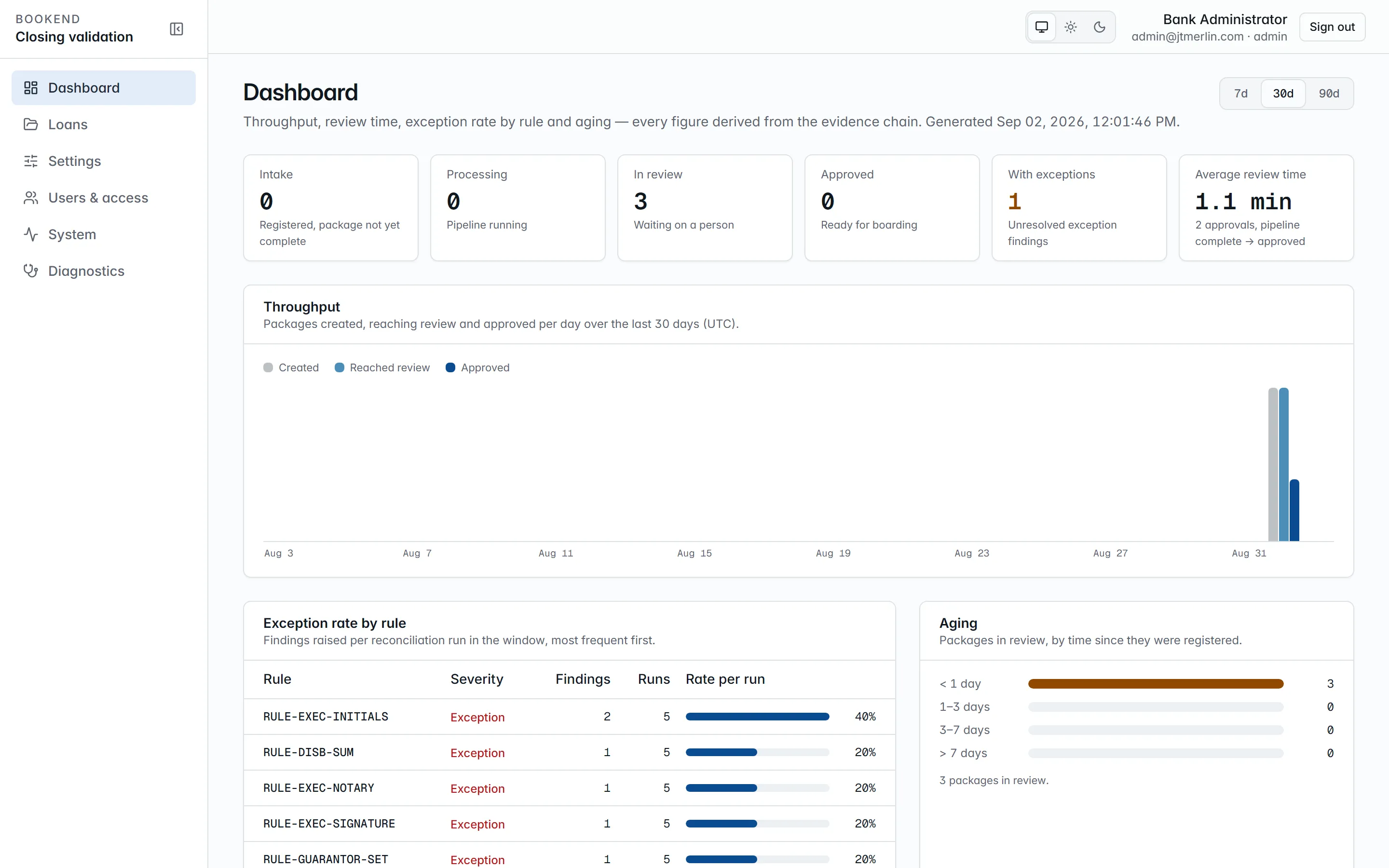
The dashboard. Every figure derives from evidence events, so it reconciles to the packets.
## Where it sits
[Section titled “Where it sits”](#where-it-sits)
```text
LOS approves ──► documents generated ──► borrower signs ──► BOOKEND ──► core books the loan
(approval, LAR) (documentation system validate (jXchange or a
or counsel) verify boarding file)
board ──► wire room sends
fund the wire
evidence
```
Bookend is **not** a document generator, an LOS, a credit tool or a wire originator. Your documentation system or counsel still produce the documents, your LOS still approves, your core still books, and your wire room still sends.
New to Bookend? Start with the product pages:
* [Why Bookend](/product/why-bookend): the problem and the ten most common boarding errors.
* [How it works](/product/how-it-works): the five steps and a product tour.
* [Capabilities and benefits](/product/capabilities)
* [For Jack Henry banks](/product/jack-henry)
* [Deployment architecture](/security/deployment-architecture) and [Security and compliance](/security/vendor-risk)
* [Implementation engagement](/getting-started/implementation): how a bank goes live.
## Operating principle
[Section titled “Operating principle”](#operating-principle)
> The model finds. The rules judge. A human approves.
* **Extraction** (document classification, field location) runs in the inference container inside your network. Your own forms are [taught by pointing at values](/administration/teaching-documents) on one example. There are no rules to write, and the result is data, not training.
* **Judgment** (does the note agree with the loan agreement?) is a versioned, deterministic rule with a documentation page. See [Reconciliation rules](/rules/rule-prin-agree).
* **Approval** is a person on the review workstation, and a second person for boarding and wires.
## The containers
[Section titled “The containers”](#the-containers)
| Service | Image | Role |
| ----------- | -------------------- | -------------------------------------------------------------------------------------------------------------------------------------------------------------- |
| `app-ui` | `bookend/app-ui` | nginx serving the React workstation; proxies `/api` and `/mcp` to `api`. The only published port. |
| `api` | `bookend/api` | ASP.NET Core minimal APIs: REST, MCP server, rules engine, Quartz jobs (pipeline stages, watch folder, nightly evidence verifier, retention, daily heartbeat). |
| `inference` | `bookend/inference` | Split, classify, OCR, extract and locate over HTTP; CPU only. |
| `migrator` | `bookend/migrator` | Applies the numbered, forward-only DDL scripts once, then exits; `api` waits for it. |
| `db` | `postgres:16-alpine` | Optional. Point `DB__CONNECTION` at your own Postgres 16+ or SQL Server 2019+ instead. |
The demo compose adds `jxchange-mock` (a stand-in core), `metering-mock` (a stand-in metering endpoint) and `mailhog` (a mail catcher). See [Compose reference](/getting-started/compose) and [Deployment architecture](/security/deployment-architecture).
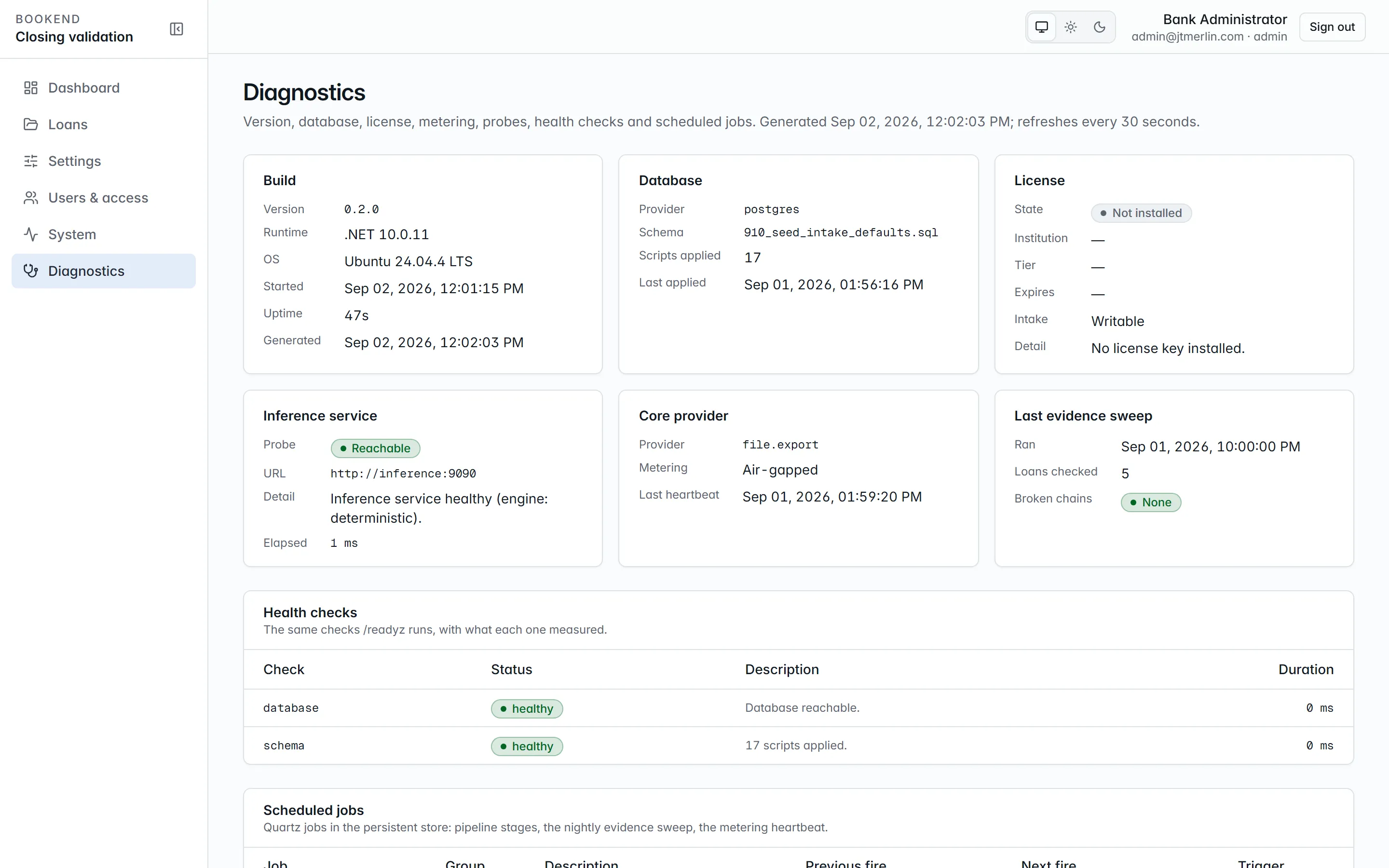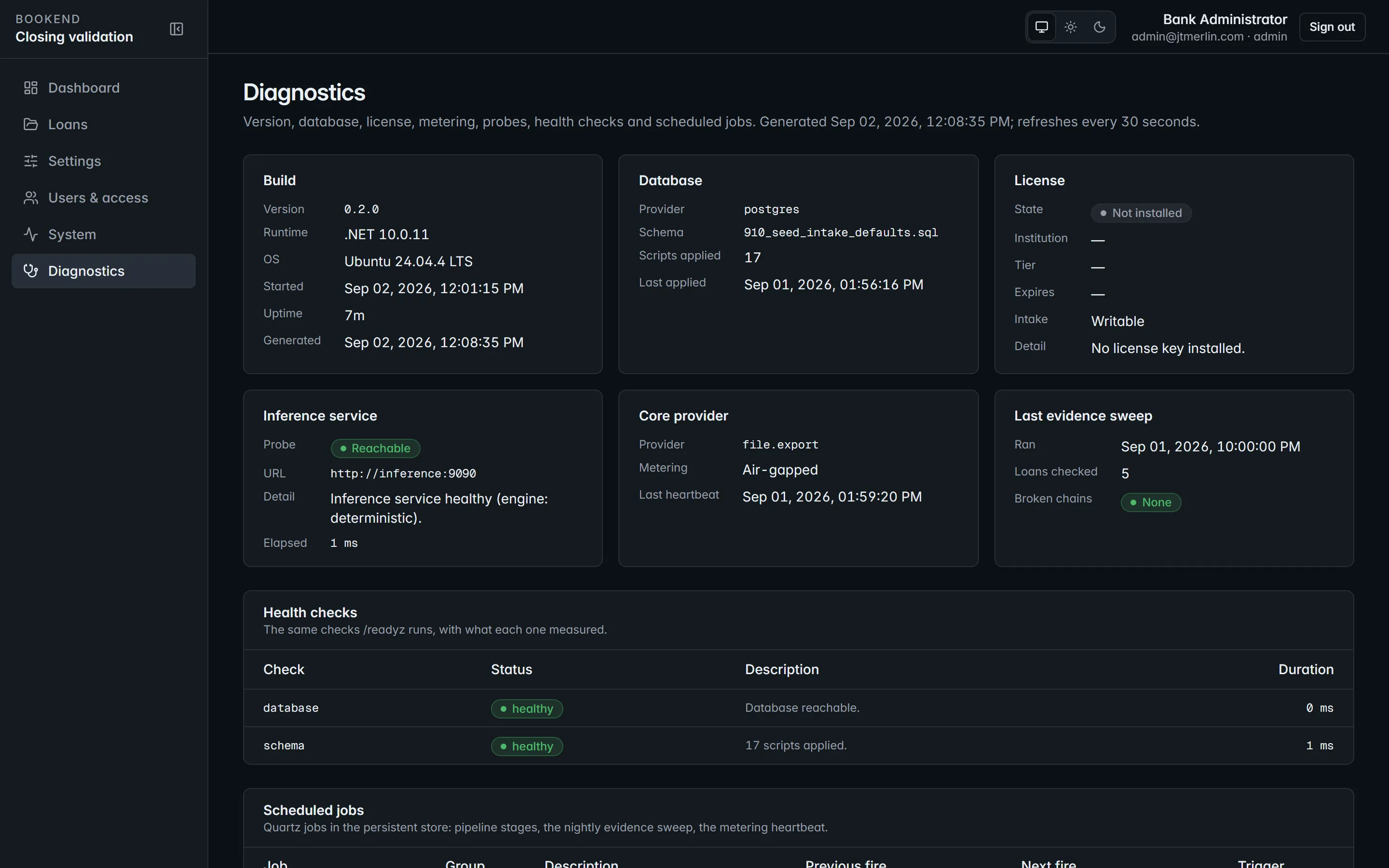
System → Diagnostics. One card per container and dependency, each with a live probe.
## Where things live
[Section titled “Where things live”](#where-things-live)
* **Database:** loans, document metadata, extracted values, findings, approvals, the evidence chain, settings (secrets encrypted with your master key), Quartz state, the audit log.
* **`documents` volume:** every uploaded file, content-addressed by SHA-256, plus rendered pages.
* **`exports` volume:** boarding files and wire requests produced by the file-export paths.
* **`watch` volume:** the watch folder for unattended intake (`LOANREF/*.pdf` + `lar.json`).
## Integrate
[Section titled “Integrate”](#integrate)
* The [REST API](/api) is described by an OpenAPI document published with every release.
* The [MCP server](/mcp/server) exposes the same operations to assistants and automation, with the same tokens, permissions and audit trail.
* Core adapters: [Jack Henry jXchange](/adapters/jackhenry) and [file export](/adapters/file-export).
## Next
[Section titled “Next”](#next)
1. [Sizing and prerequisites](/getting-started/sizing)
2. [Install](/getting-started/install)
3. [Onboarding wizard](/getting-started/wizard)
4. Feed the first package: [Intake](/loans/intake)
# Sizing and prerequisites
> Reference hardware, supported hosts and databases, and what the bank's network must allow.
## Reference sizing
[Section titled “Reference sizing”](#reference-sizing)
| Profile | vCPU | RAM | Storage | Notes |
| ------------------ | ---- | ----- | ---------- | ----------------------------------------------------------------- |
| Pilot / evaluation | 4 | 16 GB | 100 GB SSD | one reviewer at a time, evaluation volumes |
| Reference | 16 | 64 GB | 500 GB SSD | about 500 loans and 150,000 pages a year, 10 concurrent reviewers |
No GPU is needed. Inference runs on CPU, and community bank volumes are well within it. The `inference` service is the component that uses the most CPU and memory: scanned pages are recognized by Tesseract, one process per page, with as many pages in parallel as the host has cores (at most 8 by default; `Ocr__MaxConcurrentPages` changes it). The shipped compose file sets no resource limits; if the host runs other workloads, add `cpus` and `mem_limit` to the `inference` service in your override file.
## Hosts
[Section titled “Hosts”](#hosts)
* Linux x86-64 with Docker Engine 24+ and Compose v2.24.4 or later (VMware or Hyper-V guests are typical).
* Windows Server with Docker Desktop (WSL 2 backend) is supported for evaluation only.
* The Compose file is the reference and supported deployment.
## Database
[Section titled “Database”](#database)
The bundled `postgres:16-alpine` service, or an existing **Postgres 16+** or **SQL Server 2019+**. Bookend uses two principals: an owner connection for the migrator (DDL and grants) and a least-privilege `bookend_app` connection for the application. Schema is applied by hand-written, numbered, forward-only scripts run by the migrator container, never by the application at boot.
## Network
[Section titled “Network”](#network)
| Direction | From → to | Purpose | Required |
| --------- | -------------------------------- | ----------------------------------------------------------------------------------------------------- | ------------------------------- |
| Inbound | bank LAN → `app-ui` | the workstation and the API/MCP proxy (443 behind your TLS terminator) | yes |
| Outbound | `api` → core (jXchange endpoint) | boarding commit, connection test | only with the jXchange adapter |
| Outbound | `api` → SMTP relay | sign-in links, invitations, password resets, assignments, escalations | yes (any relay you already run) |
| Outbound | `api` → metering endpoint | daily heartbeat: install id, version, period, closed-loan and page counts, coarse health, license key | no, air-gapped mode replaces it |
| Outbound | `api` → identity provider | single sign-on (OpenID Connect) | only if you enable SSO |
| Outbound | `api` → model endpoint | extraction-template suggestions from an OpenAI-compatible endpoint (a local model works) | only if you configure one |
Nothing else. No image pulls at runtime (you load each release in a maintenance window), no telemetry beyond the documented heartbeat.
## Browsers
[Section titled “Browsers”](#browsers)
Current versions of Chrome, Edge or Firefox; 1366 × 768 minimum for the workstation.
# Onboarding wizard
> The ten steps a clean install walks through before any route is usable.
A new database has no administrator. Opening the workstation lands on `/setup`; every other route stays gated until step 10 activates the install. Only steps 1 to 6 are required for activation; steps 7 to 9 start from sensible defaults and can be finished later. An administrator can reopen the wizard at any time from Settings → Other options (**Reopen the setup wizard**) or with `POST /v1/setup/reopen`; completed steps and settings are kept.
| Step | Screen | What it sets | Notes |
| ---- | -------------------- | --------------------------------------------------------------------------------------------------------------------------------------------- | --------------------------------------------------------------------------------------- |
| 1 | Administrator | the first `admin` user (email, display name, password of at least 12 characters by default) | refused once an administrator exists |
| 2 | Institution | name, charter number, ABA routing number, address | shown on evidence packets, wire requests and emails |
| 3 | Database | preflight: a ledger read and a settings write and delete as the application principal, with timings and the number of applied scripts | the step completes only when the check passes |
| 4 | Email (SMTP) | host, port, TLS mode (`none` / `starttls` / `ssl`), optional credentials, from address and name | sends a **real test email**; activation is blocked until one succeeds |
| 5 | Sign-in policy | public URL, access and refresh token lifetimes, sign-in link lifetime, password minimum, password / email-link sign-in, allowed email domains | `app.public_url` is what sign-in links use; at least one sign-in method stays on |
| 6 | Core adapter | `file.export` (export folder) or `jackhenry.jxchange` (endpoint, username, password, institution routing id) | runs a **connection test**; activation is blocked until one succeeds |
| 7 | Document sources | watch folder, maximum package size (MB), retention (days) | watch folder defaults to `/data/watch`; a change takes effect after an api restart |
| 8 | LAR mapping | the LAR profile that maps your approval record onto the field catalog, with a live preview | the seeded `lar-json-v1` profile maps the canonical `lar.json`; the step can be skipped |
| 9 | Licensing & metering | license key, metering endpoint, or air-gapped | see [Metering and licensing](/administration/metering-and-licensing) |
| 10 | Review & activate | summary of every step and the blockers, if any | **Activate Bookend** opens every route and lands on the dashboard |
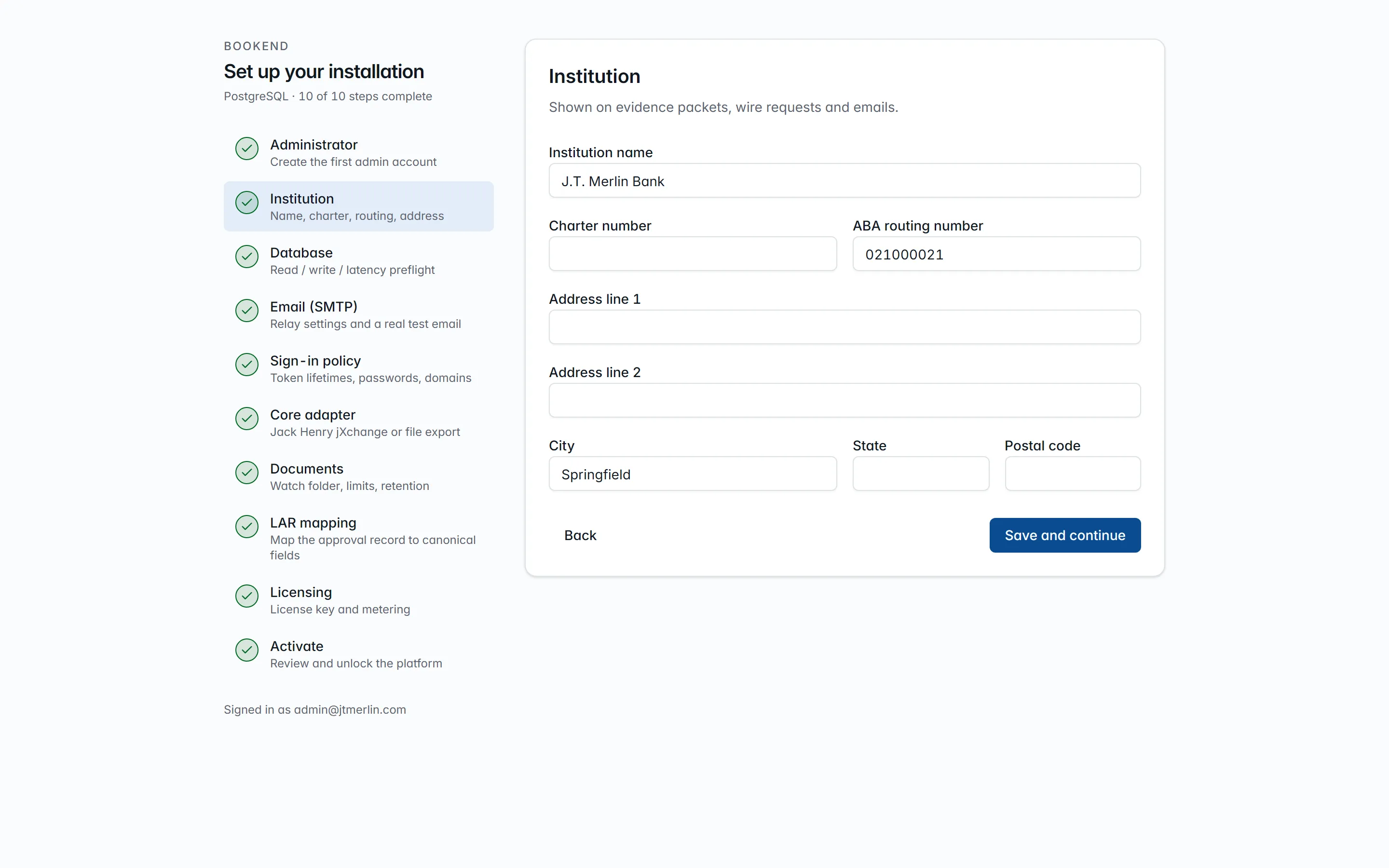
Step 2 · Institution. The stepper on the left tracks which steps are complete; steps can be revisited in any order.
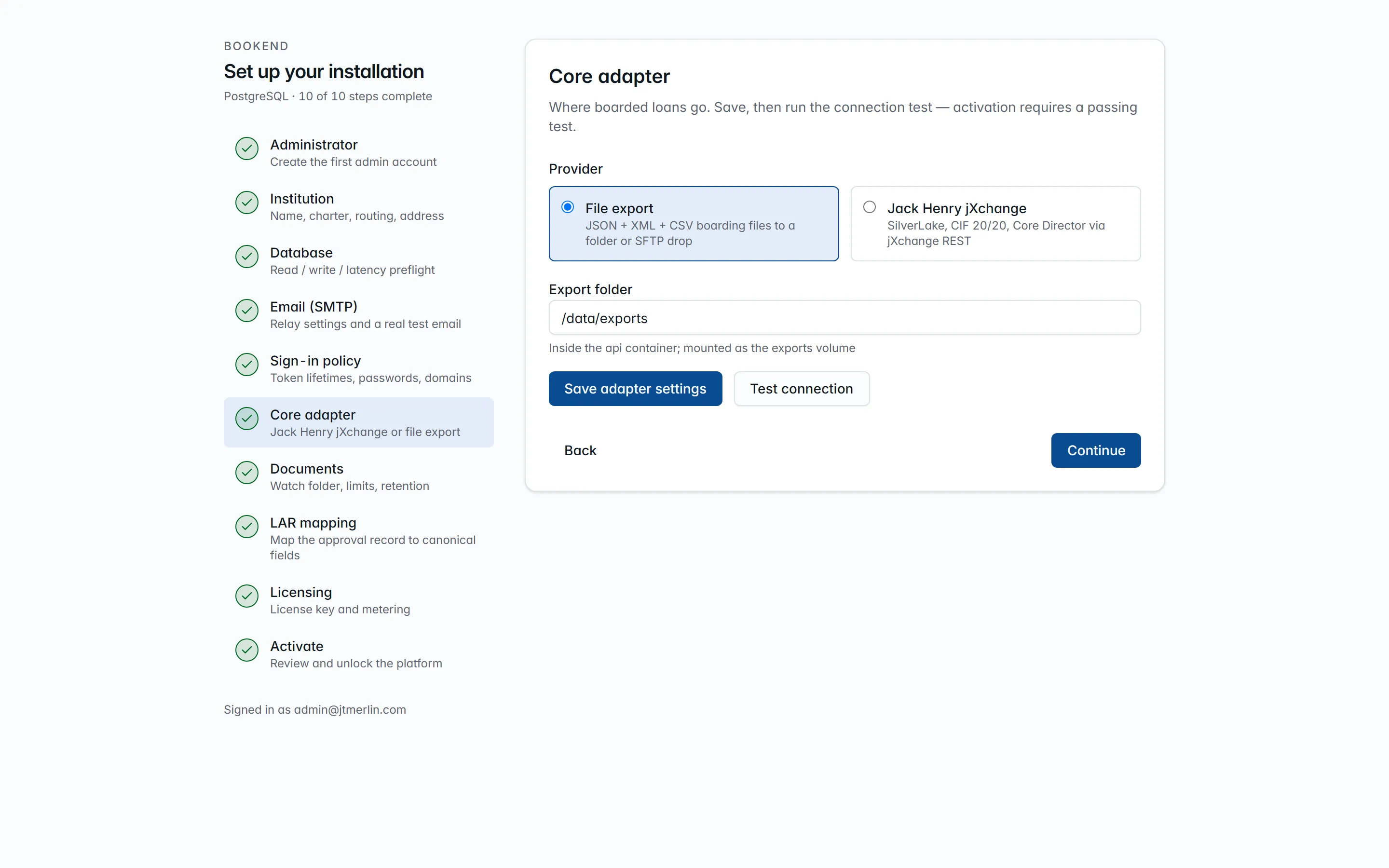
Step 6 · Core adapter. Activation is refused until the connection test has passed.
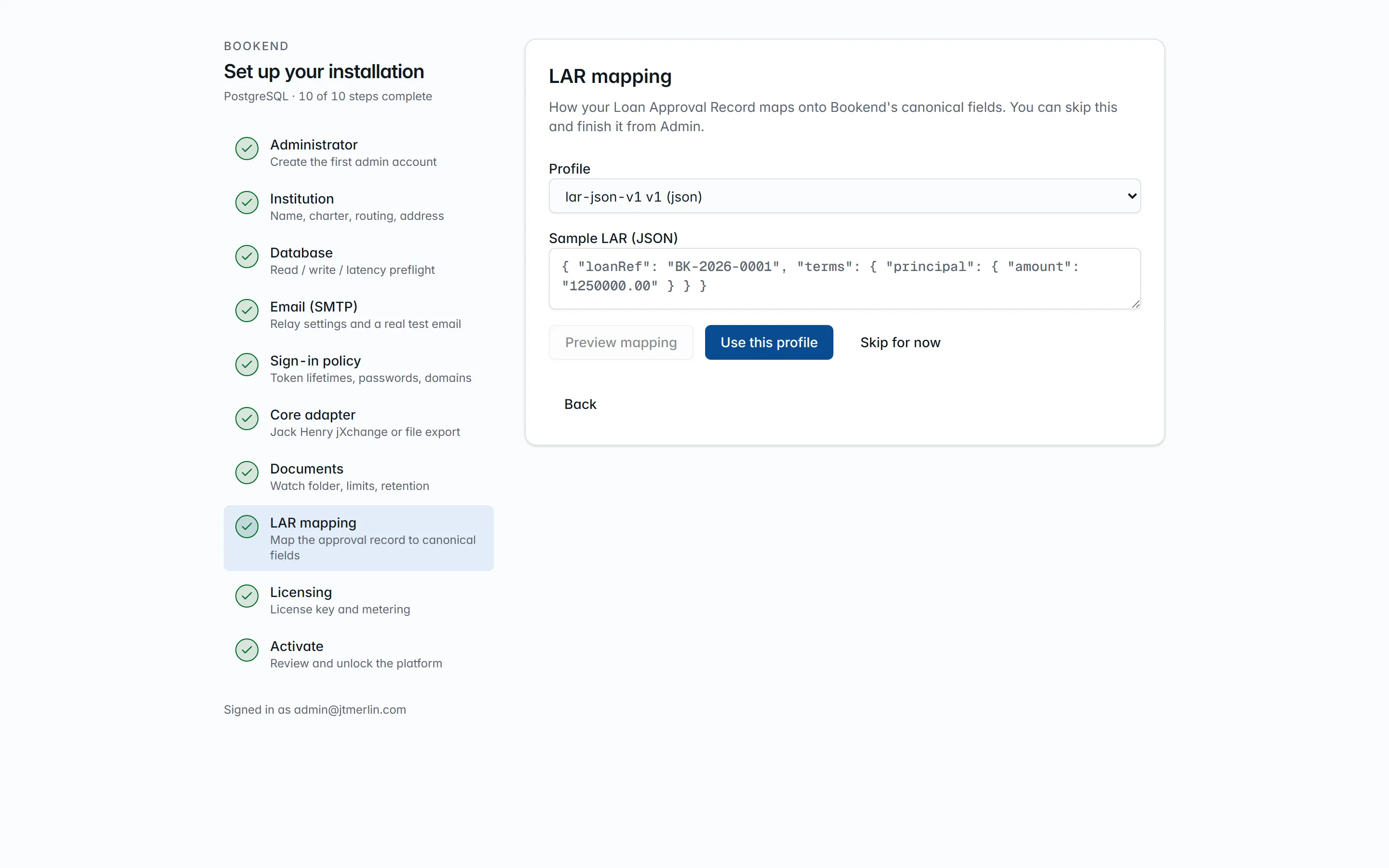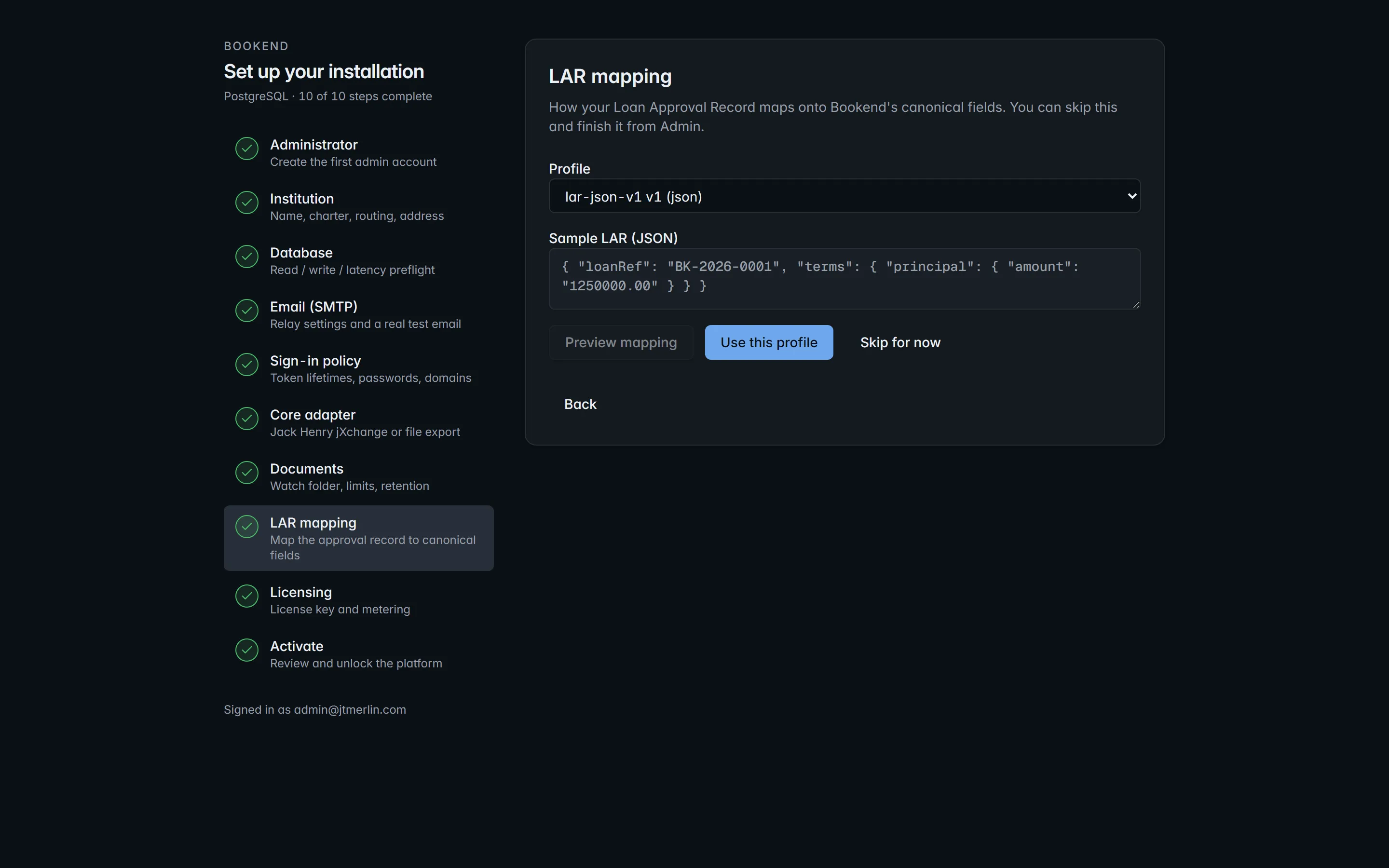
Step 8 · LAR mapping. Pick a profile and see the mapped values on your own approval record before continuing.
Every step is an ordinary API call under `/v1/setup/*`, and the SMTP and core tests are `POST /v1/settings/test/smtp` and `POST /v1/settings/test/core` (see the [API reference](/api)), so onboarding can also be scripted. `GET /v1/setup/status` is anonymous and reports the completed steps, both test results and the remaining activation blockers.
## After activation
[Section titled “After activation”](#after-activation)
* Invite the operational users (Users & access): specialists, managers, boarding checkers, a read-only auditor.
* Feed a package ([Intake](/loans/intake)) and check that every value carries provenance.
* Send a heartbeat or confirm air-gapped mode (System → Metering & license).
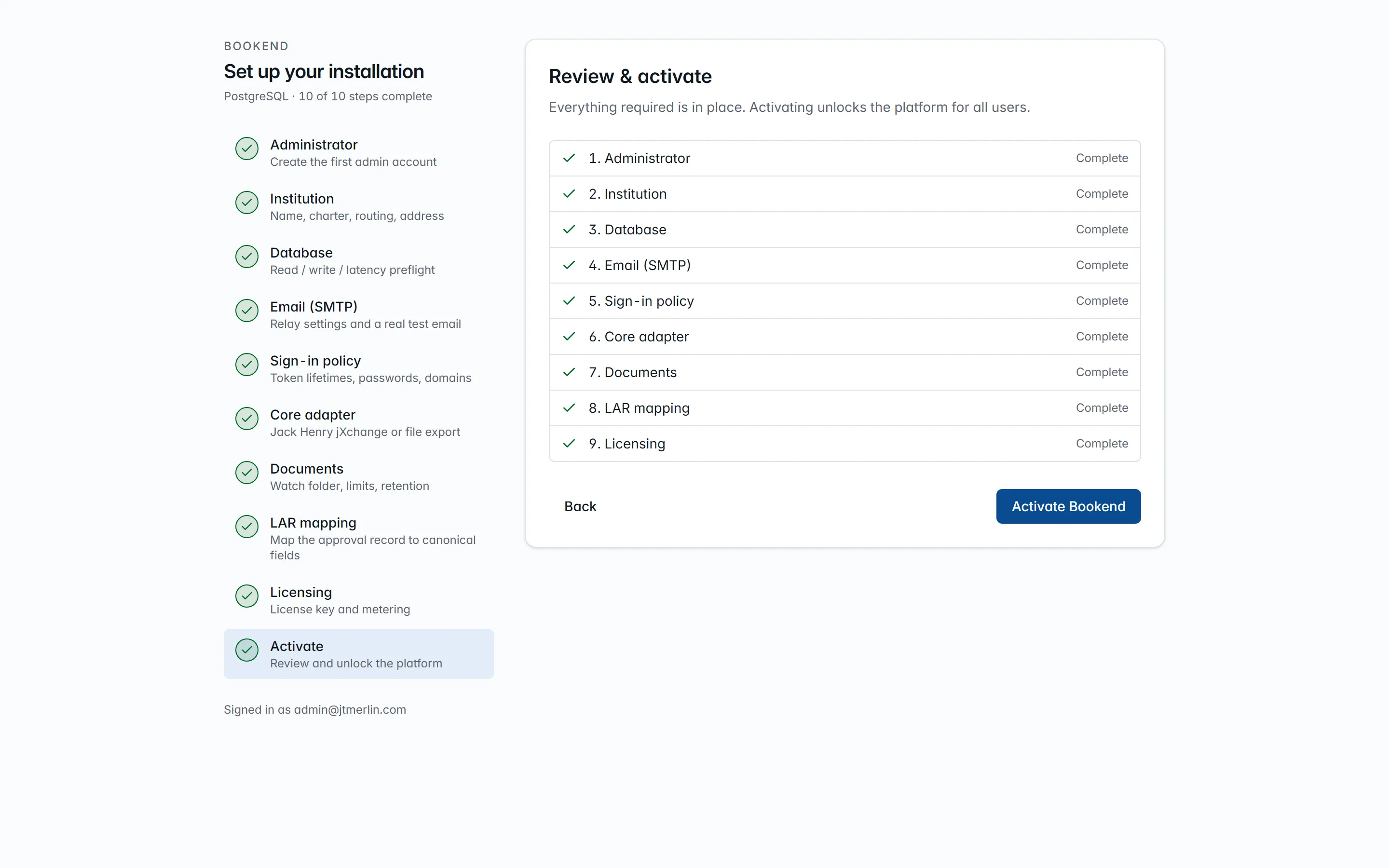
Step 10 · Review & activate. Every route stays gated until this button is pressed.
# Administration Guide
> What a bank administrator or operations manager does with Bookend after it is installed: people and permissions, every setting and where it lives, the loan life
What a bank administrator or operations manager does with Bookend after it is installed: people and permissions, every setting and where it lives, the loan lifecycle and who may move it, integrations, licensing and metering, scheduled work, the audit trail, and the operating routine. The Installation Guide gets you to an activated install; the runbooks (Upgrade, Backup and restore, Incidents, Resilience) are the day-of checklists.
## 1. How Bookend is administered
[Section titled “1. How Bookend is administered”](#1-how-bookend-is-administered)
Almost everything is done signed in as an administrator through **Settings** (Rules, Documents, Approval record, Core boarding, Other options), **Users & access**, and **System** (Diagnostics, Metering & license, Audit, Release notes) in the left navigation. Every screen calls the same `/v1/*` endpoints the API reference documents (`/scalar/v1` on the api, or the docs site), so anything below can also be scripted.
Three principles shape the administration model:
* **Configuration lives in the database.** Every runtime setting is a row in `settings` (namespace.key, typed, secrets encrypted with the master key). There are no config files to edit on the host after install; changes apply within 30 seconds, except the few flagged *restart required*.
* **Segregation of duties is enforced by the server**, not by convention: the person who staged a boarding record or a wire cannot approve it, even as an administrator; overrides need a manager; approvals need a person (API keys are refused).
* **Everything is on the record.** Data changes go to `audit_log`, sign-ins and MCP calls to `auth_events`, and everything that happens to a loan to its hash-chained evidence. Administrators read these under System → Audit and on each loan.
## 2. Users and roles
[Section titled “2. Users and roles”](#2-users-and-roles)
### Roles
[Section titled “Roles”](#roles)
| Role | Who | May |
| ------------------ | --------------------------------- | ------------------------------------------------------------------------------------------------------------------------------------------------------------------------------------------ |
| `admin` | Bank administrator | Everything below plus: the wizard, users and roles, API keys, all settings, rule switches and bank rules, LAR profiles, core field maps, teaching documents, diagnostics, metering actions |
| `manager` | Loan operations manager | Everything a specialist may, plus **override** findings, mark funded, **seal**, read metering and the audit log; receives escalations |
| `specialist` | Closing specialist | Create and assign loans, upload packages and LARs, reprocess, accept or escalate findings, approve or reject packages, stage boarding, stage and export wires |
| `boarding_checker` | Boarding operator (the “checker”) | Approve boarding records and wire requests someone else staged, commit approved boarding records, read loans and evidence |
| `auditor_readonly` | Auditor / examiner | Read every loan, finding, boarding status and evidence packet; verify chains; nothing that changes state |
| `api_service` | Integration principal | Not assignable to a person: what an API key becomes when exchanged for a token, limited further by the key’s scopes |
A person can hold several roles (for example specialist + manager). The server’s policies compose them: *read-only* = any human role; *specialist* = specialist, manager or admin; *manager* = manager or admin; *boarding-checker* = boarding checker or admin (but never the person who staged the record in question).
### Who may do what to a loan
[Section titled “Who may do what to a loan”](#who-may-do-what-to-a-loan)
| Action | Roles | Guard |
| ------------------------------------------------------------------------------------------------------------------------------------------------- | ---------------------------------------------------------------- | ------------------------------------------------------------------------------------------------------------------- |
| Create loan, upload package / LAR, reprocess | specialist +; API key with `intake:write` | Documents and reprocessing only up to review; create and upload are refused once the license has expired |
| Assign a loan | specialist +; API key with `intake:write` (`PATCH … assigneeId`) | Assignee is emailed |
| Accept / escalate a finding | specialist + (human) | Only findings of the latest run, only while the loan is in review; escalation emails managers and admins |
| Override a finding | manager + (human) | Reason code from `review.reason_codes` and a justification of at least `review.justification_min_length` characters |
| Approve / reject the package | specialist + (human) | Approve needs a note and no unresolved or un-actioned exception |
| Stage boarding | specialist + (human) | Loan must be approved; `Idempotency-Key` replays safely |
| Approve boarding | boarding checker (human) | Must not be the person who staged it |
| Commit boarding | boarding checker (human) | Only after approval (or to retry a failed commit) |
| Stage / export wire | specialist + (human) | Loan must be boarded unless `boarding.allow_wire_before_boarded` |
| Approve wire | boarding checker (human) | Must not be the person who staged it |
| Mark funded | manager + (human) | From boarded |
| Seal | manager + (human) | From boarded or funded; refused unless the evidence chain verifies; terminal, read-only |
| Verify / export evidence | any human role; API key with `evidence:read` | |
| Read loans, findings, dashboard | any human role; API key with `status:read` | |
| Users, API keys, settings, rule switches and bank rules, LAR profiles, core field maps, teaching documents, diagnostics, heartbeat, usage reports | admin | |
| Audit log, metering status | manager + | |
### Managing people
[Section titled “Managing people”](#managing-people)
**Users & access** (left navigation, admins) manages people and integration keys in the app; everything below is also scriptable. *Add a user* either emails an invite link (72 h, single-use) that lets the person set a password, or creates the user with a password directly. Each user has a display name, email, roles and an active flag; `PATCH /v1/users/{id}` edits them, `POST /v1/users/{id}/roles` replaces the role set, and *Deactivate* (`DELETE /v1/users/{id}`) switches the account off. User rows are never deleted, because evidence and audit reference them. Deactivating a user, changing their roles or setting a new password for them revokes their refresh tokens at once, so the change takes full effect within one access-token lifetime (`auth.access_token_minutes`). You cannot deactivate yourself or remove your own admin role.
**Multi-factor (authenticator apps).** Turn on `auth.login_totp_enabled` and anyone who has confirmed an authenticator (their account page, reached by clicking their name → *Set up authenticator*: add the setup key to Google or Microsoft Authenticator or a password manager, then confirm with a first code) must enter the current six-digit code at every password sign-in. Enrollment is voluntary per user until the bank makes it part of onboarding; a user without one signs in normally, so turning the policy on never locks anyone out. Codes are single-use with one 30-second step of clock tolerance. A user who loses the device is reset by an administrator (*Reset MFA* in Users & access, or `DELETE /v1/users/{id}/totp`), which also revokes their sessions; they sign back in with a password or an email link and enroll again. Every enrollment, confirmation, disable and code failure is in the auth trail.
**Single sign-on (OIDC).** Register Bookend at the bank’s identity provider (Entra ID, Okta, ADFS or any OpenID-certified IdP) as a confidential web client with redirect URI `https:///oidc/callback`, then fill in `auth.oidc_authority` (the issuer URL), `auth.oidc_client_id`, `auth.oidc_client_secret` and `auth.oidc_provider_name` (the display name), and turn on `auth.oidc_enabled`. The sign-in screen gains “Continue with ”. The IdP authenticates; Bookend authorizes: the proven email must match an **existing, active** Bookend user (accounts are never created on the fly), roles stay Bookend’s own, and the session that comes back is the same short-lived token pair as every other method. Disabling a user in Bookend therefore ends their access regardless of their IdP status, and the audit trail shows `oidc` sign-ins alongside the rest. SAML-only shops federate through their IdP’s OIDC support (all the major ones have it).
**Sign-in methods** (Settings → Other options → `auth`): password (`auth.login_password_enabled`), email link (`auth.login_otp_enabled`, link lifetime `auth.otp_ttl_minutes`), and `auth.allowed_email_domains`, which refuses creating or inviting users outside the listed domains. Passwords are Argon2id-hashed with a minimum length of `auth.password_min_length` (8 to 128). Users change their own password with `POST /v1/auth/password`.
**Tokens.** Access tokens are RS256 JWTs (`auth.access_token_minutes`, 1 to 60) refreshed silently by the SPA; refresh tokens rotate (`auth.refresh_token_hours`, 1 to 720) and reuse of a rotated token revokes all of that user’s tokens. Tokens live only in browser memory, so a reload means signing in again; there are no cookies or server sessions. `auth.signing_key` is generated on first boot and is read-only in the UI. Rotating it (delete the row, restart the api) signs everyone out and also changes the key that signs air-gapped usage reports.
**Rate limits**: 10 attempts per minute per client address on the credential endpoints (password, email link, API-key exchange, OIDC); 300 requests per minute per principal elsewhere; `429` beyond that. Both can be changed with the api environment variables `RateLimiting__LoginAttemptsPerMinute` and `RateLimiting__PerPrincipalPerMinute`.
### API keys and assistants
[Section titled “API keys and assistants”](#api-keys-and-assistants)
**Users & access → API keys** (*Issue an API key*). A key is `bk__`, shown once, stored hashed, with scopes `status:read` (read loans, findings, queue stats, boarding preview), `intake:write` (create loans, upload packages) and `evidence:read` (evidence summaries and exports). A caller exchanges it at `POST /v1/auth/token` for a short-lived JWT carrying `api_service` and those scopes; the same token works for REST and for the MCP server at `/mcp` (Claude and other agents; see the MCP server guide). Keys can never act on findings, approvals, boarding or wires. Issuing, exchanging and revoking a key are recorded in `auth_events`, and every MCP call is written there too (`mcp_call`) with the tool, a hash of its arguments and the outcome; System → Audit → “Sign-ins & API” → preset *MCP calls* lists them.
## 3. Settings
[Section titled “3. Settings”](#3-settings)
**Where:** **Settings** in the left navigation. The four core areas (Rules, Documents, Approval record, Core boarding) are tabs; everyone signed in sees Rules, and the other tabs are for administrators. Everything else is under **Other options** (admin only): choose a group under “Show options for”, edit type-aware inputs (secrets masked; saving a blank secret keeps the stored value; read-only rows shown as values), and use the test buttons for `smtp`, `core` and `inference`. The same page has *Reopen the setup wizard…*, which keeps settings and data but returns the install to setup: until an administrator activates it again (step 10), every user is sent to the wizard and scheduled heartbeats pause. Everything below can also be scripted via `GET`/`PUT /v1/settings/{ns}`.
**Rules have their own tab.** **Settings → Rules** is the workbench: every check Bookend runs, on one screen. Three things happen there:
* **Switch any rule off or on** (admins). Disabling is bank policy, not deletion: the rule is skipped from the next reconciliation run onward, and the skip is recorded on the run summary and in the evidence chain, so an examiner always sees which checks were active for a given loan.
* **Author bank rules in one sentence** (admins): pick a canonical field, pick the check (*every source must agree*, *documents must match the approval*, or *must be present*, optionally on one document type) and pick how much it matters (exception blocks approval; warning and info do not). No code and no JSON: the platform derives the id (`CUSTOM-…`), validates the field against the catalog, and evaluates the rule with the same deterministic engine and tolerances as the shipped catalog.
* **Tune how rules judge**: tolerances (`rules.money_tolerance_cents`, `rate_tolerance`, `date_tolerance_days`, `name_normalization`) and reviewer reason codes live one tab away under Settings → Other options.
The shipped rules themselves (principal agreement, party matching, execution completeness and the rest) remain versioned, release-tested code with 100% branch coverage; they can be switched off but not edited. A check beyond what the one-sentence form can express is a release request to Bookend.
Settings → Other options lists every namespace; `GET /v1/settings/{ns}` / `PUT /v1/settings/{ns}` are the same thing. Unknown keys, read-only keys and wrong types are refused with field errors. The complete catalog (defaults in parentheses):
| Namespace | Keys |
| ------------ | ------------------------------------------------------------------------------------------------------------------------------------------------------------------------------------------------------------------------------------------------------------------------------------------------------------------------------------------------------------------------------------------------------------------------------------------------------------------------------------------------------------------------------------------------------------------------------------------------------------------------------------------------ |
| `app` | `public_url`: what sign-in links and emails point at |
| `auth` | `access_token_minutes` (15), `refresh_token_hours` (8), `otp_ttl_minutes` (15), `password_min_length` (12), `login_password_enabled` (true), `login_otp_enabled` (true), `login_totp_enabled` (false; when on, users who have confirmed an authenticator must enter its code at password sign-in), `oidc_enabled` / `oidc_authority` / `oidc_client_id` / `oidc_client_secret` (secret) / `oidc_provider_name` (federated sign-in through the bank’s OpenID Connect IdP), `allowed_email_domains` (JSON list, empty = any), `otp_link_path` (`/auth/otp`), `signing_key` (secret) and `signing_key_id` (both read-only, generated on first boot) |
| `smtp` | `host`, `port` (587), `tls_mode` (`none` / `starttls` / `ssl`; default `starttls`), `username`, `password` (secret), `from_address`, `from_name` (`Bookend`). Read per send, no restart |
| `documents` | `watch_folder` (`/data/watch`, restart required), `watch_interval_seconds` (60), `watch_stable_seconds` (5), `max_package_mb` (200), `retention_days` (2555 = 7 years; the nightly sweep purges the *bytes* of loans sealed past it; rows, hashes and evidence stay), `last_retention` (read-only, the last sweep’s outcome), `page_render_dpi` (110), `taxonomy` (read-only catalog) |
| `fields` | `catalog`: the canonical field catalog (read-only) |
| `execution` | `templates`: where signatures, initials, dates and notary blocks are expected per document type |
| `extraction` | `templates`: the bank’s own document templates, taught under Settings → Documents |
| `ai` | `endpoint`, `model`, `api_key` (secret): an optional OpenAI-compatible endpoint that can draft a document template from a sample; never used at runtime |
| `inference` | `url`: the inference service (`http://inference:9090` inside the stack) |
| `pipeline` | `max_attempts` (8), `retry_base_seconds` (5): stage retries back off `base × 2^attempt` up to 10 min |
| `rules` | `money_tolerance_cents` (0), `rate_tolerance` (fraction, `0.00001`), `date_tolerance_days` (0), `name_normalization` (`lenient` / `strict`; default `lenient`), `disabled` and `custom` (managed on the Rules tab), `catalog` and `ruleset_version` (read-only) |
| `review` | `reason_codes` (JSON list the override dialog offers), `justification_min_length` (10) |
| `core` | `provider` (`file.export` / `jackhenry.jxchange`; default `file.export`), `file_export_path` (`/data/exports`), `jxchange.endpoint`, `jxchange.username`, `jxchange.password` (secret), `jxchange.institution_id` |
| `boarding` | `allow_wire_before_boarded` (false) |
| `evidence` | `last_verification`: result of the nightly sweep (read-only) |
| `license` | `key` (secret, the license JWT); `institution`, `tier`, `expires_at` (read-only, written when the wizard accepts a key) |
| `metering` | `heartbeat_enabled` (true), `air_gapped` (false), `endpoint`, `api_key` (secret, optional) |
| `setup` | wizard state (`state`, `completed_steps`, `smtp_tested`, `core_tested`, `lar_profile_id`, `activated_at`), read-only and managed by the wizard and the Approval record tab |
The reference catalogs (`documents.taxonomy`, `fields.catalog`, `rules.catalog`) and the seeded core field maps ship with the release and change only through a release (ADR 0003). The per-bank knobs are the thresholds, reason codes, rule switches and bank rules, execution templates, taught document templates, retention and the integration settings.
The three **test buttons** (SMTP sends a message to you, core probes the adapter, inference calls `/healthz`) show the result on screen. The SMTP and core results are recorded (`setup.smtp_tested`, `setup.core_tested`) and are what activation checks.
## 4. The loan lifecycle
[Section titled “4. The loan lifecycle”](#4-the-loan-lifecycle)
```plaintext
intake ─► processing ─► review ─► approved ─► boarding_staged ─► boarded ─► funded ─► sealed
│ │
│ └─► rejected
└─► (stage failed → retry / Reprocess)
```
**Intake.** A package enters four ways: the UI (Loans → New loan → drag the PDFs and `lar.json`), the API (`POST /v1/loans`, `POST /v1/loans/{ref}/documents`, `POST /v1/loans/{ref}/lar`), the MCP `submit_package` tool, or the **watch folder** (`documents.watch_folder`, `LOANREF/*.pdf` + `lar.*`; ingested once the files have been quiet for `watch_stable_seconds`, then moved to `processed/`, or to `rejected/` with a note for an invalid reference, a duplicate or an error). A reference already in use is refused with 409 unless the caller asks for a **new package version** (`v2`, `v3`…); a package is never overwritten. Identical bytes are idempotent. `documents.max_package_mb` caps the upload.
**Pipeline.** Each document runs split → classify → OCR → extract → locate as Quartz jobs with retries. Scanned documents (no text layer) are recognized by Tesseract in the inference container: values read off a scan carry the **OCR** method with confidence scaled by recognition quality, recognized tokens of three characters or fewer are capped at the review threshold so a person confirms them, and execution zones on scans are decided by the ink above the signature line; the loan page shows the document × stage grid and the evidence chain records every attempt. When every non-LAR document completes, the loan moves to **review** and the **reconciliation run** evaluates the 17 shipped rules and any bank rules (thresholds from `rules.*`) into findings (exceptions, warnings and infos), each pointing at the exact page and box it was decided on. **Reprocess** starts a new run; replacing the LAR on a loan in review re-runs reconciliation.
**Review.** The workstation shows findings with their sources; a specialist **accepts** (acknowledges; an accepted exception still blocks), a manager **overrides** (reason code + justification), a specialist or above may **escalate** (managers and admins are emailed). **Approve** needs a note and is refused while any exception is unresolved or has never been actioned by a person; the approval writes the finding checklist into evidence. **Reject** needs a note.
**Boarding** (two-phase, maker-checker). *Preview* maps canonical values through the active core field map with provenance per field; *Stage* freezes that record; a **boarding checker who did not stage it** *approves*; *Commit* sends it to the core. The record goes `committing` first so a crash is visible and resumable, then `committed` with the core reference (or `failed` with the provider’s error verbatim; commit again is allowed and never boards twice, because the jXchange adapter resolves a 409 by inquiry). File export writes `boarding_{ref}_v{n}.json|xml|csv` into `core.file_export_path`.
**Wires.** *Stage* builds the request from the DR\&A’s wire disbursement line and the LAR’s beneficiary bank/ABA/account, each field with its source; a **different** boarding checker *approves*; *Export* produces the PDF wire request (also dropped under `{export}/wires`) or a JSON file drop. Bookend never transmits a wire.
**Closing.** *Mark funded* records the funding; **Seal** verifies the evidence chain and, if intact, makes the loan read-only forever. Download the **evidence packet** (PDF for people, JSON bundle for machines): the verification banner, every document with its SHA-256, the findings ledger, approvals and every event.
## 5. Integrations
[Section titled “5. Integrations”](#5-integrations)
### Core banking
[Section titled “Core banking”](#core-banking)
`core.provider` selects the adapter. **`file.export`** writes boarding files to a folder the bank’s core team imports (the api’s `app` user must be able to write there: mount the bank’s share at `/data/exports` or point `core.file_export_path` at a mounted path). **`jackhenry.jxchange`** talks to the bank’s jXchange endpoint with the credentials and institution id in `core.jxchange.*`; the bindings, field map and two-phase behavior are on the Jack Henry jXchange adapter page. Test the connection from Settings → Other options → `core`. Each boarding record stores the provider and field map version it was staged with, but a commit goes through the adapter that is active at the time, so finish in-flight boardings before switching providers.
### Core field maps (Settings → Core boarding)
[Section titled “Core field maps (Settings → Core boarding)”](#core-field-maps-settings--core-boarding)
A map is a versioned JSON document per provider: canonical field → core field code, transform (`text`, `upper`, `money`, `rate5`, date formats, `list`, `expand_list`, `bool_to_code:A,B` and others), required flag. Seeded: `jackhenry.jxchange` v1 and `file.export` v1. *New version* creates the **next version**, which becomes the active one when saved; previous versions stay for records staged with them. Preview any saved version against a real loan (it must target the active core adapter) to see exactly what would board, without boarding anything. Details: the Core field maps page.
### LAR profiles (Settings → Approval record)
[Section titled “LAR profiles (Settings → Approval record)”](#lar-profiles-settings--approval-record)
A profile maps the bank’s approval record onto the canonical fields with per-format locators: JSON paths (`$.terms.principal.amount`, `$.guarantors[*].legalName`), CSV columns by header name (`$.Principal`, `$.Guarantor[*]` across data rows; delimiter sniffed, RFC 4180 quoting), XML element paths (`$.loan.guarantors.guarantor[*].name`, trailing `@attr`) and DOCX label lookups over tables and “Label:” paragraphs (the preview sample travels as base64). A PDF approval record is uploaded with the package instead, and the extraction pipeline reads it like any document. `lar-json-v1` is seeded for the canonical JSON. *Add a format* (or a new version of an existing one) saves the mapping as a new version, which is used for intake when *Use this version for intake* is ticked (the wizard’s step 8 choice, `setup.lar_profile_id`); the saved version can then be previewed against a pasted sample. An uploaded LAR must match the format of the profile in use, and a field the profile marks required must be found. Every LAR document records the profile version that parsed it.
### Teaching documents (Settings → Documents)
[Section titled “Teaching documents (Settings → Documents)”](#teaching-documents-settings--documents)
The template studio extends extraction to the bank’s own document families **as data**, and the everyday way to do it is to point, not to write rules. Upload one example of the form (Settings → Documents), drag a box around each value on the rendered page and say which field it is: Bookend reads the box back on the spot (“Reads $1,250,000.00 · will follow the label “Principal””), shows the value it would extract, and records the label beside the box as the *anchor* the rule follows when a scan is offset or the form re-flows. Draw the title the same way to teach recognition, choose the document type, use **Check it on this example** to see every value drawn on the page, then **Save**; the template applies from the next loan on and replaces any template already taught for that document type. On a real loan, an administrator can also open any value’s source page from the workstation and use **Fix where this comes from**: the box they draw becomes that field’s rule for that document type, with the same read-back, and **Reprocess this loan now** applies it. The raw template JSON (including regex `sentence` rules) stays under “Show the technical details…” for the rare layout that needs it. A configured AI model (`ai.endpoint`/`ai.model`/`ai.api_key` under Settings → Other options: any OpenAI-compatible endpoint, including a local model inside the bank’s network) can draft a whole template from a sample through `POST /v1/extraction-templates/suggest`; the draft is checked on the sample and nothing is stored until someone saves it. Runtime extraction stays deterministic.
### Mail
[Section titled “Mail”](#mail)
Any SMTP relay (`smtp.*`, TLS mode `none`, `starttls` or `ssl`). Templates: sign-in link, password reset, invitation, SMTP test, loan assigned, exception escalated. The relay is read per send, so changes need no restart.
### Inference
[Section titled “Inference”](#inference)
`inference.url` points at the inference container. Scanned pages are recognized by Tesseract 5 inside that container. Its `Ocr__*` environment sets the languages, DPI, the per-page timeout and the number of pages recognized at once (`Ocr__MaxConcurrentPages`, default processors ÷ `Ocr__ThreadLimit`, at most 8). Leave `Ocr__ThreadLimit` at 1: Tesseract’s OpenMP threads busy-wait and starve each other on shared cores, and throughput comes from concurrent pages instead. The api’s envelope for one inference call is `Inference__TimeoutSeconds` (default 600), because a whole scanned document is recognized in one call. `/healthz` and Diagnostics report the OCR engine and version. Values read off a scan carry the **OCR** method with a confidence scaled by recognition quality, so a poor scan routes to a person through the normal review cap. Built-in extraction is deterministic and covers the document templates Bookend ships; other forms are taught in the template studio (above). Extraction accuracy is measured, not asserted: every release can regenerate the randomized corpus and its accuracy report by field kind (Developer Guide, `Bookend.CorpusEval`), the basis of the SR 11-7 validation pack.
## 6. Licensing and metering
[Section titled “6. Licensing and metering”](#6-licensing-and-metering)
**License** (`license.key`): an RS256 JWT issued by Bookend and verified offline, carrying institution, tier, `install_id`, expiry and the air-gapped flag. Production installs verify it against Bookend’s release public key, shipped in the release bundle and configured with `Licensing__PublicKeyPath` (Installation Guide). System → Diagnostics shows it; `GET /v1/license` feeds the banner. When it **expires**, intake becomes read-only (no new loans or uploads) and everything already in the system keeps working: review, boarding, wires, evidence. Install a renewed key under Settings → Other options → `license` → `key`; intake reopens within 30 seconds, with no restart. Settings does not validate the key when it is saved, so confirm the new expiry on System → Metering & license or Diagnostics afterward. (The read-only `license.institution`, `tier` and `expires_at` rows are refreshed only when a key goes through the wizard’s Licensing step or `PUT /v1/setup/licensing`; the banner and `GET /v1/license` always read the key itself.)
**Heartbeat** (`metering.heartbeat_enabled`, `metering.endpoint`): daily at 03:15 UTC (plus once shortly after the api starts and once at activation) the api POSTs `{ install_id, version, period, closed_loan_count, document_page_count, health, license_key, generated_at }`: the month-to-date count of sealed loans, the pages of documents received, coarse health words and the license key, and nothing else. The endpoint is the one Bookend gives you with your license (`https://metering.usebookend.com/v1/heartbeat`), so allow it for the api container in your egress rules; `metering.api_key` (secret) holds the metering API key, if Bookend issued one to you. The receiver validates the license key the heartbeat carries, and its verdict appears in the delivery history. System → Metering & license shows the exact payload before it is sent, the delivery history and errors, and (for admins) **Send heartbeat now**. A banner warns managers and admins when no heartbeat has been delivered for 7 days.
**Air-gapped** (`metering.air_gapped`): no outbound calls; instead an admin generates a **signed quarterly usage report** (System → Metering & license → quarter as `YYYYQn` → *Generate signed usage report*): the same payload for the quarter, canonical JSON signed with the install’s RS256 key, downloadable from the history and verifiable against the key the install publishes at `/v1/.well-known/jwks.json`. Send it to Bookend by whatever channel the bank allows. The Air-gapped operations page covers releases and mail in that mode.
## 7. Scheduled work
[Section titled “7. Scheduled work”](#7-scheduled-work)
| Job | Schedule | What it does |
| ---------------------------- | -------------------------------------------------- | ---------------------------------------------------------------------------------------------------------------------------------------------------------------------------------------------------------------------------------------------------------------------------- |
| Pipeline stages | on demand, retries `retry_base_seconds × 2^n` | split / classify / ocr / extract / locate per document, one durable job per attempt |
| `watch-folder-poll` | every 15 s (throttled to `watch_interval_seconds`) | ingests quiet `LOANREF/` folders |
| `evidence-verifier-nightly` | 02:00 UTC | re-hashes every loan’s chain; result in `evidence.last_verification` and Diagnostics; a broken chain is an incident |
| `metering-heartbeat-daily` | 03:15 UTC (+ startup, + activation) | the heartbeat above; skipped until the install is activated, or when air-gapped or disabled |
| `document-retention-nightly` | 04:00 UTC | deletes stored bytes and page renders of loans sealed longer than `documents.retention_days` ago; metadata, hashes and the evidence chain stay, so sealed packets still verify; deduplicated blobs still referenced in-policy are kept; result in `documents.last_retention` |
Jobs are persisted in the database (Quartz ADO store), so a restart resumes them and a misfired schedule fires at the next start. Diagnostics lists every job with previous and next fire time. What every component tolerates on crash or restart, and the quarterly restore drill that proves the backup, are in the Resilience runbook.
## 8. Audit and evidence
[Section titled “8. Audit and evidence”](#8-audit-and-evidence)
* **System → Audit → Data changes**: every insert/update/delete on business tables (table, entity, actor, before/after JSON) from `audit_log`, written in the same transaction as the change. Secret settings appear there only in encrypted form.
* **System → Audit → Sign-ins & API**: `auth_events`: sign-ins, failures, email-link requests, token refreshes and revocations, API-key issue, exchange and revocation, MCP calls, with address, user agent and detail; presets for sign-ins, failed sign-ins and MCP calls.
* **Per loan → Evidence**: the hash chain (`intake.created`, every pipeline stage, `reconciliation.run`, `finding.raised/actioned`, `review.approved`, boarding and wire events, `loan.funded`, `loan.sealed`) with expandable payloads and a *verify* badge. `evidence_events`, `auth_events`, `finding_actions` and `audit_log` are append-only for the application principal at the database level.
* **Dashboard**: queue counts, throughput, review time, exception rate by rule, aging, all derived from recorded events; there are no separate metrics tables.
## 9. Operating routine
[Section titled “9. Operating routine”](#9-operating-routine)
| When | Do |
| ---------- | ------------------------------------------------------------------------------------------------------------------------------------------------------- |
| Daily | Glance at Dashboard aging and the Exceptions queue; check the banners (license, heartbeat); `docker compose ps` all healthy |
| Nightly | Automated backup (Backup and restore runbook); the evidence sweep and heartbeat run themselves |
| Weekly | System → Diagnostics: last evidence sweep clean, jobs firing, disk on the documents volume; System → Audit: failed sign-ins and MCP calls look expected |
| Quarterly | Restore rehearsal into a scratch stack; air-gapped installs generate and send the usage report; review users and API keys, remove leavers |
| On release | Upgrade runbook: backup, pull, `up -d --wait`, smoke test, read System → Release notes |
| On alert | Incidents runbook: the symptom table; escalate with the Diagnostics JSON and logs, never with loan documents |
## 10. Quick reference: where things live
[Section titled “10. Quick reference: where things live”](#10-quick-reference-where-things-live)
| Thing | Where |
| -------------------------------------- | ------------------------------------------------------------------------------------------- |
| Bootstrap secrets | `deploy/.env` (master key, database passwords), kept in a vault |
| Everything else | `settings` table, via Settings (tabs and Other options) |
| Documents | `documents` volume, `/data/documents/{ab}/{sha256}.pdf` + page renders |
| Boarding files, wire PDFs | `exports` volume, `/data/exports`, `/data/exports/wires` |
| Watch folder | `watch` volume, `/data/watch/{LOANREF}/` → `processed/` or `rejected/` |
| Loans, findings, evidence, audit, jobs | the database |
| Rule documentation | in-product `?` on a finding, `GET /v1/rules/{id}/doc`, the Rules pages of the documentation |
| API reference | `/scalar/v1` on the api; `docs/api/openapi.json`; the docs site |
| Support bundle | System → Diagnostics (no loan data) + `docker compose logs --since 1h api` |
# Developer Guide
> How a bank's developers and IT staff integrate with Bookend: the REST API and its authentication, submitting closing packages from a loan origination system, tr
How a bank’s developers and IT staff integrate with Bookend: the REST API and its authentication, submitting closing packages from a loan origination system, tracking them, reading findings and evidence, the watch folder, boarding and wire files, and the MCP server. Everything here runs inside the bank’s network against the bank’s own install.
## 1. Integration options at a glance
[Section titled “1. Integration options at a glance”](#1-integration-options-at-a-glance)
| You want to… | Use | Section |
| -------------------------------------------------------- | --------------------------------------------------------------------------------------------- | ------------------------------------------------------ |
| Push closing packages from an LOS or document system | REST (`POST /v1/loans` + document upload) with an `intake:write` API key, or the watch folder | [4](#4-submitting-a-package), [8](#8-the-watch-folder) |
| Show status, findings or queue figures in another system | REST reads with a `status:read` API key | [5](#5-tracking-a-package), [6](#6-reading-results) |
| Archive or verify evidence | REST evidence export with an `evidence:read` API key | [7](#7-evidence) |
| Load boarding records into a core without write access | File export folder (JSON, XML, CSV) | [9](#9-boarding-and-wire-files) |
| Let an assistant or automation query Bookend | MCP server at `/mcp` | [10](#10-mcp) |
Decisions stay with people. Approving or rejecting a loan, accepting, overriding or escalating findings, staging, approving or committing a boarding, staging, approving or exporting a wire, funding and sealing all require a signed-in user; API-key tokens are refused on those routes.
## 2. Conventions
[Section titled “2. Conventions”](#2-conventions)
* **Base URL.** Through the published `app-ui` port, the API is at `https:///api/v1/…` (the proxy strips `/api`). Paths below are written from `/v1`.
* **Reference.** The full OpenAPI 3.1 document is served by the install at `/api/v1/openapi.json`, ships in each release bundle, and is rendered on this site as the [API reference](/api). Generate a client from it rather than hand-writing request types.
* **JSON.** Request and response bodies are camelCase JSON. **Money and rates are decimal strings** (`"1250000.00"`, `"0.08750"`); parse them into a decimal type, never a float. Timestamps are ISO-8601 UTC; dates are `YYYY-MM-DD`.
* **Loans are addressed by the bank’s reference** (`externalRef`, for example your LOS loan number): letters, digits, `.`, `_` and `-`. A route with `{ref}` always addresses the latest package version of that loan.
* **Paging.** List endpoints take `page` (1-based) and `size` (up to 200) and return `{ items, page, size, total }`.
* **Errors** are RFC 9457 `application/problem+json` with `title`, `detail` and, for validation failures, `errors: [{ field, message }]`:
| Status | Meaning |
| ------ | ------------------------------------------------------------------------------------------------------------------------------ |
| 400 | Validation failed; see `errors[]` |
| 401 | Missing, expired or invalid token or credentials (`code: "totp_required"` when a password sign-in needs an authenticator code) |
| 403 | Authenticated, but the role or scope does not allow the route |
| 404 | Unknown loan, document, finding or key |
| 409 | Conflict with the current state (reference already exists, loan not in a state that allows the action, concurrent edit) |
| 422 | Refused by policy (license expired, package over the size cap, adapter refused, format not enabled) |
| 429 | Rate limit reached; retry after a short wait |
## 3. Authentication
[Section titled “3. Authentication”](#3-authentication)
### API keys (systems)
[Section titled “API keys (systems)”](#api-keys-systems)
Integrations authenticate with API keys. An administrator issues one on **Users & access** → API keys, or with `POST /v1/api-keys` while signed in:
```json
{ "name": "LOS intake", "scopes": ["intake:write", "status:read"] }
```
| Scope | Allows |
| --------------- | ---------------------------------------------------------------------------------------------------------------------------------------------------------------------------------------------------- |
| `status:read` | Every read of loans, documents, fields, pipeline, findings, reconciliation runs, review state, boarding preview and status, catalogs, rules, the dashboard and the license; required to reach `/mcp` |
| `intake:write` | Creating loans and package versions, uploading documents and the LAR, updating borrower, principal and assignee, reprocessing |
| `evidence:read` | Listing evidence events, exporting the evidence packet (JSON or PDF) and verifying the chain |
The response contains the plaintext key (it starts with `bk_`) exactly once; Bookend stores only its SHA-256 hash. Give each integration its own key with the fewest scopes it needs.
Exchange the key for a short-lived bearer token:
```bash
curl -s -X POST https:///api/v1/auth/token \
-H 'content-type: application/json' -d '{"apiKey":"bk_…"}'
# → { "accessToken": "…", "expiresAt": "2026-09-29T14:15:00Z", "scopes": ["intake:write","status:read"] }
```
Send it as `Authorization: Bearer `. Tokens last `auth.access_token_minutes` (15 minutes by default). There is no refresh token for API keys: when a call returns 401, or shortly before `expiresAt`, exchange the key again. Revoking a key (`DELETE /v1/api-keys/{id}`) stops new exchanges immediately; tokens already issued expire on their own.
### User tokens (tools that act as a person)
[Section titled “User tokens (tools that act as a person)”](#user-tokens-tools-that-act-as-a-person)
An internal tool that acts on behalf of a signed-in person uses the same endpoints as the Bookend web app:
* `POST /v1/auth/login` with `{ email, password, totpCode? }` returns `{ accessToken, accessExpiresAt, refreshToken, refreshExpiresAt, user }`. When the user has confirmed an authenticator app and the bank enforces it, the first attempt without `totpCode` returns 401 with `code: "totp_required"`.
* `POST /v1/auth/otp/request` with `{ email }` emails a single-use sign-in link; `POST /v1/auth/otp/redeem` with `{ token }` returns the same token pair.
* `POST /v1/auth/refresh` with `{ refreshToken }` returns a new pair; **refresh tokens rotate**, so always store the newest one. `POST /v1/auth/revoke` signs out.
* Banks that use single sign-on configure OpenID Connect; the web app handles that flow.
Keep tokens in memory. The web app never writes them to cookies or browser storage, and neither should a tool built on it.
### Validating Bookend tokens
[Section titled “Validating Bookend tokens”](#validating-bookend-tokens)
Access tokens are RS256 JWTs. The public key is published at `/v1/.well-known/jwks.json` if another internal service needs to validate a Bookend token.
### Rate limits
[Section titled “Rate limits”](#rate-limits)
Each principal (user or API key) has a token bucket of 300 requests per minute by default. The credential endpoints (`/v1/auth/login`, `/otp/*`, `/token`, `/oidc/*`) share a much tighter bucket of 10 per minute per client address. Cache your API-key token for its lifetime instead of exchanging on every call. Both limits are set by the bank’s administrators in the api’s configuration.
## 4. Submitting a package
[Section titled “4. Submitting a package”](#4-submitting-a-package)
A package is one loan’s closing documents (PDFs) plus, optionally, its loan approval record (LAR).
**1. Register the loan:**
```bash
curl -s -X POST https:///api/v1/loans -H "Authorization: Bearer $TOKEN" -H 'content-type: application/json' \
-d '{ "externalRef": "LN-2026-0412", "borrowerName": "Riverbend Holdings, LLC", "expectedPrincipal": "1250000.00" }'
```
The loan is created as package version 1 in state `intake` (201). A reference that already exists is refused with 409 unless you send `"newVersion": true`, which adds the next package version. Packages are never overwritten.
**2. Upload the documents** as `multipart/form-data` with one or more files (any field name):
```bash
curl -s -X POST https:///api/v1/loans/LN-2026-0412/documents -H "Authorization: Bearer $TOKEN" \
-F files=@01_Promissory_Note.pdf -F files=@02_Business_Loan_Agreement.pdf -F files=@lar.json
```
* Package documents must be PDFs. A file named `lar.json`, `lar.csv`, `lar.xml`, `lar.pdf` or `lar.docx` is ingested as the LAR; send the form field `asLar=true` to treat every file in the request as the LAR.
* Each file is stored by content hash, so re-uploading identical bytes is idempotent.
* New documents start the processing pipeline and move the loan to `processing`.
* Documents can be added while the loan is in `intake`, `processing` or `review` (409 otherwise). A corrected package after approval or rejection is a new version.
* Limits: `documents.max_package_mb` per package (200 MB by default, 422 when exceeded) and 256 MB per request through the proxy. Split very large packages across several requests.
**3. Or send the LAR separately:** `POST /v1/loans/{ref}/lar`, either as `multipart/form-data` (any supported LAR format) or as a raw JSON body in the canonical LAR format. It is parsed with the bank’s active LAR profile (see [LAR profiles](/administration/lar-profiles)). Replacing the LAR while the loan is in `review` re-runs reconciliation.
Other intake calls: `PATCH /v1/loans/{ref}` changes the borrower name, expected principal or assignee; `POST /v1/loans/{ref}/reprocess` (optionally `{ "documentId": "…" }`) runs documents through the pipeline again and answers 202 with the pipeline URL in `Location`.
## 5. Tracking a package
[Section titled “5. Tracking a package”](#5-tracking-a-package)
Bookend does not push events to other systems; integrations poll. A loan moves through these states:
`intake` → `processing` → `review` → `approved` → `boarding_staged` → `boarded` → `funded` → `sealed`, or `review` → `rejected` (terminal).
* `GET /v1/loans/{ref}` returns the loan header (`state`, `hasExceptions`, `packageVersion`, …), its documents and the list of package versions.
* `GET /v1/loans/{ref}/pipeline` returns, per document, the stage grid of its latest run (`split`, `classify`, `ocr`, `extract`, `locate`, each `pending`, `running`, `retrying`, `completed`, `skipped` or `failed`, with attempts, timings, detail and `nextRetryAt`), plus `isComplete` and `hasFailures` for the package. Stages retry with backoff while the inference service is unavailable, so `retrying` is not an error.
* `GET /v1/loans?state=review&exceptions=true` lists loans by state, assignee, exception flag or borrower, sorted by `updated` (default), `created`, `age`, `borrower`, `principal` or `principal_asc`.
A polling interval of 15 to 60 seconds per active loan is plenty; scanned packages take longer than born-digital ones.
## 6. Reading results
[Section titled “6. Reading results”](#6-reading-results)
| Call | Returns |
| ------------------------------------------------------------ | ------------------------------------------------------------------------------------------------------------------------------------------------------------------------------------------------------------------------------ |
| `GET /v1/loans/{ref}/documents` | Each document’s classified type, original name, SHA-256, size, page count, whether it is scanned, and whether it is the LAR |
| `GET /v1/loans/{ref}/fields` | Every extracted value with provenance: document, page, page-relative bounding box, raw text, normalized value, kind, confidence and method |
| `GET /v1/loans/{ref}/findings` | The latest reconciliation run’s findings (or `?run=`), filterable by `severity` (`exception`, `warning`, `info`) and `status` (`open`, `accepted`, `overridden`, `resolved`); each cites its source documents, pages and boxes |
| `GET /v1/loans/{ref}/reconciliation` | Every reconciliation run with its ruleset version, the thresholds in force and summary counts |
| `GET /v1/loans/{ref}/review` | The latest findings with their action history (who accepted, overrode or escalated each one, with reason code and justification), whether the loan can be approved and the blockers if not |
| `GET /v1/rules`, `GET /v1/rules/{id}/doc` | The rule catalog with bank policy state, and each rule’s documentation page |
| `GET /v1/loans/{ref}/boarding/preview` | What boarding would send to the core, per field, with provenance and validation; nothing is staged |
| `GET /v1/loans/{ref}/boarding/status` | The boarding record, a live inquiry against the core once a core reference exists, and the loan state |
| `GET /v1/loans/{ref}/wire` | The staged or approved wire request |
| `GET /v1/dashboard?days=30` | Queue counts, throughput, average review time, exception rate by rule and aging |
| `GET /v1/catalogs/fields`, `GET /v1/catalogs/document-types` | The canonical field names and document types used in every response |
All of these need `status:read` (or a staff role).
## 7. Evidence
[Section titled “7. Evidence”](#7-evidence)
Every evidential action (intake, extraction, findings, decisions, boarding, wires, funding, sealing) is appended to the loan’s hash chain.
* `GET /v1/loans/{ref}/evidence/export` returns the machine-readable packet: loan, documents with SHA-256 hashes, the latest findings, approvals, every chain event with payload and hashes, and a fresh verification result. `?format=pdf` returns the human-readable packet as a download.
* `GET /v1/loans/{ref}/evidence/verify` recomputes the chain and reports `intact`, its length and, if broken, the first failing sequence number.
* `GET /v1/loans/{ref}/evidence` lists the events in sequence.
All three need `evidence:read`. The JSON packet is self-contained, so an archive can re-verify it offline:
* `payloadSha256` is the lowercase hex SHA-256 of the event payload in canonical form: UTF-8 JSON with no whitespace, object keys sorted by ordinal comparison at every level, array order kept, and numbers written as their plain decimal value (`1.50` becomes `1.5`).
* `chainSha256` is the lowercase hex SHA-256 of the string `prevSha256 + payloadSha256` (the two hex strings concatenated).
* The first event (`seq` 1) has a `prevSha256` of 64 zeros; each later event’s `prevSha256` is the previous event’s `chainSha256`.
## 8. The watch folder
[Section titled “8. The watch folder”](#8-the-watch-folder)
For systems that can drop files but not call an API, the api scans `documents.watch_folder` (`/data/watch`, the `watch` volume) every `documents.watch_interval_seconds` (60 by default):
```plaintext
/data/watch/
LN-2026-0412/ ← folder name = loan reference
01_Promissory_Note.pdf
02_Business_Loan_Agreement.pdf
lar.json ← optional; lar.csv, .xml, .pdf, .docx also work
```
* A folder is ingested once every file in it has been unchanged for `documents.watch_stable_seconds` (5 by default), so write the files and then leave them alone. Writing into a temporary name and renaming the folder into place is the safest pattern.
* The borrower name is read from `lar.json` (`borrower.legalName`) when present; otherwise the loan is created as “Unknown borrower (watch folder)” and can be corrected in the app or with `PATCH /v1/loans/{ref}`.
* A handled folder moves to `processed/`, or to `rejected/` with a `bookend-rejected.txt` note when the reference is invalid, already exists (the watch folder never adds a version or overwrites) or intake fails.
* The folder must be writable by the api container’s `app` user so handled folders can be moved.
## 9. Boarding and wire files
[Section titled “9. Boarding and wire files”](#9-boarding-and-wire-files)
Banks that board through files set `core.provider = file.export`. After a boarding checker commits a loan, Bookend writes `boarding_{ref}_v{n}.json`, `.xml` and `.csv` to `core.file_export_path` (`/data/exports`), with deterministic names so a retried commit overwrites rather than duplicates. Exported wire requests land under `/data/exports/wires`. Formats and field layout are on [File export](/adapters/file-export); the column codes come from the bank’s [core field map](/administration/core-field-maps). For the Jack Henry path, see [Jack Henry jXchange](/adapters/jackhenry).
A core import job should read the three files for a loan together, treat the JSON as the canonical record (it carries each value’s source document and page), and ignore files it has already imported for the same `loanRef` and `packageVersion`.
## 10. MCP
[Section titled “10. MCP”](#10-mcp)
The same operations are available to MCP clients at `https:///mcp`, with the same API-key tokens and scopes: eight tools covering loan listing, loan detail, findings, boarding preview, package submission, evidence summary and export, and queue statistics. Every call is audited. See [Connecting Claude and other agents](/mcp/connecting) and the [MCP server reference](/mcp/server).
## 11. Operations for integrators
[Section titled “11. Operations for integrators”](#11-operations-for-integrators)
* **Health.** `/api/healthz` (liveness) and `/api/readyz` (database reachable and schema at the level this build requires) return JSON with the running version.
* **Version.** `GET /v1/releases` returns the running version and its release notes; any authenticated principal, including API keys, may call it. Check it after an upgrade if your integration depends on a newer endpoint.
* **Audit.** Administrators and managers can see every API-key exchange, sign-in and MCP call with `GET /v1/audit?source=auth`, and row-level data changes with `source=data`, or on System → Audit.
* **Test environment.** Point integration development at a non-production install loaded with the golden packages from the release bundle’s validation pack. Their expected fields and findings are in its `manifest.json`, which makes a good fixture for automated tests of your integration.
## 12. Troubleshooting
[Section titled “12. Troubleshooting”](#12-troubleshooting)
| Symptom | Check |
| ---------------------------------- | --------------------------------------------------------------------------------------------------------------------------------------------------------------------------- |
| 401 on every call | The token expired (15 minutes by default); exchange the API key again. A revoked key gets 401 at `/v1/auth/token`. |
| 403 on a call | The key lacks the scope (see [3](#3-authentication)), or the route requires a signed-in person and refuses API keys. |
| 409 when creating a loan | The reference exists; send `"newVersion": true` to add a package version. |
| 409 when uploading | The loan is past `review`; submit a new package version. |
| 400 “only PDF packages and a LAR…” | A non-PDF file whose name is not `lar.*`; convert it or send it as the LAR. |
| 422 on intake | The license has expired (intake is read-only) or the package would exceed `documents.max_package_mb`. |
| 413 from the proxy | One request over 256 MB; split the upload. |
| Loan stays in `processing` | `GET /v1/loans/{ref}/pipeline`: a `retrying` stage with `nextRetryAt` means the inference service is busy or down; a `failed` stage carries the reason. |
| A value was not extracted | `GET /v1/loans/{ref}/fields` shows what was read and its confidence; an administrator can map the bank’s form in the [template studio](/administration/teaching-documents). |
| Watch-folder package never appears | The files are still changing, the folder is not writable by the api user, or it moved to `rejected/`; read `bookend-rejected.txt`. |
| 429 | Too many requests from one principal, or too many token exchanges from one address; cache the token and back off. |
# Installation Guide
> How to put Bookend into a bank's network, from the release bundle to an activated install that specialists can sign in to. This guide is the end-to-end path; th
How to put Bookend into a bank’s network, from the release bundle to an activated install that specialists can sign in to. This guide is the end-to-end path; the runbooks in the bundle’s `docs/runbooks/` folder are the checklists you keep open on the day (`install.md`, `upgrade.md`, `backup-restore.md`, `incident.md`, `resilience.md`).
Bookend is **on-premises only**. It ships as Docker images and runs on one Docker host inside the bank’s network. Nothing is cloud-hosted, nothing phones home except the optional metering heartbeat, and no loan data ever leaves the bank.
## 1. What you are installing
[Section titled “1. What you are installing”](#1-what-you-are-installing)
| Container | Image | Purpose | Exposed |
| --------------- | ----------------------- | -------------------------------------------------------------------------------------------------------------------------------- | ------------------------------------------ |
| `app-ui` | `bookend/app-ui` | nginx serving the React SPA and proxying `/api/*` and `/mcp` to the api | **yes**, the only service a bank publishes |
| `api` | `bookend/api` | ASP.NET Core minimal API: authentication, settings, intake, pipeline orchestration, rules, review, boarding, evidence, MCP, jobs | internal |
| `migrator` | `bookend/migrator` | applies the release’s DDL scripts once and exits; the api only starts after it succeeds | internal, one-shot |
| `inference` | `bookend/inference` | document split, classify, OCR (Tesseract 5), extract and locate service (`:9090`) | internal |
| `db` | `postgres:16-alpine` | bundled database (optional: an existing Postgres 16+ or SQL Server 2019+ can be used instead) | internal |
| `jxchange-mock` | `bookend/jxchange-mock` | stand-in for a Jack Henry core, for evaluation | evaluation only |
| `metering-mock` | `bookend/jxchange-mock` | the same mock image answering metering heartbeats inside the stack | evaluation only |
| `mailhog` | `mailhog/mailhog` | evaluation SMTP server and mailbox; a bank uses its own relay | evaluation only |
Everything is defined in `deploy/compose.yml`. As shipped, that file is the evaluation stack: it starts the three evaluation fixtures, makes `api` wait for them, and publishes the database (`5432`) and api (`8080`) ports next to the UI. A production install adds a small override file (section 4) that withdraws those ports and moves the fixtures behind a profile, so none of them start.
Persistent data lives in named volumes (Compose prefixes them with the project name, `bookend_`): `dbdata` (bundled Postgres), `documents` (`/data/documents`, content-addressed PDFs and page renders), `exports` (`/data/exports`, boarding files and wire requests), `watch` (`/data/watch`, transient intake drop folder), `modelcache` (inference scratch, rebuildable).
## 2. Prerequisites
[Section titled “2. Prerequisites”](#2-prerequisites)
| Item | Requirement |
| -------- | --------------------------------------------------------------------------------------------------------------------------------------------------------------------------------------------------------------------- |
| Host | Linux x86-64 (Ubuntu 22.04/24.04 or RHEL 9 family). Windows Server with Docker Desktop (WSL 2 backend) works for evaluation only. |
| Sizing | Pilot: 4 vCPU / 16 GB / 100 GB SSD. Reference: 16 vCPU / 64 GB / 500 GB SSD (500 loans and 150,000 pages a year, 10 concurrent reviewers). No GPU. |
| Docker | Engine 24+ with Compose v2.24.4 or later (`docker compose version`); the production override uses Compose’s `!reset` and `!override` tags. |
| Database | bundled `postgres:16-alpine`, or Postgres 16+ / SQL Server 2019+ that the bank operates. Two principals: an owner (runs DDL and grants) and `bookend_app` (DML only). |
| Network | Inbound: 443 to `app-ui` (via the bank’s load balancer or a TLS-bearing nginx override). Outbound from `api`: SMTP relay, core endpoint (jXchange) and, unless air-gapped, the metering endpoint. See the note below. |
| Mail | An SMTP relay reachable from the host (host, port, TLS mode, optional credentials). Sign-in links, invitations, password resets, loan assignments and escalations go through it. |
| Time | NTP-synchronized host; evidence timestamps, token lifetimes and the nightly jobs depend on it. |
| Browsers | Current Chrome, Edge or Firefox; 1366 × 768 minimum. |
Two further outbound connections exist only if an administrator configures them: single sign-on against the bank’s OpenID Connect identity provider (`auth.oidc_*` settings), and extraction-template suggestions from an OpenAI-compatible model endpoint (`ai.endpoint`; a local model inside the bank’s network works). Both are off by default.
## 3. Obtain and verify the release
[Section titled “3. Obtain and verify the release”](#3-obtain-and-verify-the-release)
A release arrives as `bookend-.tar.gz` with a `.sha256` file next to it. Unpacked, it contains:
| Path | What it is |
| ---------------------------------- | ------------------------------------------------------------------------------------------------------------------ |
| `bookend--images.tar` | the five Bookend images (`api`, `app-ui`, `inference`, `migrator`, `jxchange-mock`), tagged `` |
| `deploy/` | `compose.yml`, `.env.example` and supporting files |
| `db/postgres/`, `db/sqlserver/` | the release’s numbered DDL and seed scripts for each dialect |
| `docs/` | these guides, the runbooks and the OpenAPI document (`openapi.json`) |
| `validation-pack/` | golden packages (`golden-packages/`, with their manifest), one page per rule, and the accuracy report when present |
| `CHANGELOG.md` | release notes |
| `SHA256SUMS`, `SHA256SUMS.minisig` | checksums of every file, and their signature |
| `VERIFY.md` | the verification steps below |
Verify before loading anything:
```bash
sha256sum -c bookend-.tar.gz.sha256
tar -xzf bookend-.tar.gz && cd bookend-
sha256sum -c SHA256SUMS
minisign -V -P -m SHA256SUMS # the key comes with your implementation agreement
docker load -i bookend--images.tar
docker image ls | grep "bookend/.*:"
```
A bundle without `SHA256SUMS.minisig` was not produced by the release pipeline; do not install it without confirming its origin with Bookend.
The bundle carries the Bookend images only. The stock `postgres:16-alpine` image (bundled database) and, for an evaluation, `mailhog/mailhog:v1.0.1` come from Docker Hub or the bank’s registry mirror.
## 4. Configure the bootstrap environment
[Section titled “4. Configure the bootstrap environment”](#4-configure-the-bootstrap-environment)
Bookend keeps **all** runtime configuration in its own `settings` table, encrypted where secret. Only the handful of values needed to reach that table live outside it, in `deploy/.env`:
```bash
cp deploy/.env.example deploy/.env
chmod 600 deploy/.env
```
| Variable | Set it to |
| ----------------------------------------------------- | ------------------------------------------------------------------------------------------------------------------------------------------------------------------------------------------------------------------------------------------------------------------------------------------------ |
| `DB__PROVIDER` | `postgres` (default) or `sqlserver` |
| `POSTGRES_DB` / `POSTGRES_USER` / `POSTGRES_PASSWORD` | bundled database name and **owner** principal (the migrator connects as this). Replace the example password. |
| `DB_APP_USER` / `DB_APP_PASSWORD` | the least-privilege application principal; the migrator’s grants script creates it with exactly this password. Replace the example password. |
| `DB__CONNECTION` / `DB__MIGRATOR_CONNECTION` | Npgsql or SqlClient connection strings. With the bundled database, `compose.yml` builds both from the values above with host `db` and ignores these; for an external database see below |
| `BOOKEND_MASTER_KEY` | base64 of 32 random bytes (`openssl rand -base64 32`). Encrypts every secret in `settings`: SMTP password, core credentials, the RS256 signing key. **Store it in the bank’s vault.** Losing it means re-entering every secret and re-issuing every token. The example value must never be used. |
| `BOOKEND_VERSION` | the release version, exactly as the loaded images are tagged (without it Compose looks for the tag `dev`) |
| `BOOKEND_SKIP_SCRIPTS` | `908_seed_demo_users.sql` on every production install. The shipped scripts include two demo user accounts for evaluation; this variable makes the migrator leave that script out and tells the api’s schema check not to expect it. |
| `BOOKEND_UI_PORT` | host port for `app-ui` (default 8081; 443 is normally the load balancer’s) |
| `Proxy__TrustedNetworks` | comma-separated CIDR list of the proxies allowed to set `X-Forwarded-*`; default is the private ranges plus loopback. Set it to the load balancer’s network |
`.env` is read by Compose (`env_file` plus `${...}` interpolation). Values set under a service’s `environment:` in a compose file win over the same name in `.env`; that is why the connection strings and the login rate limit are set in the override files below rather than in `.env`.
### The production override
[Section titled “The production override”](#the-production-override)
Create `deploy/compose.production.yml` next to `compose.yml`:
```yaml
# Production: publish app-ui only, keep the evaluation fixtures off, production login limit, release license key.
services:
db:
ports: !reset []
api:
ports: !reset []
environment:
RateLimiting__LoginAttemptsPerMinute: '10'
Licensing__PublicKeyPath: /run/bookend/license-public.pem
volumes:
- ./license-public.pem:/run/bookend/license-public.pem:ro
depends_on: !override
migrator:
condition: service_completed_successfully
inference:
condition: service_healthy
jxchange-mock:
profiles: [evaluation]
metering-mock:
profiles: [evaluation]
mailhog:
profiles: [evaluation]
```
* `ports: !reset []` withdraws the database and api ports that `compose.yml` publishes for evaluation.
* `RateLimiting__LoginAttemptsPerMinute` returns the per-address login limit to the production default of 10; the evaluation compose raises it to 60 (`BOOKEND_LOGIN_ATTEMPTS_PER_MINUTE`) for automated test runs.
* `Licensing__PublicKeyPath` points the api at Bookend’s license-signing public key, a PEM file Bookend provides with your license; save it as `deploy/license-public.pem`. Without it the api verifies license keys against a development key that production licenses are not signed with.
* `depends_on: !override` removes the evaluation fixtures from the api’s start conditions, and the `evaluation` profile keeps them from starting.
Every command in this guide then uses both files: `docker compose -f deploy/compose.yml -f deploy/compose.production.yml ...`.
### External database
[Section titled “External database”](#external-database)
Create the database and the owner principal, then create `deploy/compose.external-db.yml`:
```yaml
services:
db:
profiles: [bundled-db] # the bundled Postgres no longer starts
migrator:
depends_on: !reset {}
environment:
DB__CONNECTION: ${DB__CONNECTION}
DB__MIGRATOR_CONNECTION: ${DB__MIGRATOR_CONNECTION}
api:
environment:
DB__CONNECTION: ${DB__CONNECTION}
```
and set `DB__CONNECTION` (application principal) and `DB__MIGRATOR_CONNECTION` (owner) in `deploy/.env` to the bank’s instance. `POSTGRES_PASSWORD` and `DB_APP_PASSWORD` must still be set, because `compose.yml` requires them. Add `-f deploy/compose.external-db.yml` to every command.
The migrator reads the application principal’s user name and password from `DB__CONNECTION` and creates it if it does not exist, then grants DML. The user name must be a plain identifier (letters, digits, underscore).
* **Postgres:** the owner needs `CREATEROLE` (or a DBA pre-creates the application role). `evidence_events`, `auth_events`, `finding_actions` and `audit_log` are append-only for the application principal (`REVOKE UPDATE, DELETE, TRUNCATE`), and it cannot write the `schema_versions` ledger.
* **SQL Server:** set `DB__PROVIDER=sqlserver`. The grants script creates a login and a database user; the owner needs permission to create logins (or a DBA pre-creates the login). The same tables are protected with `DENY`.
Both dialects ship the same numbered scripts under `db/postgres/` and `db/sqlserver/`, and both are applied against real database containers in Bookend’s automated test suite.
### TLS
[Section titled “TLS”](#tls)
Terminate TLS in front of `app-ui:8080` at the bank’s load balancer (recommended) or mount certificates and a `listen 443 ssl` server block through an nginx override. The proxy must pass `X-Forwarded-For` and `X-Forwarded-Proto`; the api honors them only from `Proxy__TrustedNetworks`, so per-address login limits and audit rows show real client addresses. Keep `app.public_url` (wizard step 5) equal to the URL users type, because sign-in links are built from it.
### OCR tuning (optional)
[Section titled “OCR tuning (optional)”](#ocr-tuning-optional)
The inference service reads `Ocr__*` variables. Add them under an `inference:` entry with `environment:` in your production override only if you need to change them:
| Variable | Default | Meaning |
| ------------------------- | --------------- | ------------------------------------------------------------------------------------------------------------------------------------------------------------- |
| `Ocr__Enabled` | `true` | off means scanned pages are reported but not recognized |
| `Ocr__Languages` | `eng` | Tesseract language list, `+`-separated; the image ships English only |
| `Ocr__Dpi` | `300` | rasterization resolution for scanned pages |
| `Ocr__TimeoutSeconds` | `120` | ceiling per page; a hung Tesseract process is killed and the pipeline stage retried |
| `Ocr__ThreadLimit` | keep at `1` | OpenMP threads per Tesseract process. More threads per process starve each other on shared cores; throughput comes from recognizing pages in parallel instead |
| `Ocr__MaxConcurrentPages` | `0` (automatic) | pages recognized at once; automatic means processor count ÷ `Ocr__ThreadLimit`, at least 1 and at most 8 |
On the api side, `Inference__TimeoutSeconds` (default 600) is the envelope for one call to the inference service; a whole scanned document is recognized in one call, which takes minutes on a small host.
## 5. Start the stack
[Section titled “5. Start the stack”](#5-start-the-stack)
```bash
docker compose -f deploy/compose.yml -f deploy/compose.production.yml up -d --wait
docker compose -f deploy/compose.yml -f deploy/compose.production.yml ps
docker compose -f deploy/compose.yml -f deploy/compose.production.yml logs migrator
```
What happens, in order:
1. `db` starts and becomes healthy (skipped for an external database).
2. `migrator` runs: takes a database lock, applies every pending script in its own transaction, records each in `schema_versions` with a checksum, logs the scripts it applied and exits 0. It refuses to run (exit 4) on drift: an applied script whose file changed, or an applied script that is no longer present. A missing or malformed bootstrap variable is exit 2.
3. `inference` starts and reports healthy on `/healthz`.
4. `api` starts only after the migrator succeeded: it validates the bootstrap variables (exit 2 naming the missing one), generates the RS256 signing key on first boot and stores it encrypted, registers the scheduled jobs, and serves on `:8080`. Its container health check is `/readyz`, which reports unhealthy (and lists the missing scripts under `schema`) if the ledger does not contain every script this build requires.
5. `app-ui` starts once `api` is healthy and serves on `:8080` inside the network (published as `BOOKEND_UI_PORT`).
`GET /readyz` on the api (through the UI: `https:///api/readyz`) returns `{ status: "healthy", version, checks: { database, schema } }` when everything is in place; each check carries its own status, description and duration.
## 6. Onboard with the wizard
[Section titled “6. Onboard with the wizard”](#6-onboard-with-the-wizard)
A clean database has no administrator. Opening `https:///` lands on `/setup`, the ten-step **onboarding wizard**; every other route stays gated until step 10 activates the install. Each step is saved as you go and can be revisited; nothing is written to files.
| Step | What you enter | What Bookend does |
| ---- | ----------------------------------------------------------------------------------------------------------------------------------------------------------------------------------------------------------------------- | --------------------------------------------------------------------------------------------------------------------------------------------------------------------------------------------------------------------------------------------------------------------------------------------- |
| 1 | First administrator: email, display name, password (at least 12 characters, the default minimum) | Creates the account and signs you in. Only possible while no administrator exists. |
| 2 | Institution: name, charter number, ABA routing number (nine digits), address | Shown on evidence packets, wire requests and emails. |
| 3 | Database preflight | Times a ledger read and a settings write and delete as the application principal; shows the dialect, the number of applied scripts and the latency. |
| 4 | SMTP: host, port, TLS mode (`none` / `starttls` / `ssl`), optional username and password, from address and name; **Send test email** | Sends a real message through the relay. Activation is blocked until a test has succeeded. |
| 5 | Sign-in policy: public URL, access-token minutes (1 to 60), refresh-token hours (1 to 720), sign-in link lifetime, password minimum length (8 to 128), password and email-link sign-in on or off, allowed email domains | Stored under `auth.*` and `app.public_url`; the URL is what sign-in links point at. At least one sign-in method must stay on. |
| 6 | Core adapter: `file.export` (export folder) or `jackhenry.jxchange` (endpoint, username, password, institution routing id); **Test connection** | File export checks that the folder is writable by the api; jXchange calls the endpoint’s ping. Activation is blocked until a test has succeeded. |
| 7 | Document sources: watch folder (default `/data/watch`), maximum package size (MB, default 200), retention (days, default 2,555, about seven years) | A changed watch folder takes effect after an api restart. The folder is scanned every 60 seconds by default; a `LOANREF/` folder of PDFs (plus `lar.json`) is ingested once its files are quiet. |
| 8 | LAR mapping: choose the profile that maps the bank’s approval record onto the canonical fields; preview it against a sample. You can skip this step and finish it later | `lar-json-v1` is seeded for the canonical JSON; other formats are new profile versions (Administration Guide). |
| 9 | Licensing and metering: license key, metering endpoint, or **Air-gapped installation** | The key is verified offline against the configured public key; a blank key runs as an unlicensed evaluation. Heartbeats carry `{ install_id, version, period, closed_loan_count, document_page_count, health, license_key, generated_at }`, never loan data. Air-gapped turns heartbeats off. |
| 10 | Review and activate | Refuses (422, listing the blockers) until steps 1 to 6 are complete and both tests passed; then every route opens and the first heartbeat is sent (unless air-gapped). |
The metering endpoint field is prefilled with the in-stack evaluation receiver (`http://metering-mock:8090/v1/heartbeat`); replace it with the endpoint Bookend gives you with your license, or tick air-gapped.
An administrator can reopen the wizard later (Settings → Other options → **Reopen the setup wizard**, or `POST /v1/setup/reopen`) without losing anything; it gates routes again until re-activated. Every value is also editable afterward in Settings.
## 7. Verify the install
[Section titled “7. Verify the install”](#7-verify-the-install)
1. `https:///api/readyz` is healthy. System → Diagnostics (administrators) shows version, database and schema scripts, license, metering status, the inference probe, core provider, the last evidence sweep, health entries and every scheduled job with its next fire time.
2. Upload the validation pack’s clean package (`validation-pack/golden-packages/BK-DEMO-001`, nine PDFs plus `lar.json`) through Loans → **New loan**. The pipeline runs split → classify → OCR → extract → locate; the loan reaches **review** with no findings and every value has a page-backed provenance chip.
3. Upload the scanned copy (`BK-DEMO-004`): the OCR stage reports Tesseract and its confidence, and the same values come back labeled **OCR** with provenance on the scanned pages, which proves the OCR path works on this host.
4. Sign out and request an email sign-in link. It arrives through the bank’s relay and is single-use.
5. System → Metering & license → **Send heartbeat now** (or confirm air-gapped) and note the install id for support.
6. Create the operational users: Users & access → invite with roles `specialist`, `manager`, `boarding_checker`, `auditor_readonly` as needed (Administration Guide, users and roles). Invitations are single-use email links valid for 72 hours.
The golden packages are fictitious loans. Reject them from review once the checks pass so they do not sit in the queue.
## 8. Harden before go-live
[Section titled “8. Harden before go-live”](#8-harden-before-go-live)
* **Credentials**: the master key and database passwords are in the vault; `deploy/.env` is readable only by the service account; `BOOKEND_SKIP_SCRIPTS=908_seed_demo_users.sql` was set before the first start, so the two evaluation user accounts do not exist. If the stack was ever started without it, deactivate those accounts in Users & access.
* **Network**: only `app-ui` is published; the api, database and inference ports are not reachable from outside the Docker network. Confirm with `docker compose ... ps` (only `app-ui` shows a host port) and the host firewall.
* **Proxy trust**: `Proxy__TrustedNetworks` names only the load balancer; otherwise a client could forge `X-Forwarded-For`.
* **Rate limits**: 10 login attempts a minute per address and 300 requests a minute per principal on `/v1` are the production defaults; change them only with security sign-off.
* **Backups**: schedule the backup runbook (`backup-restore.md`: database dump, `documents` and `exports` volumes, `.env`) before the first real loan; rehearse a restore quarterly.
* **Jobs**: the nightly evidence sweep (02:00 UTC), the retention sweep (04:00 UTC) and the daily heartbeat (03:15 UTC, plus one shortly after each start) are persisted jobs, visible in Diagnostics; a missed run fires on the next start.
* **Air-gapped**: tick air-gapped in wizard step 9 (`metering.air_gapped`) and generate the signed quarterly usage report instead of heartbeats (Administration Guide, metering).
## 9. Day-2 pointers
[Section titled “9. Day-2 pointers”](#9-day-2-pointers)
* Upgrading a release: `upgrade.md`. Load the new images, set `BOOKEND_VERSION`, `up -d --wait`; the migrator applies the new scripts.
* Backups and restore: `backup-restore.md`.
* Alerts and first commands: `incident.md`.
* What fails, what recovers, and the restore drill: `resilience.md`.
## Appendix: ports and paths
[Section titled “Appendix: ports and paths”](#appendix-ports-and-paths)
| Where | Port / path | Notes |
| --------------- | -------------------------------------------------------------- | ---------------------------------------------------------------------------------------------------------------------------------------------------------------------------------------------------- |
| `app-ui` | `:8080` in the network, published as `BOOKEND_UI_PORT` (8081) | SPA, `/api/*` → api (prefix stripped), `/mcp` → api, `/nginx-health` |
| `api` | `:8080` | `/healthz`, `/readyz`, `/v1/*`, `/mcp`, `/scalar/v1`, `/v1/openapi.json`, `/v1/.well-known/jwks.json`. `compose.yml` publishes it as `BOOKEND_API_PORT` (8080); the production override withdraws it |
| `inference` | `:9090` | `/healthz`, `/v1/split`, `/v1/classify`, `/v1/ocr`, `/v1/extract`, `/v1/locate`, `/v1/read-region` |
| `db` | `:5432` | bundled Postgres. `compose.yml` publishes it as `BOOKEND_DB_PORT` (5432); the production override withdraws it |
| `jxchange-mock` | `:8090` | evaluation core; `metering-mock` runs the same image as the evaluation metering receiver |
| `mailhog` | `:8025` UI (published as `BOOKEND_MAILHOG_PORT`), `:1025` SMTP | evaluation only |
| api container | `/data/documents`, `/data/exports`, `/data/watch` | named volumes, owned by the `app` user (uid 1654) |
# Boarding and wires
> Two-phase boarding with segregation of duties, resumable commits, and the wire request.
## Boarding
[Section titled “Boarding”](#boarding)
The **Boarding** page opens from the loan page once the loan is `approved`. It previews every core field the active [core field map](/administration/core-field-maps) produces, with its value, its source and the validation result (`GET /v1/loans/{ref}/boarding/preview` is the same dry run, recording nothing).
1. **Stage** (specialist, manager or administrator, on an `approved` loan). The field map is applied to the loan’s values, required fields are validated (one error per core field if not), the core adapter accepts the staging (for jXchange, a connection check against the core), and the full preview with per-field provenance is stored as the boarding record. The loan moves to `boarding_staged`. Send an `Idempotency-Key` header to make repeated stage calls for the same loan return the same record.
2. **Approve** (a boarding checker or administrator who is **not** the person who staged it; the stager is refused).
3. **Commit** (boarding checker or administrator). The record goes to `committing` first, so a crash is visible and resumable. Success stores the core reference and moves the loan to `boarded`. A provider refusal is stored verbatim with the attempt count, the page shows the provider’s detail and its raw response, and **Retry commit** tries again without re-keying. The jXchange adapter resolves a duplicate by inquiry and never boards a loan twice.
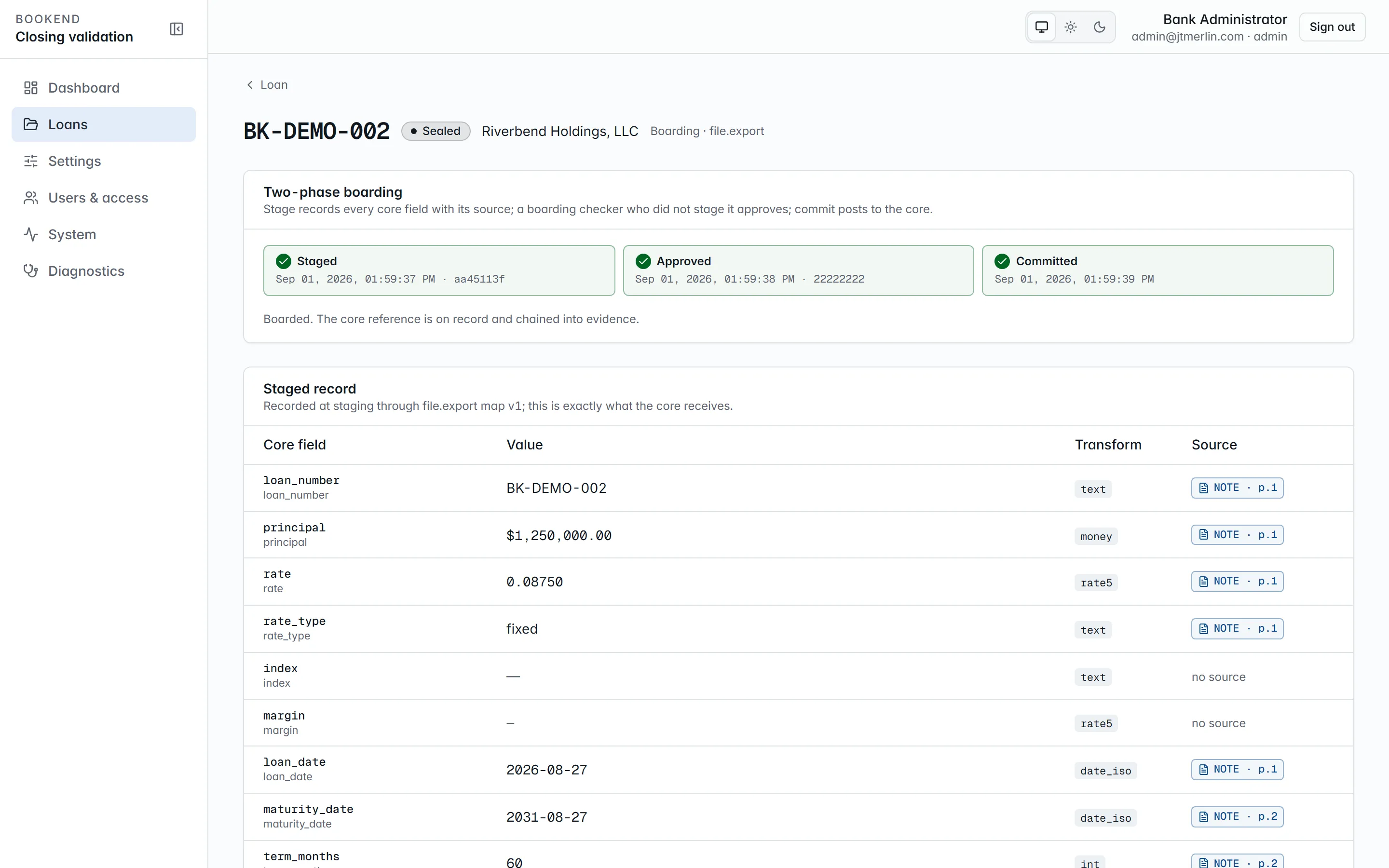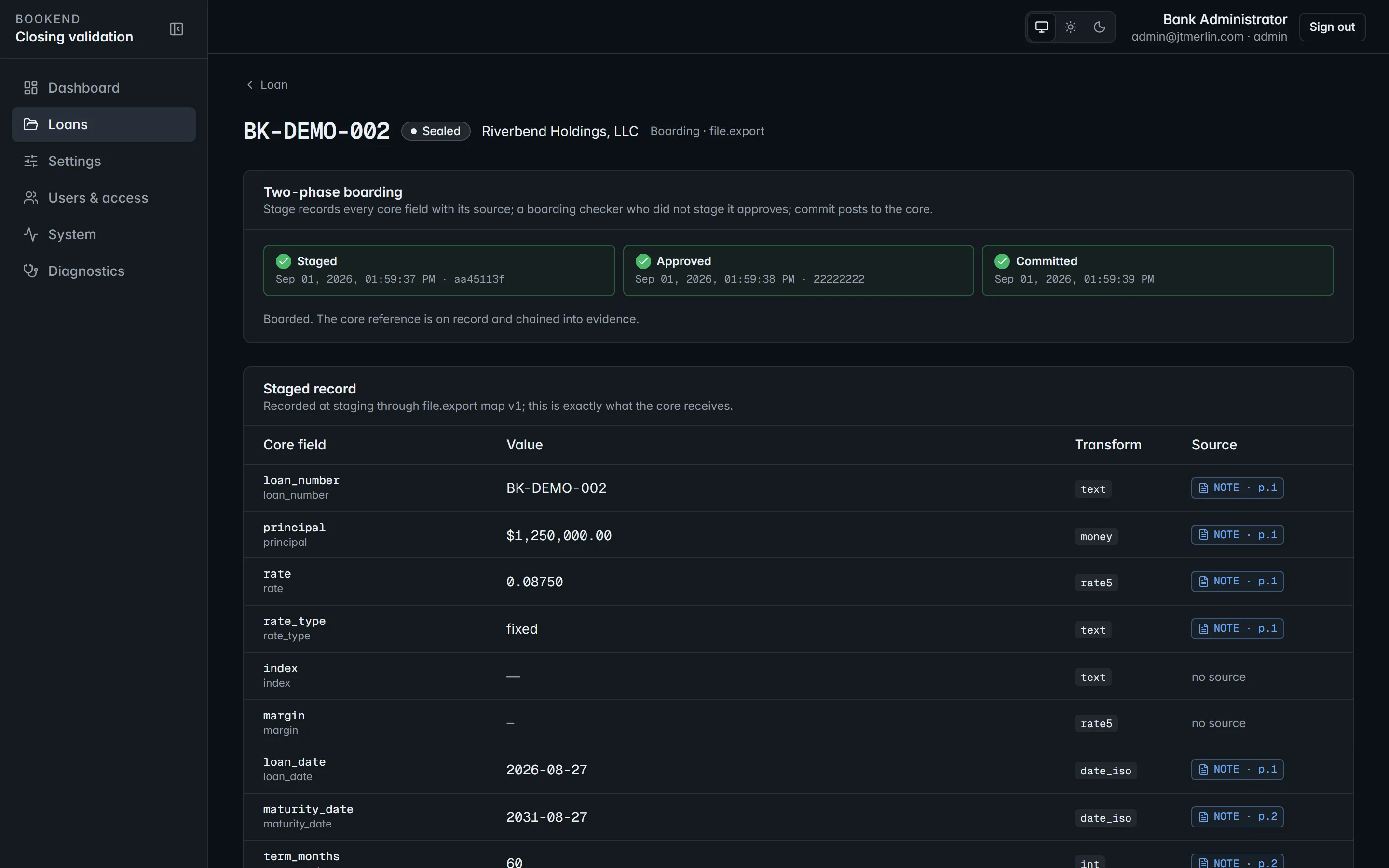
Boarding. Every core field with the value it will carry and where it came from; nothing boards until the package is approved.
`GET /v1/loans/{ref}/boarding/status` reports the latest record and, once a core reference exists, a live inquiry against the core. Every step (staged, approved, committed, failed) is an evidence event. Stage, approve and commit need a signed-in person, not an API key.
## Wires
[Section titled “Wires”](#wires)
Bookend **never transmits a wire**. It prepares the request your wire room acts on:
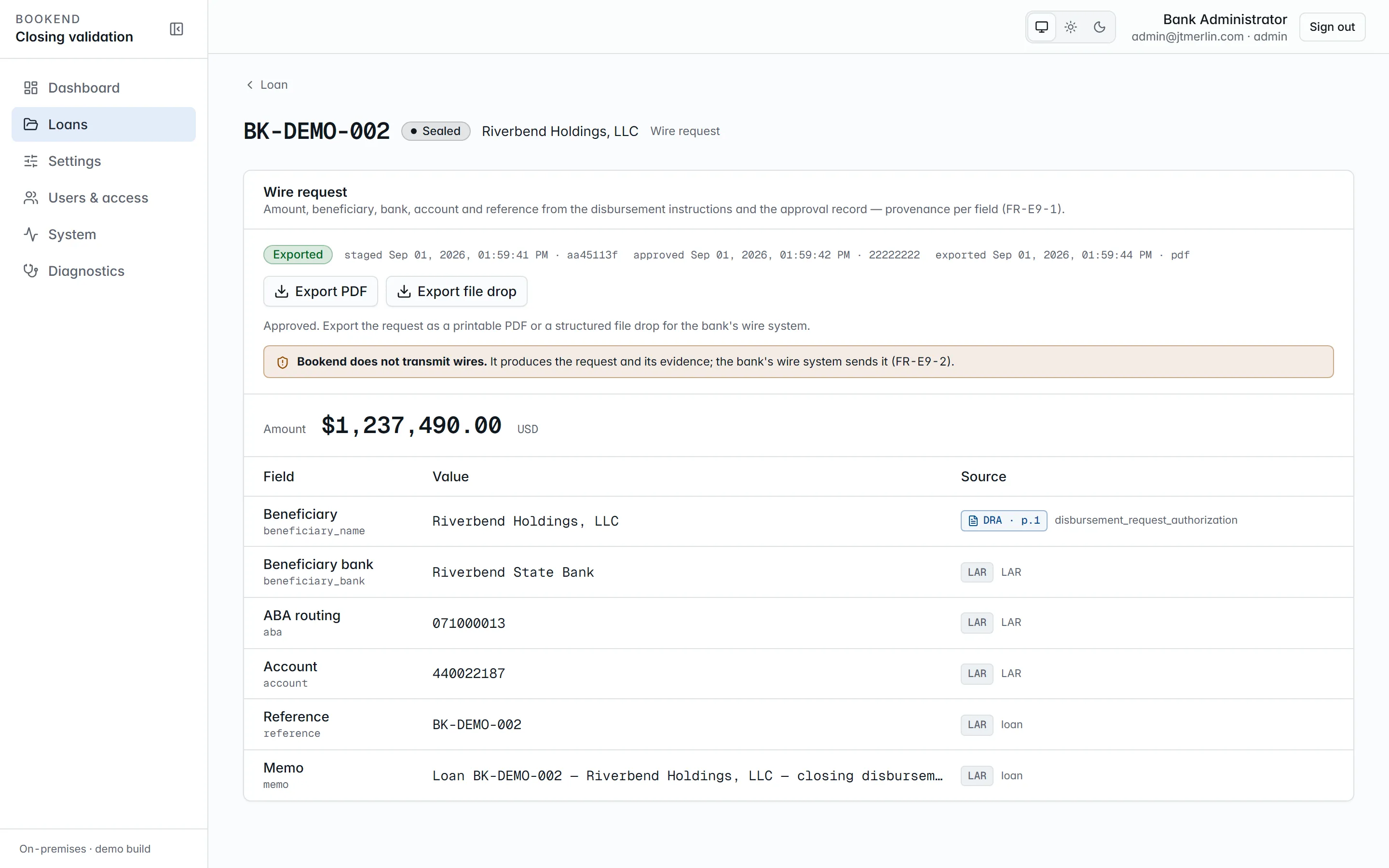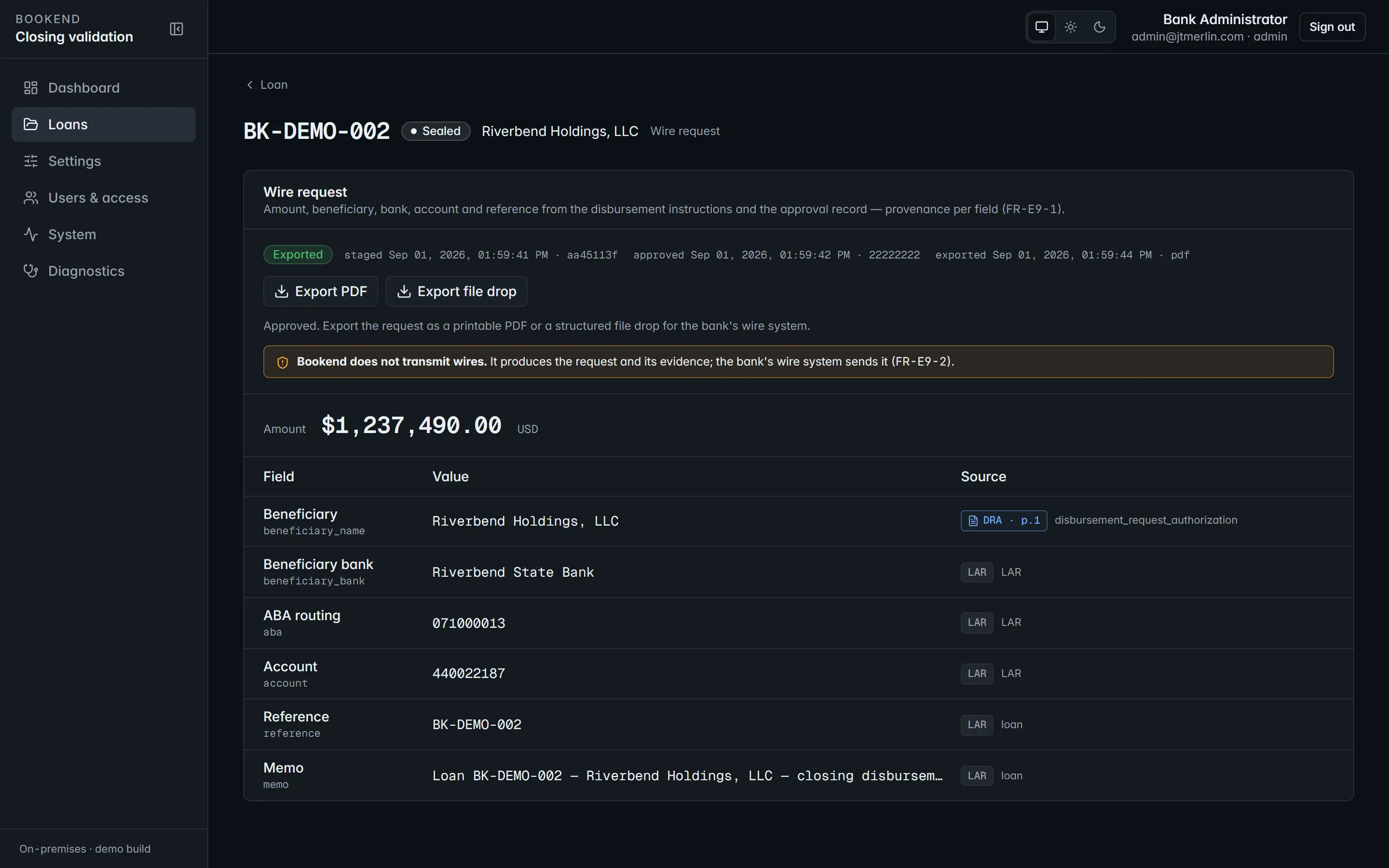
Wires. Disbursement lines from the DR\&A, prepared by one person and released by another.
1. **Stage wire** (specialist, manager or administrator, on a `boarded` or `funded` loan; with `boarding.allow_wire_before_boarded` on, also on an `approved` or `boarding_staged` loan through the API). Amount and payee come from the DR\&A’s wire disbursement line, beneficiary bank, ABA and account from the LAR, plus the loan reference and memo, every field with its source document and page. Only one wire can be open per loan at a time.
2. **Approve** (a boarding checker or administrator who did not stage it).
3. **Export PDF** or **Export file drop** (`GET /v1/loans/{ref}/wire/export?format=pdf|filedrop`): a printable wire request or a structured JSON file for the bank’s wire system. Both download to the browser and are also written to the `wires` folder under `core.file_export_path` (the file drop requires that path). The export is recorded in evidence with the file’s hash.
## Funding and sealing
[Section titled “Funding and sealing”](#funding-and-sealing)
Both steps live in the **Evidence & closing** section of the loan page and need the manager or administrator role.
* **Mark funded** records `loan.funded` once the bank confirms the disbursement went out, and moves a `boarded` loan to `funded`. This step is optional.
* **Seal** verifies the evidence chain first and refuses if it does not verify, then writes the terminal `loan.sealed` event. It works on a `boarded` or `funded` loan. Sealed loans are read-only everywhere and count as closed loans for metering.
Both accept an optional note. See [Evidence packet](/loans/evidence).
# Evidence packet
> The hash-chained record of everything that happened to a loan, and how to verify and export it.
Every event on a loan (intake and each document received, each pipeline stage, each reconciliation run and finding, each finding action, assignment, approval or rejection, boarding step, wire step, funding, sealing) is a row in `evidence_events` with a sequence number, the actor, a JSON payload, the payload’s SHA-256, the previous link’s hash and the chain hash. The application’s database user can insert rows but cannot update or delete them.
## Verification
[Section titled “Verification”](#verification)
`GET /v1/loans/{ref}/evidence/verify` re-hashes the chain and reports `intact`, the length, and the first broken sequence number if any. A nightly job (02:00 UTC) does this for every loan and records the result in `evidence.last_verification`; a break is logged as an error (event 5120) and shows on the Diagnostics page. Payloads are hashed in a canonical form (sorted keys, compact, normalized numbers) so the database’s own JSON normalization cannot break a valid chain, but a single changed value in a stored payload does.
Every export re-verifies the chain and includes the result, and **Seal** refuses to run on a chain that does not verify.
## Export
[Section titled “Export”](#export)
* `GET /v1/loans/{ref}/evidence/export?format=pdf`: the human-readable packet, downloaded as `evidence_{ref}.pdf`. Page one carries the verification result, then the loan, every document with its type, page count and SHA-256, the findings ledger of the latest run (rule, severity, status, detail), the approvals and decisions, and the full chain (sequence, event, actor, time, hash).
* `GET /v1/loans/{ref}/evidence/export?format=json` (the default): the machine-readable bundle with the loan, documents and hashes, the latest run’s findings, the approval events and every evidence event with its full payload (who acted, reason codes, justifications and notes), plus the verification result. The same bundle is available as `export_evidence` over MCP.
Both are available from the loan page’s **Evidence & closing** section (**Download packet (PDF)** and **Download bundle (JSON)**). The packet contains what the bank already holds; nothing is fetched from outside.
## Reading the chain on screen
[Section titled “Reading the chain on screen”](#reading-the-chain-on-screen)
The **Evidence** section of a loan lists the events in sequence order, each with its type, actor, time and the start of its chain hash; click a row to expand its payload. The verification badge in **Evidence & closing** shows the chain as intact with its length, or broken at the first bad sequence number. Auditors (`auditor_readonly`) can read all of this but cannot change anything.
The evidence chain on the loan page: one row per event, each hashed over the previous.
## Retention
[Section titled “Retention”](#retention)
A nightly sweep (04:00 UTC) deletes the stored PDFs and page images of loans that have been sealed for longer than `documents.retention_days` (default 2555 days, about seven years). The database record stays: metadata, SHA-256 hashes, extracted values, findings and the evidence chain, so packets still verify and still name every document by hash. Files shared with a loan that is still inside the policy are kept. The result of the last sweep is in `documents.last_retention`.
# Intake
> The four ways a closing package enters Bookend and what the pipeline does with it.
## Ways in
[Section titled “Ways in”](#ways-in)
| Channel | How |
| ---------------- | ---------------------------------------------------------------------------------------------------------------------------------------------------------------------------------------------------------------------------------------------------------------------------------------------------------------------------------------------------------------------------------------------------------------------------------------------------------------------------------------------------------------------------- |
| **Workstation** | Loans → **New loan** (loan reference, borrower, optional expected principal), then on the loan page drop the package PDFs on the upload area and add the approval record with **Upload LAR** (`.json`, `.csv`, `.xml`, `.pdf` or `.docx`). |
| **Watch folder** | Create `LOANREF/` under `documents.watch_folder` with the PDFs and an optional `lar.*`. Once every file has been quiet for `documents.watch_stable_seconds`, the folder is ingested and moved to `processed/`. A folder whose reference is invalid or already exists, or whose intake fails, goes to `rejected/` with a `bookend-rejected.txt` explaining why. A reference that already exists is never overwritten; add a package version through the API instead. The borrower name is taken from `lar.json` when present. |
| **REST API** | `POST /v1/loans`, then multipart `POST /v1/loans/{ref}/documents` and `POST /v1/loans/{ref}/lar` (the LAR can also be sent as a raw JSON body). `newVersion: true` on create adds a package version to an existing reference. |
| **MCP** | `submit_package` with base64 PDFs (scope `intake:write`). |
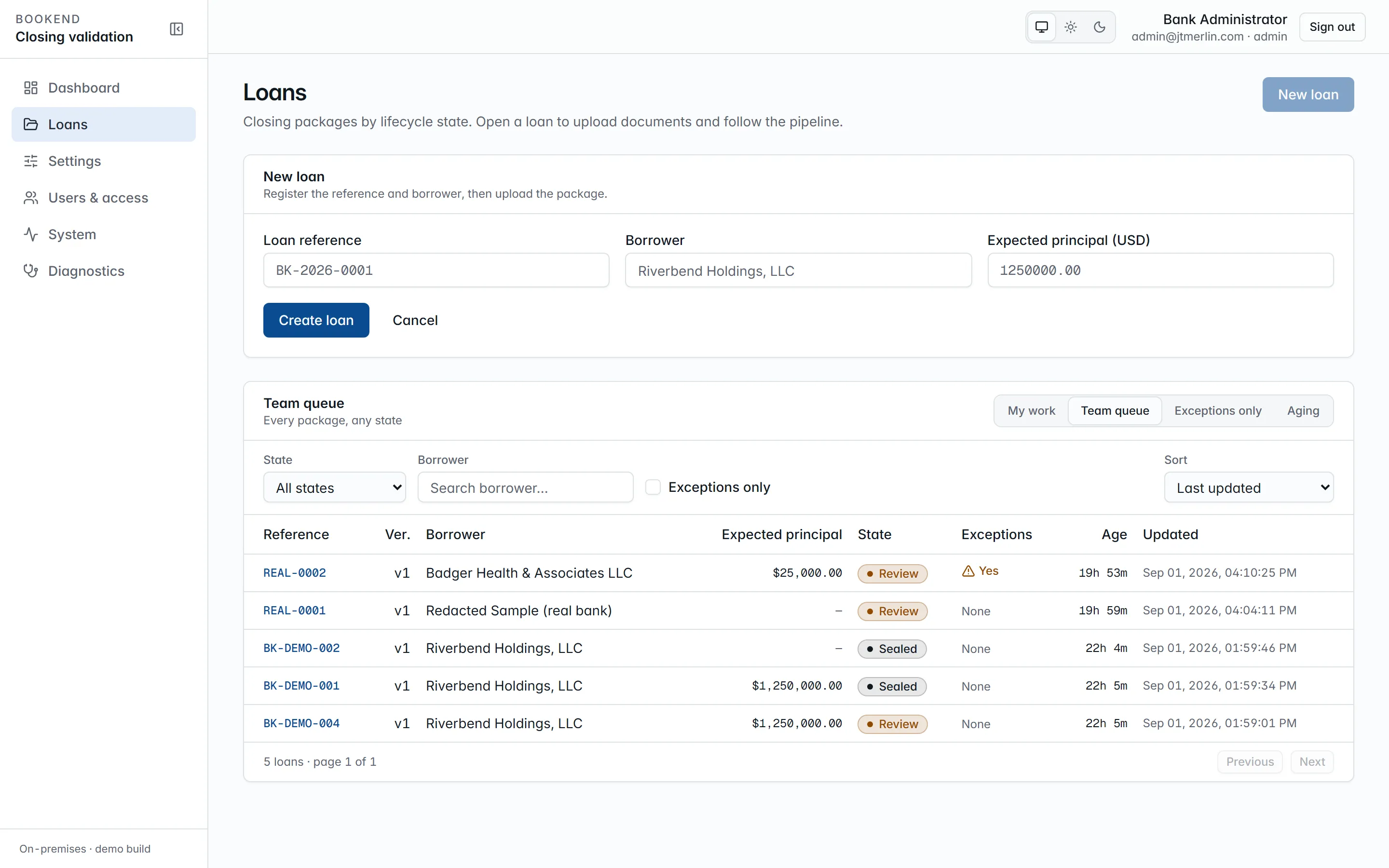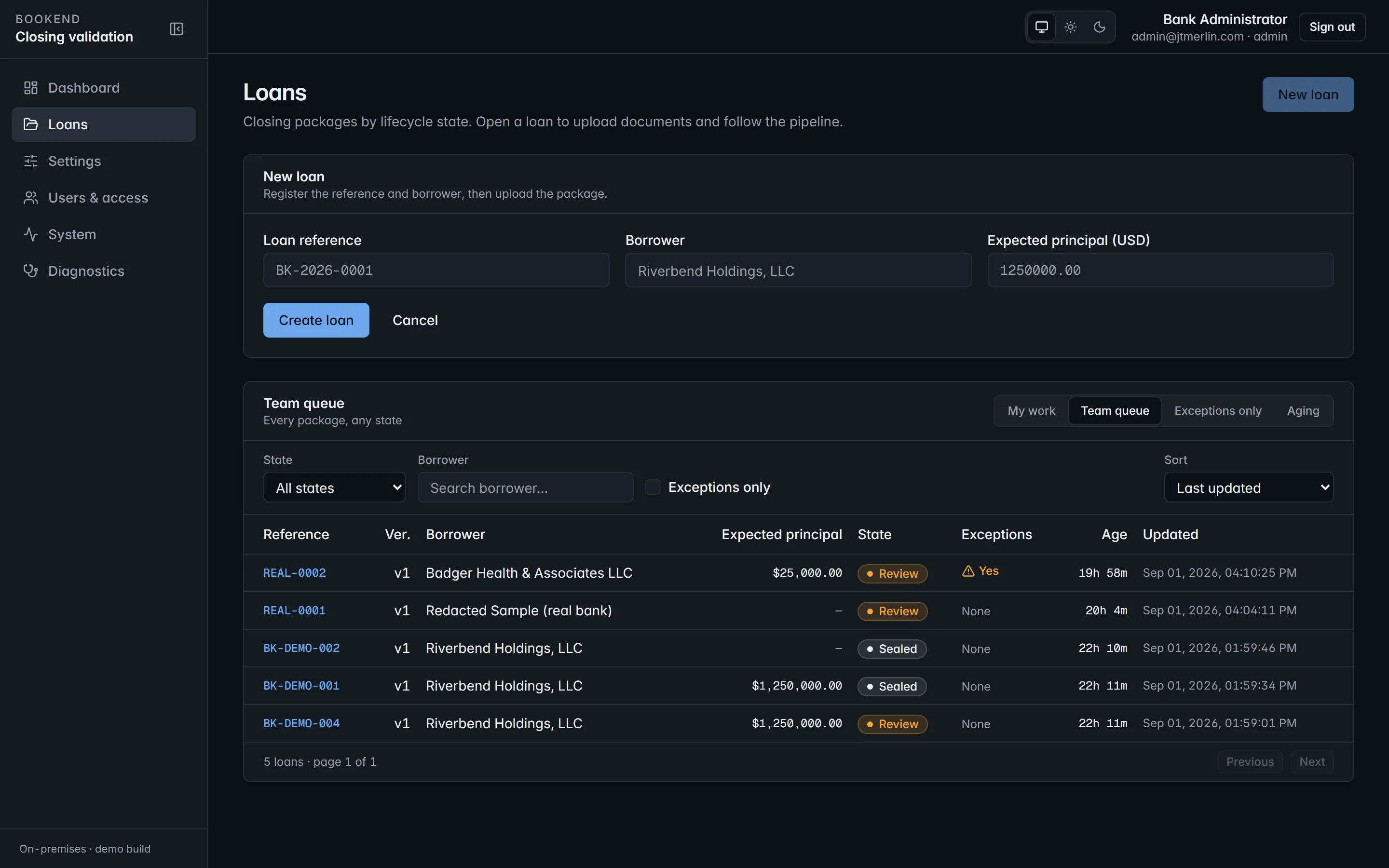
New loan: register the reference and borrower, then upload the package on the loan page.
Documents can be added while a loan is in `intake`, `processing` or `review`. Package size is capped by `documents.max_package_mb` (default 200). Every file is stored content-addressed by SHA-256, so uploading identical bytes again changes nothing; the hash is what the evidence chain refers to. Uploading a replacement LAR while the loan is in `review` re-runs reconciliation.
On the loan page, **Assign to me** (or **Take over** / **Release**) records who owns the package. The assignment is written to the evidence chain, the assignee is emailed, and the loan appears in their **My work** view of the queue.
## The pipeline
[Section titled “The pipeline”](#the-pipeline)
Each document runs five durable stages, scheduled as Quartz jobs in the database so a restart resumes where it stopped:
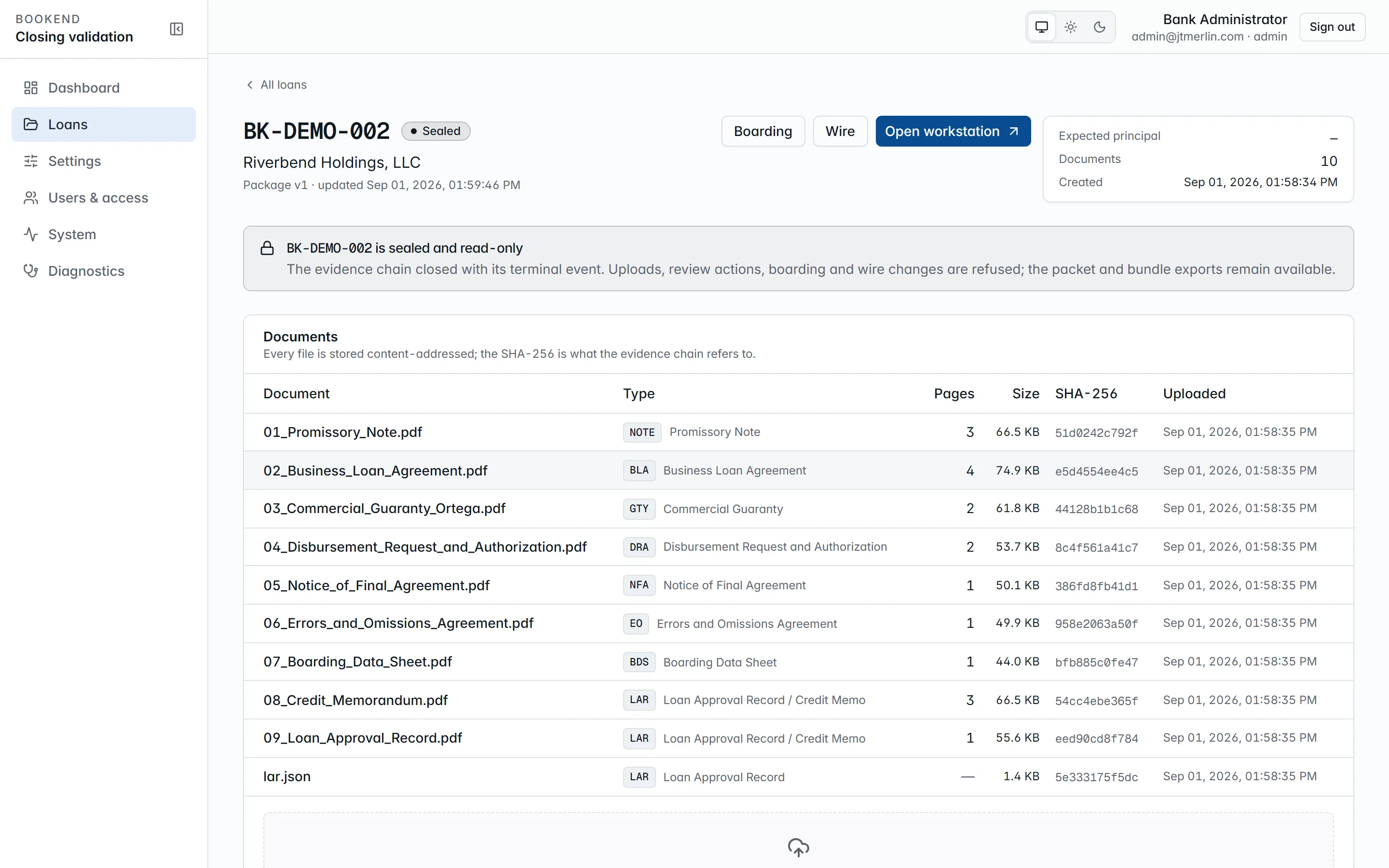
A loan page. The pipeline grid shows each stage as it completes; every extracted value carries a provenance chip.
1. **split**: page count and structure
2. **classify**: document type from the taxonomy (`NOTE`, `BLA`, `GTY`, `CSA`, `DRA`, `NFA`, `EO`, `BDS`, `CIT`, `LAR`, `OTH`)
3. **ocr**: only for scanned pages (skipped otherwise)
4. **extract**: every catalog field with page, bounding box, confidence and method; money, rate, date, whole-number and party fields are read by two independent passes that must agree. The bank’s own [taught templates](/administration/teaching-documents) run ahead of the built-ins
5. **locate**: signature, initials, date and notary zones per the execution templates
`GET /v1/loans/{ref}/pipeline` (and the **Pipeline** section on the loan page) shows the document × stage grid with each stage’s status, attempts and errors. A failing stage retries with exponential backoff, starting at `pipeline.retry_base_seconds` and doubling up to ten minutes, for at most `pipeline.max_attempts` attempts (default 8). **Reprocess** in the Pipeline section runs the whole package again; `POST /v1/loans/{ref}/reprocess` with a `documentId` reprocesses a single document. Reprocessing replaces earlier extractions, keeps the evidence and returns the loan to `processing`. When every document has finished, the loan moves to `review` and reconciliation runs.
## Loan states
[Section titled “Loan states”](#loan-states)
`intake → processing → review → approved → boarding_staged → boarded → funded → sealed`
* `funded` is optional: a `boarded` loan can be sealed directly.
* `rejected` is terminal: a reviewer rejects a package in `review`, and a corrected package comes in as a new version of the same reference.
* Reprocessing or new documents send a loan in `review` back to `processing`.
* Unresolved exceptions are a flag on the loan (`has_exceptions`, the queue’s **Exceptions only** view), not a state.
Every step is recorded as an event in the loan’s evidence chain.
# Review workstation
> Findings, sources, actions with reason codes, and the approval checklist.
Open a loan and press **Open workstation** (`/loans/{ref}/review`). The source pane on the left shows the selected finding’s source page with the cited value highlighted; the finding panel on the right lists the latest reconciliation run’s findings, exceptions first, then warnings, then informational findings.
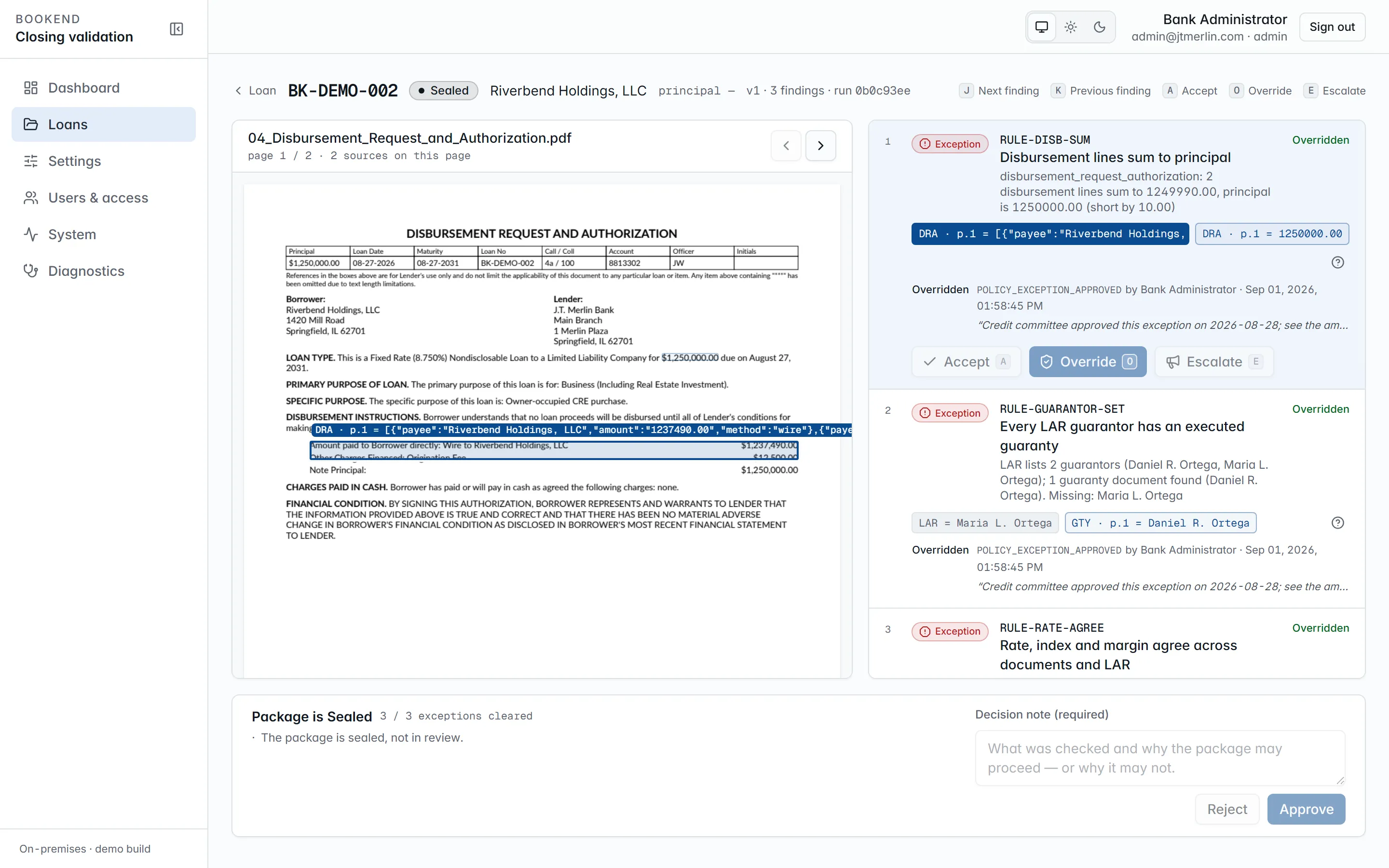
The workstation. Exceptions first, the source page rendered with the exact line highlighted, and the approval bar that unlocks only when every exception is cleared.
## Findings
[Section titled “Findings”](#findings)
Each finding carries the rule id, its severity (`exception` blocks approval; `warning` and `info` do not), a message with the compared values, and **source chips** (document, page and the value read) for every value it cites. Click a chip and the source pane jumps to that page. The help button next to the chips opens the rule’s documentation (the same pages as the [rule reference](/rules/rule-prin-agree)).
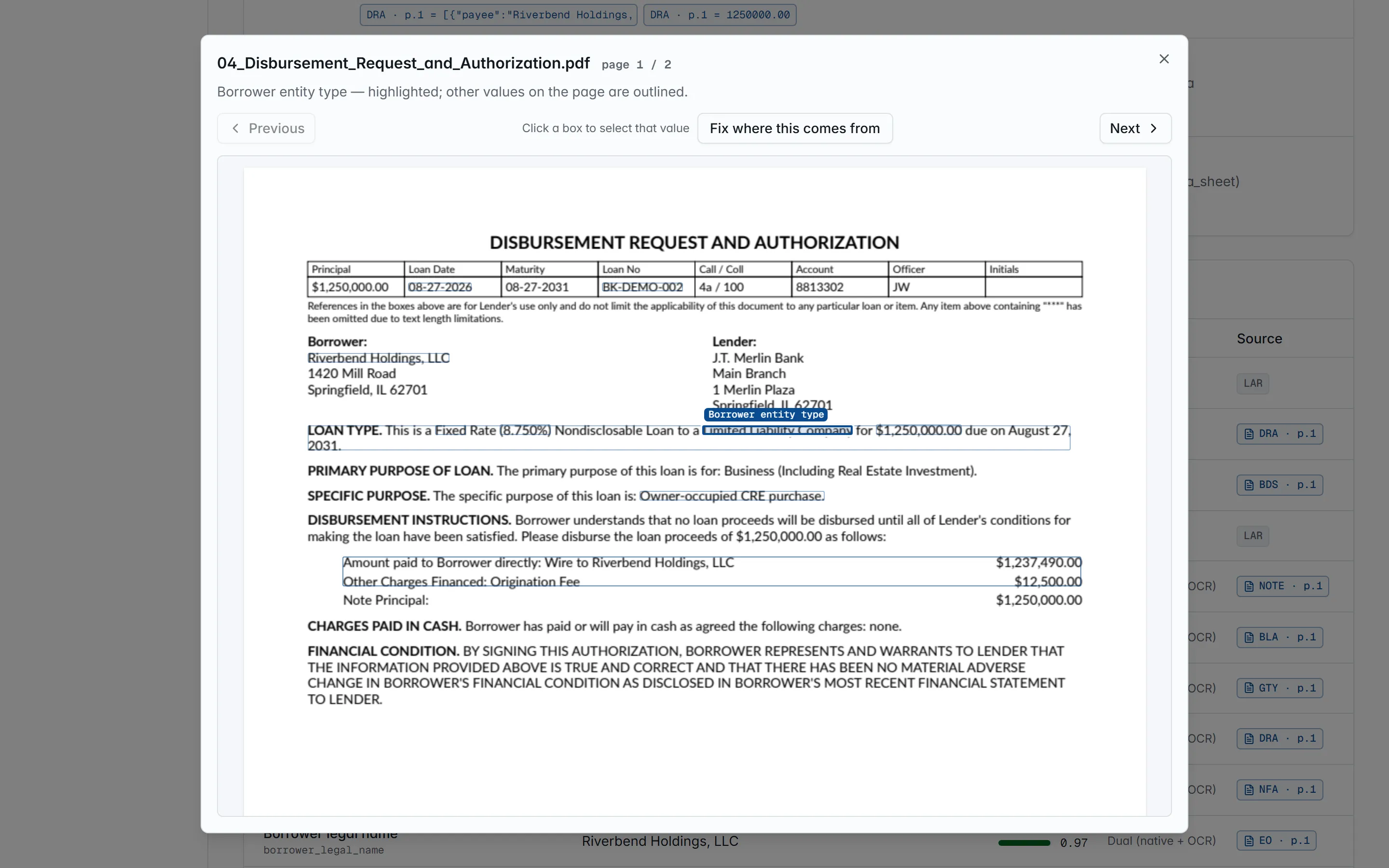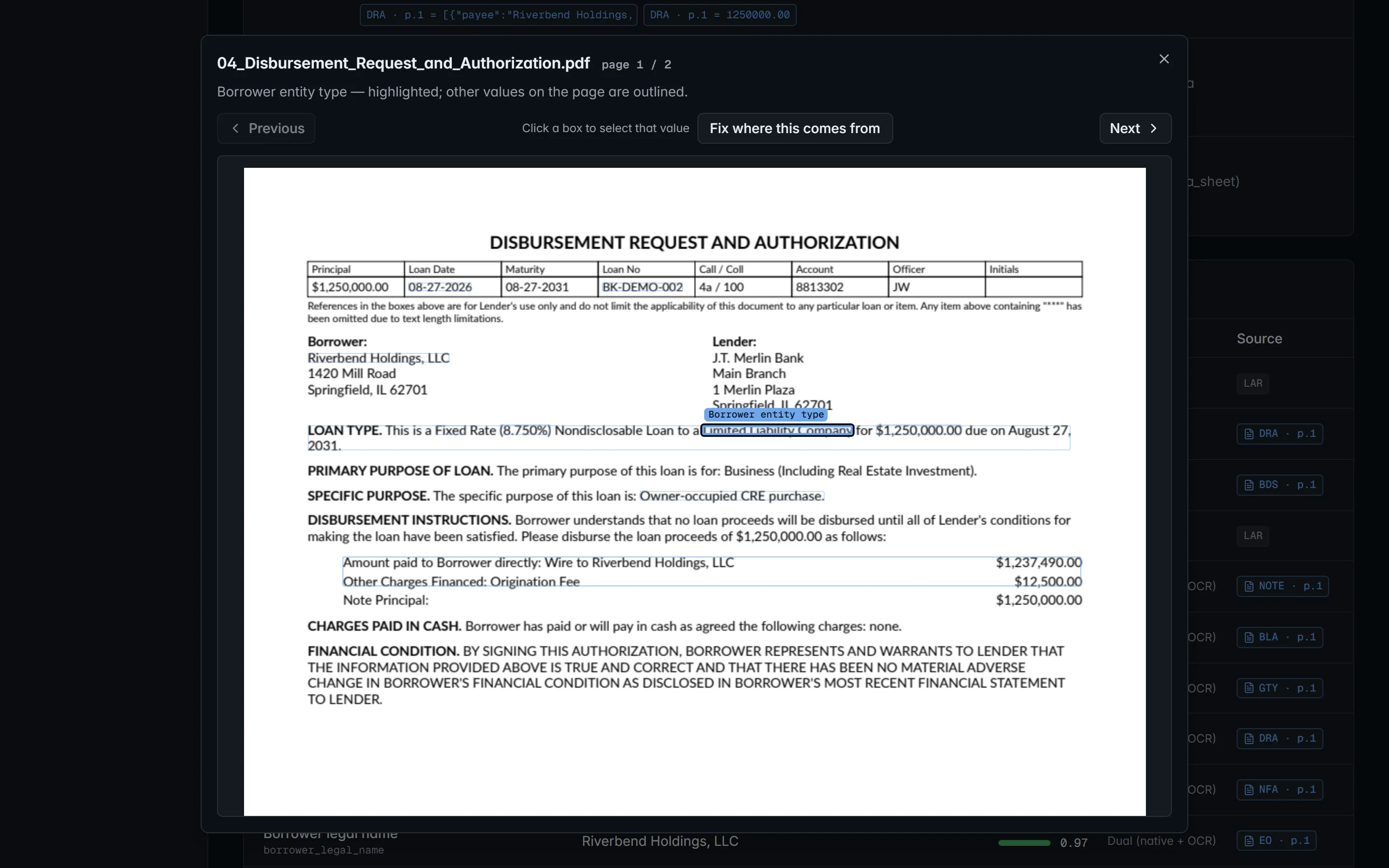
A provenance chip opens the page it came from, with the value boxed where it was read.
## Actions
[Section titled “Actions”](#actions)
Findings can be acted on only while the loan is in `review`, and only on the latest run.
| Action | Key | Who | Effect |
| -------- | --- | -------------------------- | ------------------------------------------------------------------------------------------------------------------------------------------------------------------------------------------------ |
| Accept | `A` | specialist, manager, admin | Acknowledges the finding (status `accepted`), recorded with who and when. An accepted exception still blocks approval. |
| Override | `O` | manager, admin | Resolves the finding (status `overridden`). Requires a reason code from `review.reason_codes` and a written justification of at least `review.justification_min_length` characters (default 10). |
| Escalate | `E` | specialist, manager, admin | Records the escalation (the status does not change) and emails every active manager and administrator a link to the workstation. |
`J` / `K` move to the next and previous finding. Every action is appended to the finding’s history (which cannot be edited) and to the evidence chain.
The default reason codes are `DOC_CORRECTED_OFFLINE`, `LAR_AMENDED`, `SCRIVENER_ERROR`, `POLICY_EXCEPTION_APPROVED`, `EXTRACTION_ERROR` and `OTHER`; an administrator can change the list.
## Approval
[Section titled “Approval”](#approval)
The approval bar lists the blockers: exception findings not yet overridden, and exception findings no person has acted on yet. Once it is clear, enter a **Decision note** (required) and press **Approve**; Bookend records `review.approved` with the note and the full finding checklist (each finding’s status, last action, who and when). **Reject** also needs the note and ends the package as `rejected`. Approving and rejecting need the specialist, manager or administrator role and a signed-in person (not an API key).
To fix the package instead, upload corrected documents or a replacement LAR while the loan is in `review`, or press **Reprocess**. Bookend re-runs the pipeline (or, for a new LAR, just reconciliation) and records a new reconciliation run with its own findings; earlier runs are never edited. `GET /v1/loans/{ref}/reconciliation` lists every run with its ruleset version, the thresholds in force and its summary counts.
## Fixing where a value comes from
[Section titled “Fixing where a value comes from”](#fixing-where-a-value-comes-from)
Every value’s provenance chip on the loan page opens its source page. When Bookend read the wrong spot on one of your forms, an administrator can press **Fix where this comes from**, drag a box around the correct value, and Bookend reads it back (the value and the printed label it will follow) and saves it as that field’s rule for that document type. This works on package documents, not on the LAR. The loan is unchanged until **Reprocess this loan now**; the rule applies to every later loan. See [Teaching documents](/administration/teaching-documents).

Fix where this comes from: drag a box around the correct value and Bookend reads it back and remembers where it is on this kind of document.
# Connecting Claude and other agents
> Issue an API key, exchange it for a token, register the server, and what a session can do.
## 1. Issue an API key
[Section titled “1. Issue an API key”](#1-issue-an-api-key)
An administrator opens **Users & access** → API keys → New, or calls `POST /v1/api-keys` with `{ "name": "…", "scopes": ["status:read"] }` while signed in as a user. Scopes decide what the tools may do:
| Scope | Tools it unlocks |
| --------------- | ---------------------------------------------------------------------------------------------------------------------------------------- |
| `status:read` | `list_loans`, `get_loan`, `get_findings`, `get_boarding_preview`, `get_evidence_summary`, `get_queue_stats` (and reaching `/mcp` at all) |
| `intake:write` | `submit_package` |
| `evidence:read` | `export_evidence` |
Every key used for MCP needs `status:read`, because the endpoint itself requires it. Add `intake:write` or `evidence:read` only when the session should submit packages or export evidence. The plaintext key (it starts with `bk_`) is shown once; Bookend stores only its hash.
## 2. Exchange it for a token
[Section titled “2. Exchange it for a token”](#2-exchange-it-for-a-token)
```bash
TOKEN=$(curl -s -X POST https:///api/v1/auth/token \
-H 'content-type: application/json' -d '{"apiKey":""}' | jq -r .accessToken)
```
Tokens expire after `auth.access_token_minutes` (15 minutes by default). There is no refresh token for API keys; exchange the key again to get a new token.
## 3. Register the server
[Section titled “3. Register the server”](#3-register-the-server)
```bash
claude mcp add --transport http bookend https:///mcp --header "Authorization: Bearer $TOKEN"
```
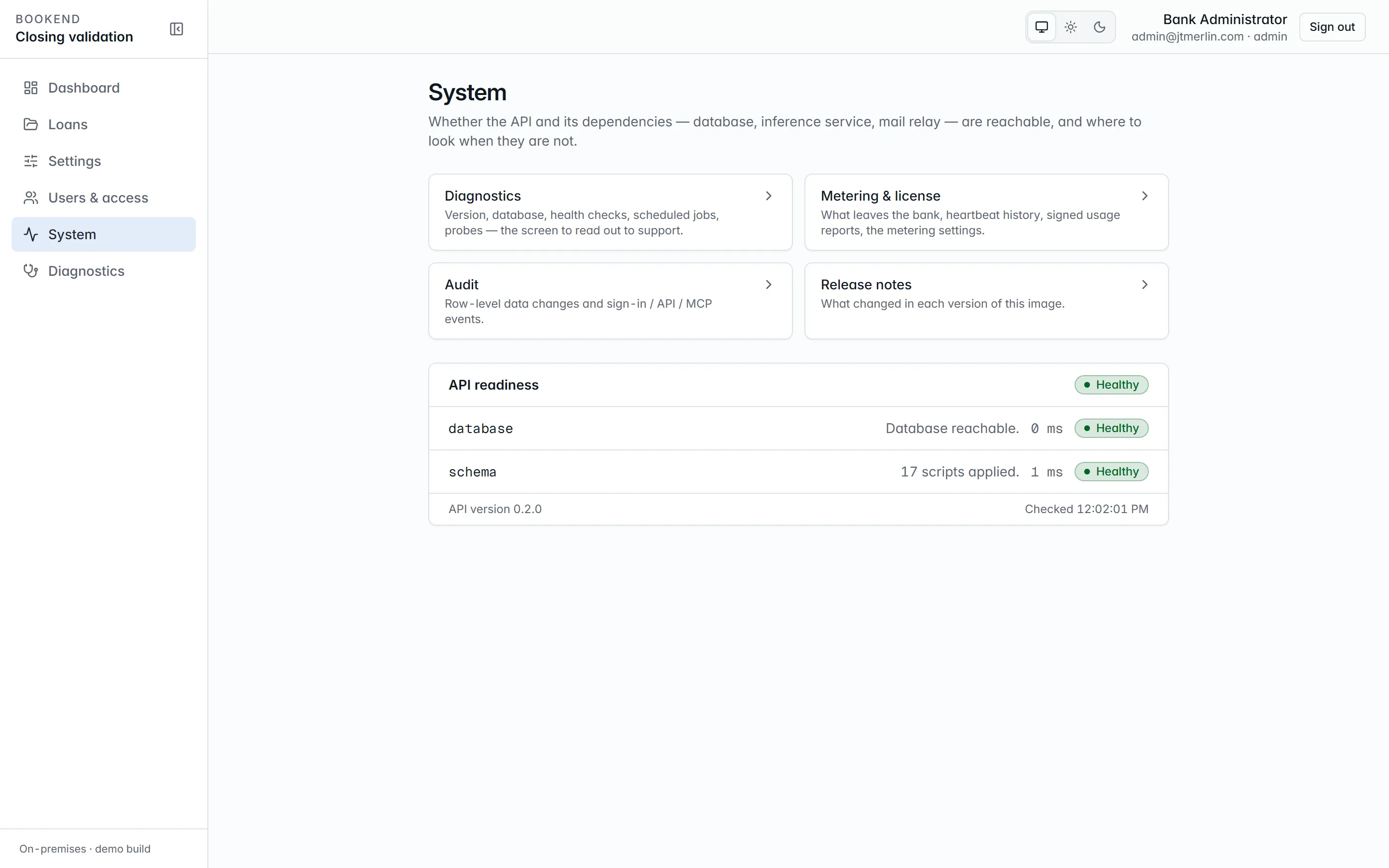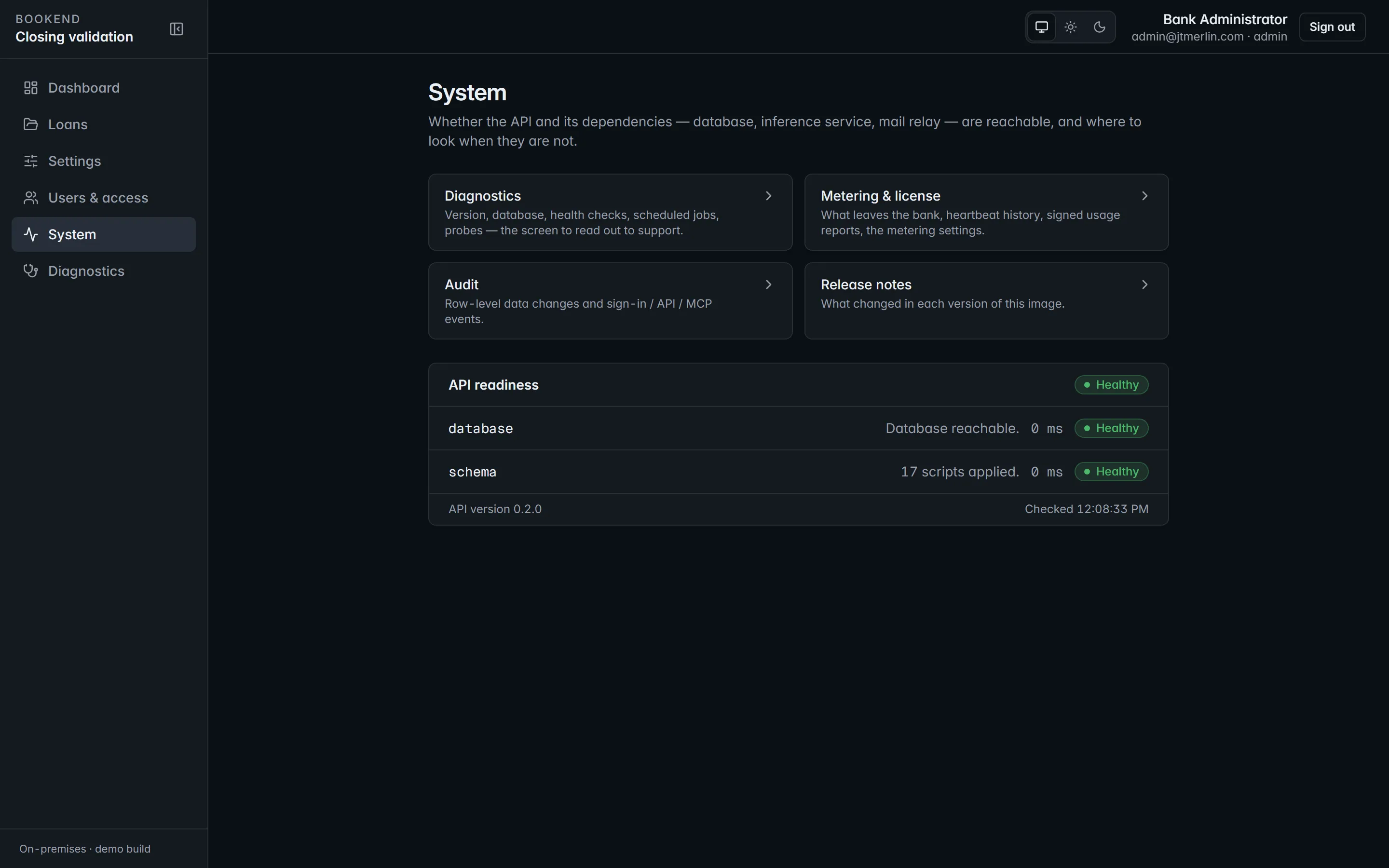
System shows the MCP endpoint and a ready-to-paste client command.
Any MCP client that speaks streamable HTTP works the same way; the server is stateless, so no session ids are needed. Through `app-ui` the path is `/mcp`; inside the compose network the api answers at `http://api:8080/mcp`.
## 4. Ask
[Section titled “4. Ask”](#4-ask)
* “Which loans are in review with exceptions?” → `list_loans`
* “Show me the findings on BK-DEMO-002 and where each one comes from.” → `get_findings`
* “What would boarding send to the core for this loan?” → `get_boarding_preview`
* “Is the evidence chain for BK-DEMO-001 intact?” → `get_evidence_summary`
Approvals, overrides, boarding, wires, funding and sealing are not available through MCP; they stay with signed-in people in the workstation.
Every call, allowed or refused, is audited (`GET /v1/audit?source=auth&eventType=mcp_call`, or System → Audit). Refusals come back as tool errors with the same message the REST API would give. The full tool reference is on [MCP server](/mcp/server).
# MCP server
> Bookend exposes a Model Context Protocol server at /mcp so a loan origination system, an internal automation, an assistant or an operator's Claude session can d
Bookend exposes a [Model Context Protocol](https://modelcontextprotocol.io) server at `/mcp` so a loan origination system, an internal automation, an assistant or an operator’s Claude session can drive the same operations as the REST API, with the same bearer tokens, the same authorization policies and a full audit trail. Every tool calls the same service the matching REST route uses; there is no MCP-only behavior.
## Transport and authentication
[Section titled “Transport and authentication”](#transport-and-authentication)
* **Streamable HTTP, stateless.** One `POST /mcp` per JSON-RPC message; no session ids, nothing to keep alive. `GET` and `DELETE /mcp` answer 405. Responses are `application/json` (or `text/event-stream` when the client asks for it); send `Accept: application/json, text/event-stream`.
* **Bearer tokens.** The endpoint sits behind the normal authentication pipeline: `Authorization: Bearer `, either a user token from `POST /v1/auth/login` or an API-key token from `POST /v1/auth/token` (`{ "apiKey": "…" }`). Anonymous calls get **401**. Per-principal rate limits and security headers apply as everywhere else.
* **Reaching `/mcp` at all needs the `read-only` policy:** any staff role (`admin`, `manager`, `specialist`, `boarding_checker`, `auditor_readonly`) or an API key with the `status:read` scope. An API key used for MCP therefore always carries `status:read`, plus `intake:write` and/or `evidence:read` when the session needs those tools. Each tool then enforces its own policy (see below), exactly as the matching REST route does.
* **Paths.** Through `app-ui` (the one published port) the server is at `https:///mcp` and the REST API at `https:///api/v1/…`. Inside the compose network the api answers directly at `http://api:8080/mcp`. The api trusts `X-Forwarded-*` only from the proxy network, so audit rows carry the real client address.
Connect Claude Code with an API key (choose the scopes for what the session should be allowed to do):
```bash
TOKEN=$(curl -s -X POST https:///api/v1/auth/token -H 'content-type: application/json' -d '{"apiKey":""}' | jq -r .accessToken)
claude mcp add --transport http bookend https:///mcp --header "Authorization: Bearer $TOKEN"
```
Access tokens expire after `auth.access_token_minutes` (default 15, at most 60). API-key tokens have no refresh token; exchange the key again to get a new one. Any client that speaks streamable HTTP works the same way.
## Server metadata
[Section titled “Server metadata”](#server-metadata)
`initialize` returns `serverInfo { name: "bookend", title: "Bookend Platform", version: }` and short instructions describing the tools. Capabilities: `tools` only. There are no resources, prompts, sampling or server-initiated notifications (stateless mode).
## Tools
[Section titled “Tools”](#tools)
| Tool | Policy | REST equivalent |
| ---------------------- | --------------- | --------------------------------------------------- |
| `list_loans` | `read-only` | `GET /v1/loans` |
| `get_loan` | `read-only` | `GET /v1/loans/{ref}` |
| `get_findings` | `read-only` | `GET /v1/loans/{ref}/findings` |
| `get_boarding_preview` | `read-only` | `GET /v1/loans/{ref}/boarding/preview` |
| `submit_package` | `intake-write` | `POST /v1/loans` + `POST /v1/loans/{ref}/documents` |
| `get_evidence_summary` | `read-only` | summary of `GET /v1/loans/{ref}/evidence/export` |
| `export_evidence` | `evidence-read` | `GET /v1/loans/{ref}/evidence/export?format=json` |
| `get_queue_stats` | `read-only` | `GET /v1/dashboard` |
All results are **JSON text** in a single `text` content block, serialized like the REST responses (camelCase, money and rates as decimal strings, dates ISO-8601 UTC). Errors are also JSON text, with `isError: true` (see [Errors](#errors)). Parameter names are case-sensitive.
### `list_loans` (read-only)
[Section titled “list\_loans (read-only)”](#list_loans-read-only)
| Parameter | Type | Default | Meaning |
| --------------- | -------- | ------- | ----------------------------------------------------------------------------------------------------------------------------- |
| `state` | string? | none | Loan state filter: `intake`, `processing`, `review`, `approved`, `boarding_staged`, `boarded`, `funded`, `sealed`, `rejected` |
| `borrower` | string? | none | Borrower name contains (case-insensitive) |
| `hasExceptions` | boolean? | none | Only loans with unresolved exception findings |
| `page` | integer | 1 | 1-based page |
| `size` | integer | 25 | Page size, capped at 200 |
Result: the `GET /v1/loans` envelope, `{ items: LoanView[], page, size, total }`. `LoanView` carries `id`, `externalRef`, `packageVersion`, `borrowerName`, `expectedPrincipal` (string), `state`, `hasExceptions`, `assigneeId`, `createdAt`, `updatedAt`, `sealedAt`.
### `get_loan` (read-only)
[Section titled “get\_loan (read-only)”](#get_loan-read-only)
| Parameter | Type | Meaning |
| ------------- | ------ | --------------------------------------------- |
| `externalRef` | string | The bank’s loan reference, e.g. `BK-DEMO-001` |
Result: `LoanDetail`, `{ loan: LoanView, documents: LoanDocumentView[], versions: number[] }`; each document has `id`, `docType`, `originalName`, `sha256`, `pageCount`, `byteSize`, `uploadedAt`. Unknown reference: `NotFoundException`.
### `get_findings` (read-only)
[Section titled “get\_findings (read-only)”](#get_findings-read-only)
| Parameter | Type | Meaning |
| ------------- | ------- | ---------------------------------------------------------------------------------------------------------- |
| `externalRef` | string | Loan reference |
| `severity` | string? | `exception`, `warning` or `info` |
| `status` | string? | `open`, `accepted`, `overridden`, `resolved` (an escalation is an action on an open finding, not a status) |
Result: `FindingView[]` with `id`, `runId`, `ruleId`, `severity`, `status`, `title`, `detail { message, sources[], data }`, `createdAt`, `blocksApproval`. Every `sources[]` entry names the document, page and bounding box the finding cites; `GET /v1/rules/{ruleId}/doc` (REST) is the rule’s help page.
### `get_boarding_preview` (read-only)
[Section titled “get\_boarding\_preview (read-only)”](#get_boarding_preview-read-only)
| Parameter | Type | Meaning |
| ------------- | ------ | -------------- |
| `externalRef` | string | Loan reference |
Result: `BoardingPreview`, `{ loanRef, provider, fieldMapId, fieldMapVersion, fields: CoreFieldValue[], validation: { ok, errors[] } }`. Each field carries the core field code, the transformed value, the transform used and its provenance (document, page, box). Nothing is staged, and the loan does not need to be approved for a preview.
### `submit_package` (requires `intake-write`: roles `admin`, `manager`, `specialist`, or scope `intake:write`)
[Section titled “submit\_package (requires intake-write: roles admin, manager, specialist, or scope intake:write)”](#submit_package-requires-intake-write-roles-admin-manager-specialist-or-scope-intakewrite)
| Parameter | Type | Default | Meaning |
| ------------------- | ------------------------------- | ------- | --------------------------------------------------------------------------------------------------------------------------------------------------------------------- |
| `externalRef` | string | none | New loan reference (letters, digits, `.`, `_`, `-`) |
| `borrowerName` | string | none | Borrower legal name |
| `files` | `{ fileName, contentBase64 }[]` | none | Base64-encoded PDF documents. A file named `lar.json`, `lar.csv`, `lar.xml`, `lar.pdf` or `lar.docx` in the same batch is ingested as the loan approval record (LAR). |
| `expectedPrincipal` | string? | none | Decimal string, optional pre-fill |
| `newVersion` | boolean | false | When the reference already exists, add a package version instead of failing with a conflict |
Result: `{ loan: LoanView, documents: LoanDocumentView[] }`. Uploading starts the pipeline; poll `get_loan` (state `processing`, then `review`) or REST `GET /v1/loans/{ref}/pipeline` for stage detail. Errors: `ConflictException` when the reference exists and `newVersion` is false; `ValidationException` with `fields[]` for bad inputs (including a file that is neither a PDF nor a LAR); `PolicyViolationException` when the package would exceed `documents.max_package_mb` or the license has expired (intake is then read-only).
### `get_evidence_summary` (read-only)
[Section titled “get\_evidence\_summary (read-only)”](#get_evidence_summary-read-only)
| Parameter | Type | Meaning |
| ------------- | ------ | -------------- |
| `externalRef` | string | Loan reference |
Result: `{ loan, verification: { intact, brokenAtSeq, length }, events, documents: [{ id, fileName, sha256, documentType }], findings, approvals: EvidenceEventView[] }`, where `events` and `findings` are counts. `verification` is a fresh re-hash of the chain, not a cached value.
### `export_evidence` (requires `evidence-read`: any staff role, or scope `evidence:read`)
[Section titled “export\_evidence (requires evidence-read: any staff role, or scope evidence:read)”](#export_evidence-requires-evidence-read-any-staff-role-or-scope-evidenceread)
| Parameter | Type | Meaning |
| ------------- | ------ | -------------- |
| `externalRef` | string | Loan reference |
Result: the full `EvidenceBundle`, identical to `GET /v1/loans/{ref}/evidence/export?format=json`: generator, institution, loan, every document with its hash, the findings of the latest run, approvals, every chain event with payload and hashes, and the verification result. It can be large (tens of KB per loan). The PDF packet is available over REST only (`format=pdf`).
### `get_queue_stats` (read-only)
[Section titled “get\_queue\_stats (read-only)”](#get_queue_stats-read-only)
| Parameter | Type | Default | Meaning |
| --------- | ------- | ------- | --------------------------- |
| `days` | integer | 30 | Window, clamped to 1 to 365 |
Result: `DashboardView`, with `queue { intake, processing, review, approved, withExceptions }`, `throughput[]` per day, `averageReviewMinutes`, `reviewsMeasured`, `exceptionRateByRule[]` and `aging[]`. Every figure derives from recorded evidence events.
## What MCP does not do
[Section titled “What MCP does not do”](#what-mcp-does-not-do)
Decisions stay with signed-in people. There are no MCP tools for accepting or overriding findings, approving or rejecting a loan, staging, approving or committing a boarding, staging or exporting a wire, funding or sealing. Over REST those routes also refuse API-key tokens.
## Errors
[Section titled “Errors”](#errors)
A refused or failed call returns `isError: true` with a JSON text block:
```json
{
"error": "ForbiddenException",
"message": "The tool 'submit_package' requires the 'intake-write' policy (role or API-key scope).",
"fields": null
}
```
`error` is the exception type: `ForbiddenException` (policy), `NotFoundException`, `ConflictException`, `ValidationException` (with `fields: [{ field, message }]`) or `PolicyViolationException` (for example an expired license or a package over the size cap). `message` is the same text the REST API puts in its problem+json. Unexpected failures surface as the SDK’s generic tool error. A 401 (missing or expired token) happens at the HTTP layer, before JSON-RPC.
## Example (raw JSON-RPC)
[Section titled “Example (raw JSON-RPC)”](#example-raw-json-rpc)
```bash
curl -s https:///mcp \
-H "Authorization: Bearer $TOKEN" -H 'content-type: application/json' -H 'accept: application/json, text/event-stream' \
-d '{"jsonrpc":"2.0","id":1,"method":"tools/call","params":{"name":"get_findings","arguments":{"externalRef":"BK-DEMO-002","severity":"exception"}}}'
```
`tools/list` returns the eight tools with their JSON schemas (the parameter tables above come from the same signatures). `initialize` is not required in stateless mode but is accepted.
## Audit
[Section titled “Audit”](#audit)
Every call, allowed or refused, writes an `auth_events` row with `event_type = 'mcp_call'` and `detail_json = { tool, principal, kind, argsSha256, resultBytes, ok, error, elapsedMs }` plus the caller’s IP address and user agent. Arguments themselves are not stored (they may contain document bytes); their SHA-256 is, so a call can be correlated with what the caller logged. Administrators and managers can query it with `GET /v1/audit?source=auth&eventType=mcp_call` or on System → Audit (tab “Sign-ins & API”, preset “MCP calls”).
## Operational notes
[Section titled “Operational notes”](#operational-notes)
* The MCP surface adds no background work: a tool runs inside the request and returns. Long-running effects (`submit_package`) are the same durable pipeline jobs the UI uses.
* Tokens issued for API keys carry the key’s scopes and the `api_service` role. Revoking the key (`DELETE /v1/api-keys/{id}`) blocks new exchanges immediately; tokens already issued stay valid until they expire.
* Documents can be added only while a loan is in `intake`, `processing` or `review`; after that (including a sealed loan) the upload is a `ConflictException`. Submit with `newVersion: true` to start a new package version instead.
* The server is stateless, so a load balancer needs no sticky sessions.
* Wire compatibility is covered by the release’s contract tests, which drive `/mcp` through the official MCP client SDK with a scoped API-key token: tool listing, allowed and refused calls, anonymous 401 and the audit rows.
# Capabilities and benefits
> The nine capabilities of the Bookend pipeline and the six changes they make at the closing desk, each tied to what the product actually does.
Bookend is one pipeline with nine capabilities. Each section below says what the platform does and links to the page that documents it in detail.
## Nine capabilities
[Section titled “Nine capabilities”](#nine-capabilities)
### 1. Intake
[Section titled “1. Intake”](#1-intake)
Packages arrive from the queue (upload), a watched network share, or your LOS or document system through the [REST API](/api) or the [MCP server](/mcp/server). Native PDFs and scanned executed copies are both accepted; scans are read with OCR inside the `inference` container. The approval comes in your own LAR format (JSON, CSV, XML or DOCX, or a PDF approval read like any other document), mapped once through a versioned [LAR profile](/administration/lar-profiles). A resubmitted package becomes a new version and never overwrites the earlier one. See [Intake](/loans/intake).
### 2. Extraction with provenance
[Section titled “2. Extraction with provenance”](#2-extraction-with-provenance)
Every document is classified, and every variable term is located with a page and a bounding box. Click a value and the source page opens on the spot. Low-confidence classifications go to review, and uncertain values are flagged for a person rather than accepted quietly. Forms Bookend does not recognize can be [taught by an administrator](/administration/teaching-documents) by drawing a box around each value on one example.
### 3. Reconciliation
[Section titled “3. Reconciliation”](#3-reconciliation)
Seventeen deterministic, versioned [rules](/rules/rule-prin-agree) compare the note, loan agreement, guaranties, disbursement request, boarding sheet and approval:
* **Agreement rules:** principal, rate (with index and margin compared separately), loan and maturity dates, payment schedule, borrower name, guarantor set, interest method, late charge.
* **Arithmetic and presence rules:** term against dates, disbursements summing to principal, fees against the approval, collateral present when the loan is secured, a governing law clause.
Money, rate and date tolerances and name normalization are settings. Shipped rules can be switched off by bank policy and bank rules can be added; a disabled rule is named on every run and in the evidence chain.
### 4. Execution verification
[Section titled “4. Execution verification”](#4-execution-verification)
Signatures, initials, dates and notary blocks are checked on each document against execution templates your bank controls. A missing mark becomes an exception with the zone highlighted on the page.
### 5. Boarding
[Section titled “5. Boarding”](#5-boarding)
A staged record is built from your [core field map](/administration/core-field-maps), with a source link on every field, and required fields are validated before anything is sent. A boarding checker who did not stage it approves. The commit happens once and is resumable, through [jXchange](/adapters/jackhenry) or through [JSON, XML or CSV boarding files](/adapters/file-export) for any core. The core’s answer, success or refusal, is stored verbatim on the loan. See [Boarding and wires](/loans/boarding).
### 6. Funding
[Section titled “6. Funding”](#6-funding)
The wire request is built from the disbursement authorization and the approval, with sources on amount, payee and beneficiary. A second person approves it, and it is exported as a PDF or a file drop for your wire room, which releases it under your existing dual control. Bookend never transmits a wire.
### 7. Evidence
[Section titled “7. Evidence”](#7-evidence)
Each loan has an append-only, hash-chained packet covering extractions, comparisons, overrides, approvals, boarding and funding. A nightly job re-verifies every chain. The packet exports as a PDF with the verification result on page one, and as JSON. See [Evidence packet](/loans/evidence).
### 8. Operations
[Section titled “8. Operations”](#8-operations)
The dashboard shows the queue by state, average review time, exception rate by rule and aging, all derived from recorded events. Diagnostics, release notes and an audit query are built in. People work in five roles: administrator, manager, closing specialist, boarding checker and auditor (read-only). Integrations use a separate service role whose rights come from the scopes on its API key. See [Users and roles](/administration/users-and-roles).
### 9. Integration
[Section titled “9. Integration”](#9-integration)
The [REST API](/api) and the [MCP server](/mcp/server) expose the same operations (list loans, get findings, preview boarding, submit a package, export evidence) with the same tokens, permissions and audit trail. The API is described by an OpenAPI document published with every release.
## Six benefits
[Section titled “Six benefits”](#six-benefits)
Each benefit below follows from the capabilities above.
### Every loan, not a sample
[Section titled “Every loan, not a sample”](#every-loan-not-a-sample)
Reconciliation runs on every package before boarding. The exception review your QC team does on a sample after the fact becomes a gate in front of the core. *Follows from reconciliation and execution verification.*
### No re-keying
[Section titled “No re-keying”](#no-re-keying)
Terms are lifted from the executed documents, mapped to your core fields, and shown with a link to the exact line they came from. A person approves them, and nobody types them again. *Follows from extraction with provenance and boarding.*
### Execution gaps caught before funding
[Section titled “Execution gaps caught before funding”](#execution-gaps-caught-before-funding)
Unsigned pages, missing initials and empty notary blocks are exceptions on the review screen, with the zone highlighted on the page, before anyone stages a wire. *Follows from execution verification.*
### Judgment stays with your people
[Section titled “Judgment stays with your people”](#judgment-stays-with-your-people)
Every exception is accepted, overridden with a reason code and written justification, or escalated. Escalations are recorded and emailed. Approval unlocks only when every exception has a decision. *Follows from the review workstation and maker-checker boarding and funding.*
### Defensible to an examiner
[Section titled “Defensible to an examiner”](#defensible-to-an-examiner)
Whether two terms agree is decided by a versioned rule with a documented tolerance, not by a model. The evidence packet exports as PDF and JSON and can be verified offline. *Follows from reconciliation and evidence.*
### Inside your network
[Section titled “Inside your network”](#inside-your-network)
Bookend runs as containers on your VMware or Hyper-V environment, with extraction running in the `inference` container. Loan documents stay in your network. The only message sent to Bookend is a metering heartbeat with no loan data, which you can read on screen before it goes, and air-gapped installs are supported. *See [Deployment architecture](/security/deployment-architecture).*
## What Bookend does not do
[Section titled “What Bookend does not do”](#what-bookend-does-not-do)
Bookend does not generate documents, originate or approve loans, or transmit wires. It never boards without a second approval, never posts the same loan twice, and never lets the person who staged a record approve it. Your documentation system or counsel still produce the documents, your LOS still approves, your core still books the loan, and your wire room still sends the wire.
# How it works
> The five steps from executed package to sealed loan (validate, verify, board, fund, evidence), the division of work between model, rules and people, and a short tour of the product.
Bookend reads the executed closing package, reconciles every variable term against the credit approval, verifies execution, and stages boarding and funding for your own maker-checker approval. It runs inside your network and produces an evidence packet for every loan that an examiner can verify.
## Five steps
[Section titled “Five steps”](#five-steps)
1. **Validate.** The executed package and the credit approval record (LAR) come in. Every document is classified, and every variable term is extracted with the page and position it came from.
2. **Verify.** Deterministic rules reconcile the note, loan agreement, guaranties, disbursement request, boarding sheet and approval. Signatures, initials, dates and notary blocks are checked against your execution templates. A closing specialist decides each exception.
3. **Board.** The core record is staged with a source link on every field, approved by a boarding checker who did not stage it, and committed once, through jXchange or a boarding file.
4. **Fund.** The wire request is staged from the disbursement authorization and approved by a second person. Your wire room sends it. Bookend never transmits a wire.
5. **Evidence.** The loan is sealed. A hash-chained packet shows what was checked, by whom, against what, and that nothing has changed since.
Validation and verification run as the package arrives, so findings are usually ready while the closing is still being wrapped up. Boarding and funding are two-phase and maker-checker: nothing commits to the core or moves toward the wire room without a second person.
## The model finds. The rules judge. A human approves.
[Section titled “The model finds. The rules judge. A human approves.”](#the-model-finds-the-rules-judge-a-human-approves)
Bookend splits the work three ways, and each part has a clear owner.
| Part | Question it answers | How it is done |
| -------------------- | ------------------------------------------------------------------- | -------------------------------------------------------------------------------------------------------------------------------------------------------------------------------------------------------- |
| **The model finds** | Which document is this, and where on the page is the maturity date? | Classification, extraction and OCR run in the `inference` container inside your network. Low-confidence classifications are routed to review, and uncertain values are flagged for a person. |
| **The rules judge** | Does the rate on the note agree with the approval? | A [versioned rule](/rules/rule-rate-agree) with a documented tolerance. The same package and the same ruleset version always produce the same findings, and the ruleset version is stamped on every run. |
| **A human approves** | Is this exception acceptable? | A specialist accepts, overrides with a reason code and justification, or escalates. A second person approves anything that commits to the core or stages a wire. |
This split is what makes a finding defensible. Whether two terms agree is never a model’s opinion, and tolerances are settings your bank controls, not model weights. See [Validation pack (SR 11-7)](/security/validation-pack) for how the model is documented for your model inventory.
## Product tour
[Section titled “Product tour”](#product-tour)
The captures below are the actual product running on demo data.
### One queue, every state
[Section titled “One queue, every state”](#one-queue-every-state)
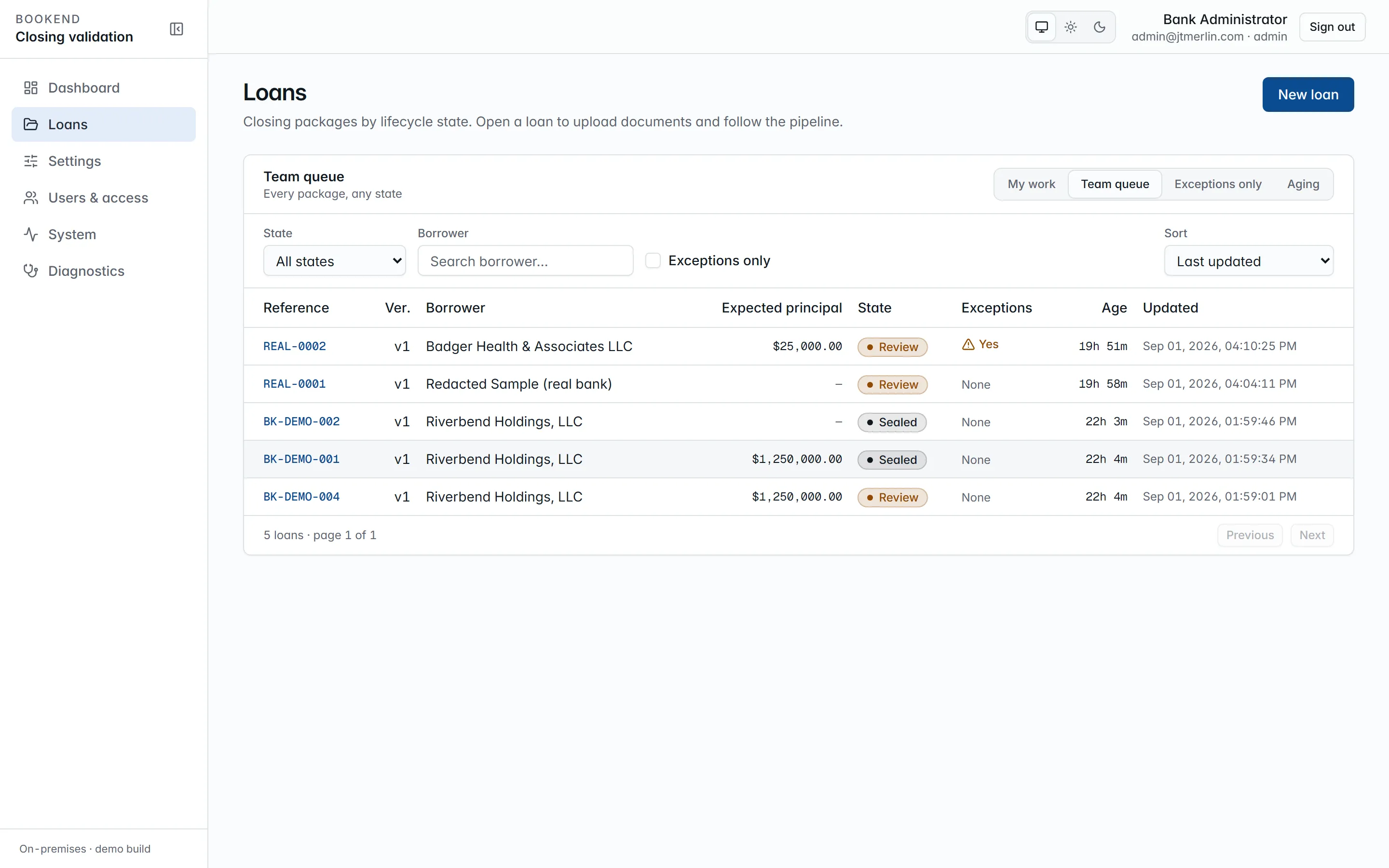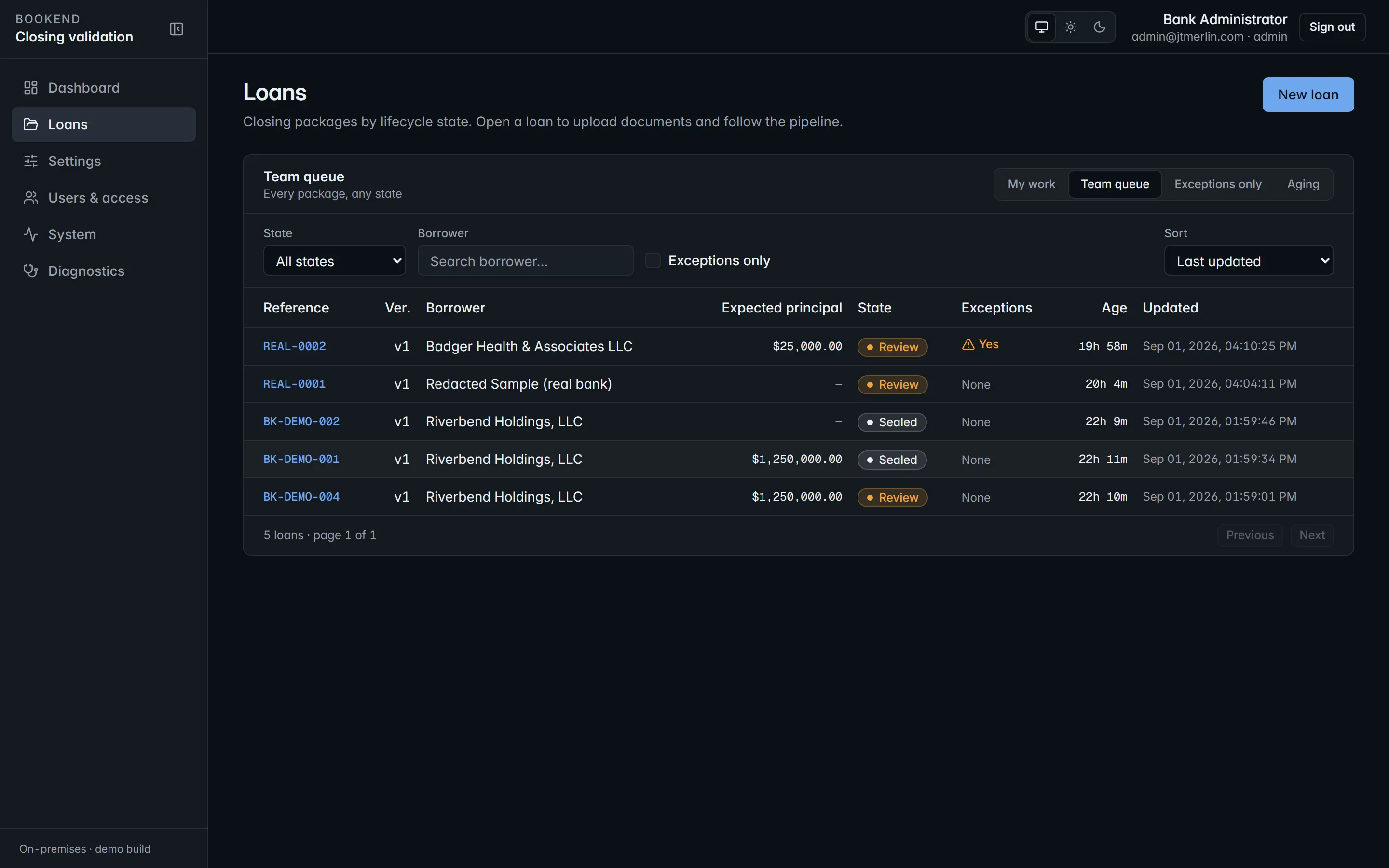
The queue. Every package by state, with open exceptions flagged and age since registration on each row.
Packages move through intake, processing, review, approved, boarded, funded and sealed. The queue filters to **My work**, the **Team queue**, **Exceptions only** or **Aging**. Packages arrive by upload, a watched folder, your LOS or document system through the [REST API](/api), or the [MCP server](/mcp/server). See [Intake](/loans/intake).
### Every document classified, every value with a source
[Section titled “Every document classified, every value with a source”](#every-document-classified-every-value-with-a-source)

A loan page. Each document is classified on arrival; every extracted value carries a link to where it was read.
Every file is stored by its SHA-256 hash, and that hash is what the evidence chain refers to, so a document cannot be swapped after the fact. Click any value and the page opens on the spot it came from.

Provenance. The source page, with the value boxed where it was read.
### Exceptions first, decisions recorded
[Section titled “Exceptions first, decisions recorded”](#exceptions-first-decisions-recorded)

The review workstation. Every finding cites its sources, and approval stays locked until every exception has a decision.
Each finding names its rule and shows the values from every source. An override requires a reason code and a written justification, recorded with who and when. Escalations are recorded on the loan and emailed to managers and administrators. The workstation is keyboard first: **J** and **K** move between findings, and **A**, **O** and **E** accept, override and escalate. See [Review workstation](/loans/review).
### Boarding and the wire are separate gates
[Section titled “Boarding and the wire are separate gates”](#boarding-and-the-wire-are-separate-gates)

Boarding. Every core field with the value it will carry and where it came from.
Both open only after review approval, and each has its own second-person sign-off. The stager of a boarding or a wire can never approve it, including administrators. See [Boarding and wires](/loans/boarding).
### Teach Bookend your own forms
[Section titled “Teach Bookend your own forms”](#teach-bookend-your-own-forms)

Draw a box around a value and name it. Bookend reads it back on the spot and anchors it to the printed label beside it.
Bookend reads the standard closing documents out of the box. When your bank uses a form it does not recognize, an administrator uploads one example, draws a box around each value and names it. Nothing changes until the template is saved. From the next loan on, that form is read with the template, and the template is data in your database that carries forward through every release. See [Teaching documents](/administration/teaching-documents).
### Figures that reconcile to the packets
[Section titled “Figures that reconcile to the packets”](#figures-that-reconcile-to-the-packets)

The dashboard. Every figure derives from recorded evidence events.
The dashboard shows the queue by state, average review time, exception rate by rule and aging. Every figure is derived from recorded evidence events, so it ties back to the packets.
### The evidence packet
[Section titled “The evidence packet”](#the-evidence-packet)

The evidence chain. One row per event, each hashed over the one before it.
Every event on a loan, from intake to seal, is a link in a hash chain. The packet exports as a PDF with the verification result on page one and as JSON, and it can be verified offline without Bookend running. See [Evidence packet](/loans/evidence).
## Next
[Section titled “Next”](#next)
* [Capabilities and benefits](/product/capabilities)
* [Deployment architecture](/security/deployment-architecture)
* [Overview](/getting-started/overview) for the technical layout before you install
# For Jack Henry banks
> How Bookend works with SilverLake, CIF 20/20 and Core Director, where jXchange enablement stands, and the boarding-file path while it completes.
Bookend is built for banks on Jack Henry cores first: SilverLake, CIF 20/20 and Core Director. It works alongside what you already run.
## Keep your LOS, your document vendor and your core
[Section titled “Keep your LOS, your document vendor and your core”](#keep-your-los-your-document-vendor-and-your-core)
Nothing you run today is replaced. Your documentation system or counsel still produce the closing documents. Your LOS still originates and approves the loan. Your core still books it, and your wire room still sends the wire. Bookend validates what was signed against what was approved, then stages the boarding record and the wire request for your approval.
## One adapter, configured per core
[Section titled “One adapter, configured per core”](#one-adapter-configured-per-core)
The jXchange adapter is configured per core through settings and a versioned [core field map](/administration/core-field-maps), not code. The map says which core field each extracted term goes to and how it is formatted. Every version can be previewed against a real loan before it goes live, and earlier versions are kept. Your implementation replaces the seeded map, which uses illustrative field codes, with one built from your own core fields, product codes and GL codes.
## Where jXchange enablement stands
[Section titled “Where jXchange enablement stands”](#where-jxchange-enablement-stands)
Write access to a Jack Henry core through jXchange is enabled through the Jack Henry Vendor Integration Program (VIP), starting with your test environment.
To be exact about status today:
* The jXchange adapter is built and tested against a mock core that stands in for jXchange. Its REST binding is active. A SOAP envelope builder is present for cores that need it, and is off by default.
* VIP enablement is not yet complete. Bookend does not claim Jack Henry certification.
* Enablement is requested during the install stage of your [implementation](/getting-started/implementation) and runs in parallel with it. It can take longer than the engagement, which is why boarding files exist as a first-class path.
Technical detail for integrators is on the [Jack Henry jXchange](/adapters/jackhenry) adapter page.
## Boarding files while enablement completes
[Section titled “Boarding files while enablement completes”](#boarding-files-while-enablement-completes)
Before jXchange write access is enabled, or for any core that takes a file, Bookend produces deterministic JSON, XML and CSV [boarding files](/adapters/file-export) with the same source link behind every field. Your team loads the file into the core the way it loads other files today.
Switching to jXchange later is a settings change (`core.provider`). The field map, the two-phase approval and the evidence packet are the same on either path. Only the commit step changes.
## Staged, checked, committed once
[Section titled “Staged, checked, committed once”](#staged-checked-committed-once)
1. **Stage.** The executed terms are mapped to your core fields, and the required fields are validated before anything is sent. The full preview, with a source on every field, is stored as the boarding record.
2. **Check.** A boarding checker who did not stage the record approves it. The software enforces this for every user, including administrators.
3. **Commit once.** The commit posts a single transaction. Through jXchange, if the core already holds the loan, the duplicate is resolved by inquiry and recorded as already boarded, never posted a second time.
4. **Record the answer.** The core’s response, success or refusal, is stored verbatim on the loan. A refused commit can be retried after the cause is fixed, without re-keying anything.
See [Boarding and wires](/loans/boarding) for the states and the API.
## If Jack Henry hosts your core
[Section titled “If Jack Henry hosts your core”](#if-jack-henry-hosts-your-core)
The Bookend containers still run in your network. They reach the core over jXchange the same way they would reach a core in your own data center. Loan documents stay in your network either way; what goes to the core is the boarding record you approved.
## Other cores
[Section titled “Other cores”](#other-cores)
The adapter contract is core-agnostic. Banks on other cores can board through boarding files today, and additional core adapters are in development as products.
# Pricing model
> How Bookend is priced, per closed loan with an annual minimum and a one-time implementation engagement, and how the closed-loan count is measured.
Bookend is priced per closed loan, with an annual minimum and a one-time implementation engagement that is part of every deal. There is no public rate card. Each bank receives a quote based on its closing volume, loan mix and core.
## Three components
[Section titled “Three components”](#three-components)
| Component | What it covers |
| ------------------- | --------------------------------------------------------------------------------------------------------------------------------------------------------------------------------------------- |
| **Per closed loan** | The recurring fee follows use: each commercial loan Bookend validates and boards, billed quarterly in arrears from the closed-loan count. |
| **Annual minimum** | A floor regardless of volume, so the platform is supported properly and the cost is predictable for your budget cycle. |
| **Implementation** | One-time. Discovery, install, LAR and core field mapping, a parallel run on your historical closings, training and go-live. See [Implementation engagement](/getting-started/implementation). |
Bookend is not licensed without the implementation. It is only right once it knows your approval record, your core fields, your document set and your credit policy, and once it has been proven on your own closings.
## Tiers and adjustments
[Section titled “Tiers and adjustments”](#tiers-and-adjustments)
* **Standard** covers packages generated by a documentation system for loans at your qualification threshold.
* **Premium** covers counsel-drafted packages on larger loans, which take more extraction and verification work per package.
* **Air-gapped installs** carry an uplift, because metering is self-reported through a signed quarterly usage report with audit rights.
## Updates and support
[Section titled “Updates and support”](#updates-and-support)
Updates are part of the license. Staying within one minor release of current is a condition of support. Standard support is business hours and ticketed, with release notes and a validation pack for every release. Premium support (a named engineer, 4-hour response, help deploying releases, and an annual examiner-readiness review) is sold separately.
## How the closed-loan count is measured
[Section titled “How the closed-loan count is measured”](#how-the-closed-loan-count-is-measured)
The count comes from the platform’s own sealed-loan events. A daily heartbeat reports the count, the version and coarse health, with no loan data, and the exact payload is shown on the Metering screen before it is sent. Air-gapped installs produce a signed quarterly usage report instead. See [Metering and licensing](/administration/metering-and-licensing).
To get a quote, contact the team through [usebookend.com](https://usebookend.com/pricing).
# Why Bookend
> The part of a commercial closing package that changes on every loan, how a package moves today, the ten most common boarding errors and the rules that catch each one.
Everything upstream of the closing table has been automated for years. Loan origination systems take the application to an approval, and a documentation system or counsel produces the package. The step after the borrower signs is still done by hand in most community banks: proving that what was signed matches what was approved, and getting that loan onto the core.
Bookend is built for that step. It sits after document generation and before boarding. It does not generate documents, it is not an LOS, and it never sends a wire.
## The five percent that varies
[Section titled “The five percent that varies”](#the-five-percent-that-varies)
Every commercial loan produces a closing package: the note, the loan agreement, guaranties, security agreements, the disbursement request and authorization, notices, and a boarding data sheet. Alongside it sits the bank’s credit approval record, which these docs call the LAR (loan approval record).
Most of those documents are the same from one loan to the next. The part that changes is small: rates, index and margin, dates and term, the payment schedule, the parties and guarantors, collateral, disbursements, and the bank’s own coding. That small part is where boarding errors hide, because each of those terms has to agree across seven or eight documents and with the approval.
Execution is the other half. Every signature, initial box, date and notary block has to be complete. Boarding does not look for execution gaps and funding does not wait for them.
## How a package moves today
[Section titled “How a package moves today”](#how-a-package-moves-today)
In most banks a commercial closing package follows the same seven steps:
1. The loan is approved, and documents are generated by a documentation system or by counsel.
2. The borrower signs at the closing table.
3. The package lands with lending or loan operations.
4. A closing specialist compares the terms against the approval, line by line.
5. The new loan is keyed into the core from a summary sheet.
6. The wire is built separately from the same paperwork.
7. Post-closing QC checks a sample of loans, after they are already on the core.
The comparing, the keying and the checking are three separate manual passes, and the check comes last.
* **Comparing by eye.** The note says one rate and the boarding sheet says another. A guarantor is on the approval but there is no guaranty in the package. Disbursements do not add up to principal. These are caught when someone reads closely, if they are caught at all.
* **Re-keying.** The boarding record is typed from a summary sheet that was itself typed from the documents. Every hop is a chance to transpose a digit or carry a stale term, and the core cannot tell a wrong value from a right one.
* **Sampling after the fact.** QC reviews a sample once the loan is live. A correction then means reversing entries, re-amortizing, and sometimes explaining the change to the borrower.
* **Capacity.** Experienced closing specialists spend their days comparing and keying. Commercial lending grows, and the closing desk usually does not grow with it.
## The ten most common boarding errors
[Section titled “The ten most common boarding errors”](#the-ten-most-common-boarding-errors)
Each of these has a deterministic check that can run before boarding, on every loan. The table shows which part of Bookend catches each one. Rules link to their own pages, which state exactly what is compared and with what tolerance.
| # | Error | Where it shows up | What catches it in Bookend |
| -- | ------------------------------------ | --------------------------------------------------------- | ----------------------------------------------------------------------------------------------------------------------------------------------------------------------------------------------------------------------------------------------------------------------------------------------------------------------------------------------- |
| 1 | Rate, index and margin disagree | Note, loan agreement, boarding sheet, approval | [RULE-RATE-AGREE](/rules/rule-rate-agree) compares rate, rate type, index and margin separately on every document that states them and the LAR. |
| 2 | Maturity date and term do not agree | Note, approval, boarding sheet | [RULE-DATE-AGREE](/rules/rule-date-agree) compares loan date and maturity date across sources. [RULE-TERM-ARITH](/rules/rule-term-arith) checks that loan date plus the stated term lands on the maturity date. |
| 3 | Payment schedule and interest method | Note, boarding sheet, core product defaults | [RULE-PMT-SCHED](/rules/rule-pmt-sched) checks payment amount, frequency and count, and that the count covers the term. [RULE-INT-METHOD](/rules/rule-int-method) checks the accrual method wherever it is stated. The staged boarding record carries the executed method with its source, so a product default does not stand in for the note. |
| 4 | Borrower name and entity | Note, guaranties, approval | [RULE-BORROWER-NAME](/rules/rule-borrower-name) compares the borrower’s legal name on every document and the LAR, with name normalization set by policy. |
| 5 | Guarantor set | Approval and executed guaranties | [RULE-GUARANTOR-SET](/rules/rule-guarantor-set) requires an executed guaranty for every guarantor on the LAR. |
| 6 | Collateral coding | Security documents, boarding sheet, core collateral codes | [RULE-COLLATERAL-PRESENT](/rules/rule-collateral-present) raises an exception when a secured loan carries no collateral description. The collateral code on the core comes from the [core field map](/administration/core-field-maps), not from memory. |
| 7 | Disbursement math | Disbursement request and authorization, note, fees | [RULE-DISB-SUM](/rules/rule-disb-sum) checks that disbursement lines sum to principal. [RULE-FEES-LAR](/rules/rule-fees-lar) checks itemized fees against the approval. [RULE-PRIN-AGREE](/rules/rule-prin-agree) checks principal on every document that states it. |
| 8 | Officer, branch and call code | Approval, boarding sheet, core | These values are mapped to core fields through the versioned field map, shown with their source on the boarding preview, and approved by a boarding checker before commit. Required fields that have no source stop staging. |
| 9 | Execution gaps | Every executed document | [RULE-EXEC-SIGNATURE](/rules/rule-exec-signature), [RULE-EXEC-INITIALS](/rules/rule-exec-initials), [RULE-EXEC-DATE](/rules/rule-exec-date) and [RULE-EXEC-NOTARY](/rules/rule-exec-notary) check each document against the bank’s execution templates and highlight the missing zone on the page. |
| 10 | Boarding twice | The core commit | The commit is two-phase and resumable. Through jXchange, a duplicate is resolved by inquiry and recorded as already boarded, never posted a second time. The core’s answer is stored verbatim on the loan. See [Boarding and wires](/loans/boarding). |
The rule catalog also includes [RULE-LATE-CHARGE](/rules/rule-late-charge) (late charge percent and grace days) and [RULE-GOV-LAW](/rules/rule-gov-law) (a governing law clause is present). Administrators can add bank rules and switch shipped rules off by policy. A disabled rule is named on every reconciliation run and in the evidence chain, so a skip is never silent.
## Before the core, or after it
[Section titled “Before the core, or after it”](#before-the-core-or-after-it)
Caught before boarding, an error costs a decision:
* The disagreement is a finding on the review screen, with every source attached.
* A specialist accepts it, overrides it with a reason, or escalates it.
* A second person approves the boarding record.
* The loan boards once, from the executed documents, with the decision on the record.
Caught after boarding, the same error can mean reversing entries and re-amortizing the loan, a conversation with the borrower about a payment or rate that changed, recourse the bank thought it had but does not, collateral coding that skews the call report, or an audit or examiner finding that asks how a field was verified.
## Every loan, not a sample
[Section titled “Every loan, not a sample”](#every-loan-not-a-sample)
Post-closing QC checks a sample after loans are on the core. Bookend runs its checks on every package before boarding, so the exception review your QC team does after the fact becomes a gate in front of the core. Approval stays locked until every exception has a decision, and every decision is recorded in the loan’s [evidence packet](/loans/evidence).
## Next
[Section titled “Next”](#next)
* [How it works](/product/how-it-works): the five steps and a short product tour.
* [Capabilities and benefits](/product/capabilities): what the platform does, feature by feature.
* [For Jack Henry banks](/product/jack-henry): SilverLake, CIF 20/20 and Core Director.
# ADR 0001: Issue and validate JWTs with standard .NET libraries, not Noundry.Authnz
> - Status: Accepted, 2026-08-28
* **Status:** Accepted, 2026-08-28
## Context
[Section titled “Context”](#context)
Noundry.Authnz was considered for Bookend’s authentication. Version 1.3.0 is an **OAuth 2.0 / OIDC client** library: sign-in with Google, Microsoft, GitHub and similar providers, cookie-based sessions and Razor tag helpers. It has no surface for issuing RS256 tokens, publishing JWKS, rotating refresh tokens, email sign-in links or API-key exchange, all of which Bookend requires, and its cookie and session model conflicts with Bookend’s stateless bearer-token design.
## Decision
[Section titled “Decision”](#decision)
Bookend implements its own identity issuer as application services over the `users`, `auth_refresh_tokens`, `auth_otp_tokens`, `api_keys` and `auth_events` tables, using:
* `Microsoft.IdentityModel.JsonWebTokens` to sign RS256 access tokens (15 minutes by default) with a keypair generated on first boot and stored encrypted in `settings` (`auth.signing_key`);
* `Microsoft.AspNetCore.Authentication.JwtBearer` to validate them, with the public key published at `/v1/.well-known/jwks.json`;
* Argon2id for password hashing, and SHA-256 for refresh-token, sign-in link and API-key material at rest;
* rotating refresh tokens, revocation, emailed single-use sign-in links (Noundry.Sanquhar over the bank’s SMTP relay) and API-key to JWT exchange at `/v1/auth/token`.
Noundry.Authnz is **not** referenced anywhere in the solution.
## Consequences
[Section titled “Consequences”](#consequences)
* Bookend owns a small but security-critical component. It is covered by an authorization-matrix contract test (every endpoint against every role) and by end-to-end sign-in tests as release gates.
* Tokens live in memory on the client; there are no cookies and no server sessions, which is also what lets the MCP surface share the same bearer authentication.
* Later additions built on the same issuer: authenticator-app MFA (RFC 6238 TOTP on standard .NET cryptography) and OpenID Connect federation, where the api acts as a confidential client, validates the IdP’s id\_token and then issues the same token pair as password sign-in. Authorization, refresh rotation and audit are identical for every sign-in method.
* If Noundry later ships a token-issuing package, adopting it would be a new ADR; nothing here forecloses it.
# ADR 0002: Schedule background work with Quartz.NET, not Noundry.Jobs
> - Status: Accepted, 2026-08-28
* **Status:** Accepted, 2026-08-28
## Context
[Section titled “Context”](#context)
Noundry.Jobs was considered for Bookend’s pipeline and housekeeping jobs. Version 1.0.0 is a **helper library for standalone job scripts** (`JobsDb`, `JobsEmail`, `JobsFile`, `JobsApi` conveniences for one-shot console programs). It provides no scheduler, no persistent queue, no retry or backoff and no worker model. Bookend needs durable, chained pipeline stages that survive restarts (queue and resume while the inference service is unavailable), cron-style housekeeping (watch-folder scan, document retention sweep, metering heartbeat, nightly evidence chain verifier) and misfire handling.
## Decision
[Section titled “Decision”](#decision)
Use **Quartz.NET** (`Quartz`, `Quartz.Extensions.Hosting`, `Quartz.Serialization.SystemTextJson`) hosted inside the `api` container with the **ADO.NET persistent job store** on the application’s database (PostgreSQL or SQL Server), clustered mode off (single node), misfire policy “fire now”. Quartz’s official DDL for each dialect ships as `db//004_quartz.sql` and is applied by the migrator like every other script; Quartz never executes application SQL and owns only its `qrtz_*` tables.
Pipeline stages are individual durable jobs chained by a stage runner; failures reschedule with exponential backoff and are surfaced through `GET /v1/loans/{ref}/pipeline`, whose stage status is derived from the loan’s evidence events.
Noundry.Jobs is **not** referenced anywhere in the solution.
## Consequences
[Section titled “Consequences”](#consequences)
* One library-owned table set in the schema (`qrtz_*`), granted to the application principal in `002_grants.sql`.
* Job state is inspectable with standard Quartz tooling and survives container restarts without any in-memory queue.
* The `api` image carries the scheduler; scaling out would require enabling Quartz clustering, which is outside the current single-node deployment target.
# ADR 0003: Reference catalogs are seeded into `settings` as typed JSON, not into new tables
> - Status: Accepted, 2026-08-28
* **Status:** Accepted, 2026-08-28
## Context
[Section titled “Context”](#context)
Bookend ships four reference catalogs: the document taxonomy, the canonical field catalog, the reconciliation rule catalog and the per-document execution templates. All four are versioned reference data that ships with each release, that administrators tune from the Settings screens (rule thresholds, execution templates) and that must be recorded on every reconciliation run. The business schema is deliberately small, and derived or reference data is kept out of new business tables where it can be.
## Decision
[Section titled “Decision”](#decision)
Each catalog is one row in `settings` with `value_type = 'json'`:
| Key | Content | Source file |
| --------------------- | ------------------------------------------------------------------- | ----------------------------------- |
| `documents.taxonomy` | document types with codes, display names, execution flag | `db/seeds/document-types.json` |
| `fields.catalog` | canonical field names, value kinds, typical source documents | `db/seeds/canonical-fields.json` |
| `rules.catalog` | rule IDs, kind, severity, fields, thresholds used, doc page | `db/seeds/rules.json` |
| `execution.templates` | per-document-type signature, initials, date and notary requirements | `db/seeds/execution-templates.json` |
`db/seeds/generate-seeds.sh` (and its PowerShell twin) renders the JSON into both dialects’ `9xx_seed_*.sql` scripts so PostgreSQL and SQL Server never diverge. The typed settings service deserializes them into records; the rules engine snapshots `rules.catalog` and the `rules.*` thresholds into `reconciliation_runs.thresholds_json` on every run.
Roles (`900`) and core field maps (`906`) have real tables (`roles`, `core_field_maps`) and are seeded there.
## Consequences
[Section titled “Consequences”](#consequences)
* The schema stays small: business tables plus the two library-owned sets (`audit_log`, `qrtz_*`).
* Catalog edits are audited like every other settings change and take effect through the settings cache.
* Bulk querying inside a catalog (for example “all rules of severity exception”) happens in memory, which is fine at these sizes (a few dozen entries each). If a catalog ever needs relational querying, it is promoted to a table with a new numbered script, never by editing a seed.
* The same pattern later carried bank-owned configuration: `rules.disabled` and `rules.custom` (rules switched off by policy and bank-authored declarative rules, both recorded on each run) and `extraction.templates` (the template studio’s overlay, see ADR 0007).
# ADR 0004: The api image is glibc-based because page rendering needs PDFium
> Status: Accepted, 2026-08-29
**Status:** Accepted, 2026-08-29
## Context
[Section titled “Context”](#context)
The review workstation shows every extracted value on its source page with a bounding box. That needs a PDF rasterizer in the `api` container (`GET /v1/documents/{id}/pages/{n}.png`). The managed options were weighed:
* **PdfPig:** pure managed; reads text and layout (the inference engine uses it) but does not rasterize.
* **PDFtoImage** (SkiaSharp + PDFium): rasterizes reliably; PDFium native binaries are published for Windows, macOS and glibc Linux (`bblanchon.PDFium.Linux`). **No musl build exists**, and SkiaSharp needs `libfontconfig`.
* **Docnet.Core:** also PDFium, same glibc-only constraint, less maintained.
Before this decision every image was built on `mcr.microsoft.com/dotnet/*:10.0-alpine`.
## Decision
[Section titled “Decision”](#decision)
The api image builds on `mcr.microsoft.com/dotnet/aspnet:10.0` (the default glibc-based .NET 10 tag) with `libfontconfig1` and `libgssapi-krb5-2` installed, still non-root (`USER app`), still with the same healthcheck and `/data` volume ownership. The migrator image stays on alpine; it has no native rendering dependency. (The inference image later moved to the same base for OCR, see ADR 0006.) `PdfPageRenderer` (Infrastructure) is the only consumer of PDFtoImage; renders are cached beside the original in the document store so a page is rasterized once.
## Consequences
[Section titled “Consequences”](#consequences)
* The api image grows by roughly 100 MB versus alpine; acceptable for an on-prem appliance.
* ICU is present in the glibc image by default, so `InvariantGlobalization=false` (required by SqlClient) needs no extra package there.
* A future model-based inference runtime that also needs glibc natives can follow the same base image.
* If a musl PDFium build appears the switch back is a two-line Dockerfile change; nothing in code depends on the distribution.
# ADR 0005: MCP server with the official C# SDK, stateless streamable HTTP and shared authorization
> Status: Accepted (release 0.1.0)
**Status:** Accepted (release 0.1.0)
## Context
[Section titled “Context”](#context)
Bookend offers an MCP surface that mirrors the REST API (loans, findings, boarding preview, package submission, evidence, queue statistics) for integrations and assistants, authenticated with the same tokens and audited call by call. The options were the official `ModelContextProtocol` C# SDK, a hand-rolled JSON-RPC endpoint, or a separate MCP sidecar process.
## Decision
[Section titled “Decision”](#decision)
* Use the official SDK (`ModelContextProtocol.AspNetCore` 2.2.0, pinned) hosted **inside the API process**: `AddMcpServer().WithHttpTransport(Stateless = true).WithTools()` and `app.MapMcp("/mcp").RequireAuthorization(Policies.ReadOnly)`.
* **Stateless** streamable HTTP: no server-side session table, nothing to replicate, and a bank’s reverse proxy needs no sticky routing. Each request carries its own bearer token, so the ASP.NET authentication and authorization pipeline applies unchanged.
* Tools are thin: they resolve the same application services the REST endpoints use and never touch persistence directly. A per-call wrapper (`McpToolAudit`) checks the tool’s policy with `IAuthorizationService`, serializes the result, converts `BookendException`s into tool errors, and appends an `auth_events` row (`mcp_call`) with the arguments’ SHA-256 and the result size.
* No separate sidecar: a second process would need its own token validation, dependency graph and audit path, for no isolation benefit inside the bank’s network.
## Consequences
[Section titled “Consequences”](#consequences)
* One container, one authorization model, one audit trail. The contract tests drive `/mcp` through the official client SDK with an API-key token, so wire compatibility is verified, not assumed.
* Stateless mode means no server-initiated notifications or resumable streams; none of the tools need them.
* Tool arguments are not stored (they may contain PDF bytes); only their hash is, which is enough to correlate a call with what the caller logged.
# ADR 0006: Scanned pages are recognized by Tesseract 5 inside the inference service
> Status: Accepted, 2026-08-30
**Status:** Accepted, 2026-08-30
## Context
[Section titled “Context”](#context)
Executed closing packages often arrive as scans: a PDF whose pages are images with no text layer. The first release had an `ocr` pipeline stage that answered “not available”, so a scan reached review with no fields, no execution checks and no provenance. Production needs a scan to go through the same classification, extraction, execution-zone and provenance path as a born-digital PDF, on CPU, inside the bank’s network, with no document leaving the container.
Open-source engines weighed, all CPU-capable and permissively licensed:
| Engine | Verdict |
| ----------------------------------------------------------------------------- | ------------------------------------------------------------------------------------------------------------------------------------------------------------------------------------------------------------------------------------------------------------------------------------------------------------------------------------------------------------------------------------- |
| **Tesseract 5 (LSTM):** Apache 2.0, C++, packaged by every Linux distribution | Best fit. Printed English at 200 to 300 dpi is its strongest case; the `tsv` output gives every word with a box, a confidence and its block, paragraph and line position, which is exactly the shape the layout model needs; the engine and its language data are OS packages that receive security updates with the base image. |
| PaddleOCR / RapidOCR (PP-OCRv4): Apache 2.0, Python or ONNX | Stronger on photographs, rotated and low-quality text; heavier runtime (Paddle inference or ONNX Runtime plus model files), line-level rather than word-level boxes, and the .NET path is either a Python sidecar or hand-written pre- and post-processing. Kept as the natural upgrade if scan quality in the field demands it; the `IOcrEngine` boundary is where it would drop in. |
| EasyOCR, docTR | Python-only; a second runtime and a second container for no accuracy gain on printed forms. |
| Surya | GPL-3 weights with commercial restrictions; not usable in a commercial on-prem product. |
Two further choices:
* **Bindings vs. process.** The Tesseract .NET bindings (`Tesseract`, `TesseractOCR`) P/Invoke `libtesseract` and `libleptonica` under library names that differ from the distribution packages, which is a recurring source of container-only failures. Running `tesseract` as a process per page costs a few milliseconds of spawn time against seconds of recognition, isolates the engine’s memory and any crash to one page, and lets `OMP_THREAD_LIMIT` cap CPU use.
* **Rasterizing vs. extracting the embedded image.** Scanned PDFs embed JPEG, CCITT G4, JBIG2 or Flate images at any placement. Rendering the page with PDFium (PDFtoImage, already the api’s rasterizer, see ADR 0004) yields one clean bitmap regardless of encoding, gives the pixels needed to detect underlines and ink for execution checks, and maps 1:1 onto the page’s coordinate space. PDFium has no musl build, so the inference image moves to a glibc base.
## Decision
[Section titled “Decision”](#decision)
* `Bookend.Inference.Service` gains an `Ocr` module: `PageRasterizer` (PDFium, 300 dpi by default), then `TesseractOcrEngine` (`tesseract page.png stdout --dpi N --psm 3 -l eng tsv`), then `TesseractTsv` and `OcrLayoutBuilder`, which produces the same `PageLayout` the native path produces (words in points, baseline lines, reading-order blocks from Tesseract’s structure, underlines detected from the raster). `LayoutProvider` is the engine’s single source of layouts: native text where it exists, OCR where it does not, cached by content hash so the pipeline’s calls recognize a package once.
* Each recognized page is cached on its own, and pages are recognized in parallel behind an admission gate (`Ocr__MaxConcurrentPages`, default processors divided by `Ocr__ThreadLimit`, at most 8). A call the api abandons resumes at the first unrecognized page, and many documents at once queue instead of thrashing the host.
* Each Tesseract process gets one OpenMP thread (`Ocr__ThreadLimit` 1, `OMP_THREAD_LIMIT=1`, `OMP_WAIT_POLICY=PASSIVE`). Tesseract’s OpenMP workers busy-wait, and on cores shared with the rest of the stack, two threads per process did not finish a page in two minutes where one thread takes about four seconds (measured on a 2-vCPU host before the defaults changed).
* The engine contract gains `OcrAsync` / `POST /v1/ocr` and `PageInfo.OcrApplied` / `OcrConfidence`; `/healthz` reports the OCR engine and version. On a recognized page, a layout-only value is reported with method `ocr` and every confidence is scaled by the page’s mean word confidence. Execution zones are decided by ink above the underline (`SignatureLocator.InkFillThreshold`) because a scan carries no typefaces. The bold-anchor requirement of the sentence rules applies to native pages only.
* The api’s `ocr` stage calls the engine and records `document_pages.ocr_applied` and the mean confidence in the stage detail; `extract` and `locate` proceed for scans whose pages were recognized and skip, with a clear message, for scans on an install whose inference service has no OCR engine. The api’s envelope for one inference call is `Inference__TimeoutSeconds` (default 600), because a whole scanned document is recognized in one call.
* The `BK-DEMO-004` golden package is the clean package as 200-dpi JPEG scans; it is the OCR fixture for the unit, contract and end-to-end test suites.
* The inference image is `mcr.microsoft.com/dotnet/aspnet:10.0` with `tesseract-ocr`, `tesseract-ocr-eng` and `libfontconfig1`. Languages, DPI, page-segmentation mode, the per-page timeout and concurrency are configuration (`Ocr__*`), never code.
## Consequences
[Section titled “Consequences”](#consequences)
* Scanned executed copies are validated like native ones; values carry provenance boxes on the scan itself.
* The inference image grows by about 130 MB (glibc base, PDFium, Tesseract and its English data). Acceptable on-prem.
* Recognition is a few seconds per page on CPU; the pipeline’s per-stage retry and the OCR timeout bound it. A per-page timeout answers 503 with a reason.
* OCR confidence is visible on every field (scaled confidence, `ocr` method) and in the stage detail, so a poor scan routes values to a person through the existing review cap rather than being trusted silently.
* A second engine is a new `IOcrEngine`; nothing downstream of `OcrLayoutBuilder` knows which engine ran.
# ADR 0007: Banks map their own documents by pointing at values; the rule stored is a label-anchored region
> Status: Accepted, 2026-09-02
**Status:** Accepted, 2026-09-02
## Context
[Section titled “Context”](#context)
The template studio (release 0.2.0) made extraction extensible as data: a bank’s document family is a `TemplateOverlay` of declarative rules (`header_cell`, `grid`, `party_column`, `sentence`, `disbursement_table`) that run ahead of the built-ins. It worked, and it was the wrong interface for the people who have to use it. Four of the five rule shapes depend on a label the engine already knows how to find; the fifth is a regular expression with a named capture. Real-world packages showed the cost: a memo’s keywords missed the classifier threshold, a shaded header grid defeated `header_cell`, and the only remedy was editing JSON by hand. Loan-operations staff do not write regular expressions, and an AI-drafted template that a person cannot correct on the page is not a control anyone will sign off on.
The operator’s mental model is simple (“this box on the page is the principal”), and the engine already produces a box for every value it reads. The question was what to store when a person draws one.
## Decision
[Section titled “Decision”](#decision)
1. **A sixth rule type, `region`, stores what the operator drew: the page, the box as page fractions, and an anchor.** The anchor is the printed label the engine proposes beside the box (`RegionReader.SuggestAnchor`: the run of words immediately left of the value on its line, else the words directly above), with its own box.
2. **At extraction time the box follows the anchor, not the coordinates.** `RegionReader.Read` finds the occurrence of the anchor’s words nearest to where the studio recorded them (case-folded, trailing punctuation dropped, within a quarter of the page), moves the drawn box by the anchor’s displacement, and reads the words whose centers fall inside. Without an anchor, or when it cannot be found, the box is read where it was drawn at reduced certainty (`Candidate.Certainty` 0.9 or 0.75 scales the layout-only and single-pass confidences; dual-pass agreement is evidence in itself and keeps its full confidence). A miss lowers confidence rather than inventing a value, so the review threshold routes it to a person.
3. **The studio reads the box back before anything is stored.** `POST /v1/extraction-templates/read-region` returns the raw text, the tight box, the proposed anchor and, with a field named, the rule and the value it proves on that sample, through the same extractor the pipeline runs. **Prove** runs the whole template and draws every value on the page; **Save** stores the overlay exactly as before. The AI suggester and the raw JSON editor remain as optional starting points under “technical details”.
4. **A real loan teaches the same way.** `POST /v1/extraction-templates/corrections` takes a box drawn on a loan document’s page in the workstation (“Fix where this comes from”), reads it, and replaces that field’s rule in the document type’s template; the loan itself is unchanged until it is reprocessed.
## Consequences
[Section titled “Consequences”](#consequences)
* Mapping a form is minutes of pointing, with immediate feedback, instead of rule-writing; the same page viewer that shows provenance is the editor. The end-to-end test suite drives it with a real drag on the real PDF.
* Region rules survive a scan’s offset and a form’s re-flow as long as the label survives; a re-labeled form degrades to reduced confidence rather than silently reading the wrong text (proved on the golden packages: a rule drawn on BK-DEMO-001’s boarding sheet reads BK-DEMO-002, BK-DEMO-003 and the scanned copy).
* Runtime extraction stays deterministic and inspectable: a region rule is data in `extraction.templates`, versioned with every other setting and visible in the settings audit.
* Not solved here: anchors are text-only (no geometric fallback when a label is renamed), studio samples are stored by hash and never purged, and corrections are an administrator’s action (a reviewer proposes, an administrator applies). Each is a follow-on, not a blocker.
# Release notes
> All notable changes to the Bookend Platform are recorded here. The file ships inside the API image and is served at GET /v1/releases.
All notable changes to the Bookend Platform are recorded here. The file ships inside the API image and is served at `GET /v1/releases`. The format follows [Keep a Changelog](https://keepachangelog.com/en/1.1.0/); versions follow [SemVer](https://semver.org/).
## \[Unreleased]
[Section titled “\[Unreleased\]”](#unreleased)
### Fixed
[Section titled “Fixed”](#fixed)
* Header-box values on scans: Tesseract returns a bordered header box cell by cell, so no OCR line carried the whole label row and the loan number could be missed on a scanned Note. The header-cell reader now assembles the label and value rows from every line in their band and cuts the cell from the union, without picking up the sentence printed under the box.
* SMTP relays on implicit TLS (port 465) work: the wizard’s `ssl` mode opened a STARTTLS connection and hung for two minutes. The sender now maps `ssl` / `starttls` / `none` to the matching connection type and times out in 15 seconds. All three modes, and the wrong-mode case failing fast, are covered by integration tests against a TLS-enabled relay.
* Evidence chain writers are serialized per loan inside the api, and the gate is held until the enclosing transaction completes, so two stages finishing together no longer collide on `UNIQUE (loan_id, seq)` (each collision was an ERROR in the bank’s database log; the retry remains as the backstop for a second api instance). Every unique-constraint violation now surfaces as a 409 `Conflict` instead of a 500 (for example, two operators saving a new profile or map version at once).
* Scanned packages on small hosts: the inference service caches every recognized page, recognizes a document’s pages in parallel behind an admission gate sized for the host (`Ocr__MaxConcurrentPages`), and so resumes where an abandoned call stopped. The api’s per-call inference envelope is `Inference__TimeoutSeconds` (default 600 s, was 120 s). Before this, scanned splits could time out on a 2-vCPU host.
* Tesseract runs with one OpenMP thread per process (`Ocr__ThreadLimit` 1, `OMP_WAIT_POLICY=PASSIVE`; was 2). Its workers busy-wait, so on cores shared with the rest of the stack two threads per process did not finish a page in two minutes where one thread takes four seconds. A per-page OCR timeout now answers 503 with a reason instead of an empty 500.
### Added
[Section titled “Added”](#added)
* **Point-and-name document mapping** (Settings → Documents): upload one example, drag a box around each value and say which field it is. Bookend reads the box back on the spot with the value it would extract and the label it will follow, draws every value on the page when you check the template, and saves it as data. On a loan, administrators can **fix where a value comes from** by drawing on the source page; the box becomes the rule for that document type and the loan can be reprocessed. Under the hood: a `region` rule type anchored on the nearest label (survives scan offsets and re-flow; reduced certainty without its anchor), `POST /v1/read-region` on the inference service, and `samples`, `read-region`, `prove` and `corrections` endpoints under `/v1/extraction-templates`. The regex `sentence` rules and raw JSON remain under the technical details.
* The metering heartbeat carries `document_page_count` (pages of every document received in the period) and `license_key`, and System → Metering lists pages next to closed loans. When the receiving endpoint answers with a license verdict, the install records it in its delivery history.
* The api image includes a `hash-password` utility (`dotnet Bookend.Api.dll hash-password`, password on stdin) that prints an Argon2id hash, so a provisioning script can seed the first administrator.
## \[0.2.0] - 2026-08-30
[Section titled “\[0.2.0\] - 2026-08-30”](#020---2026-08-30)
### Added
[Section titled “Added”](#added-1)
* OCR for scanned executed copies: pages without a text layer are rendered with PDFium and recognized by Tesseract 5 (LSTM) inside the inference container. Recognized words feed the same classification, extraction, execution-zone and provenance path as native text; fields report the `ocr` method with confidence scaled by recognition quality, and execution zones on scans are decided by ink above the underline. `POST /v1/ocr` on the inference service, the `ocr` pipeline stage records recognized pages and mean confidence, and `/healthz` reports the OCR engine.
* `BK-DEMO-004`: the clean package delivered as 200-dpi JPEG scans, the OCR golden fixture, covered by the unit, contract and end-to-end test suites.
* Production license validation: installs validate licenses against Bookend’s offline release key (`Licensing__PublicKeyPath` / `Licensing__PublicKeyPem`); the embedded development key is for demos only, and `LicenseService.KeySource` reports which key is active. The platform sends `metering.api_key` as `X-Bookend-Metering-Key` when configured, and an air-gapped install’s signed quarterly usage report is verifiable against its JWKS.
* Signed release bundles: every release ships as one bundle with the container images, the DDL scripts, the runbooks and guides, the OpenAPI document, the SR 11-7 validation pack, `SHA256SUMS` (minisign-signed for official releases) and a `VERIFY.md` that explains how to check both.
* **Template studio**: extraction extends to a bank’s own document families as data, never code. An admin uploads one sample, the configured AI model (any OpenAI-compatible endpoint, and a local model works; `ai.endpoint` / `ai.model` / `ai.api_key`) drafts a declarative template, the engine proves it by classifying and extracting that sample, and the reviewed overlay is saved to `extraction.templates`. Overlay rules run before the built-ins on every pipeline stage, and production extraction stays deterministic. `/v1/extraction-templates` (get, save, suggest) and the admin studio page. A document family the engine has no code for (an alternate boarding worksheet) classifies at 0.98 and extracts every field from a data overlay alone.
* Extraction accuracy is measured, not asserted: a randomized corpus of closing packages with ground truth by construction (a fraction as scans at varied scanner settings) runs through the engine end to end, including the rules over the engine’s own output, and the report gives accuracy by field kind with pass thresholds. First run: 60 loans, 3,378 field reads, 100% exact on native input.
* LAR profiles now parse **CSV** (header-addressed columns, delimiter sniffed, RFC 4180 quoting, `$.Column[*]` across data rows), **XML** (element paths, `[*]` / `[n]`, trailing `@attr`) and **DOCX** (label lookups over tables and “Label:” paragraphs; the sample travels as base64) in addition to JSON. A PDF approval record is a package document: the extraction pipeline reads it, and the profile surface says so.
* Retention enforcement: a nightly sweep (04:00 UTC) deletes the stored PDF bytes and derived renders of loans **sealed** longer than `documents.retention_days` ago. Database rows (metadata, SHA-256 hashes, extracted values, findings and the evidence chain) stay, so sealed packets still verify and still name every document by hash; only the bytes go. The store is content-addressed, so a file shared with a loan still inside policy is kept. The sweep is idempotent, and its outcome lands in the read-only `documents.last_retention` setting and in Diagnostics like any other job.
* The dashboard is home: first in the navigation and the landing page after sign-in (the loan queue is one click away).
* **One Settings area** (`/settings`): Rules, Documents (extraction templates), Approval record (LAR profiles), Core boarding (core field maps) and Other options (every remaining setting) are tabs in a single place instead of five navigation entries. The configuration pages read in plain language (“upload one example”, “paste a sample approval”, “what a real loan would board as”), with the JSON editors behind a “Show the technical details” toggle. Old addresses redirect.
* **Rules workbench** (`/rules`, now Settings → Rules): the rule catalog is a first-class screen. Shipped rules can be switched **off or on** per bank policy; a disabled rule is skipped from the next reconciliation run onward, and the skip is *recorded on the run and in the evidence chain*, never silent. Administrators author **bank rules in one sentence**: pick a canonical field, pick the check (every source must agree, documents must match the approval, or must be present, optionally on one document type) and pick the weight (exception, warning or info), with no code and no JSON. The id is derived from the title (`CUSTOM-…`), and the rule is evaluated by the same deterministic engine as the shipped catalog, with the bank’s tolerances applied. `GET /v1/rules` now returns policy state; `PUT /v1/rules/{id}/enabled` and `POST` / `PUT` / `DELETE /v1/rules/custom` manage it (admin, audited). The generic evaluator carries the same 100% branch-coverage gate as every shipped rule.
* **Users & access** page (`/users`): invite (72-hour set-password link) or create users, edit roles inline, deactivate and reactivate (sessions revoked), and the MFA lost-device reset, plus API keys: issue (plaintext shown once) with scopes, list, revoke. Previously all of this was API-only.
* **Work assignment in the app**: the loan header gains Assign to me, Take over and Release. Assignment was already recorded in the evidence chain and drove the queue’s “My work” view, but had no UI. Settings gains the SMTP, core and inference **test buttons** (re-runnable after setup) and a **reopen setup wizard** action.
* **System → Settings** page: every runtime setting editable in the app, by namespace: rule tolerances (`rules.money_tolerance_cents`, `rate_tolerance`, `date_tolerance_days`, `name_normalization`), reviewer reason codes and justification policy, sign-in policy (MFA, SSO), SMTP, documents, pipeline, metering, and the template-studio model (`ai.*`). Type-aware inputs, secrets masked (a blank save keeps the stored value), read-only catalog rows displayed as values, restart-required badges, and only edited keys submitted. Reconciliation rules themselves remain versioned code shipped with each release (ADR 0003); this page is where a bank tunes how they judge.
* OIDC federation: “Continue with ” on the sign-in screen hands authentication to the bank’s OpenID Connect identity provider (Entra ID, Okta, ADFS, anything OpenID-certified), configured entirely in settings (`auth.oidc_authority` / `client_id` / `client_secret` / `provider_name`). The api is a confidential client: it seals the round trip’s state (nonce, redirect URI, 10-minute expiry) under the install’s master key, exchanges the code server-side, validates the id\_token against the IdP’s JWKS (signature, issuer, audience, lifetime, nonce), and maps the proven email to an **existing, active** Bookend user (no just-in-time provisioning) before issuing the same token pair as password sign-in, so authorization, refresh rotation and audit are identical for every method. Contract-tested end to end against a stub IdP, including tampered state, wrong nonce and the unprovisioned-identity refusal.
* MFA with authenticator apps: RFC 6238 TOTP on standard .NET cryptography, pinned to the RFC 4226/6238 published vectors. Two-step enrollment on the new account page (setup key and `otpauth://` URI shown once, then a confirming code), an AES-GCM-protected secret, single-use codes with one step of clock tolerance, and enforcement per `auth.login_totp_enabled`: a confirmed user’s password sign-in demands the code (401 `totp_required` switches the login form), while unenrolled users are never locked out. Self-service disable needs a fresh code; `DELETE /v1/users/{id}/totp` is the admin lost-device reset (revokes sessions). Every step is an auth event, and the whole lifecycle is covered by unit vectors, an HTTP contract flow and an end-to-end journey that plays the authenticator app.
* Resilience posture and restore drill: the resilience runbook states what each component tolerates (stateless api, persisted jobs that resume after restart, a content-addressed immutable document store, database high availability delegated to the bank’s platform), the RPO and RTO objectives, and a quarterly restore drill on a scratch stack. The first drill (2026-08-31) took 4 seconds to back up and about 30 seconds to restore at demo scale, and both sealed evidence chains re-verified `intact: true` from the restored bytes.
### Changed
[Section titled “Changed”](#changed)
* The inference image moved to the glibc-based .NET base image (ADR 0006) so it can rasterize pages with PDFium and carry Tesseract from the distribution packages.
### Fixed
[Section titled “Fixed”](#fixed-1)
* `POST /v1/lar-profiles` rejected every request with “A mapping object is required”: the input validator rebuilds requests from declared fields only and the mapping element was never declared, so it was silently dropped. Found by the new CSV profile contract test.
## \[0.1.0] - 2026-08-29
[Section titled “\[0.1.0\] - 2026-08-29”](#010---2026-08-29)
### Added
[Section titled “Added”](#added-2)
* First release: intake (upload, watch folder, LAR ingest), deterministic inference pipeline with page-level provenance, 17-rule reconciliation engine with 100% branch coverage, review workstation (accept, override, escalate, approval checklist), dashboard from recorded events.
* Two-phase core boarding (stage, checker approval, commit) with file-export and Jack Henry jXchange adapters, versioned core field maps, wire staging with maker-checker and PDF or file-drop output.
* Tamper-evident evidence chain with canonical-JSON hashing, nightly verification sweep, sealed loans, JSON and PDF evidence packets.
* MCP server at `/mcp` (`list_loans`, `get_loan`, `get_findings`, `get_boarding_preview`, `submit_package`, `get_evidence_summary`, `export_evidence`, `get_queue_stats`) using the same bearer tokens and policies as REST; every call audited.
* Metering heartbeat (daily, `{install_id, version, period, closed_loan_count, health}`), air-gapped signed quarterly usage report, license expiry makes intake read-only, diagnostics, release notes and audit endpoints.
### Fixed
[Section titled “Fixed”](#fixed-2)
* The scheduled metering heartbeat waits until the install is activated (a fresh install reported an `unlicensed-…` id once); the operator’s manual run is unaffected.
* Boarding no longer depends on `crypto.randomUUID()`, which browsers omit on plain-HTTP origins other than localhost; the idempotency key falls back to `getRandomValues`.
### Security
[Section titled “Security”](#security)
* RS256 JWT access tokens with rotating refresh tokens, Argon2id password hashing, per-principal rate limiting, security headers, secrets encrypted at rest with the master key.
# Versioning of these docs
> How the documentation tracks product releases.
These docs describe the current Bookend release, listed first in [Release notes](/reference/release-notes). The installed version is shown in the product under System → Releases and returned by `GET /v1/releases`.
Several parts of this site are generated from the release itself rather than written separately, so they match what ships:
* the reconciliation rule pages, generated from the rule catalog and also served in the product,
* the runbooks and guides (install, upgrade, backup and restore, incidents, administration, integration),
* the MCP server reference, the adapter guides and the architecture decision records,
* the release notes,
* the [API reference](/api), rendered from the release’s OpenAPI document.
The remaining pages (getting started, administration, working with loans, security) are written for the site and reviewed against each release. Public docs contain no customer names or data.
Every release bundle also carries its own release notes, runbooks, guides and OpenAPI document, so an install always has the documentation for the version it runs, even without internet access. Support covers the current and previous minor release.
# RULE-BORROWER-NAME: Borrower legal name matches across all documents
> The borrower legal name must be the same on every document and the LAR.
| | |
| ------------ | ------------------------------------------------------------------------------------ |
| **Kind** | reconciliation |
| **Severity** | `exception` (blocks approval until it is overridden or a corrected re-run clears it) |
| **Ruleset** | v1.0 |
| **Inputs** | `borrower_legal_name` |
## What it checks
[Section titled “What it checks”](#what-it-checks)
The borrower legal name must be the same on every document and the LAR.
## How it decides
[Section titled “How it decides”](#how-it-decides)
Compared under `rules.name_normalization`. `lenient` (default) ignores case, punctuation and spacing and treats common entity suffixes as equal (LLC / L.L.C. / Limited Liability Company, Inc. / Incorporated, Corp. / Corporation, L.P. / Limited Partnership, Ltd. / Limited, Co. / Company). `strict` requires an exact, case-sensitive match after trimming. Nothing is compared when fewer than two sources state a value. The decision is deterministic code, not a model: extraction only supplies the values and their provenance.
## Thresholds (Settings → Other options → rules)
[Section titled “Thresholds (Settings → Other options → rules)”](#thresholds-settings--other-options--rules)
* `rules.name_normalization`: `lenient` (default) or `strict` party-name comparison
The thresholds in force are recorded on every reconciliation run. An administrator can switch this rule off under Settings → Rules; a disabled rule is skipped by later runs, and the skip is recorded on each run and in the evidence chain.
## Example
[Section titled “Example”](#example)
“Riverbend Holdings, LLC” vs “RIVERBEND HOLDINGS L.L.C.” → agree under lenient, exception under strict.
## Resolution
[Section titled “Resolution”](#resolution)
Correct the documents and re-process the package (a new reconciliation run is created; nothing is edited in place), or override the finding with a reason code from `review.reason_codes` and a written justification of at least `review.justification_min_length` characters. Overrides need the manager or administrator role. Accepting an exception records that a person reviewed it but does not clear it. Every action is recorded in the finding history and the evidence chain.
# RULE-COLLATERAL-PRESENT: Secured loans carry a collateral description
> When a source (typically the LAR or the Boarding Data Sheet) marks the loan secured, some document must carry a collateral description.
| | |
| ------------ | ------------------------------------------------------------------------------------ |
| **Kind** | reconciliation |
| **Severity** | `exception` (blocks approval until it is overridden or a corrected re-run clears it) |
| **Ruleset** | v1.0 |
| **Inputs** | `collateral_secured`, `collateral_desc` |
## What it checks
[Section titled “What it checks”](#what-it-checks)
When a source (typically the LAR or the Boarding Data Sheet) marks the loan secured, some document must carry a collateral description.
## How it decides
[Section titled “How it decides”](#how-it-decides)
Fires only when a `collateral_secured` value is true and no `collateral_desc` value was extracted anywhere. The decision is deterministic code, not a model: extraction only supplies the values and their provenance.
## Thresholds (Settings → Other options → rules)
[Section titled “Thresholds (Settings → Other options → rules)”](#thresholds-settings--other-options--rules)
* none (no bank-policy threshold applies)
The thresholds in force are recorded on every reconciliation run. An administrator can switch this rule off under Settings → Rules; a disabled rule is skipped by later runs, and the skip is recorded on each run and in the evidence chain.
## Example
[Section titled “Example”](#example)
Secured with “First lien on 1420 Mill Road…” on the Boarding Data Sheet → no finding. Secured with no description → exception.
## Resolution
[Section titled “Resolution”](#resolution)
Correct the documents and re-process the package (a new reconciliation run is created; nothing is edited in place), or override the finding with a reason code from `review.reason_codes` and a written justification of at least `review.justification_min_length` characters. Overrides need the manager or administrator role. Accepting an exception records that a person reviewed it but does not clear it. Every action is recorded in the finding history and the evidence chain.
# RULE-DATE-AGREE: Loan date and maturity date agree across documents and LAR
> Loan (note) date and maturity date must agree across every document and the LAR.
| | |
| ------------ | ------------------------------------------------------------------------------------ |
| **Kind** | reconciliation |
| **Severity** | `exception` (blocks approval until it is overridden or a corrected re-run clears it) |
| **Ruleset** | v1.0 |
| **Inputs** | `loan_date`, `maturity_date` |
## What it checks
[Section titled “What it checks”](#what-it-checks)
Loan (note) date and maturity date must agree across every document and the LAR.
## How it decides
[Section titled “How it decides”](#how-it-decides)
Dates are compared as calendar days within `rules.date_tolerance_days` (default 0). One finding lists every disagreeing field. Nothing is compared when fewer than two sources state a value. The decision is deterministic code, not a model: extraction only supplies the values and their provenance.
## Thresholds (Settings → Other options → rules)
[Section titled “Thresholds (Settings → Other options → rules)”](#thresholds-settings--other-options--rules)
* `rules.date_tolerance_days`: date agreement tolerance in days (default 0)
The thresholds in force are recorded on every reconciliation run. An administrator can switch this rule off under Settings → Rules; a disabled rule is skipped by later runs, and the skip is recorded on each run and in the evidence chain.
## Example
[Section titled “Example”](#example)
Note matures 2031-08-27, LAR says 2031-08-28: with tolerance 0 → exception; with tolerance 1 → agrees.
## Resolution
[Section titled “Resolution”](#resolution)
Correct the documents and re-process the package (a new reconciliation run is created; nothing is edited in place), or override the finding with a reason code from `review.reason_codes` and a written justification of at least `review.justification_min_length` characters. Overrides need the manager or administrator role. Accepting an exception records that a person reviewed it but does not clear it. Every action is recorded in the finding history and the evidence chain.
# RULE-DISB-SUM: Disbursement lines sum to principal
> The disbursement lines on the DR&A (closing documents) must sum exactly to the principal. The LAR's approved disbursement list is not summed: it states what the
| | |
| ------------ | ------------------------------------------------------------------------------------ |
| **Kind** | reconciliation |
| **Severity** | `exception` (blocks approval until it is overridden or a corrected re-run clears it) |
| **Ruleset** | v1.0 |
| **Inputs** | `disbursement_lines`, `principal` |
## What it checks
[Section titled “What it checks”](#what-it-checks)
The disbursement lines on the DR\&A (closing documents) must sum exactly to the principal. The LAR’s approved disbursement list is not summed: it states what the borrower receives net of financed fees, which RULE-FEES-LAR reconciles instead.
## How it decides
[Section titled “How it decides”](#how-it-decides)
Every non-LAR `disbursement_lines` value (JSON `[ { amount } ]`) is summed and compared with the principal from the same document (falling back to the first principal in package order) within `rules.money_tolerance_cents`. Each document that does not add up gets its own finding, carrying the sum, the principal and the difference. The decision is deterministic code, not a model: extraction only supplies the values and their provenance.
## Thresholds (Settings → Other options → rules)
[Section titled “Thresholds (Settings → Other options → rules)”](#thresholds-settings--other-options--rules)
* `rules.money_tolerance_cents`: money agreement tolerance in cents (default 0)
The thresholds in force are recorded on every reconciliation run. An administrator can switch this rule off under Settings → Rules; a disabled rule is skipped by later runs, and the skip is recorded on each run and in the evidence chain.
## Example
[Section titled “Example”](#example)
Lines $1,237,490.00 + $12,500.00 = $1,249,990.00 against principal $1,250,000.00 → exception “short by 10.00”. This is the BK-DEMO-002 disbursement deviation.
## Resolution
[Section titled “Resolution”](#resolution)
Correct the documents and re-process the package (a new reconciliation run is created; nothing is edited in place), or override the finding with a reason code from `review.reason_codes` and a written justification of at least `review.justification_min_length` characters. Overrides need the manager or administrator role. Accepting an exception records that a person reviewed it but does not clear it. Every action is recorded in the finding history and the evidence chain.
# RULE-EXEC-DATE: Required signature dates are filled
> Signature dates the template requires must be filled.
| | |
| ------------ | ------------------------------------------------------------------------------------ |
| **Kind** | execution |
| **Severity** | `exception` (blocks approval until it is overridden or a corrected re-run clears it) |
| **Ruleset** | v1.0 |
| **Inputs** | execution zones from the locate stage (`execution_checks`) |
## What it checks
[Section titled “What it checks”](#what-it-checks)
Signature dates the template requires must be filled.
## How it decides
[Section titled “How it decides”](#how-it-decides)
Every empty required `date` zone is an exception, with one finding per document. The decision is deterministic code, not a model: extraction only supplies the zone results and their provenance.
## Thresholds (Settings → Other options → rules)
[Section titled “Thresholds (Settings → Other options → rules)”](#thresholds-settings--other-options--rules)
* none (no bank-policy threshold applies)
The thresholds in force are recorded on every reconciliation run. An administrator can switch this rule off under Settings → Rules; a disabled rule is skipped by later runs, and the skip is recorded on each run and in the evidence chain.
## Example
[Section titled “Example”](#example)
Borrower signed the DR\&A but left the date line blank → exception.
## Resolution
[Section titled “Resolution”](#resolution)
Correct the documents and re-process the package (a new reconciliation run is created; nothing is edited in place), or override the finding with a reason code from `review.reason_codes` and a written justification of at least `review.justification_min_length` characters. Overrides need the manager or administrator role. Accepting an exception records that a person reviewed it but does not clear it. Every action is recorded in the finding history and the evidence chain.
# RULE-EXEC-INITIALS: Required initials are present on every page
> Initials must be present on every page the template requires (for the Note and Business Loan Agreement, every page except the signature page).
| | |
| ------------ | ------------------------------------------------------------------------------------ |
| **Kind** | execution |
| **Severity** | `exception` (blocks approval until it is overridden or a corrected re-run clears it) |
| **Ruleset** | v1.0 |
| **Inputs** | execution zones from the locate stage (`execution_checks`) |
## What it checks
[Section titled “What it checks”](#what-it-checks)
Initials must be present on every page the template requires (for the Note and Business Loan Agreement, every page except the signature page).
## How it decides
[Section titled “How it decides”](#how-it-decides)
One finding per document listing each empty initials zone with its page. The decision is deterministic code, not a model: extraction only supplies the zone results and their provenance.
## Thresholds (Settings → Other options → rules)
[Section titled “Thresholds (Settings → Other options → rules)”](#thresholds-settings--other-options--rules)
* none (no bank-policy threshold applies)
The thresholds in force are recorded on every reconciliation run. An administrator can switch this rule off under Settings → Rules; a disabled rule is skipped by later runs, and the skip is recorded on each run and in the evidence chain.
## Example
[Section titled “Example”](#example)
BK-DEMO-003: Note page 2 initials missing → exception listing `borrower_initials_p2 (p.2)`.
## Resolution
[Section titled “Resolution”](#resolution)
Correct the documents and re-process the package (a new reconciliation run is created; nothing is edited in place), or override the finding with a reason code from `review.reason_codes` and a written justification of at least `review.justification_min_length` characters. Overrides need the manager or administrator role. Accepting an exception records that a person reviewed it but does not clear it. Every action is recorded in the finding history and the evidence chain.
# RULE-EXEC-NOTARY: Notary / witness blocks are complete
> Notary acknowledgments (and witness or e-signature certificate blocks where a template requires them) must be complete.
| | |
| ------------ | ------------------------------------------------------------------------------------ |
| **Kind** | execution |
| **Severity** | `exception` (blocks approval until it is overridden or a corrected re-run clears it) |
| **Ruleset** | v1.0 |
| **Inputs** | execution zones from the locate stage (`execution_checks`) |
## What it checks
[Section titled “What it checks”](#what-it-checks)
Notary acknowledgments (and witness or e-signature certificate blocks where a template requires them) must be complete.
## How it decides
[Section titled “How it decides”](#how-it-decides)
Empty `notary`, `witness` or `esign_cert` zones are exceptions, with one finding per document. In the default templates, Guaranties and E\&O agreements carry notary blocks. The decision is deterministic code, not a model: extraction only supplies the zone results and their provenance.
## Thresholds (Settings → Other options → rules)
[Section titled “Thresholds (Settings → Other options → rules)”](#thresholds-settings--other-options--rules)
* none (no bank-policy threshold applies)
The thresholds in force are recorded on every reconciliation run. An administrator can switch this rule off under Settings → Rules; a disabled rule is skipped by later runs, and the skip is recorded on each run and in the evidence chain.
## Example
[Section titled “Example”](#example)
Guaranty notary block unsigned → exception listing `notary_block (p.2)`.
## Resolution
[Section titled “Resolution”](#resolution)
Correct the documents and re-process the package (a new reconciliation run is created; nothing is edited in place), or override the finding with a reason code from `review.reason_codes` and a written justification of at least `review.justification_min_length` characters. Overrides need the manager or administrator role. Accepting an exception records that a person reviewed it but does not clear it. Every action is recorded in the finding history and the evidence chain.
# RULE-EXEC-SIGNATURE: Required signature blocks are signed
> Every signature block the execution template requires for the document type must carry a signature.
| | |
| ------------ | ------------------------------------------------------------------------------------ |
| **Kind** | execution |
| **Severity** | `exception` (blocks approval until it is overridden or a corrected re-run clears it) |
| **Ruleset** | v1.0 |
| **Inputs** | execution zones from the locate stage (`execution_checks`) |
## What it checks
[Section titled “What it checks”](#what-it-checks)
Every signature block the execution template requires for the document type must carry a signature.
## How it decides
[Section titled “How it decides”](#how-it-decides)
The locate stage reports each required zone (borrower, lender, guarantor…) as filled or empty; every empty signature zone is an exception, with one finding per document listing the zones and pages. The required zones per document type come from the execution templates (setting `execution.templates`). The decision is deterministic code, not a model: extraction only supplies the zone results and their provenance.
## Thresholds (Settings → Other options → rules)
[Section titled “Thresholds (Settings → Other options → rules)”](#thresholds-settings--other-options--rules)
* none (no bank-policy threshold applies)
The thresholds in force are recorded on every reconciliation run. An administrator can switch this rule off under Settings → Rules; a disabled rule is skipped by later runs, and the skip is recorded on each run and in the evidence chain.
## Example
[Section titled “Example”](#example)
BK-DEMO-003: the Note’s borrower signature line is blank → exception on the Note listing `borrower_signature (p.3)`.
## Resolution
[Section titled “Resolution”](#resolution)
Correct the documents and re-process the package (a new reconciliation run is created; nothing is edited in place), or override the finding with a reason code from `review.reason_codes` and a written justification of at least `review.justification_min_length` characters. Overrides need the manager or administrator role. Accepting an exception records that a person reviewed it but does not clear it. Every action is recorded in the finding history and the evidence chain.
# RULE-FEES-LAR: Itemised fees match the LAR
> Itemized fees on the closing documents must match the fees approved on the LAR.
| | |
| ------------ | ---------------------------------------------------------- |
| **Kind** | reconciliation |
| **Severity** | `warning` (shown to the reviewer; does not block approval) |
| **Ruleset** | v1.0 |
| **Inputs** | `fees` |
## What it checks
[Section titled “What it checks”](#what-it-checks)
Itemized fees on the closing documents must match the fees approved on the LAR.
## How it decides
[Section titled “How it decides”](#how-it-decides)
For each closing document that carries a fee list: the fee total must match the LAR total within `rules.money_tolerance_cents`, and each LAR fee must appear on the document (names compared ignoring case and spacing) with the same amount. Skipped when the LAR has no fee list; documents without a fee list are not checked. One warning per document. The decision is deterministic code, not a model: extraction only supplies the values and their provenance.
## Thresholds (Settings → Other options → rules)
[Section titled “Thresholds (Settings → Other options → rules)”](#thresholds-settings--other-options--rules)
* `rules.money_tolerance_cents`: money agreement tolerance in cents (default 0)
The thresholds in force are recorded on every reconciliation run. An administrator can switch this rule off under Settings → Rules; a disabled rule is skipped by later runs, and the skip is recorded on each run and in the evidence chain.
## Example
[Section titled “Example”](#example)
LAR Origination $12,500.00, DR\&A Origination $12,500.00 → no finding. The DR\&A adds a $250 doc-prep fee → warning on the total.
## Resolution
[Section titled “Resolution”](#resolution)
Review and accept; correcting the documents and re-processing clears the finding on the next run.
# RULE-GOV-LAW: Governing law / venue clause is present
> The Note or Business Loan Agreement should carry a governing-law or venue clause.
| | |
| ------------ | ----------------------------------------------- |
| **Kind** | reconciliation |
| **Severity** | `info` (informational; does not block approval) |
| **Ruleset** | v1.0 |
| **Inputs** | `governing_law` |
## What it checks
[Section titled “What it checks”](#what-it-checks)
The Note or Business Loan Agreement should carry a governing-law or venue clause.
## How it decides
[Section titled “How it decides”](#how-it-decides)
Informational only: when the package contains a Note or BLA and no `governing_law` value was extracted, an info finding is raised. It never blocks approval. The decision is deterministic code, not a model: extraction only supplies the values and their provenance.
## Thresholds (Settings → Other options → rules)
[Section titled “Thresholds (Settings → Other options → rules)”](#thresholds-settings--other-options--rules)
* none (no bank-policy threshold applies)
The thresholds in force are recorded on every reconciliation run. An administrator can switch this rule off under Settings → Rules; a disabled rule is skipped by later runs, and the skip is recorded on each run and in the evidence chain.
## Example
[Section titled “Example”](#example)
Clause “…the laws of the State of Illinois…” extracted → no finding.
## Resolution
[Section titled “Resolution”](#resolution)
Review and accept; correcting the documents and re-processing clears the finding on the next run.
# RULE-GUARANTOR-SET: Every LAR guarantor has an executed guaranty
> Every guarantor listed on the LAR must have a Guaranty document in the package that names them. Whether each Guaranty is signed and notarized is checked separat
| | |
| ------------ | ------------------------------------------------------------------------------------ |
| **Kind** | reconciliation |
| **Severity** | `exception` (blocks approval until it is overridden or a corrected re-run clears it) |
| **Ruleset** | v1.0 |
| **Inputs** | `guarantor_names` |
## What it checks
[Section titled “What it checks”](#what-it-checks)
Every guarantor listed on the LAR must have a Guaranty document in the package that names them. Whether each Guaranty is signed and notarized is checked separately by RULE-EXEC-SIGNATURE and RULE-EXEC-NOTARY.
## How it decides
[Section titled “How it decides”](#how-it-decides)
LAR `guarantor_names` are matched against the guarantor named on each Guaranty document using `rules.name_normalization`. The finding lists the LAR guarantors, the guaranties found and the missing names. Skipped when the LAR names no guarantors. The decision is deterministic code, not a model: extraction only supplies the values and their provenance.
## Thresholds (Settings → Other options → rules)
[Section titled “Thresholds (Settings → Other options → rules)”](#thresholds-settings--other-options--rules)
* `rules.name_normalization`: `lenient` (default) or `strict` party-name comparison
The thresholds in force are recorded on every reconciliation run. An administrator can switch this rule off under Settings → Rules; a disabled rule is skipped by later runs, and the skip is recorded on each run and in the evidence chain.
## Example
[Section titled “Example”](#example)
LAR lists Daniel R. Ortega and Maria L. Ortega; only Daniel’s guaranty is in the package → exception ending “Missing: Maria L. Ortega”. This is the BK-DEMO-002 guarantor deviation.
## Resolution
[Section titled “Resolution”](#resolution)
Correct the documents and re-process the package (a new reconciliation run is created; nothing is edited in place), or override the finding with a reason code from `review.reason_codes` and a written justification of at least `review.justification_min_length` characters. Overrides need the manager or administrator role. Accepting an exception records that a person reviewed it but does not clear it. Every action is recorded in the finding history and the evidence chain.
# RULE-INT-METHOD: Interest accrual method agrees
> The interest accrual method (365/360, 365/365, 30/360…) must agree wherever it is stated.
| | |
| ------------ | ------------------------------------------------------------------------------------ |
| **Kind** | reconciliation |
| **Severity** | `exception` (blocks approval until it is overridden or a corrected re-run clears it) |
| **Ruleset** | v1.0 |
| **Inputs** | `interest_method` |
## What it checks
[Section titled “What it checks”](#what-it-checks)
The interest accrual method (365/360, 365/365, 30/360…) must agree wherever it is stated.
## How it decides
[Section titled “How it decides”](#how-it-decides)
Compared as text, ignoring case and extra spacing (“365 / 360” matches “365/360”). Nothing is compared when fewer than two sources state a value. The decision is deterministic code, not a model: extraction only supplies the values and their provenance.
## Thresholds (Settings → Other options → rules)
[Section titled “Thresholds (Settings → Other options → rules)”](#thresholds-settings--other-options--rules)
* none (no bank-policy threshold applies)
The thresholds in force are recorded on every reconciliation run. An administrator can switch this rule off under Settings → Rules; a disabled rule is skipped by later runs, and the skip is recorded on each run and in the evidence chain.
## Example
[Section titled “Example”](#example)
Note “365/360”, Boarding Data Sheet “365/365” → exception.
## Resolution
[Section titled “Resolution”](#resolution)
Correct the documents and re-process the package (a new reconciliation run is created; nothing is edited in place), or override the finding with a reason code from `review.reason_codes` and a written justification of at least `review.justification_min_length` characters. Overrides need the manager or administrator role. Accepting an exception records that a person reviewed it but does not clear it. Every action is recorded in the finding history and the evidence chain.
# RULE-LATE-CHARGE: Late charge percent and grace days agree
> Late-charge percent and grace days must agree wherever they are stated (typically the Note, the Boarding Data Sheet and the LAR).
| | |
| ------------ | ---------------------------------------------------------- |
| **Kind** | reconciliation |
| **Severity** | `warning` (shown to the reviewer; does not block approval) |
| **Ruleset** | v1.0 |
| **Inputs** | `late_charge_percent`, `late_charge_grace_days` |
## What it checks
[Section titled “What it checks”](#what-it-checks)
Late-charge percent and grace days must agree wherever they are stated (typically the Note, the Boarding Data Sheet and the LAR).
## How it decides
[Section titled “How it decides”](#how-it-decides)
Percent within `rules.rate_tolerance`, grace days exactly. Severity is warning: late-charge terms rarely affect boarding correctness but do affect servicing. Nothing is compared when fewer than two sources state a value. The decision is deterministic code, not a model: extraction only supplies the values and their provenance.
## Thresholds (Settings → Other options → rules)
[Section titled “Thresholds (Settings → Other options → rules)”](#thresholds-settings--other-options--rules)
* `rules.rate_tolerance`: absolute rate tolerance as a fraction (default 0.00001)
The thresholds in force are recorded on every reconciliation run. An administrator can switch this rule off under Settings → Rules; a disabled rule is skipped by later runs, and the skip is recorded on each run and in the evidence chain.
## Example
[Section titled “Example”](#example)
Note 5.000% after 10 days, Boarding Data Sheet 5.000% after 15 days → warning on grace days.
## Resolution
[Section titled “Resolution”](#resolution)
Review and accept; correcting the documents and re-processing clears the finding on the next run.
# RULE-PMT-SCHED: Payment amount, frequency and count are consistent
> Payment amount, frequency and number of payments must agree across sources, and the count must cover the term for the stated frequency.
| | |
| ------------ | ------------------------------------------------------------------------------------ |
| **Kind** | reconciliation |
| **Severity** | `exception` (blocks approval until it is overridden or a corrected re-run clears it) |
| **Ruleset** | v1.0 |
| **Inputs** | `payment_amount`, `payment_frequency`, `payment_count` |
## What it checks
[Section titled “What it checks”](#what-it-checks)
Payment amount, frequency and number of payments must agree across sources, and the count must cover the term for the stated frequency.
## How it decides
[Section titled “How it decides”](#how-it-decides)
Amounts compare within `rules.money_tolerance_cents`; frequency and count compare as text, ignoring case and spacing. The rule also reads `term_months`: when the frequency is monthly, quarterly, semi-annual (or semiannual) or annual (or annually), `count × months per period` must equal the term. That check uses the first stated frequency, count and term in package order (Note first, LAR last). All problems are reported in one finding. The decision is deterministic code, not a model: extraction only supplies the values and their provenance.
## Thresholds (Settings → Other options → rules)
[Section titled “Thresholds (Settings → Other options → rules)”](#thresholds-settings--other-options--rules)
* `rules.money_tolerance_cents`: money agreement tolerance in cents (default 0)
The thresholds in force are recorded on every reconciliation run. An administrator can switch this rule off under Settings → Rules; a disabled rule is skipped by later runs, and the skip is recorded on each run and in the evidence chain.
## Example
[Section titled “Example”](#example)
60 monthly payments over a 60-month term → no finding. 48 monthly payments over 60 months → exception.
## Resolution
[Section titled “Resolution”](#resolution)
Correct the documents and re-process the package (a new reconciliation run is created; nothing is edited in place), or override the finding with a reason code from `review.reason_codes` and a written justification of at least `review.justification_min_length` characters. Overrides need the manager or administrator role. Accepting an exception records that a person reviewed it but does not clear it. Every action is recorded in the finding history and the evidence chain.
# RULE-PRIN-AGREE: Principal agrees across Note, DR&A, Boarding Data Sheet and LAR
> Every source that states the principal (Promissory Note, Business Loan Agreement, DR&A, Notice of Final Agreement, E&O, each Guaranty, the Boarding Data Sheet a
| | |
| ------------ | ------------------------------------------------------------------------------------ |
| **Kind** | reconciliation |
| **Severity** | `exception` (blocks approval until it is overridden or a corrected re-run clears it) |
| **Ruleset** | v1.0 |
| **Inputs** | `principal` |
## What it checks
[Section titled “What it checks”](#what-it-checks)
Every source that states the principal (Promissory Note, Business Loan Agreement, DR\&A, Notice of Final Agreement, E\&O, each Guaranty, the Boarding Data Sheet and the LAR) must state the same amount.
## How it decides
[Section titled “How it decides”](#how-it-decides)
All `principal` values are grouped with `rules.money_tolerance_cents` (default 0, meaning to the cent). More than one group is an exception; the finding lists every group with its sources. Nothing is compared when fewer than two sources state a value. The decision is deterministic code, not a model: extraction only supplies the values and their provenance.
## Thresholds (Settings → Other options → rules)
[Section titled “Thresholds (Settings → Other options → rules)”](#thresholds-settings--other-options--rules)
* `rules.money_tolerance_cents`: money agreement tolerance in cents (default 0)
The thresholds in force are recorded on every reconciliation run. An administrator can switch this rule off under Settings → Rules; a disabled rule is skipped by later runs, and the skip is recorded on each run and in the evidence chain.
## Example
[Section titled “Example”](#example)
Note $1,250,000.00, Boarding Data Sheet $1,250,000.00, LAR $1,250,000.00 → no finding. A DR\&A stating $1,205,000.00 → one exception naming the DR\&A against the others.
## Resolution
[Section titled “Resolution”](#resolution)
Correct the documents and re-process the package (a new reconciliation run is created; nothing is edited in place), or override the finding with a reason code from `review.reason_codes` and a written justification of at least `review.justification_min_length` characters. Overrides need the manager or administrator role. Accepting an exception records that a person reviewed it but does not clear it. Every action is recorded in the finding history and the evidence chain.
# RULE-RATE-AGREE: Rate, index and margin agree across documents and LAR
> The interest rate, rate type (fixed or variable), index and margin must agree wherever they appear.
| | |
| ------------ | ------------------------------------------------------------------------------------ |
| **Kind** | reconciliation |
| **Severity** | `exception` (blocks approval until it is overridden or a corrected re-run clears it) |
| **Ruleset** | v1.0 |
| **Inputs** | `rate`, `rate_type`, `index`, `margin` |
## What it checks
[Section titled “What it checks”](#what-it-checks)
The interest rate, rate type (fixed or variable), index and margin must agree wherever they appear.
## How it decides
[Section titled “How it decides”](#how-it-decides)
`rate` and `margin` are compared as five-place fractions within `rules.rate_tolerance` (default 0.00001, that is 0.001 percentage points); `rate_type` and `index` compare as text, ignoring case and spacing. One finding lists every disagreeing field with its sources. Nothing is compared when fewer than two sources state a value. The decision is deterministic code, not a model: extraction only supplies the values and their provenance.
## Thresholds (Settings → Other options → rules)
[Section titled “Thresholds (Settings → Other options → rules)”](#thresholds-settings--other-options--rules)
* `rules.rate_tolerance`: absolute rate tolerance as a fraction (default 0.00001)
The thresholds in force are recorded on every reconciliation run. An administrator can switch this rule off under Settings → Rules; a disabled rule is skipped by later runs, and the skip is recorded on each run and in the evidence chain.
## Example
[Section titled “Example”](#example)
Note 8.750%, Boarding Data Sheet 8.250% → one exception grouping the sources by value: 0.08750 on the Note, BLA, DR\&A and LAR against 0.08250 on the Boarding Data Sheet. This is the BK-DEMO-002 rate deviation.
## Resolution
[Section titled “Resolution”](#resolution)
Correct the documents and re-process the package (a new reconciliation run is created; nothing is edited in place), or override the finding with a reason code from `review.reason_codes` and a written justification of at least `review.justification_min_length` characters. Overrides need the manager or administrator role. Accepting an exception records that a person reviewed it but does not clear it. Every action is recorded in the finding history and the evidence chain.
# RULE-TERM-ARITH: Maturity minus loan date equals the stated term
> For each document that states loan date, maturity and term, loan date plus the term in months must land on the maturity date.
| | |
| ------------ | ---------------------------------------------------------- |
| **Kind** | reconciliation |
| **Severity** | `warning` (shown to the reviewer; does not block approval) |
| **Ruleset** | v1.0 |
| **Inputs** | `loan_date`, `maturity_date`, `term_months` |
## What it checks
[Section titled “What it checks”](#what-it-checks)
For each document that states loan date, maturity and term, loan date plus the term in months must land on the maturity date.
## How it decides
[Section titled “How it decides”](#how-it-decides)
Evaluated per document (the three values must come from the same document), with one finding per document that is off. Drift beyond `rules.date_tolerance_days` is a warning, not an exception: a term-length mismatch is usually a scrivener issue rather than a boarding risk. The decision is deterministic code, not a model: extraction only supplies the values and their provenance.
## Thresholds (Settings → Other options → rules)
[Section titled “Thresholds (Settings → Other options → rules)”](#thresholds-settings--other-options--rules)
* `rules.date_tolerance_days`: date agreement tolerance in days (default 0)
The thresholds in force are recorded on every reconciliation run. An administrator can switch this rule off under Settings → Rules; a disabled rule is skipped by later runs, and the skip is recorded on each run and in the evidence chain.
## Example
[Section titled “Example”](#example)
2026-08-27 + 60 months = 2031-08-27 → no finding. Maturity 2031-09-27 → warning “31 days off”.
## Resolution
[Section titled “Resolution”](#resolution)
Review and accept; correcting the documents and re-processing clears the finding on the next run.
# Architecture
> How the containers, the data and the trust boundaries fit inside the bank's network.
```plaintext
bank LAN ──443──► app-ui (nginx) ──► api (.NET 10) ──► db (PostgreSQL / SQL Server)
│ /api, /mcp │ ├──► inference (CPU, OCR)
│ │ ├──► documents volume (SHA-256 addressed)
│ │ ├──► exports volume · watch volume
│ └── outbound only, each optional: core (jXchange) · SMTP · OIDC IdP · metering · template-suggestion model
```
## Deployment
[Section titled “Deployment”](#deployment)
* **One published port.** `app-ui` serves the workstation and proxies `/api` and `/mcp` to `api`. TLS terminates at the bank’s load balancer or a certificate-bearing proxy in front of `app-ui`. The api trusts `X-Forwarded-*` only from `Proxy__TrustedNetworks`.
* **Everything runs inside the bank’s network.** Documents are processed by the `inference` container on CPU; nothing about a loan is sent to Bookend or to any hosted service. The outbound connections above are configured by the bank and can each be left off; air-gapped mode turns off metering entirely.
* **Layered .NET host.** The api is split into Domain, Application (services, validation, rules engine), Infrastructure (persistence, jobs, mail, tokens, evidence, adapters) and the HTTP host. Dependency direction is enforced by project references and an architecture test suite.
* **Frontend.** React 19 built with Vite and served as static files by nginx, with a same-origin Content Security Policy (`default-src 'self'`, `connect-src 'self'`, `frame-ancestors 'none'`). It calls `/api` with types generated from the OpenAPI document.
## Data
[Section titled “Data”](#data)
* **Schema under change control.** The schema is hand-written, numbered, forward-only DDL for PostgreSQL and SQL Server, applied by a separate migrator container. The migrator refuses to run when an applied script has been altered (checksum drift), and the api’s readiness probe (`/readyz`) reports unhealthy until the database is at the schema level the build requires. Nothing alters the schema at application start.
* **Two database principals.** An owner account for DDL and grants, used only by the migrator, and a least-privilege application account. The application account cannot update, delete or truncate the evidence chain (`evidence_events`), the sign-in and API audit (`auth_events`), reviewer actions (`finding_actions`) or the data audit log (`audit_log`), and cannot write the migration ledger. History is append-only at the database level, not only in code.
* **Data audit.** Row-level changes on business tables are written to `audit_log` in the same transaction, with the actor.
* **Evidence chain.** Every evidential action appends an event whose hash covers its canonical JSON payload and the previous event’s hash. A nightly job re-verifies every chain, and a packet export verifies the chain again before printing the result.
* **Documents** are stored once, addressed by SHA-256, and never modified.
## Identity and access
[Section titled “Identity and access”](#identity-and-access)
* **Access tokens** are RS256 JWTs (15 minutes by default, at most 60) signed with a key generated on first boot and stored encrypted in settings; the public key is published at `/v1/.well-known/jwks.json`. Refresh tokens rotate on every use and can be revoked. Tokens live in browser memory only: no cookies, no server sessions, nothing in local storage.
* **Sign-in methods,** each switchable per bank: email and password (Argon2id), emailed single-use sign-in links, authenticator-app MFA (RFC 6238 TOTP, enforced at password sign-in for enrolled users), and federation through the bank’s OpenID Connect provider (Entra ID, Okta, ADFS and others). OIDC sign-in maps to an existing, active Bookend user; there is no just-in-time provisioning. An email-domain allowlist (`auth.allowed_email_domains`) restricts which addresses can be added as users.
* **Roles and policies.** `admin`, `manager`, `specialist`, `boarding_checker` and `auditor_readonly`, checked by named policies on every route. Approvals, overrides, boarding, wires, funding and sealing require a signed-in person, and maker-checker steps refuse the same person twice. See [Users and roles](/administration/users-and-roles).
* **API keys** for integrations carry scopes (`status:read`, `intake:write`, `evidence:read`) instead of roles, are shown once and stored as SHA-256 hashes, and are exchanged for short-lived tokens. The [MCP server](/mcp/server) uses the same tokens and policies as REST.
* **Rate limits.** A token bucket per principal on the API (300 requests per minute by default) and a much tighter bucket per client address on the credential endpoints (login, sign-in links, API-key exchange, OIDC; 10 per minute by default). Rejections are 429 problem+json responses.
* **Audit of access.** Every sign-in, refresh, sign-in link, MFA step, API-key exchange and MCP tool call is written to `auth_events` with the client address and user agent.
## Secrets
[Section titled “Secrets”](#secrets)
Settings marked secret (SMTP and core passwords, the OIDC client secret, the token-signing key, the license key, the metering and suggestion-model API keys) and each user’s TOTP secret are encrypted with AES-256-GCM under `BOOKEND_MASTER_KEY`, 32 random bytes the bank generates and holds. The API masks secrets on read.
## Jobs
[Section titled “Jobs”](#jobs)
Background work runs on Quartz.NET with its job store in the application database, so it resumes after a restart: the document pipeline stages (retried with backoff while inference is unavailable), the watch-folder scan, the nightly evidence verifier, the nightly document retention sweep and the daily metering heartbeat.
## HTTP hardening
[Section titled “HTTP hardening”](#http-hardening)
The api and `app-ui` send `X-Content-Type-Options: nosniff`, `X-Frame-Options: DENY`, a strict `Referrer-Policy` and a restrictive `Permissions-Policy`; API responses are `Cache-Control: no-store`. Errors are RFC 9457 problem+json without stack traces.
Decisions with trade-offs are recorded as [architecture decision records](/reference/adr/0001-jwt-with-standard-dotnet-libraries).
# Data handling
> What data exists, where it lives, what leaves the bank, and how it is protected.
## Data inventory
[Section titled “Data inventory”](#data-inventory)
| Data | Where | Leaves the bank? |
| ----------------------------------------------------------------------- | ----------------------------------------------------------- | --------------------------------------------------------------------------------------------------------------------------------------------------------------------------------------- |
| Closing documents (PDFs) and rendered pages | `documents` volume, content-addressed by SHA-256 | never |
| Extracted terms, findings, approvals, boarding records, wire requests | database | only to the bank’s own core (jXchange) or export folder, when a person commits a boarding or exports a wire |
| Evidence chain | database (append-only) | only when the bank exports a packet |
| Settings, including SMTP, core and OIDC credentials and the signing key | database; secrets AES-256-GCM encrypted with the master key | never |
| Users, roles, TOTP secrets (encrypted), API-key hashes, sign-in events | database | never |
| Template-studio samples | `documents` volume, by hash | only the sample’s page text, and only if an administrator uses **Suggest** with `ai.endpoint` set; see below |
| Heartbeat | posted to `metering.endpoint` | install id, version, period, closed-loan count, document page count, coarse health and the license key; see [Metering](/administration/metering-and-licensing). Off in air-gapped mode. |
| Diagnostics | `GET /v1/diagnostics` | only if an operator sends it to support; it contains no loan data |
There are no subprocessors for loan data.
## Optional outbound connections
[Section titled “Optional outbound connections”](#optional-outbound-connections)
Each is configured by the bank and can be left unset:
* **Core boarding** (`core.jxchange.*`) or the export folder (`core.file_export_path`): the mapped boarding record, after checker approval.
* **SMTP** (`smtp.*`): sign-in links, invitations and assignment notices. Emails carry links and loan references, not documents.
* **OpenID Connect** (`auth.oidc_*`): the standard authorization-code exchange with the bank’s identity provider.
* **Metering** (`metering.*`): the daily heartbeat above.
* **Template suggestions** (`ai.endpoint`, `ai.model`, `ai.api_key`): when an administrator asks the template studio to **Suggest** a template, Bookend sends the text of the uploaded sample document, plus the field catalog and document taxonomy, to that OpenAI-compatible endpoint. It is blank by default, which disables Suggest. Point it at a model inside the bank’s network (Ollama, llama.cpp server and similar work), or use a hosted model only with a sample that contains no customer data. The model never sees production loans; pipeline extraction does not use it.
## Protection in transit and at rest
[Section titled “Protection in transit and at rest”](#protection-in-transit-and-at-rest)
* TLS at the bank’s terminator; inside the compose network, plain HTTP on one isolated bridge.
* Secrets encrypted at rest with `BOOKEND_MASTER_KEY` (32 random bytes the bank holds). Losing the key means re-entering every secret.
* Passwords hashed with Argon2id; sign-in link, refresh-token and API-key material stored as SHA-256 hashes.
* Documents are immutable once stored; the chain hashes reference them.
## Retention
[Section titled “Retention”](#retention)
`documents.retention_days` (default 2,555 days, about seven years) is enforced by a nightly sweep at 04:00 UTC. It deletes the stored PDF bytes and page renders of loans **sealed** longer ago than the policy. Database rows (metadata, SHA-256 hashes, extracted values, findings and the evidence chain) are kept, so a sealed packet still verifies and still names every document by hash. A file shared with a loan that is still inside the policy is kept. The last sweep’s result is shown in Diagnostics. Template-studio samples are not purged by the sweep. Backups and restores are documented in [Backup and restore](/administration/backup-restore).
## Logging
[Section titled “Logging”](#logging)
Structured logs go to stdout for the bank’s collector; loan references appear, document contents and extracted values do not. The data audit (`GET /v1/audit?source=data`) records row-level changes on business tables with the actor; secrets are excluded from before and after values.
## Support access
[Section titled “Support access”](#support-access)
Support has no access path into a deployment. Diagnostics and logs are shared by the bank; loan documents never need to leave the institution for a support case.
# Deployment architecture
> How Bookend is deployed inside a bank's network, the containers and data stores, how releases and schema changes are controlled, every outbound connection, air-gapped mode and reference sizing.
Bookend runs inside your network as a set of Docker containers. There is no cloud tenant and no SaaS component, and loan documents never leave the institution. This page is written for the bank’s infrastructure, information security and AI governance reviewers.
## At a glance
[Section titled “At a glance”](#at-a-glance)
```text
YOUR BANK'S NETWORK (Docker Compose on a VMware or Hyper-V Linux guest)
┌──────────────────────────────────────────────────────────────────────────┐
│ │
│ bank LAN ── 443 (your TLS terminator) ──► app-ui nginx │
│ │ the only exposed port │
│ │ /api and /mcp │
│ ▼ │
│ api REST · MCP · rules · │
│ │ Quartz jobs │
│ ┌──────────────────────────┼──────────────────┐ │
│ ▼ ▼ ▼ │
│ inference database volumes │
│ classify · extract · PostgreSQL or documents │
│ OCR · CPU only SQL Server (SHA-256) │
│ exports │
│ watch │
│ │
└──────────────────────────────────┬───────────────────────────────────────┘
│ outbound only, each visible in Settings
▼
jXchange (your core) · SMTP (your relay) · metering heartbeat
optional, off by default: your OIDC provider · a template model
```
## Containers
[Section titled “Containers”](#containers)
| Container | What it does |
| ----------- | -------------------------------------------------------------------------------------------------------------------------------------------------------------------------------------------------------------------------------------- |
| `app-ui` | nginx (unprivileged image) serving the React workstation. It proxies `/api` and `/mcp` to `api`. This is the only port published to the bank LAN. |
| `api` | The .NET application: the REST API, the MCP server, the rules engine and background jobs (pipeline stages, the watch folder scan, the nightly evidence verification, retention, and the daily heartbeat). Runs as a non-root user. |
| `inference` | Document splitting, classification, extraction, OCR (Tesseract) and field location over a small internal HTTP contract. CPU only. It runs from its image and fetches nothing from outside at runtime. Not reachable from the bank LAN. |
| `migrator` | Applies the numbered, forward-only database scripts once, then exits. `api` waits for it to finish. |
| `db` | Optional. A bundled `postgres:16-alpine` container, or point Bookend at your own PostgreSQL 16+ or SQL Server 2019+ instance. |
All containers share one internal Docker network. Inside it, traffic is plain HTTP on an isolated bridge; TLS terminates at your load balancer or at an nginx override that carries your certificate. The `api` trusts `X-Forwarded-*` headers only from the proxy networks you configure. See [Install](/getting-started/install) and the [Compose reference](/getting-started/compose).
### Where data lives
[Section titled “Where data lives”](#where-data-lives)
| Store | Contents |
| ------------------ | -------------------------------------------------------------------------------------------------------------------------------------------------------------------------------------------- |
| Database | Loans, document metadata, extracted values, findings, approvals, boarding and wire records, the evidence chain, settings (secrets encrypted with your master key), job state, the audit log. |
| `documents` volume | Every uploaded file, stored by its SHA-256 hash (content-addressed), plus rendered pages. The evidence chain refers to these hashes. |
| `exports` volume | Boarding files and wire requests produced for your core and your wire room. |
| `watch` volume | The watched folder for unattended intake. |
## Hosts
[Section titled “Hosts”](#hosts)
Bookend is deployed with Docker Compose on a Linux x86-64 guest (Docker Engine 24+ with Compose v2), typically on your existing VMware or Hyper-V estate. Windows Server with Docker Desktop is supported for evaluation. Kubernetes is optional; the Compose file is the reference deployment. See [Sizing and prerequisites](/getting-started/sizing).
## Database
[Section titled “Database”](#database)
PostgreSQL is the default; SQL Server is supported with the same logical schema.
* **Two database principals.** An owner account runs the migrator (DDL and grants). A least-privilege application account does everything else. The application account can insert evidence events and audit rows but cannot update or delete them.
* **Forward-only migrations.** Schema changes are hand-written, numbered scripts, applied once by the migrator and checksummed. The migrator refuses to run if an applied script has changed (drift).
* **Preflight.** The `api` refuses to start if the schema version does not match what the release requires, so an upgrade can never run against a half-migrated database.
* **High availability** is your database platform’s, reached through one connection string. See [Resilience and availability](/administration/resilience).
## Releases and change control
[Section titled “Releases and change control”](#releases-and-change-control)
* Releases are bundles: images, checksums, release notes, database migrations and the [validation pack](/security/validation-pack). The checksum file is signed so you can verify the bundle before loading it.
* You pull releases on your own change-control schedule and apply them in your maintenance window. Bookend never updates itself, and nothing pulls images at runtime.
* Support covers the current and previous minor release.
See [Upgrade](/administration/upgrade).
## Outbound connections
[Section titled “Outbound connections”](#outbound-connections)
Nothing outside your network needs to connect in. The table lists every outbound connection Bookend can make. Each one is configured in Settings and visible there.
| Connection | Goes to | Carries | How to turn it off |
| ------------------------------ | ------------------------------------------------------ | --------------------------------------------------------------------------------------------------------------------- | -------------------------------------------------------------------------------------------------------------------------------------------------------------------------------------------------------------------------------------------------------------- |
| jXchange | Your Jack Henry core | The boarding record your checker approved, and inquiries on it | Select the file export adapter (`core.provider = file.export`). Boarding files are written to the `exports` volume instead. |
| SMTP | Your own mail relay | Sign-in links, invitations and escalation emails | The relay is yours and inside your network. The onboarding wizard sends a test message before activation. After that, email sign-in links can be turned off (`auth.login_otp_enabled`), and escalations are still recorded on the loan if mail cannot be sent. |
| Metering heartbeat | Bookend’s metering receiver | Install id, version, period, closed-loan count, document page count, coarse health and the license key. No loan data. | Turn off `metering.heartbeat_enabled`, or set air-gapped mode. |
| Identity provider (optional) | Your OpenID Connect provider, such as Entra ID or Okta | Sign-in code exchange and the provider’s published keys. No loan data. | Off unless `auth.oidc_enabled` is set. |
| Template suggestion (optional) | An OpenAI-compatible model endpoint you choose | The text of the sample document an administrator uploads when asking for a suggested template | Off unless an administrator sets `ai.endpoint`. Point it at a model inside your network, or leave it blank. It is never used when processing loans. |

System → Metering. The whole heartbeat payload, shown before it is sent.
## Air-gapped mode
[Section titled “Air-gapped mode”](#air-gapped-mode)
Air-gapped installs are supported. With `metering.air_gapped` set, heartbeats stop and an administrator generates a signed quarterly usage report instead, delivered by whatever channel the bank permits. Releases arrive on approved media and are verified and loaded locally. Everything else works the same, including boarding through jXchange inside your network. See [Air-gapped operations](/administration/air-gapped).
## If Jack Henry hosts your core
[Section titled “If Jack Henry hosts your core”](#if-jack-henry-hosts-your-core)
The containers still run in your network. They reach the core over jXchange as they would a core in your own data center, and loan documents stay in your network. See [For Jack Henry banks](/product/jack-henry).
## Reference sizing
[Section titled “Reference sizing”](#reference-sizing)
| Profile | vCPU | RAM | Storage | Notes |
| ------------------ | ---- | ----- | ---------- | ----------------------------------------------------------------- |
| Pilot / evaluation | 4 | 16 GB | 100 GB SSD | One reviewer at a time, demo volumes |
| Reference | 16 | 64 GB | 500 GB SSD | About 500 loans and 150,000 pages a year, 10 concurrent reviewers |
No GPU is needed. Inference runs on CPU, and community bank volumes are well within it. Full prerequisites, including browsers and network rules, are on [Sizing and prerequisites](/getting-started/sizing).
## Related
[Section titled “Related”](#related)
* [Security and compliance](/security/vendor-risk) for the vendor-risk questionnaire
* [Data handling](/security/data-handling) for the data inventory
* [Architecture](/security/architecture) for the internal layering of the application
# Validation pack (SR 11-7)
> What Bookend supplies for the bank's model-risk inventory with every release.
Under SR 11-7 / OCC 2011-12 guidance, proportionate to a community bank, the extraction and classification engine is an item in the bank’s model inventory. Bookend keeps the engine’s scope narrow and gives the bank what it needs to validate it independently.
## Scope of the model
[Section titled “Scope of the model”](#scope-of-the-model)
* **Does:** document classification, field location and extraction (including OCR on scanned pages), and signature, initials, date and notary zone detection.
* **Does not:** decide whether terms agree (deterministic, versioned rules do that), approve anything (people do), or board and fund (people do, through the bank’s controls).
The engine is deterministic: the same document produces the same values on every run, and it runs on CPU inside the bank’s network.
## What ships in every release bundle
[Section titled “What ships in every release bundle”](#what-ships-in-every-release-bundle)
Each release bundle has a `validation-pack/` folder, covered by the bundle’s `SHA256SUMS` and signature like everything else in it:
| Item | Content |
| -------------------- | ------------------------------------------------------------------------------------------------------------------------------------------------------------------------------------------------------------------------------------------------------------------------------------------------------------ |
| `golden-packages/` | The reference closing packages (a clean package, packages with money and execution exceptions, and the clean package as 200-dpi scans), each with its approval record, plus `manifest.json`: the expected document type, field values, execution zones and findings for every document. Synthetic data only. |
| `rules/` | One page per reconciliation rule: what it checks, which fields and documents it reads, its severity and the tolerances it applies. The same pages are served in the product and on this site under Rules. |
| `accuracy-report.md` | When included: the extraction accuracy report from a corpus run, by field kind and by native versus scanned input, against pass thresholds. |
The bundle also carries `CHANGELOG.md` (what changed in the release, including extraction and rule changes) and the OpenAPI document.
## Validating in your own environment
[Section titled “Validating in your own environment”](#validating-in-your-own-environment)
* **Reproduce the golden results.** Load a golden package through Loans → New loan (or the API) and compare the extracted values, execution checks and findings with `manifest.json`. The install runbook uses the clean package as its acceptance check.
* **Measure accuracy on your own documents.** Run representative packages, including your own forms mapped in the [template studio](/administration/teaching-documents), and review the values against the documents. Every value shows its source box on the page.
* **Monitor in production.** Override rates by rule, reprocess counts and confidence distributions all derive from the evidence events and the dashboard.
## In-product evidence
[Section titled “In-product evidence”](#in-product-evidence)
* Every extracted value records its method (`native`, `ocr`, `model` or `dual`), its confidence and its page and bounding box; the extraction event in the evidence chain records the engine version and whether the two extraction passes agreed. Disagreement caps a value’s confidence at 0.5, and low-confidence values route to a person.
* Every reconciliation run records the ruleset version, the thresholds and any rules the bank has switched off.
* Every decision records the person, the reason code and the justification.
* The evidence packet is exportable and verifiable offline.
## Per-bank adaptation
[Section titled “Per-bank adaptation”](#per-bank-adaptation)
The LAR profile, the core field map and the bank’s [taught document templates](/administration/teaching-documents) are configuration, not training: a taught field is a stored box and its anchor label, proved on the sample before it is saved and versioned in the settings audit. Nothing learned inside a deployment leaves it.
# Security and compliance
> Answers for the vendor-risk questionnaire, covering subprocessors, maker-checker, identity, evidence and audit, model risk, exactly what leaves the bank, and assurance status.
Bookend narrows the data-security scope by design. The software runs in your network, extraction runs in your network, and the only thing sent to Bookend is a metering heartbeat you can read on screen. This page collects what third-party risk, information security, model-risk and audit teams usually ask.
## Subprocessors for loan data
[Section titled “Subprocessors for loan data”](#subprocessors-for-loan-data)
There are none. Closing documents, extracted terms, findings, approvals and the evidence chain live in your database and your document volume. Bookend staff have no access path into a deployment; support works from diagnostics and logs that your team chooses to share, and loan documents never need to leave the institution for a support case. See [Data handling](/security/data-handling).
## Maker-checker, enforced
[Section titled “Maker-checker, enforced”](#maker-checker-enforced)
The person who stages a boarding record or a wire request can never approve it, even as an administrator. The platform enforces this; it is not left to a procedure. Review approval stays locked until every exception has a decision, and an override requires a reason code and a written justification. Bookend never transmits a wire. See [Boarding and wires](/loans/boarding).
## Identity and access
[Section titled “Identity and access”](#identity-and-access)
* **Sign-in:** passwords hashed with Argon2id, or one-time sign-in links sent by email. Each method can be turned on or off.
* **Multi-factor:** authenticator-app codes (TOTP), with per-user enrollment, a policy switch to require it, and an administrator reset for a lost device.
* **Single sign-on:** OpenID Connect to your identity provider, such as Entra ID or Okta. The provider authenticates; Bookend authorizes. Only existing, active Bookend users can sign in this way, and accounts are never created on the fly.
* **Tokens:** short-lived RS256 access tokens (1 to 60 minutes, set by you) signed with a key generated on first boot, and rotating refresh tokens with theft detection. Tokens are kept in browser memory, not cookies.
* **Integrations:** API keys with scopes, used by the REST API and the MCP server alike.
* **Roles:** administrator, manager, closing specialist, boarding checker and auditor (read-only), plus a service role for API keys.
* **Recording:** every sign-in, token refresh, API key issue and MCP call is recorded.
* **Limits:** per-principal and per-address rate limits, sign-in attempt limits, security headers and a content security policy on the UI.
See [Users and roles](/administration/users-and-roles).
## Secrets at rest
[Section titled “Secrets at rest”](#secrets-at-rest)
SMTP and core credentials, the identity provider secret and the token signing key are encrypted with AES-GCM under a master key your bank holds. One-time codes, refresh tokens and API keys are stored only as hashes.
## Append-only evidence and row-level audit
[Section titled “Append-only evidence and row-level audit”](#append-only-evidence-and-row-level-audit)
* **Evidence.** Every event on a loan is hashed in a canonical form and chained to the one before it. The application’s database account can insert evidence events but cannot update or delete them. A nightly job re-verifies every loan’s chain, logs any break as an error for your monitoring, and shows the result on the diagnostics page. Sealed loans are read-only. See [Evidence packet](/loans/evidence).
* **Audit.** Business tables carry a row-level change history with the actor, written in the same transaction as the change. Secrets are excluded from the recorded values. Both the evidence chain and the audit history are queryable in the product.
## Model risk (SR 11-7 and OCC guidance)
[Section titled “Model risk (SR 11-7 and OCC guidance)”](#model-risk-sr-11-7-and-occ-guidance)
The extraction and classification model belongs in your model inventory. Its scope is narrow: it classifies documents and locates values. It does not decide whether terms agree (versioned rules do), and it does not approve anything (people do). Every signed release ships a [validation pack](/security/validation-pack) proportionate to a community bank: test sets, accuracy by field type, known failure modes, monitoring guidance and the change history. Per-bank adaptation, such as your LAR profile, core field map and taught document templates, is configuration stored in your database and never leaves it.
## Exactly what leaves the bank
[Section titled “Exactly what leaves the bank”](#exactly-what-leaves-the-bank)
| What | When | Contents |
| ----------------------------------- | ----------------------------------------------------------------------------------- | ------------------------------------------------------------------------------------------------------------------------------------------------------------------------------------------------ |
| Metering heartbeat | Daily, unless turned off or air-gapped | Install id, version, reporting period, closed-loan count, document page count, coarse health and the license key. No loan data. Shown verbatim on System → Metering before and after it is sent. |
| Signed quarterly usage report | Air-gapped installs only, delivered by your team | The same counts for a calendar quarter, signed by your install. |
| Boarding record | When a boarding checker approves a commit | The approved record, sent to your own core over jXchange, or written as a file for your team to load. |
| Evidence packets and diagnostics | Only when your team exports or shares them | Whatever your team chooses to send. Diagnostics contain no loan data. |
| Template suggestion text (optional) | Only if an administrator configures `ai.endpoint` and asks for a suggested template | The text of the one sample document the administrator uploaded. Off by default, and can point to a model inside your network. |
Every outbound connection is listed on [Deployment architecture](/security/deployment-architecture).
## Change control
[Section titled “Change control”](#change-control)
Releases are signed bundles containing images, checksums, release notes, forward-only migrations and the validation pack. Your team verifies and applies them in your maintenance window. Bookend never updates itself, and the application refuses to start against a schema it does not expect. Runbooks for install, upgrade, backup and restore, and incidents ship with the product.
## SOC 2 and penetration testing
[Section titled “SOC 2 and penetration testing”](#soc-2-and-penetration-testing)
SOC 2 reports are not yet available. SOC 2 Type I is planned, with Type II the following year, together with an annual penetration test and a business continuity plan. Until the reports exist, we say so plainly. Security and model-risk questionnaires are answered in full under NDA, and the security overview and the current validation pack are available on request through [usebookend.com](https://usebookend.com/security).]